

Welcome to an article on how to manage web applications on Central Administration of SharePoint 2016. Here, we will see how the Central Admin controls manages the Web Application.
Let’s open Central Admin of SharePoint in your machine. On your Windows desktop screen, click Start >> Administrative Tools >> SharePoint 2016 Central Administration.

- Run it as an administrator to have elevated privileges.
- You will see the screen below.

- Central Admin is configured under the categories given below.
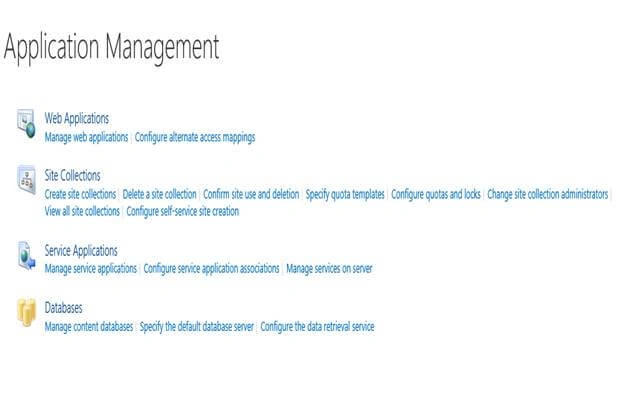
- You will see Web Applications.
- Click on "Manage Web Applications".
- You will see the screen given below.

- Here, we can see various options to work with the Web Applications.
- Let’s see them from left to right in different parts of the article.
We have four categories, where the events have been categorized.
- Contribute
- Manage
- Security
- Policy
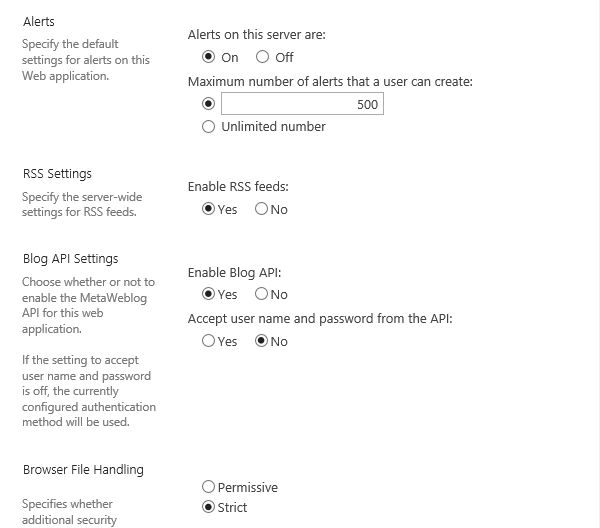
In part 4, we will see “General Settings” Under "Manage” category.
General Settings

- Select the Web Application.
- Click on General Settings.



Join the conversation! Your thoughts help the community grow.