

For a long time, one of the most requested usability improvements in Microsoft Fabric's SQL Analytics Endpoint has finally arrived—the ability to adjust column widths directly within the query results grid.
Although this may appear to be a small enhancement, it significantly improves the overall user experience when working with query results, especially when dealing with long text values, GUIDs, JSON strings, URLs, file paths, or descriptive column names.
The Previous Experience
Until recently, the SQL Analytics Endpoint displayed query results using fixed column widths.
This introduced several challenges:
Long column names were truncated.
Cell values were cut off, making them difficult to read.
Hovering over a cell did not always reveal the complete value.
Analysts frequently had to export results to Excel or connect using SQL Server Management Studio (SSMS) or Azure Data Studio simply to inspect their data properly.
Because of this limitation, many Fabric users raised enhancement requests through the Microsoft Fabric Ideas portal, where it quickly became one of the most upvoted usability improvements. Microsoft later acknowledged the request and announced that the feature was planned before eventually rolling it out.
The New Feature
With the latest update, you can now resize columns directly in the SQL Analytics Endpoint results grid.
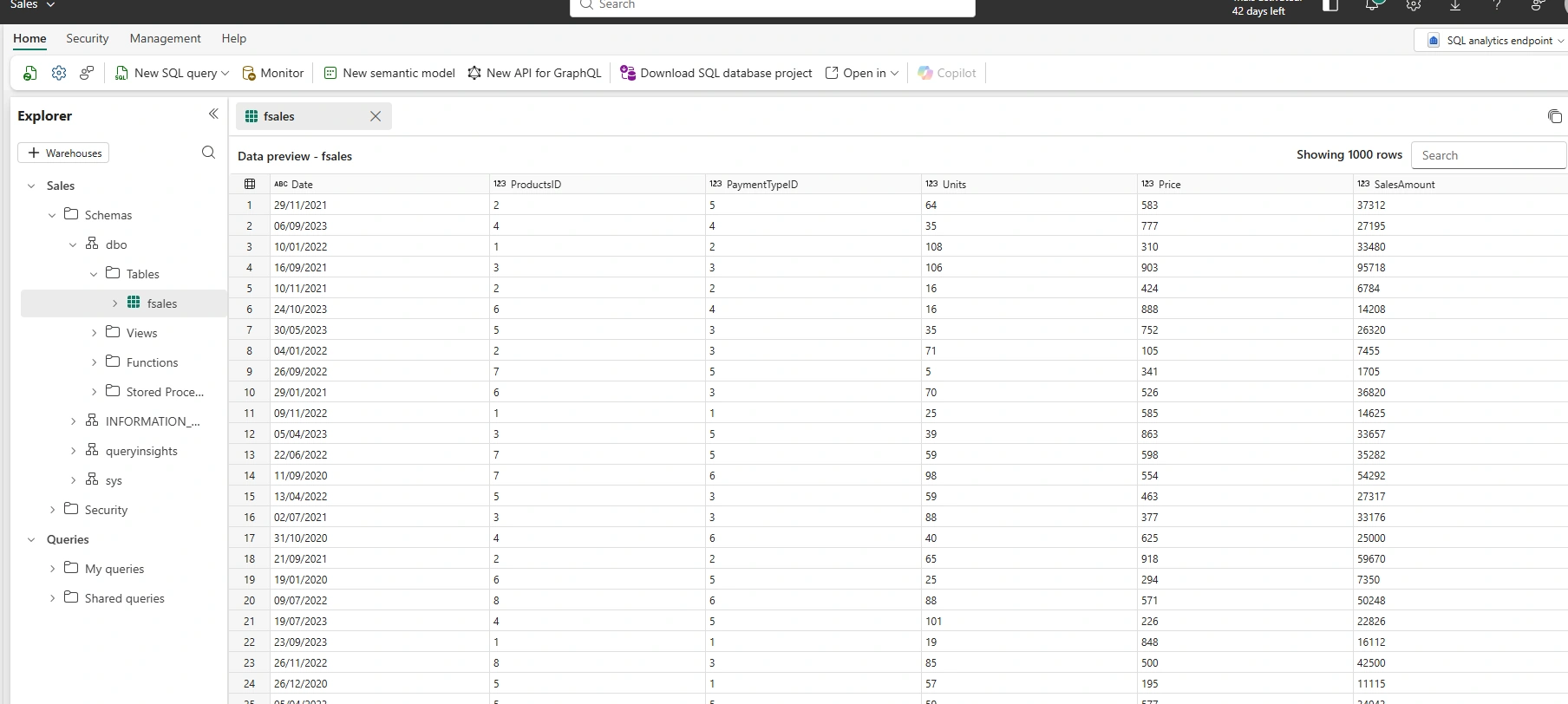
Simply move your mouse pointer to the boundary between two column headers until the resize cursor appears, then click and drag to increase or decrease the width of the column.
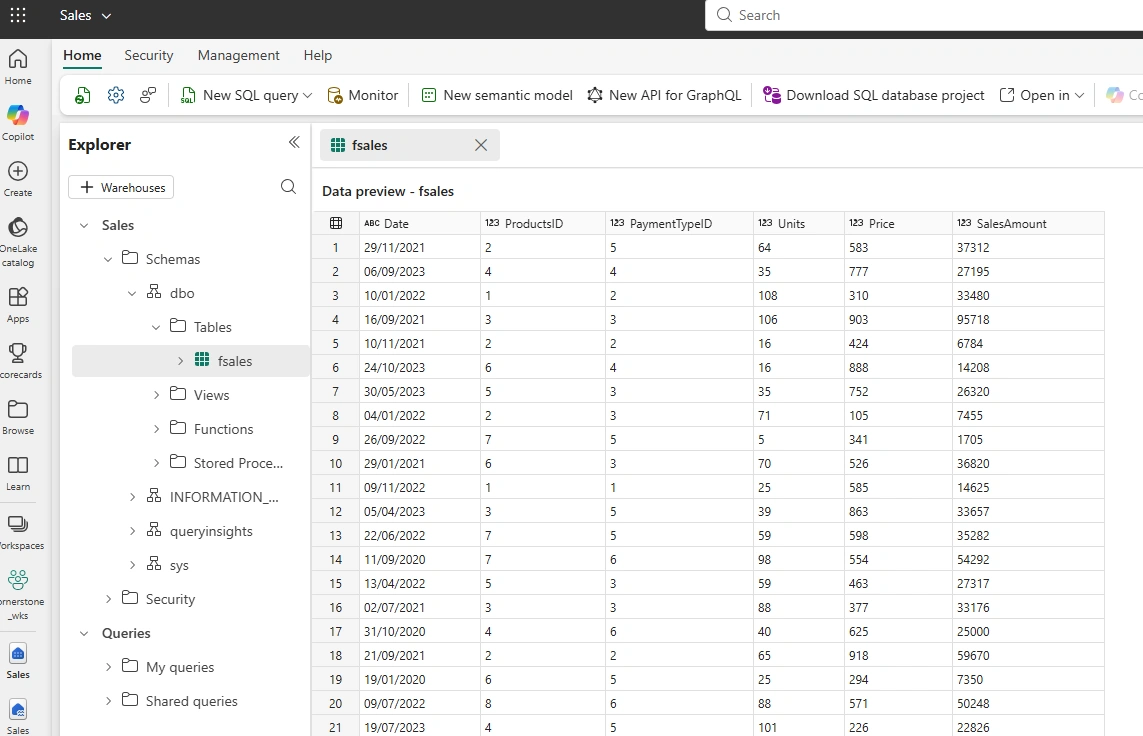
The experience is very similar to resizing columns in Microsoft Excel, making it familiar and intuitive.
This eliminates the frustration of trying to read truncated values while querying data inside Fabric.
Why This Matters
Although resizing a column may sound like a minor feature, it has a surprisingly large impact on daily productivity.
1. Better Data Visibility
Long values are now immediately visible without needing to export results.
Examples include:
Customer Names
Product Descriptions
Email Addresses
JSON payloads
URLs
File paths
GUIDs
Instead of seeing:
Northwind Tr...
you can simply widen the column and view:
Northwind Trading Company Limited
2. Improved Troubleshooting
Data engineers frequently inspect intermediate results while developing pipelines, notebooks, stored procedures, and views.
Being able to resize columns makes it much easier to verify:
Transformation outputs
Key values
Data quality issues
Duplicate records
Lookup results
without switching tools.
3. Faster Development
Previously, developers often opened:
SQL Server Management Studio (SSMS)
Azure Data Studio
Excel
just to read the complete contents of a single column.
Now, everything can be done directly inside the Fabric web experience.
4. Better User Experience
The SQL Analytics Endpoint has steadily evolved into a more capable browser-based SQL editor.
This enhancement removes one of the biggest usability frustrations reported by the Fabric community.
Typical Scenarios
The new feature is particularly useful when querying tables such as:
SELECT *
FROM Sales.Customer;
where columns like:
CustomerName
EmailAddress
StreetAddress
CompanyName
can now be expanded for easier reading.
It is equally beneficial when inspecting metadata:
SELECT *
FROM INFORMATION_SCHEMA.COLUMNS;
or reviewing log tables containing lengthy error messages.
Before vs After
| Before | After |
|---|---|
| Fixed column widths | Adjustable column widths |
| Truncated values | Full values visible |
| External tools often required | Most work can remain inside Fabric |
| Difficult to inspect long text | Simple drag-and-resize experience |
A Small Feature with a Big Impact
Many of the most valuable improvements in software are not major architectural changes—they are enhancements that remove everyday friction.
Column resizing is one such improvement.
Data professionals spend countless hours reviewing query results throughout the day. Even saving a few seconds on each inspection adds up to a significant productivity gain over time.
Final Thoughts
Microsoft Fabric continues to mature with regular improvements driven by community feedback.
The ability to resize columns in the SQL Analytics Endpoint is a welcome enhancement that makes querying data more comfortable, efficient, and user-friendly.
While this feature may not grab headlines like new AI capabilities or performance enhancements, it directly improves the day-to-day workflow of data engineers, analysts, and SQL developers who rely on the SQL Analytics Endpoint.
Sometimes, the smallest features make the biggest difference.
Join the conversation! Your thoughts help the community grow.