

Introduction
When you enroll Windows 10 devices to Microsoft Intune via GPO, you might have following issues recorded in the event viewer.
Event is logged under Applications and Services Logs/Microsoft/Windows/DeviceManagement-Enterprise-Diagnostics-Provider/Admin,
Log Name: Microsoft-Windows-DeviceManagement-Enterprise-Diagnostics-Provider/Admin
Source: DeviceManagement-Enterprise-Diagnostics-Provider
Event ID: 76
Level: Error
Description: Auto MDM Enroll: Failed (Unknown Win32 Error code: 0x80180002b)
Check the following to see if all the requirements are met.
Step 1
Check if the user is having E3 license to enroll a device to Intune.
Step 2
Verify if the OS version is 1709 or above.
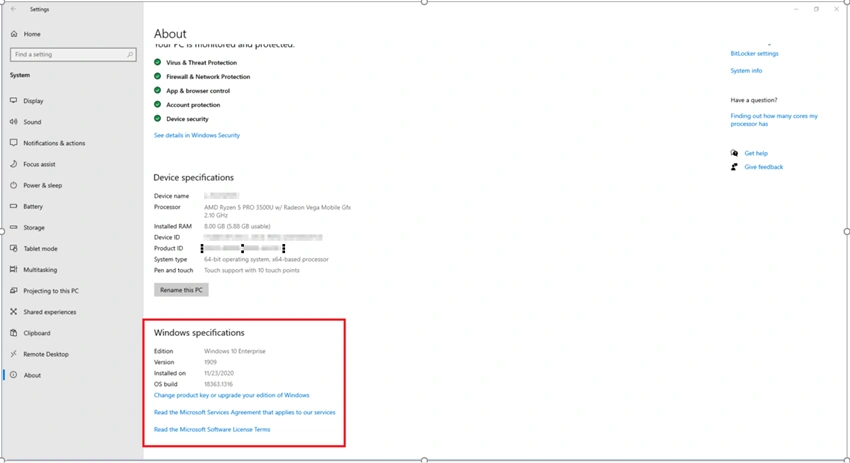
If not, update the windows to the latest version.
Step 3
Open CMD with Admin rights and run the following command,
Dsregcmd /status
Make sure following settings are set, as they appear on the screenshot.
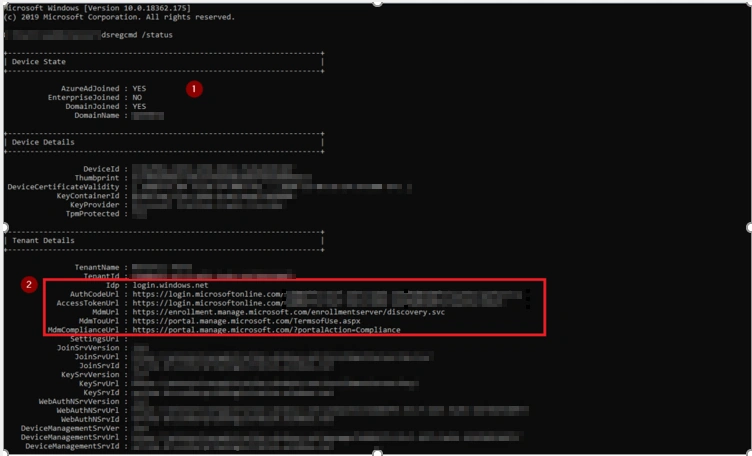
If not, please run gpupdate /force to get the MDM URL. This should be configured properly in the GPO.
Step 4
In Event Viewer, Check if you have any errors event is logged under Applications and Services Logs/Microsoft/Windows/DeviceManagement-Enterprise-Diagnostics-Provider/Admin,
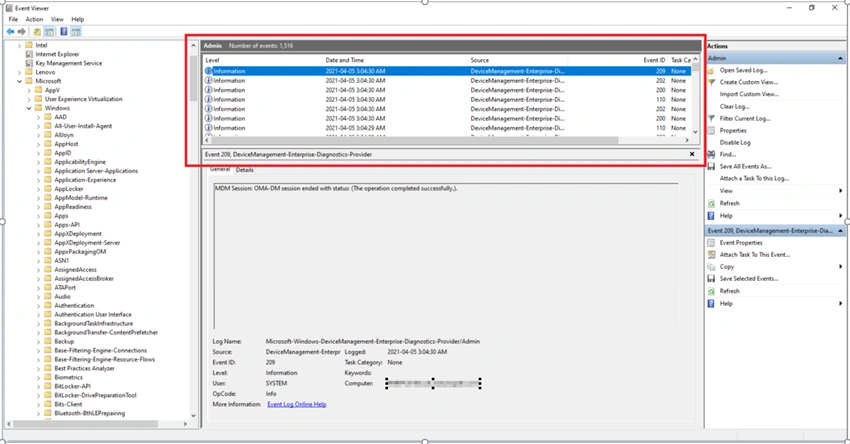
If you have any errors check if the previous SCCM registry entries removed from the system
Step 5
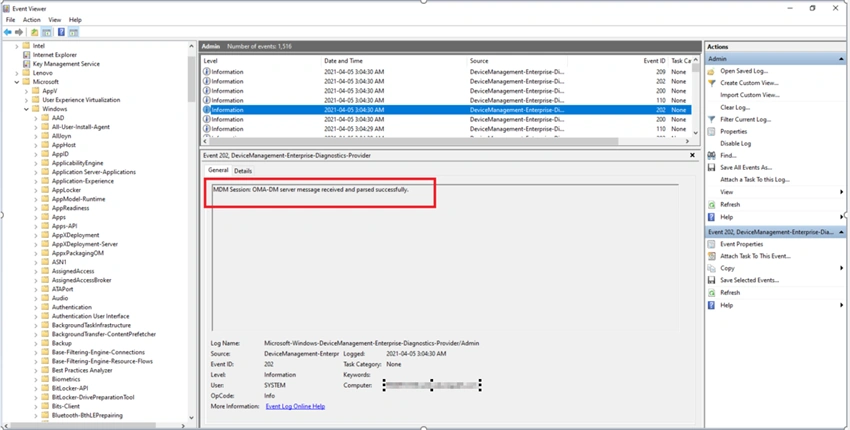
Verify if you see the message in event viewer to successful enrollment,
Event is logged under Applications and Services Logs/Microsoft/Windows/DeviceManagement-Enterprise-Diagnostics-Provider/Admin:
Join the conversation! Your thoughts help the community grow.