Introduction
A powerful Windows Store feature is added in the Windows 10 operating system to run apps and download all the Windows Mobile phone apps. In the previous version of windows this feature was not available. Windows Store just like Google Play Store is used for downloading all the Android apps. To understand the functionality of the Windows Store just follow these steps.
Open Windows Store
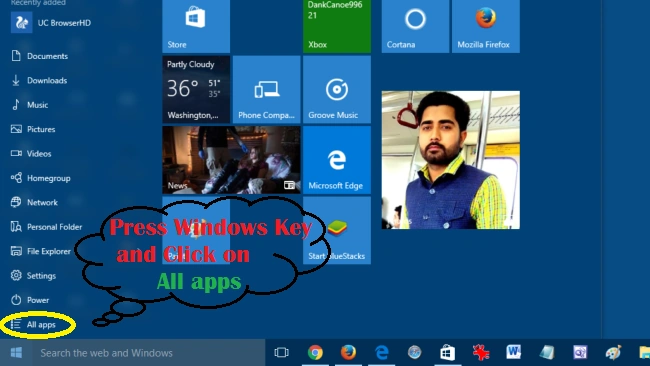
Firstly, open Windows Store, press Windows key from keyboard and click on All apps. After that single click on Store. Here's the screenshot,
Step 1
Step 2
Features of Microsoft Store
Store Home
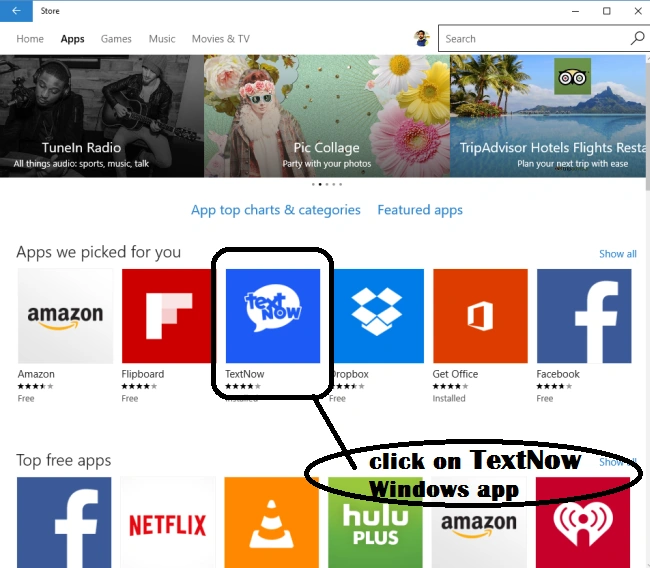
After following the above steps Windows Store Home is opened. In this Store Home, we can see all the latest Windows Apps, top apps chart & categories. Here's the screenshot,
Apps
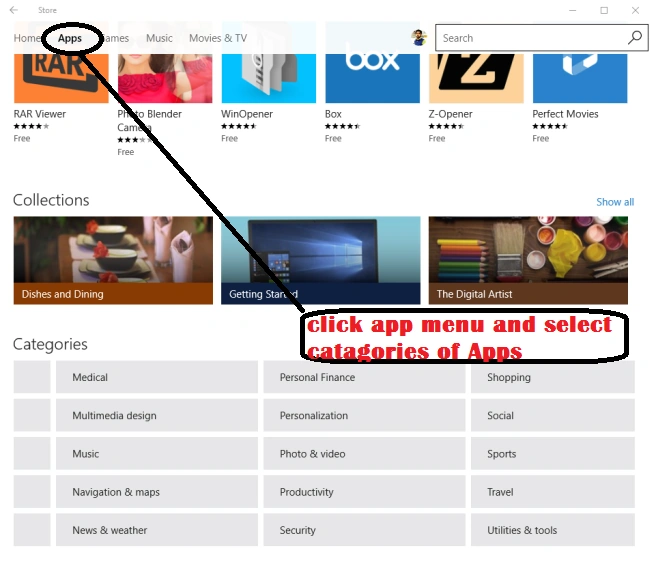
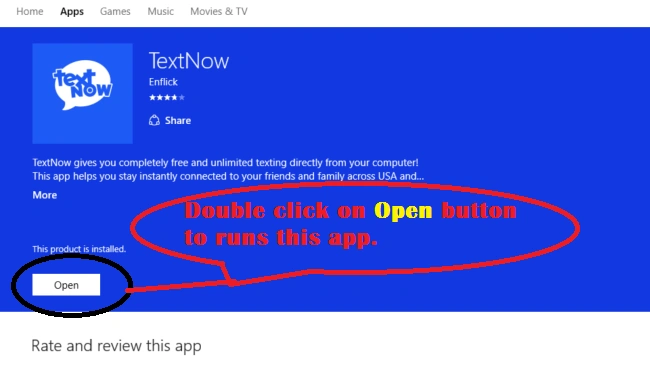
After clicking on Apps Menu we can see all the Windows Apps. We can also download apps from Apps categories according to your choice. Here's the screenshot,
Games
In the Games menu, we are downloading all the latest game apps for Windows phones and Windows 10 operating system. There we can see game categories are used for downloading particular games. Here's the screenshot,
Music
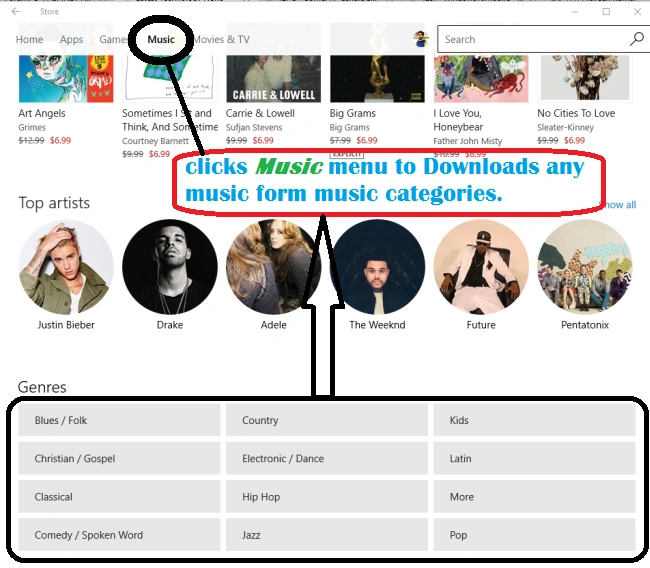
Windows Store also provides Music related apps. In this category, we can download different music artists or albums as in the following screenshot,
Movies and TV
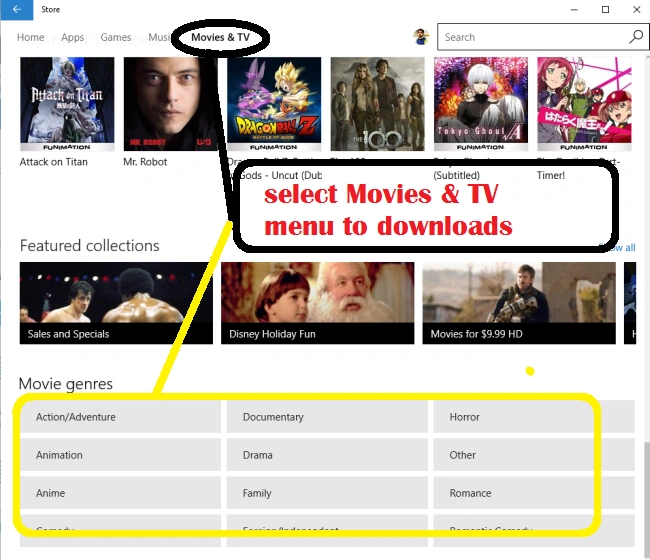
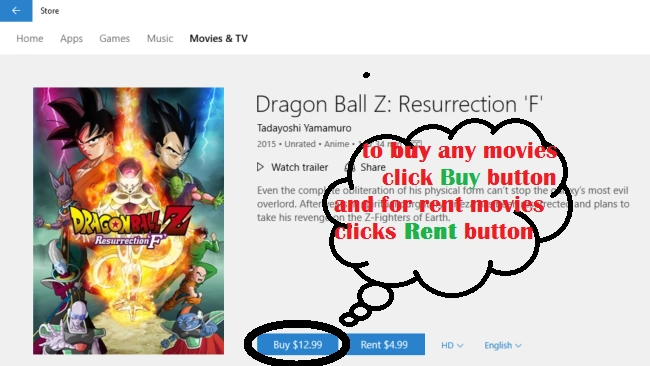
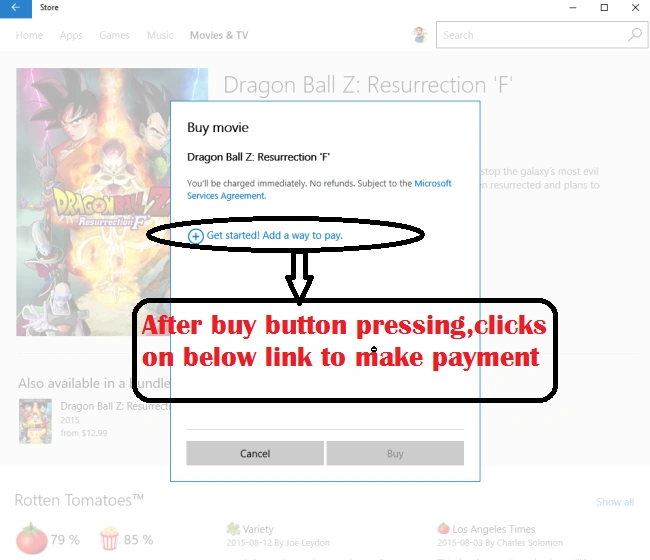
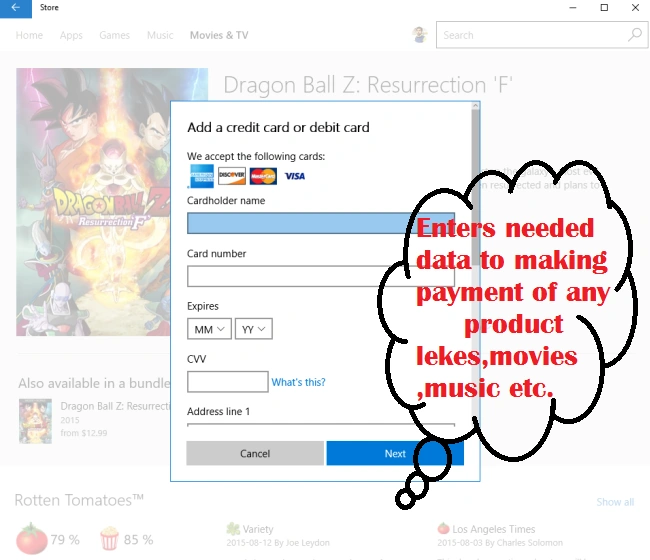
Microsoft also added new feature Movies & TV to Entertainment. In this menu, we can see live TV shows and we can buy any movie from movie categories. To download and rent movies here's the screenshot,
By using this scheme we can order Movies and TV serials at your home address.
Summary
In the following Microsoft Store article, the main motive is to learn how to use Microsoft Store in detail. I hope you liked this article.








Joe WilsonPosted Dec 26, 2015, 2:31 PM
Thank you.
Harshad PansuriyaPosted Dec 11, 2015, 7:08 AM
Nice one
Sibeesh VenuPosted Dec 11, 2015, 7:06 AM
Nice Share