

Introduction
If you have a Windows 8.1 Store App and you want to move it to Windows 10 UAP then you can easily do that with some minor changes since a Windows 10 UAP is a superset of WinRT. You need to do some UI work to make your app look great on small devices. Underline code is nearly compatible with Windows 10 UAP. If you have a Universal WinRT app then you need to do some more work on adaptivity since only a single binary is created with a Windows 10 UAP that will run across all the devices. You don't need to rewrite all the code but you need to just reorganize things. Let us see how this can be done. This article is based on Jerry Nixon and Andy's Microsoft Virtual Academy Course.
If you want to migrate a Silverlight app to Windows 10 UAP then you need to rewrite code to target the UAP APIs, hopefully, you have used good design patterns and abstracted your logic and then you don't need to do much work. Silverlight 7.x/8.x apps need reimplementation through these apps still run on Windows 10 Mobile devices.
There is no tool in Visual Studio 15 to upgrade the project yet, but there is a PowerShell script to do most of the work. You can get the tool from:
https://github.com/Win10DevGuideMVA/ProjectUpgradeUtility
After you download the PowerShell file, unzip it and place the unzipped folder in the C Drive.
Let's Start
Windows Phone Silverlight Apps
Migrating a Windows 8.1 or Windows Phone 8.1 project
- Open your Win/WP 8.1 project and right-click the project and open it in the file explorer.
- Click File > Open command prompt > Open command prompt.
- Then, write the following command.
C:\ProjectUpgradeUtility\Run_UpgradetoUAP_PowerShell_script.batAnd press Enter. This will convert the .csproj to UAP and will update the Package.appxmanifest.
Now, you will find your project migrated to UAP.
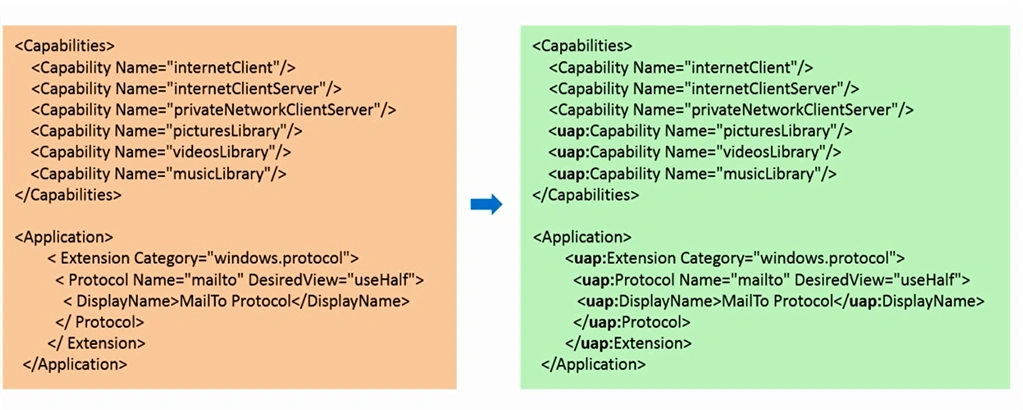
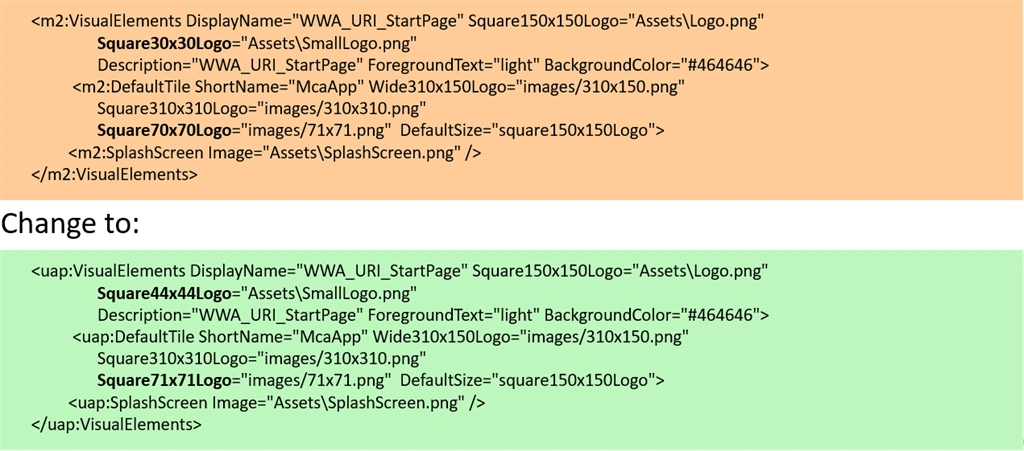
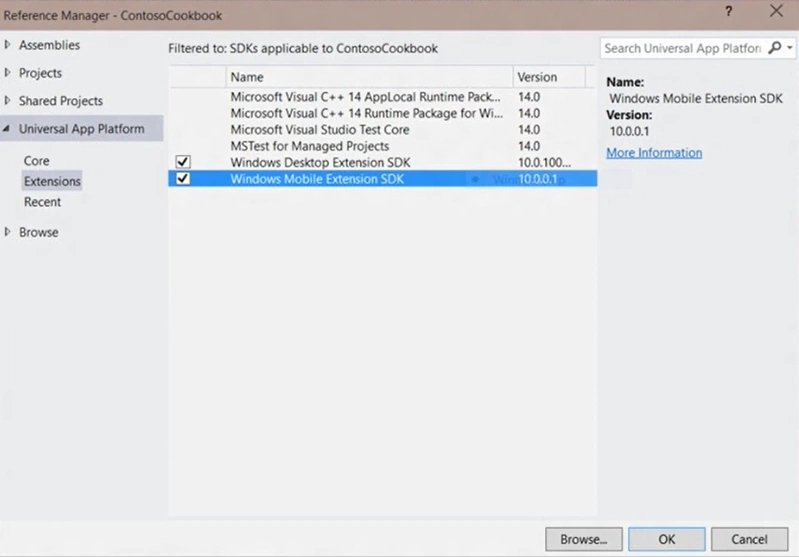
The PowerShell utility automates most of the upgrade procedure but doesn't guarantee coverage of every scenario.
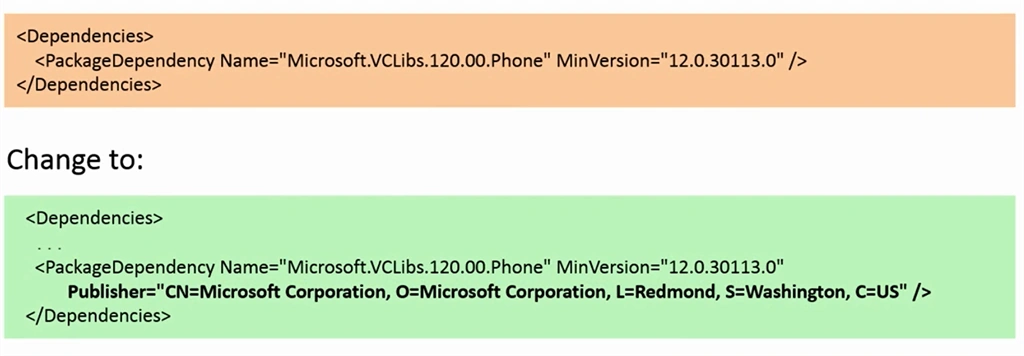
Add publisher to the Package Dependency as in the following:
Manual project file updates
Figure 1
sunil bhoopalamPosted Jul 4, 2018, 2:12 AM
Yes I followed but I didn't found Command Prompt from..
Vipul MalhotraPosted Jul 2, 2015, 4:26 AM
Nice
Charwaka ThupiliPosted Jul 2, 2015, 2:27 AM
Very Very useful Article Pooja :)
Sujeet SumanPosted Jul 2, 2015, 2:07 AM
Nice artical..........
Nitesh KejriwalPosted Jul 2, 2015, 1:59 AM
Good article
Pooja BaraskarPosted Jul 1, 2015, 11:37 AM
Who ever you are, Have you read the last line of first paragraph of this article? I suggest you to go and watch that video. I already given all the credit and reference to the MVA course from which I have taken this points. This article was just to tell the developers the possibility of migrations and the link you are sharing is also based on that MVA course.
Gopi ChandPosted Jul 1, 2015, 2:51 AM
Great one
Abhishek AroraPosted Jul 1, 2015, 2:47 AM
Nice One..
Pooja BaraskarPosted May 26, 2015, 3:55 AM
Thanks :)
Sibeesh VenuPosted May 26, 2015, 1:02 AM
Good one.
Santhakumar MunuswamyPosted May 26, 2015, 12:34 AM
Thanks for good work