

In my earlier article we learned about the Code First Approach in Entity Framework. So in this article we will learn how to develop a simple .Net application with Entity Framework using the Model First Approach.
We know that there are the following 3 approaches in EF:
- DB First
- Model First
- Code First
So, let us create a sample application and see how to use the Model First approach for generating database driven .Net applications.
Create a Console Application named "ModelFirstDemo" then select the C# language.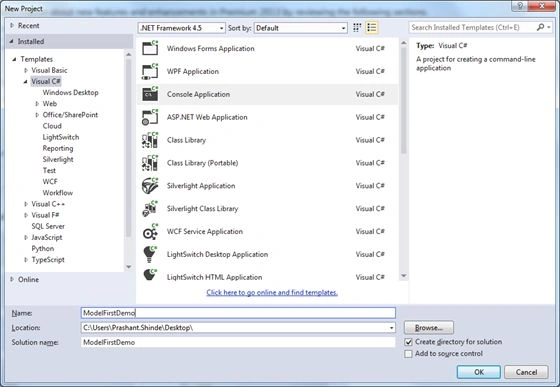
Right-click on your project and add a new item of "ADO.Net Entity Data Model" named "Employee".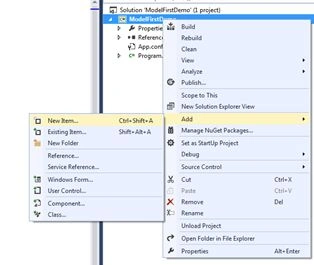
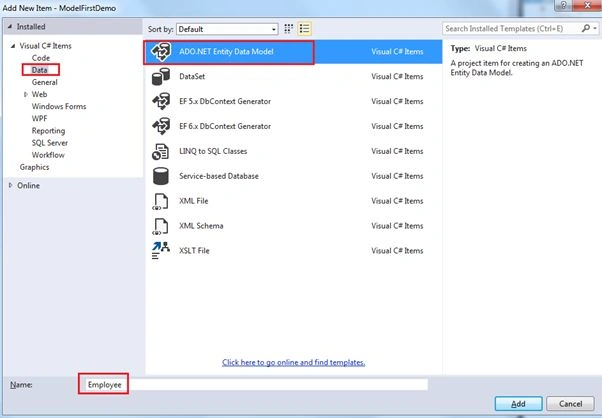
Then it will ask you to select the Model Content, so we will select "Empty Model" and click Finish: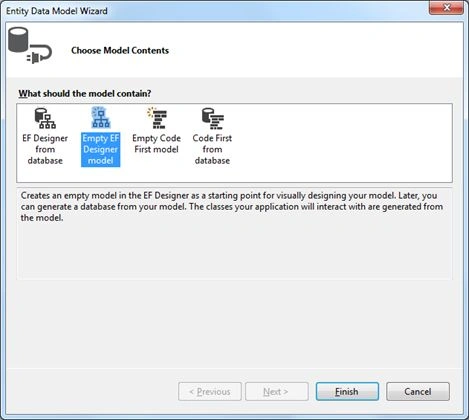
After this an empty designer is displayed as shown below: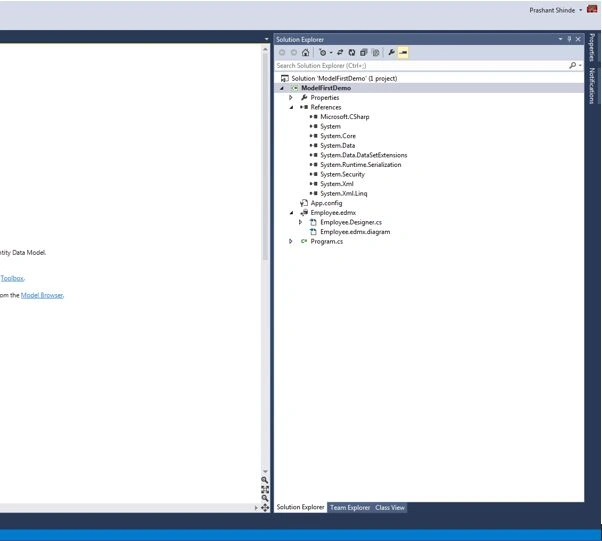
Since the name of this approach is Model First, the purose of this is to create the Model that will later generate the database for us.
Now right-click on the design surface and say add new entity.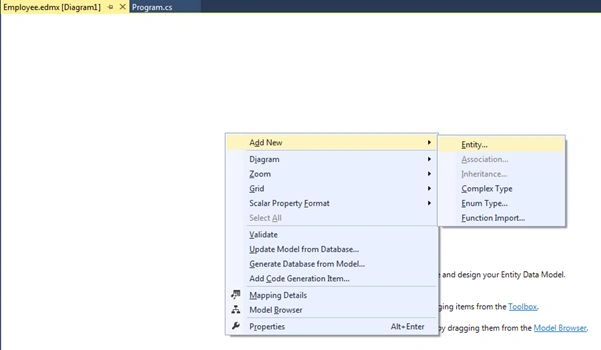
Name the new entity Employee as shown below: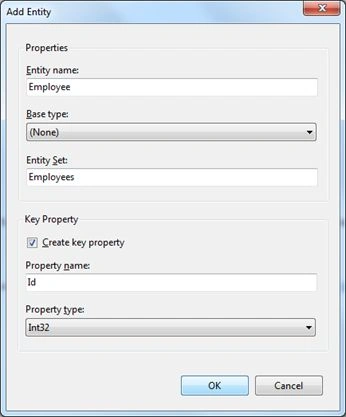
A few points to note here are:
- The Entity set will automatically create the pluralize object.
For example I have given my entity name as Employee so the entity set will be a collection of employee objects, in other words "Employees".
- The "Create key property" checkbox will create the primary key column named "Id" with data type Int32.
- We can change the Property name to "EmpID" or "EmployeeId" and so on.
So, now we have a model with only one entity "Employee" with only 1 column "Id" that is the primary key. Now let's add 2 more columns to this. Right-click on the entity and say add scalar property as shown below: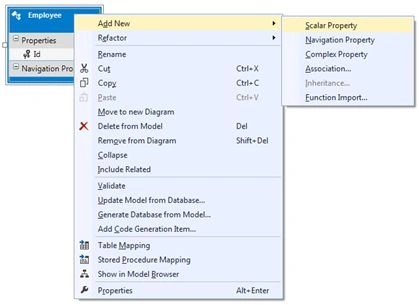
Add 2 scalar properties of type string named "Name" and "City". So now our Employee entity will look as in the following: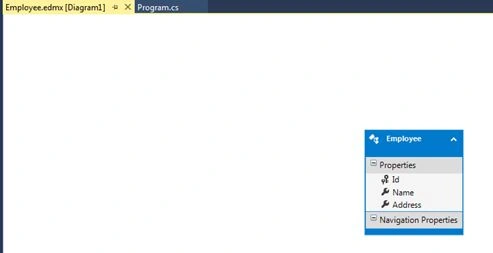
Note: By default when we add a scalar property the default data type is "String". If you want to change it then simply right-click on the scalar property and go to properties and then under "Type" select what is needed.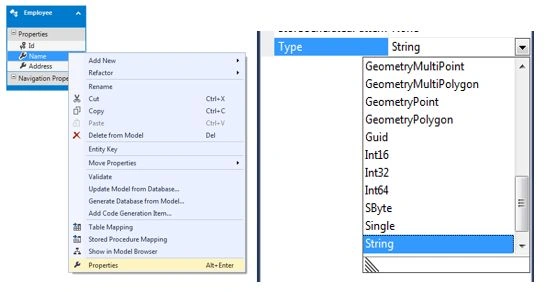
Since this approach is Model First there is no database created yet, so let us see now how to generate a database.
Right-click on the designer and select "Generate database from Model" and use the following procedure: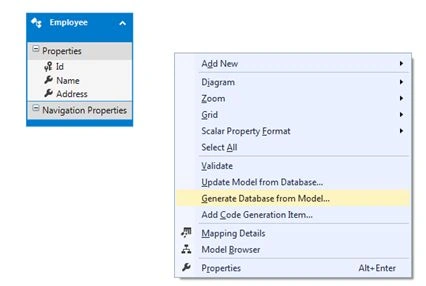
Click on new connection and select SQL Server and provide the required credentials.
I am giving a database name that does not exist so now it will ask me whether I want to generate the new database. I will say Yes.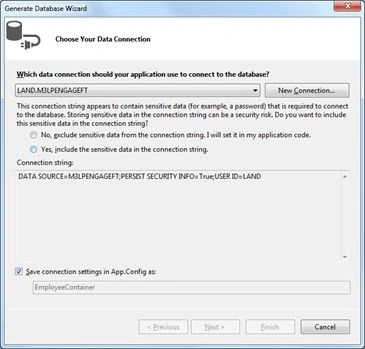
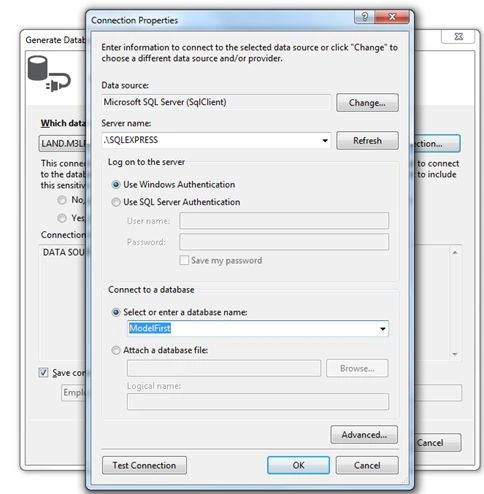
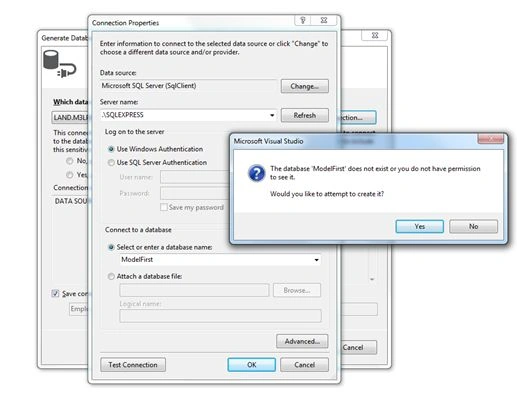
Click on Yes and click Next for the following screen: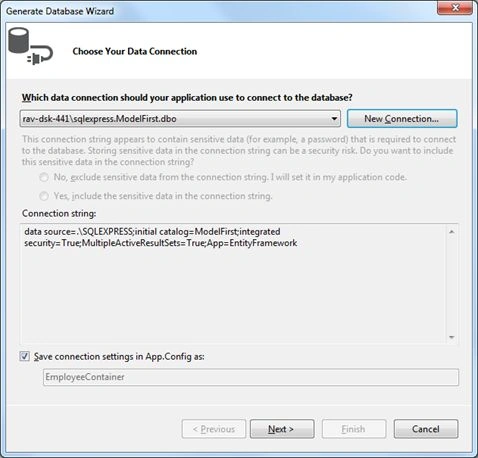
On the next screen you will see DDL generated with a SQL script as shown below: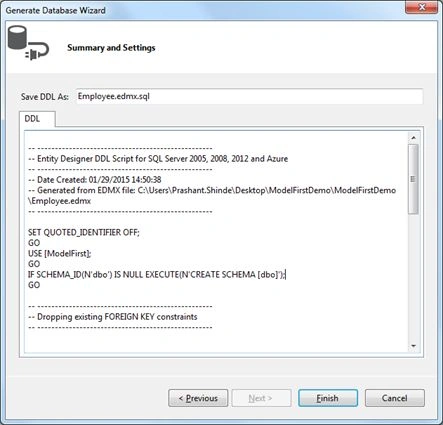
Click on Finish to close this wizard and open the Employee.edmx.sql file.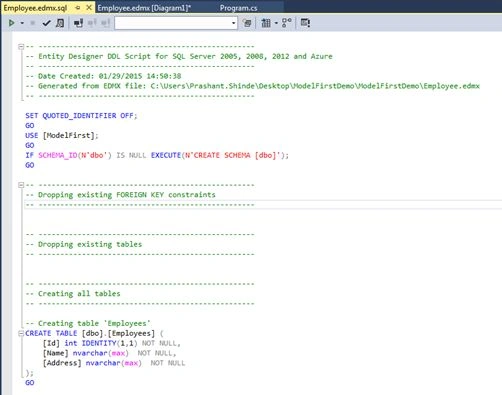
Now we can execute this script that will generate the table called "Employees" in my newly created database called "ModelFirst". To execute this script click on the Execute icon as shown below: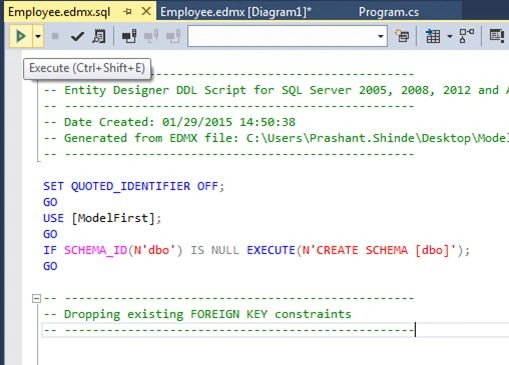
After executing the script we are ready with our database that has a table called "Employees".
Let us fire a few queries and see if we are able to connect to the database and insert a new employee.
Put this code in Program.cs and run the project.
- class Program
- {
- static void Main(string[] args)
- {
- EmployeeContainer container = new EmployeeContainer();
- Employee emp = new Employee { Name = "Prashant", Address = "Mumbai"};
- container.Employees.Add(emp);
- container.SaveChanges();
- Console.WriteLine("New Employee Added !!!");
- }
- }
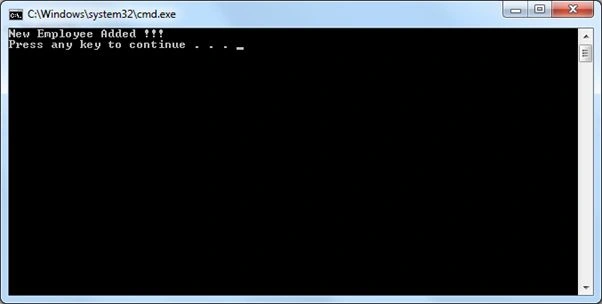
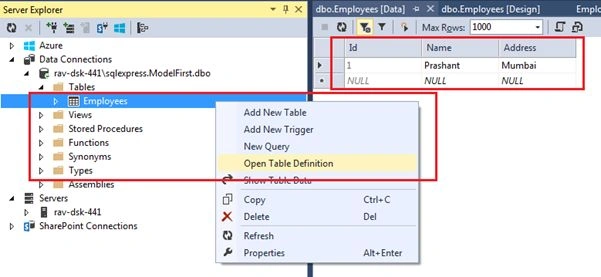
Verify if this has really worked and has inserted a new employee in the DB.
Open the Employees table and click on "Open Table Definition", this verifies that it is working.
I hope you liked this article.
Stay tuned for the next article. Keep Learning Cheers!
Maurilio FilhoPosted Jan 30, 2015, 8:03 PM
I'm having trouble using this procedure with Firebird data base and with VS 2013, would have any tips to share.
Anand ThakurPosted Jan 30, 2015, 5:32 AM
DB first and model first are out with EF7, only code first is supported with EF7, http://www.theregister.co.uk/2014/10/23/entity_framework_goes_codefirst_only_as_microsoft_shutters_yet_another_visual_modelling_tool/
Rajeev KumarPosted Jan 30, 2015, 4:11 AM
keep on writing .gud one
Debasis SahaPosted Jan 29, 2015, 1:17 PM
Good article. keep on writing ...