

Monitoring and cleaning site content is an important best practice in SharePoint, since cleaning of out-of-date and unwanted data will free storage and as a result, administrative resources. It will also improve the performance of the SharePoint farm.
Monitoring the site usage
Tracking usage information can be useful for identifying which content on your site is being heavily used and which content is not being heavily used. An administrator can check site usage statistics; track how much storage space each site is taking up and the level of activity that each site is generating. SharePoint gathers this information as part of the quota tracking for sites. Summary and detailed usage reports supply information such as the following:
- Number of hits per page
- Number of unique users
- Referring domains and URLs
Monitoring also helps to isolate problems if it is browser-specific, site-specific or user-specific.
Determine obsolete and underutilized site content
Content in SharePoint needs to be checked intermittently to check for unused and underutilized data and brought to the attention of stakeholders. If unused content continues to grow then there will be a need to add extra servers and hence spend more on licenses and hardware. An administrator can find the inactive sites in multiple ways as follows:
- Using automated third-party tools
- Run PowerShell scripts
- Send email notifications. For example: if you plan to automatically delete unused site collections then you need to configure how many email notifications are to be sent. The email notification can contain links to confirm whether a site collection is active or inactive. There are three possible outcomes:
- The site collection owner can confirm that the site collection is active by clicking the confirmation link in the email notification.
- The owner continues to receive periodic email notifications according to the interval specified by a member of the Farm Administrators group until the site collection owner confirms that the site collection is active or deletes the site collection.
- If the site collection is not active then the site collection is deleted automatically if the site collection owner does not confirm the status of the site collection.
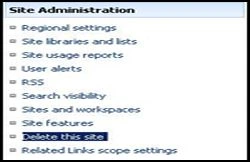
You can have other Governance mechanisms of internal communication with site owners and administrators to get web site deletion confirmation. The owners of the site may no longer be around (given the higher turnaround of people). You need to ensure that the site is not needed for compliance and regulatory purposes. Once confirmed that the content within these sites is not required you can use either of the following steps.
- Take a backup of the sites if you want to automatically delete unused site collections or delete a site collection if the site collection owner does not respond to multiple email notifications.
- Archive the sites: Archive the content to the central archives and let the archival policy decide the cleanuo of the content.

Join the conversation! Your thoughts help the community grow.