Introduction
Garbage Collection (GC) is a feature provided by the .NET Common Language Runtime (CLR) that helps us to clean up unused managed objects. Basically, it reclaims memory by cleaning up the managed objects that are not in use.
In other words, we can say that GC runs as a background thread continuously for cleaning up those managed objects that are not in use. It executes at a specific time. It basically executes when the program is executed.
So before learning more about it we should understand some basic terminologies that will be used again and again. Some basic terminologies that will help us to understand the functionalities for GC are listed below.
- CLR
- Managed Code
- CLR Profiler
CLR
Basically, CLR stands for Common Language Runtime. It is the runtime for the .NET Framework. As we know, every language has a runtime that is responsible for taking care of the execution of programs.
Managed Code
The program code that is executed under the environment of the CLR is called managed code whereas unmanaged code is that kind of code that is written in a function to clean up the memory occupied by the objects, it is not called by the GC.
CLR Profiler
The CLR Profiler is a tool provided by
Microsoft to monitor the activity of the Garbage Collector. So if you don't have this tool, first
download it from the Microsoft website depending on your machine configuration like 32 bits or 64 bits.
Generation of Garbage Collection
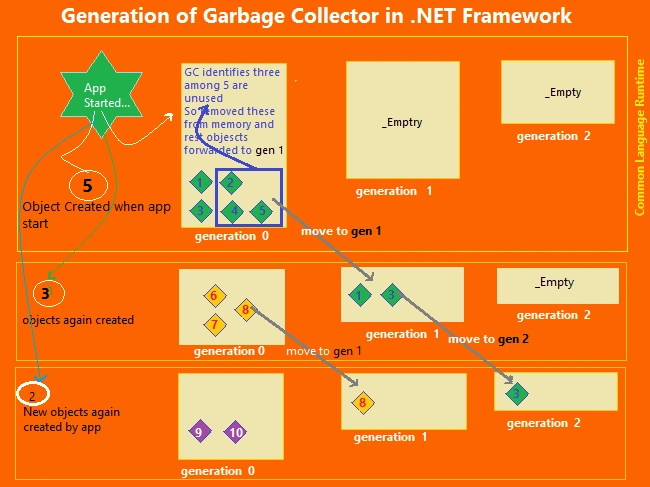
Basically, the generation of Garbage Collection (GC) shows the life of objects, it means it defines how long an object will stay in the memory. It's categorized into the following three generations:
- Generation 0
- Generation 1
- Generation 2
Generation "0"
Generation 0 is the first generation of GC. So whenever the objects are created the very first time, those objects live at the generation 0 bucket. The lifetime of an object that lives in the generation 0 bucket is very short.
Generation "1"
Generation
1 is the second generation of GC. So when the GC executes a second time it checks the references of all those objects that are in generation 0 and determines that some objects are still needed so those objects are moved into generation 1 and clean up all the objects that are unused.
Generation "2"
Generation
2 is the kind of generation in which all those objects are moved from generation 1 that are still needed. So the object that stays a long time in memory comes into generation 2.
Note:
The objects that needed to stay a long time in memory comes into
gen 1 and
gen 2. One thing is very necessary. That is to share that the GC most of the time checks for only those objects that are in gen 0.
Let us see with a live application how GC improves the performance of our application as well as how and when the objects move from
gen 0 to
gen 1 and
gen 2.
Step 1
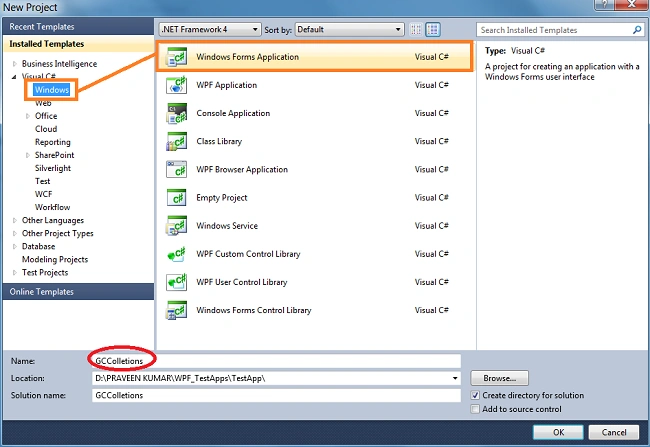
Open Visual Studio and create a desktop application using Visual C#. (For this blog we are using
Visual Studio 2010).
Step 2
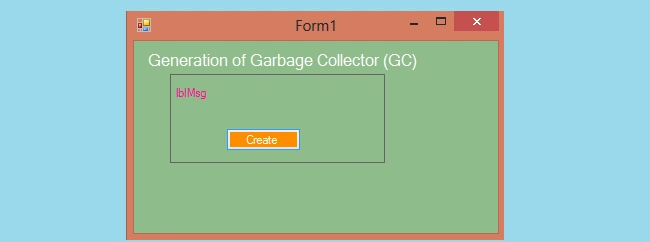
Now put a button control on Form1 and name it
btnCreateObject.
Step 3
Now write the following program code on a button click event: btnCreateObject_Click.
- private void btnCreateObject_Click(object sender, EventArgs e) {
- for (int i = 0; i < 10000; i++) {
- ClassGcTest gctest = new ClassGcTest();
- }
- lblMSG.Text = "Objects Crated! Now Close this window!!";
- }
-
-
- public class ClassGcTest {
-
- }
Step 4
Now we need the
CLR Profiler in which we will monitor the activity of the GC. It is a tool from Microsoft for monitoring the activity of Garbage Collection. So if you don't have this tool, first
download it from the Microsoft website depending on your machine like 32 bits or 64 bits.
Step 5
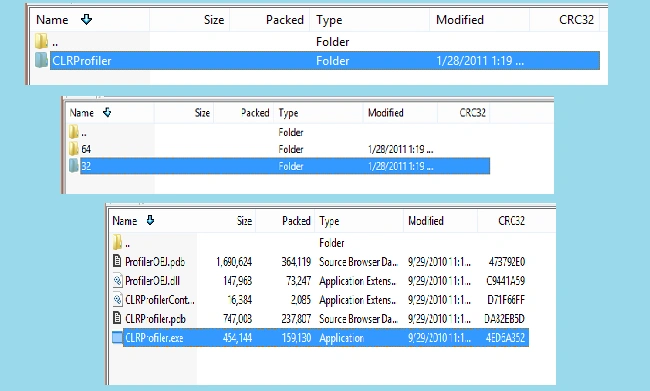
Now install this CLR profiler in your local machine (PC) and execute it. Let's see the following image that helps you to execute this CLR profiler. Browse the file from the installed location in the following way.
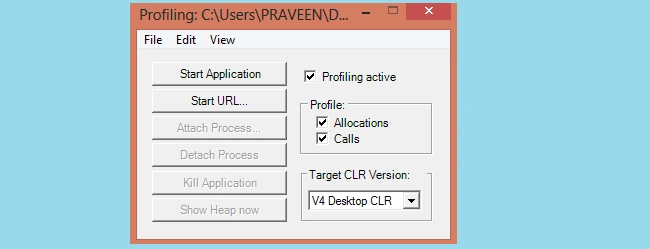
When we click on this (CLRProfiler –Application) then the following window will be shown:
Note:
Please mind that we must check all these options that are available with this start window of the CLR Profiler like Allocations and Calls should be checked before browsing the application.
Step 6
Now build your .NET
Windows application project to generate a current
.exe file.
Step 7
Now go to the CLR Start window and click on the [Start Application] button, a new file explorer window will be shown. So to select the .exe file of our application go to:
ProjectFolder -> bin -> Debug and select the applicationName.exe file (for this article we are using the project name:
GCGeneration).
Now click on the Create button to create objects then close this application window then another window of the
CLR Profiler will be shown.
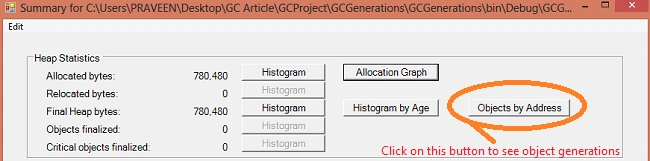
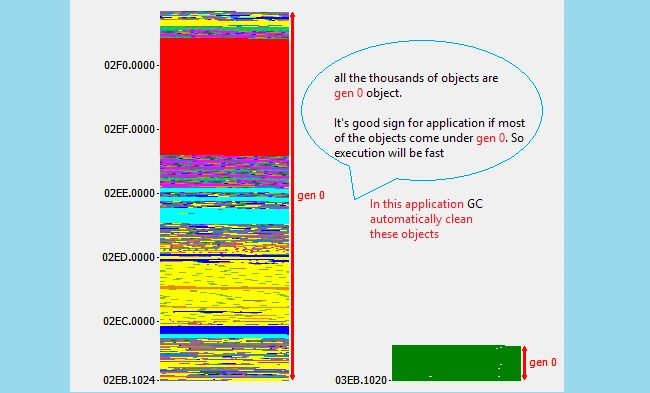
Now we can see the generation details in the following window.
Step 8
Now define a destructor in the
ClassGCTest and execute this application again using the CLR-Profile window and view the generation window how it looks after doing unmanaged code.
Note: a destructor is basically used to implement unmanaged code.
-
- private void btnCreateObject_Click(object sender, EventArgs e) {
- for (int i = 0; i < 10000; i++) {
- ClassGcTest gctest = new ClassGcTest();
- }
- lblMSG.Text = "Objects Crated! Now Close this window!!";
- }
-
-
- public class ClassGcTest {
- ~ClassGcTest() {
-
- }
- }
Step 9
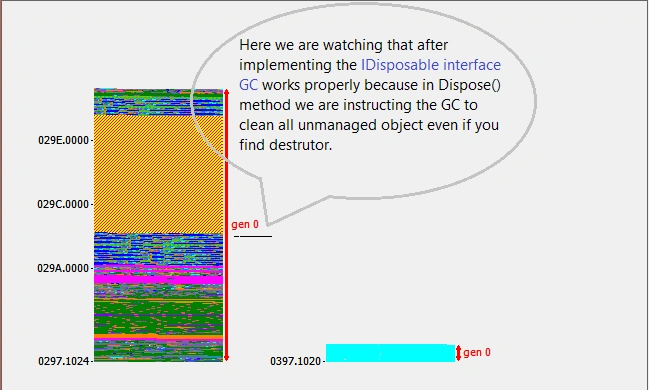
Now we can remove this problem using the Finalize Dispose Pattern by implementing an
IDisposable interface to the existing class
ClassGCTest.
- namespace GCGenerations {
- public partial class Form1: Form {
- public Form1() {
- InitializeComponent();
- }
- private void btnCreateObject_Click(object sender, EventArgs e) {
- for (int i = 0; i < 10000; i++) {
- ClassGcTest gctest = new ClassGcTest();
- gctest.Dispose();
- }
- lblMSG.Text = "Objects Crated! Now Close this window!!";
- }
-
-
- public class ClassGcTest: IDisposable {
- ~ClassGcTest() {
-
- }
- public void Dispose() {
- GC.SuppressFinalize(true);
- }
- }
- }
- }
Note:
In the preceding code
GC.SuppressFinalize (true) says to the GC, please clean up my object even if I have a destructor.
Summary
In this article, we learned what Garbage Collection is and how to monitor the activities of Garbage Collection using the CLR Profiler.
Thanks!


meena sunkavalliPosted Jan 24, 2019, 11:28 PM
Soooo... garbage collector can remove objects from any generation irrespective of the amount of time objects have spent.. but only removed when objects are unused.
Guest UserPosted Apr 2, 2017, 8:27 AM
Nice one, Thank P K Yadav! Really it's very helpful.
Shekhar PanwarPosted Feb 14, 2017, 1:17 AM
its awesome article n so helpful...
Vipul MalhotraPosted Jul 6, 2015, 4:38 AM
Great...Thanks for sharing
Abhishek SaxenaPosted Jun 30, 2015, 8:06 AM
Very useful article!!!
Gowtham RajamanickamPosted May 28, 2015, 10:43 AM
this is great..
Ravi MaheshwariPosted Jan 6, 2015, 8:07 AM
Most Imp
Rajeev RanjanPosted Jan 6, 2015, 3:03 AM
nice article ...
Guest UserPosted Jan 6, 2015, 2:08 AM
i'm currently dealing with memory leak problem and finding your article useful!
Gaurav KumarPosted Jan 5, 2015, 10:42 PM
Very nice article it seems interesting....really helpful!!