

Introduction
Hi, how are you today? Today we will see how to move an element when the user clicks the mouse. The element is moved to the position the mouse is clicked. This is a simple demo for that. I hope you will enjoy it.
Using the code
To work with this demo, we need to load the jQuery file first.
- <script src="https://cdnjs.cloudflare.com/ajax/libs/jquery/2.1.4/jquery.min.js"></script>
- <b>Where ever you go, I am there</b>
- <p id="go">
- <img src="http://sibeeshpassion.com/Content/Images/sibi.jpg" alt="www.sibeeshpassion.com" />
- </p>
Now we will style those elements.
- #go {
- position: absolute;
- background-color: blue;
- color: #fff;
- padding: 10px;
- border: 1px solid #ccc;
- border-radius: 5px;
- width: 100px;
- }
- $(document).ready(function () {
- var XPosition = 0;
- var YPosition = 0;
- var $go = $("#go");
- $(document).click(function (e) {
- XPosition = e.pageX;
- YPosition = e.pageY;
- $go.stop().animate({ top: YPosition, left: XPosition });
- });
- });
- var $go = $("#go");
- XPosition = e.pageX;
- YPosition = e.pageY;
- $go.stop().animate({ top: YPosition, left: XPosition });
Complete Code
- <!DOCTYPE html>
- <html>
- <head>
- <title>Move elements on click demo - Sibeesh Passion</title>
- <script src="https://cdnjs.cloudflare.com/ajax/libs/jquery/2.1.4/jquery.min.js"></script>
- <style>
- #go {
- position: absolute;
- background-color: blue;
- color: #fff;
- padding: 10px;
- border: 1px solid #ccc;
- border-radius: 5px;
- width: 100px;
- }
- </style>
- <script>
- $(document).ready(function () {
- var XPosition = 0;
- var YPosition = 0;
- var $go = $("#go");
- $(document).click(function (e) {
- XPosition = e.pageX;
- YPosition = e.pageY;
- $go.stop().animate({ top: YPosition, left: XPosition });
- });
- });
- </script>
- </head>
- <body>
- <b>Where ever you go, I am there</b>
- <p id="go">
- <img src="http://sibeeshpassion.com/Content/Images/sibi.jpg" alt="www.sibeeshpassion.com" />
- </p>
- </body>
- </html>
That is all, so shall we see the output now?
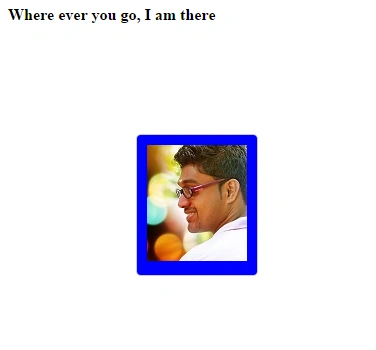
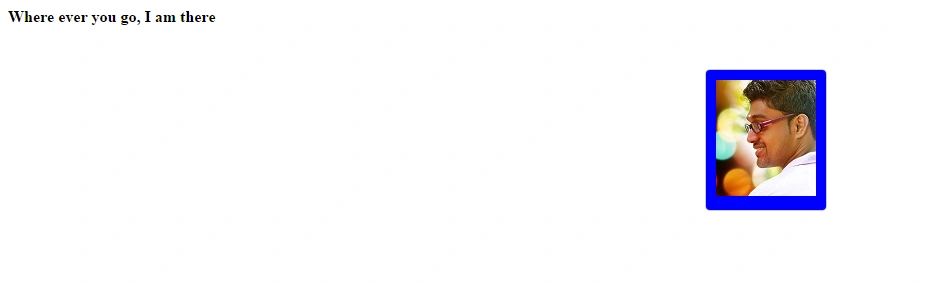
Conclusion
I hope you liked this article, please share me your suggestions. Thanks in advance.
Kindest Regards,
Sibeesh Venu
Sibeesh VenuPosted May 31, 2015, 5:08 AM
Abhishek Jaiswal :) Thank you
Sibeesh VenuPosted May 31, 2015, 5:08 AM
Ajith Mohan Thank you
Sibeesh VenuPosted May 31, 2015, 5:08 AM
Santhakumar Munuswamy Thank you
Abhishek JaiswalPosted May 31, 2015, 12:13 AM
Very well explained!! :)
Ajith MohanPosted May 31, 2015, 12:01 AM
the animate function is amazing.. Thx for sharing
Santhakumar MunuswamyPosted May 30, 2015, 1:11 PM
Thanks for nice one