

In this example, we will be discussing the movement of text in both directions in Windows Phone 7. Use the following to do that.
Step 1
First we create a new project in Windows Phone 7:
New Project -> XNA Game Studio 4.0 -> Windows Phone Game (4.0)
After that we select a name for the project.
Step 2
Now we add a SpriteFont Class to our project. For this first we right-click on the MovementOfTextInWP7Content (Content) like this: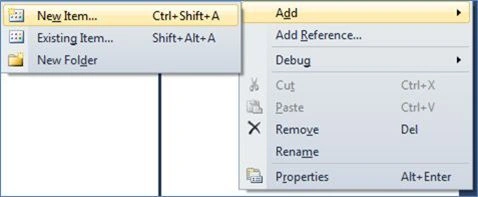
Add -> New Item -> Sprite Font
After that a SpriteFont (SpriteFont1) class will be added.
Step 3
Now we will write the program in the Game1.cs page. Here we write the following code:
Public int x=0;
public int y = 0;
public int z = 0;
public int c = 0;
const float textSpeed= 500f;
const string TEXT = "Mahak Gupta";
GraphicsDeviceManager graphics;
SpriteBatch spriteBatch;
SpriteFont segoe14;
Viewport viewport;
Vector2 textSize;
Vector2 textPosition;
bool DirectionIsUp = false;
public Game1()
{
graphics = new GraphicsDeviceManager(this);
Content.RootDirectory = "Content";
// Frame rate is 30 fps by default for Windows Phone.
TargetElapsedTime = TimeSpan.FromTicks(333333);
}
Here x, z and c are variables used to fulfill some conditions. textSpeed is used for the speed measurement of the text.
Now we write the code for LoadContent like this:
protected override void LoadContent()
{
spriteBatch = new SpriteBatch(GraphicsDevice);
viewport = this.GraphicsDevice.Viewport;
segoe14 = this.Content.Load<SpriteFont>("SpriteFont1");
textSize = segoe14.MeasureString(TEXT);
textPosition = new Vector2((viewport.Width - textSize.X) / 2, (viewport.Height - textSize.Y) / 2);
}
Here we describe the TextSize and the position of the text Like this: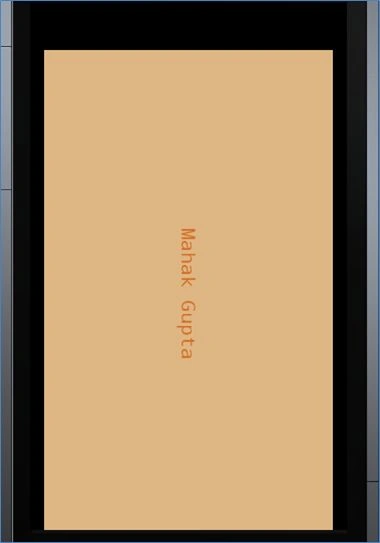
Step 4
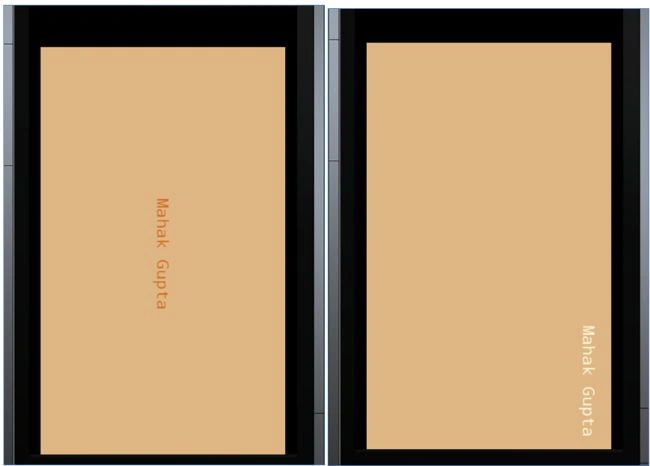
Now we write the Update Method. Here we describe the text in both directions (X and Y) like this:
protected override void Update(GameTime gameTime)
{
if (x < 3)
{
if (GamePad.GetState(PlayerIndex.One).Buttons.Back == ButtonState.Pressed)
this.Exit();
if (!DirectionIsUp)
{
textPosition.X += textSpeed* (float)gameTime.ElapsedGameTime.TotalSeconds;
if (textPosition.X + textSize.X > viewport.Width)
{
float excess = textPosition.X + textSize.X - viewport.Width;
textPosition.X += 4* excess;
DirectionIsUp = true;
x += 1;
z += 1;
}
Join the conversation! Your thoughts help the community grow.