

Introduction
The Microsoft Authentication Library (MSAL) serves as a crucial tool for implementing secure authentication in Vanilla JavaScript Single Page Applications (SPAs). Specifically designed for obtaining JWT (JSON Web Token) Access Tokens and ID Tokens, MSAL facilitates seamless integration with Microsoft identity services. By leveraging MSAL in your SPA, you empower your application to handle authentication processes effectively, ensuring the secure retrieval of Access Tokens for API access and ID Tokens for user identity verification. This summary highlights the significance of MSAL in enhancing the authentication capabilities of Vanilla JS SPAs, contributing to a robust and secure user experience.
You can find the code solution of this article here MSAL-Vanilla-JS-APP
Microsoft Authentication Library (MSAL)
The Microsoft Authentication Library, commonly abbreviated as MSAL, is a set of client libraries and tools provided by Microsoft to simplify and streamline the implementation of authentication and authorization in applications. MSAL is designed to work with various programming languages and platforms, including JavaScript, .NET, Python, and more.
Specifically, MSAL facilitates the integration of applications with Microsoft identity services, such as Azure Active Directory (Azure AD) and Microsoft Accounts. It enables developers to handle authentication processes seamlessly, allowing users to sign in securely and obtain access tokens and ID tokens, which are essential for accessing protected resources and verifying user identity.
MSAL supports various authentication protocols, including OAuth 2.0 and OpenID Connect, and it provides a consistent and standardized approach to managing tokens and interacting with identity providers. Whether building web applications, mobile apps, or other types of software, developers can leverage MSAL to enhance security and user authentication experiences.
JWT access token & ID token
Access Token and ID Token are both components of the OAuth 2.0 and OpenID Connect authentication frameworks, and they serve distinct purposes in the authentication and authorization process.
Access token
- Definition: An Access Token is a credential that represents the authorization granted to a client (an application or user) to access a specific resource or perform a particular action.
- Purpose: Access Tokens are used to authenticate the client when making requests to access protected resources on a resource server (such as an API). They convey the permissions granted and are typically time-limited.
- Example use case: In a Single Page Application (SPA), an Access Token might be obtained during the authentication process and then included in API requests to allow access to the user's data.
ID token
- Definition: An ID Token is a JSON Web Token (JWT) that contains claims about the identity of the authenticated user.
- Purpose: ID Tokens provide information about the user, such as their unique identifier, name, and email. They are often used to verify the user's identity on the client side without the need to make additional requests to an identity provider.
- Example use case: In a web application, an ID Token may be used to display the user's name and profile picture on the user interface after authentication, providing a personalized experience.
In summary, Access Tokens are primarily concerned with authorization and resource access, while ID Tokens focus on providing information about the authenticated user. Both tokens play integral roles in securing authentication processes and enabling secure interactions between clients and resource servers.
App registration in Microsoft Entra ID
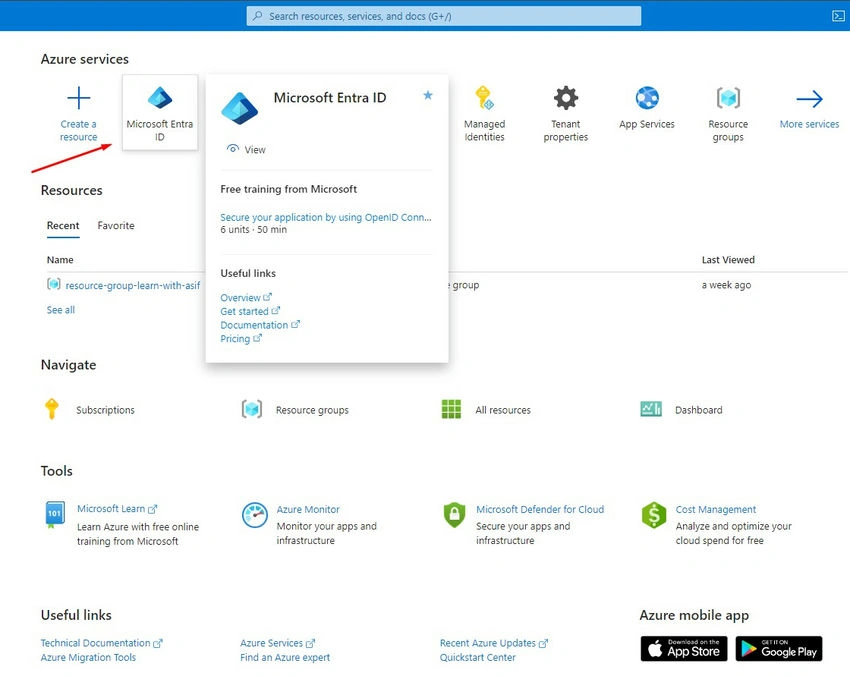
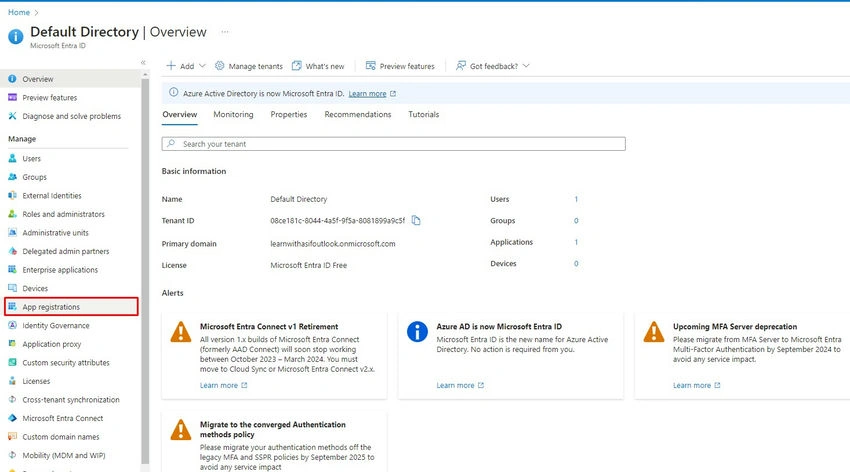
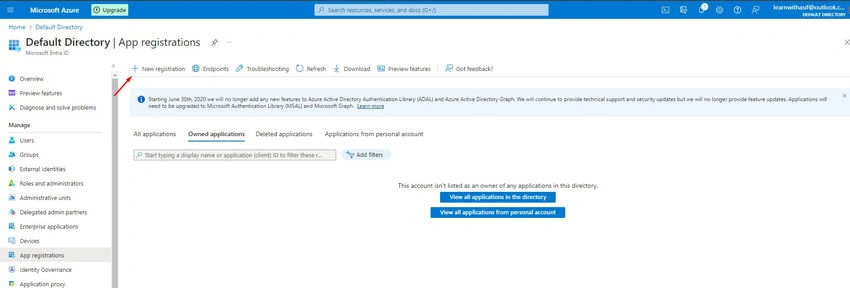
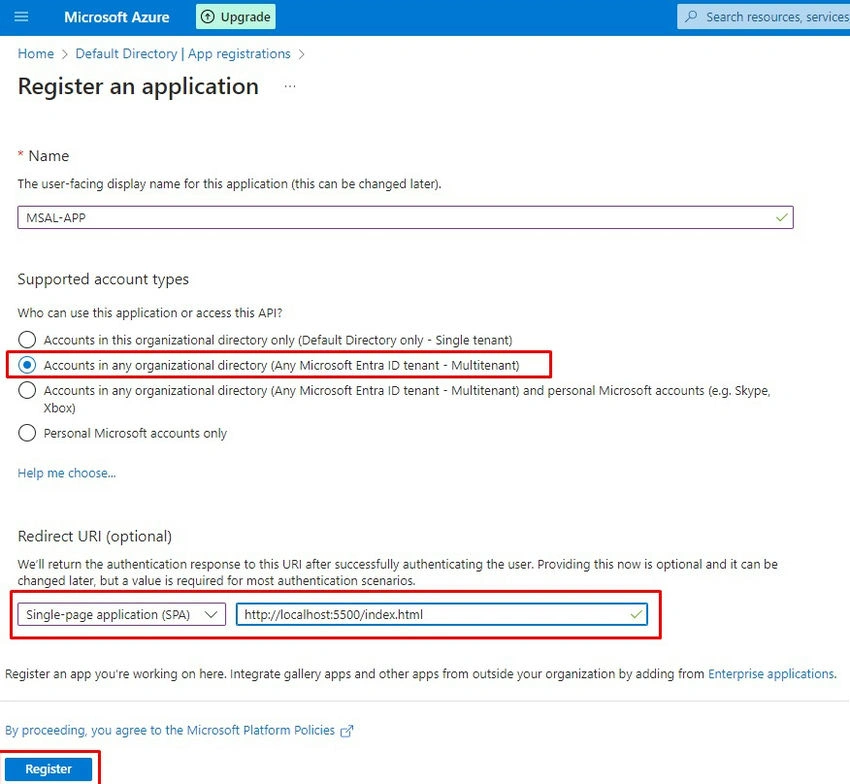
Provide the details and add the URI here but you can also add the URI after the app registration process.
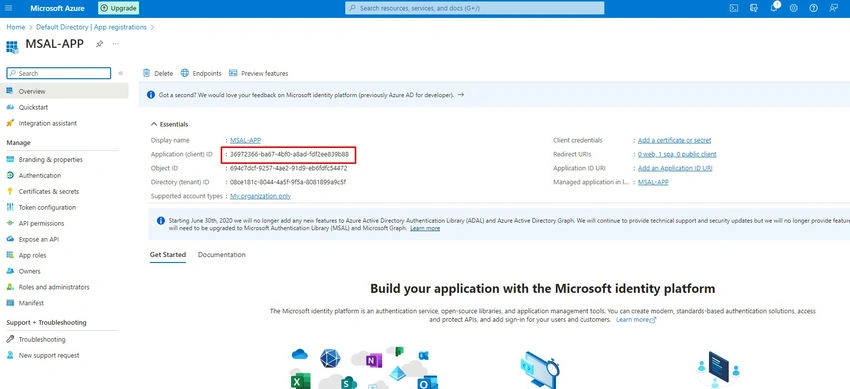
Go to the Overview of the app and copy the application (Client) ID.
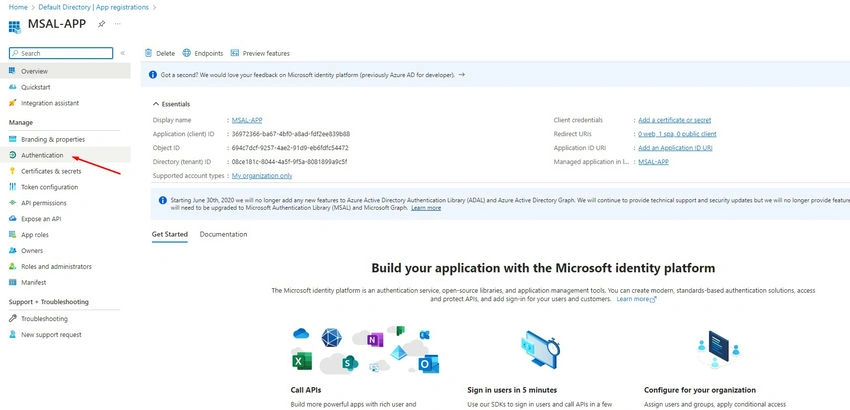
Now go to the Authentication.
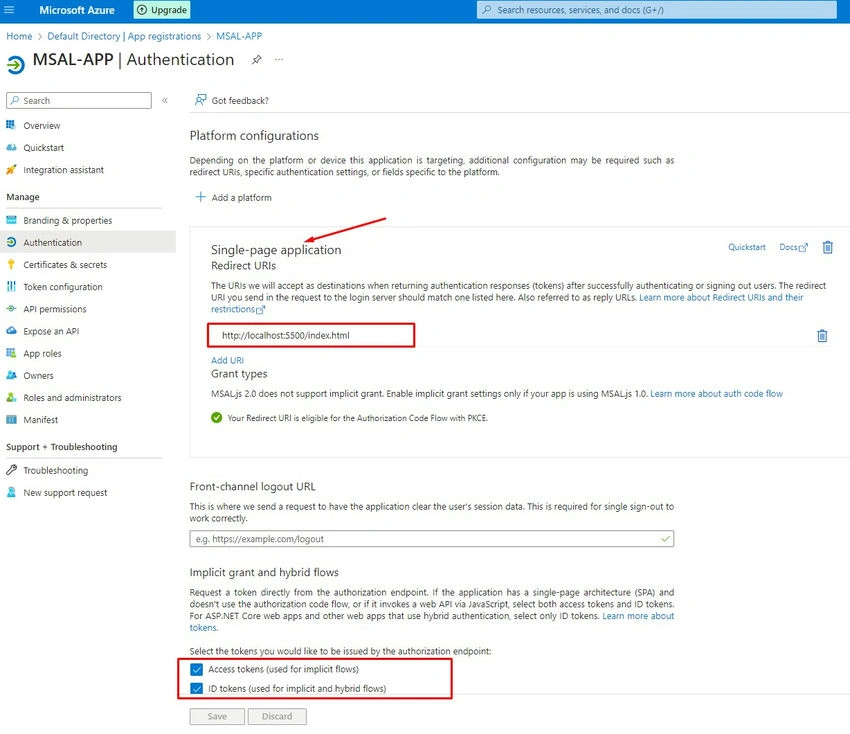
Add a platform select a Single-page application and provide the URI with localhost.
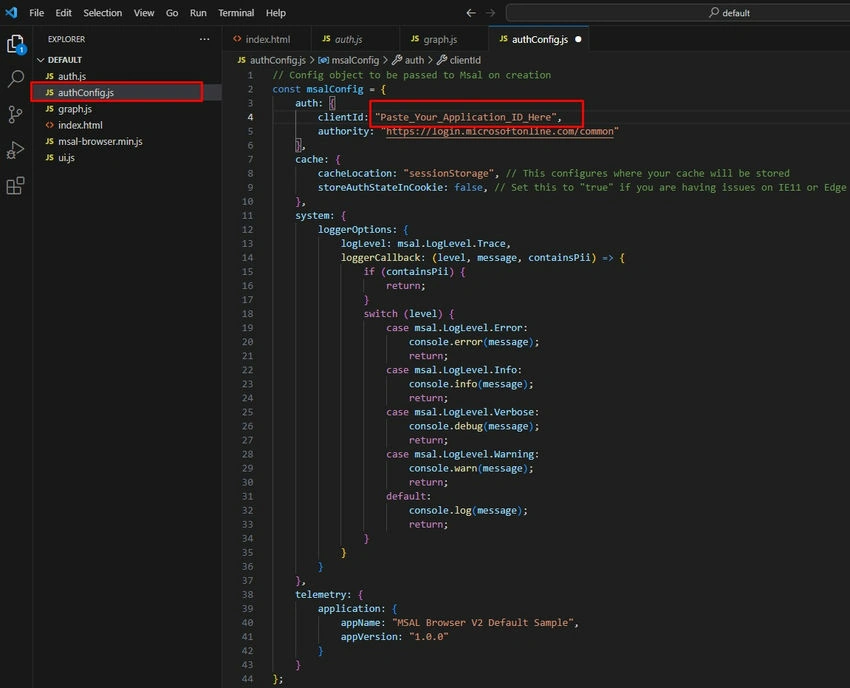
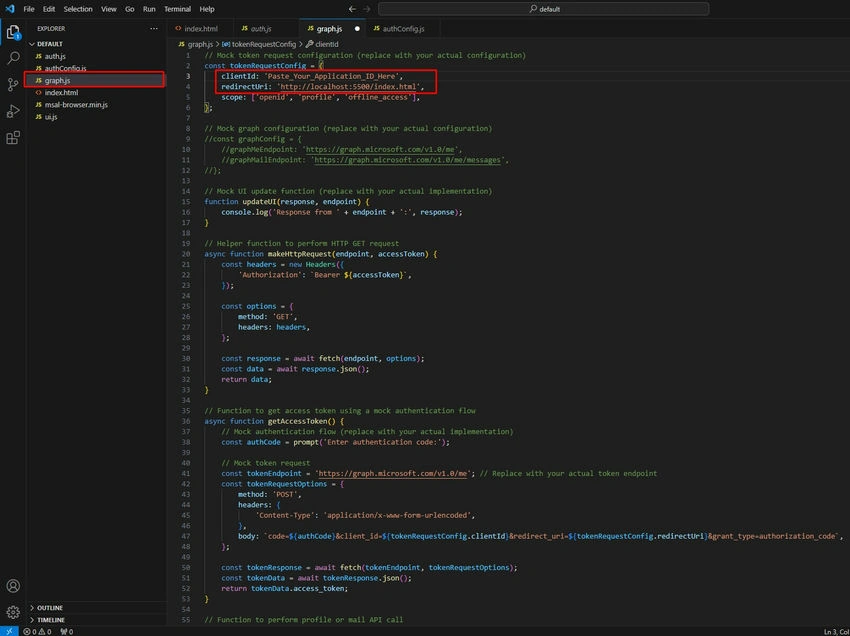
Clone MSAL-Vanilla-JS-APP from the GIT repository then open it in your editor, I am using Visual Studio Code, so you have to make the changes as highlighted.
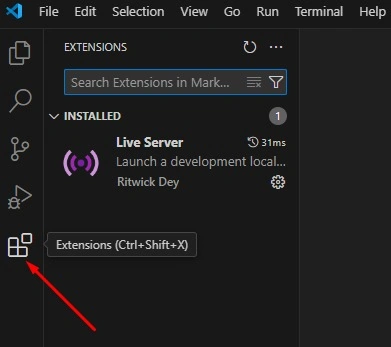
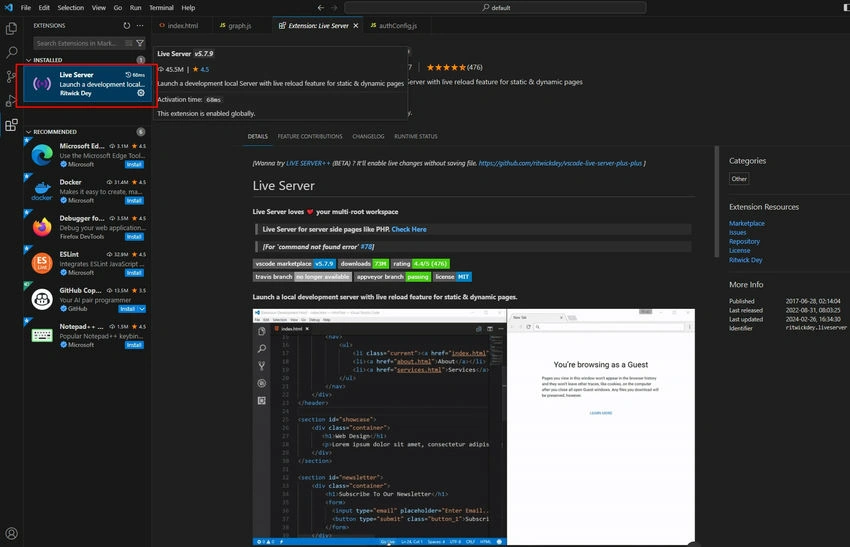
Now got the the Extension and installed the Live Server.
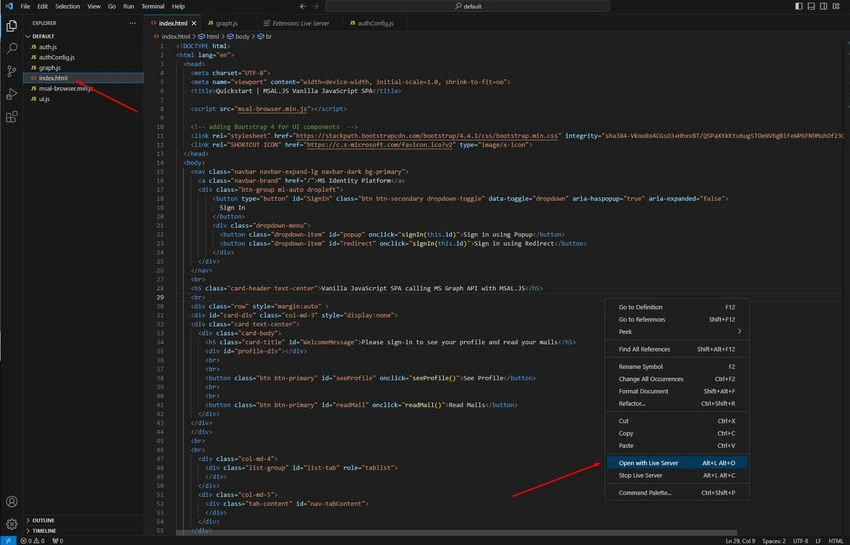
go to the index.html file and open it with Live Server.
Now your Vanilla JS SPA is up and running, so replace the IP address with localhost for your local environment.
Note. In the App Registration at Microsoft Entra ID, this IP will not be allowed that I have changed with localhost.

Now you have to allow third-party cookies in your browser else you will be getting some error.
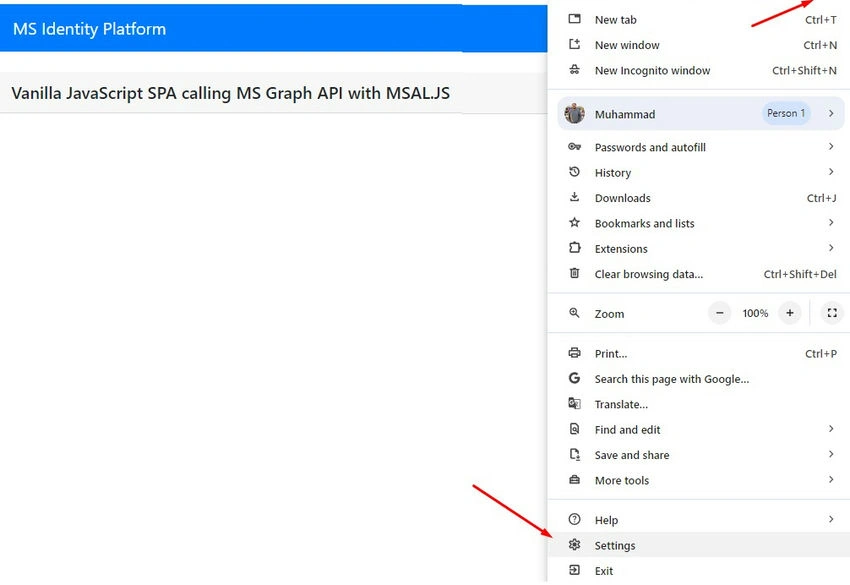
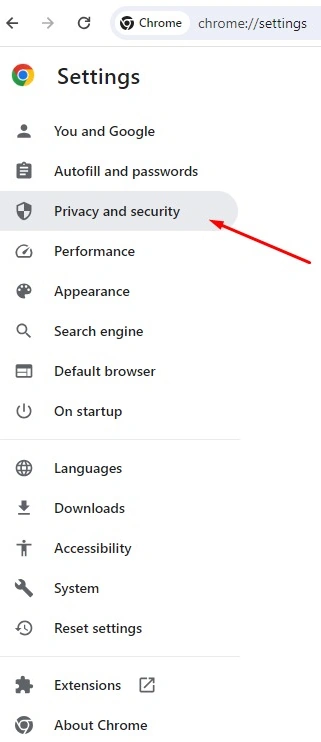
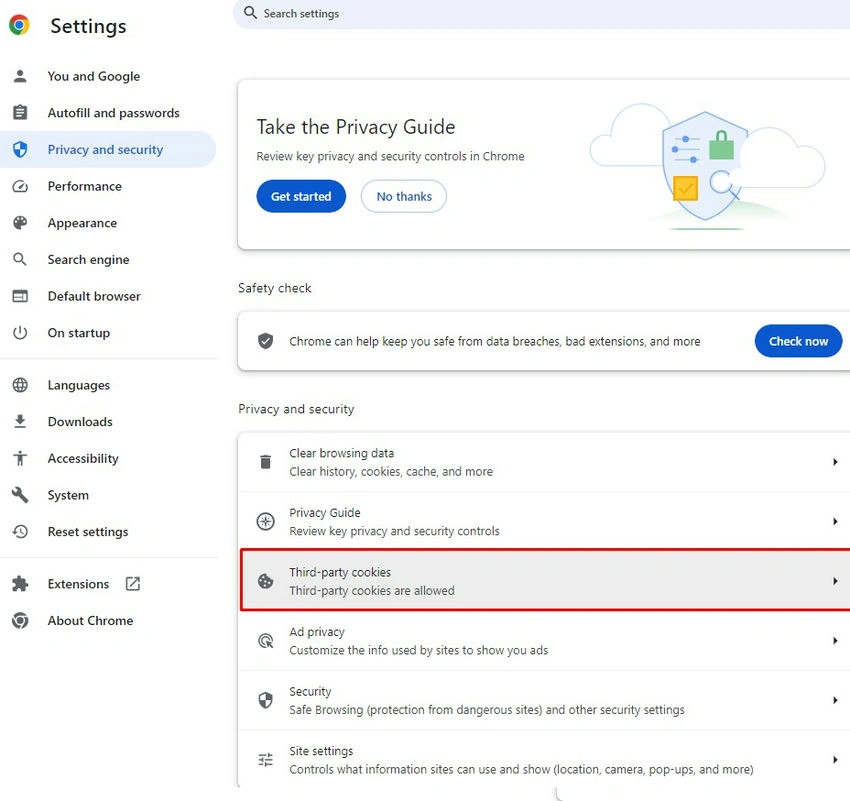
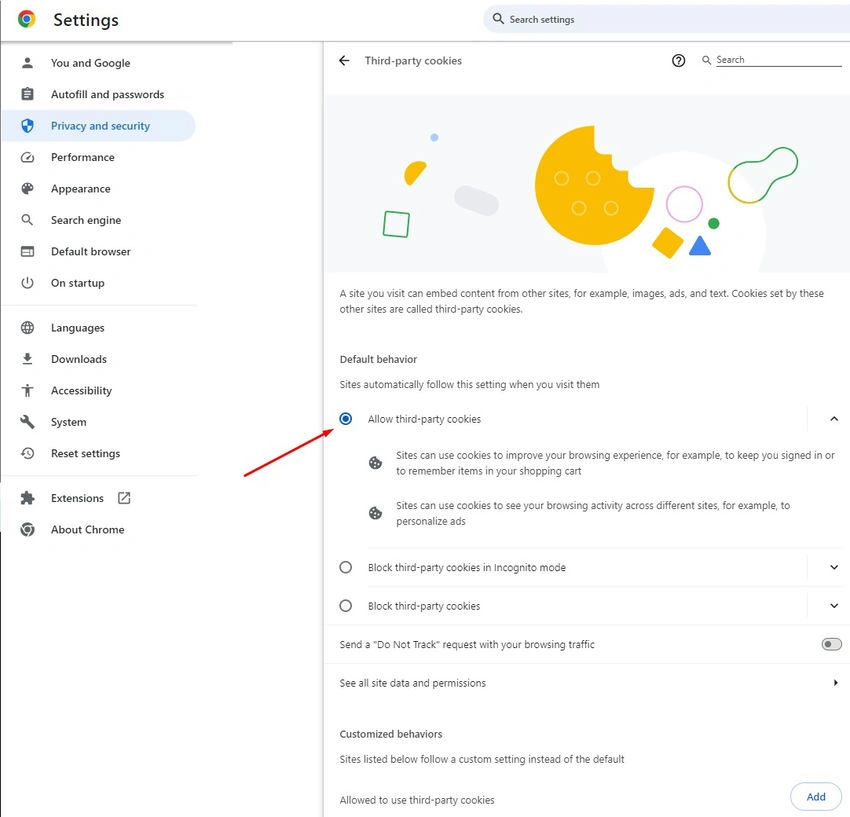
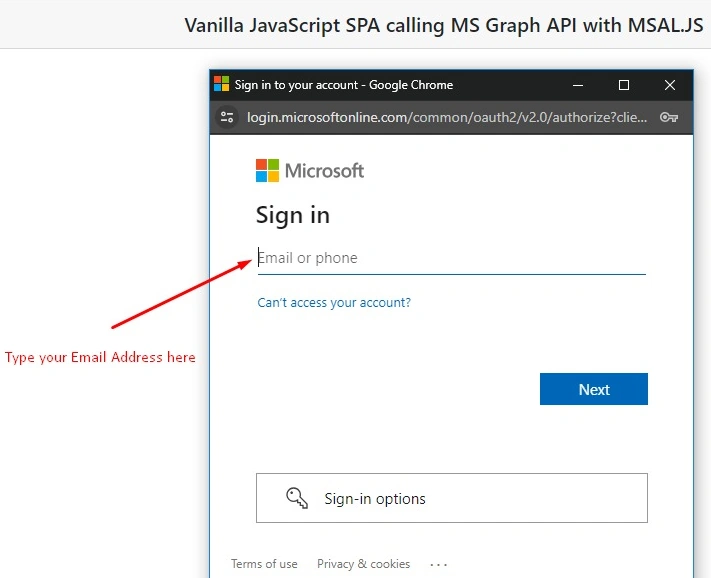
Now go to the app and click to sign in using the popup you can also redirect yourself using the second option.

Now in popup will appear in your SPA, so provide the credentials and login for getting JWT Access & ID Tokens.
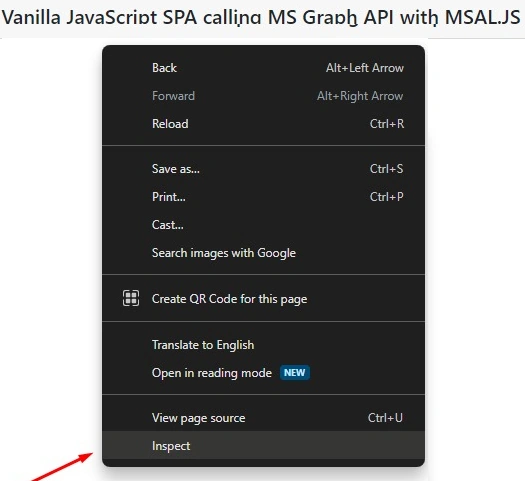
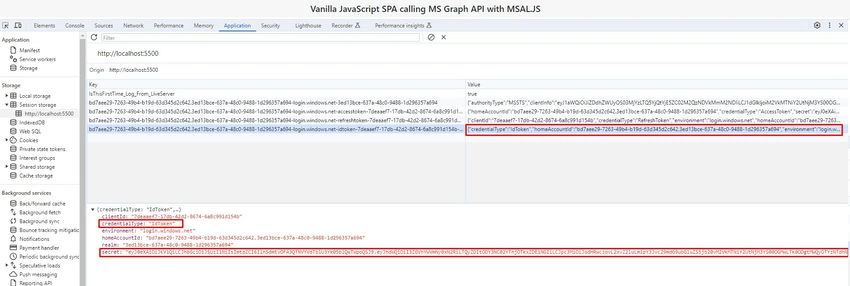
Now inspect the browser.
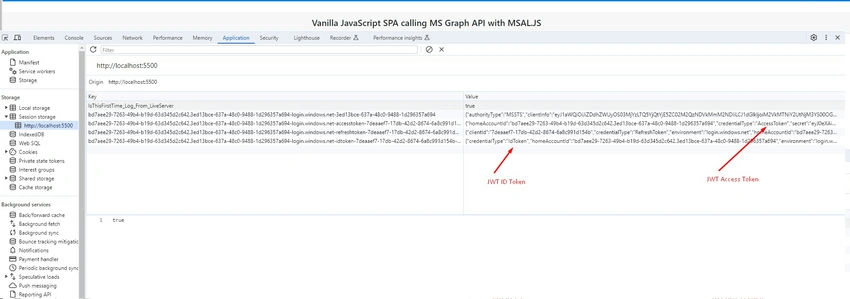
Go to the Application tab select Session Storage and select the running app and you will find the Access and ID tokens as highlighted.
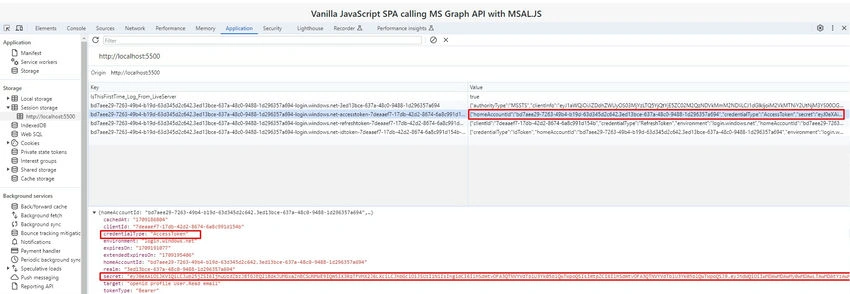
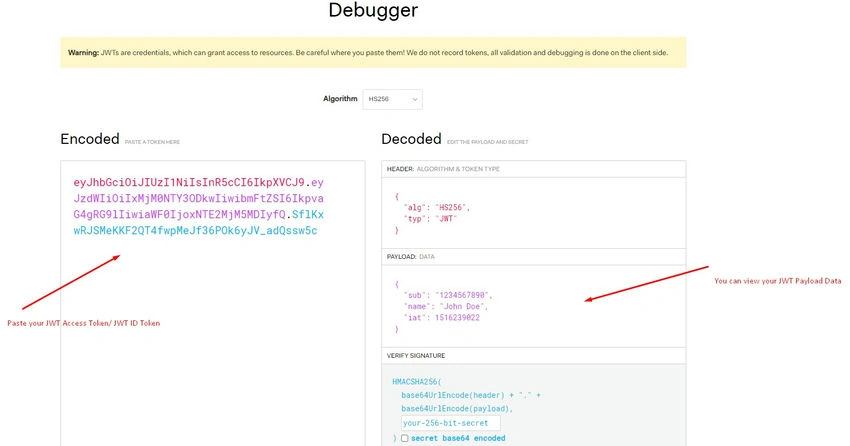
Click on the Access Token and you can view payload data at JWT.IO.
Click on the IDToken and you can view payload data at JWT.IO.
you can paste the token and view data in the highlighted places.
Conclusion
Microsoft Authentication Library (MSAL) emerges as a powerful and indispensable tool for fortifying the authentication mechanisms of Vanilla JavaScript Single Page Applications (SPAs). By seamlessly integrating with Microsoft identity services, MSAL empowers developers to implement secure authentication processes, ensuring the retrieval of JWT (JSON Web Token) Access Tokens and ID Tokens. This capability not only enhances the application's security but also enables effective management of user identity verification and API access.
The comprehensive guide provided above details the steps involved in the app registration process in Microsoft Azure, making it accessible for developers to obtain the necessary credentials, including the Application (Client) ID. The subsequent instructions for configuring authentication settings, making code modifications, and deploying the Vanilla JS SPA using Live Server offer a practical and hands-on approach to implementing MSAL.
Moreover, the article emphasizes the crucial roles of Access Tokens and ID Tokens in the OAuth 2.0 and OpenID Connect authentication frameworks. Access Tokens, serving as authorization credentials, empower clients to access specific resources securely, while ID Tokens furnish essential user identity information for a personalized and seamless user experience.
The step-by-step walkthrough, accompanied by visual aids and explanatory notes, ensures clarity and ease of implementation. From initiating the sign-in process to inspecting tokens using browser tools like JWT.IO, the guide provides a comprehensive overview of how MSAL facilitates robust authentication in Vanilla JS SPAs.
In essence, by incorporating MSAL and understanding the significance of Access Tokens and ID Tokens, developers can not only enhance the security of their applications but also elevate the overall user authentication experience. The provided instructions and insights serve as a valuable resource for those seeking to implement secure authentication in their Vanilla JS SPAs.
Join the conversation! Your thoughts help the community grow.