

In this article, we will learn how to show multiple pages on the Form using Panel Control in a simple Windows Application. It actually displays many child pages shown in a single form.
Panel Control
The Panel Control is a container that controls a group of similar child controls. One of the uses of a Panel Control is to show multiple child forms in a single parent form and hide the child forms using controls.
Create a panel control
It is a simple way to drag and drop from the tools in the Visual Studio. It is available in all the Visual Studio versions.
Step 1
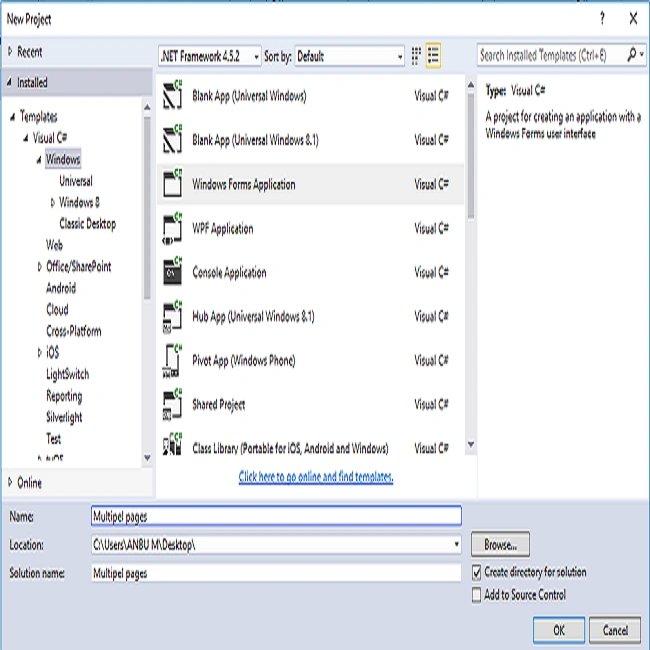
Click New >> Project >> Visual C# >> Windows >> Windows Forms Application. Enter your Project name and click OK.
Step 2
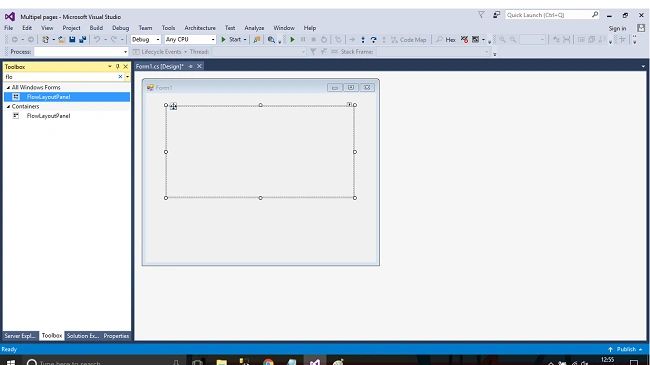
Click the View->Select Toolbox. We are using this Toolbox to design the form in Windows applications. In the Toolbox, we have to add Panel Control box.
Step 3
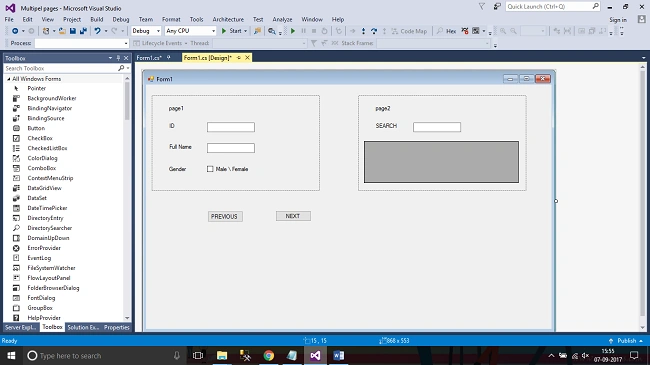
Click the View->Select Toolbox. We are using this Toolbox to design the form in Windows application. Add two buttons and give names as Previous and Next.
Step 4
Click the Previous button properties(button1_Click) and Next Button (button2_Click) to be completed for the event to make the function more accurate.
C# CODE
- public partial class Form1: Form {
- List < Panel > listPanel = new List < Panel > ();
- int Index;
- public Form1() {
- InitializeComponent();
- }
- private void button2_Click(object sender, EventArgs e) {
- if (Index < listPanel.Count - 1) listPanel[++Index].BringToFront();
- }
- private void Form1_Load(object sender, EventArgs e) {
- listPanel.Add(panel1);
- listPanel.Add(panel2);
- }
- private void button1_Click(object sender, EventArgs e) {
- if (Index > 0) listPanel[--Index].BringToFront();
- }
- }
Step 5
Step 6
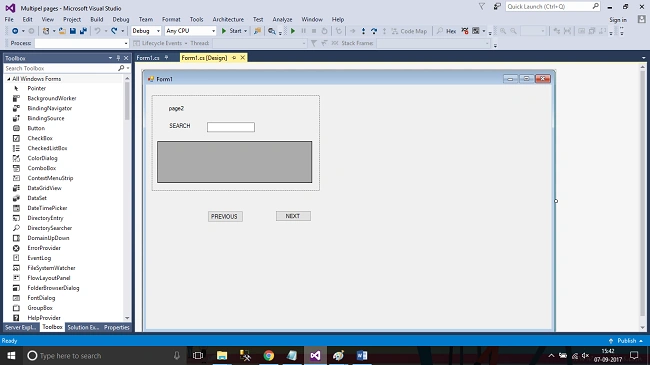
Press F5 or "Build and Run" the application. When you select the buttons, the list moves to Previous or to Next
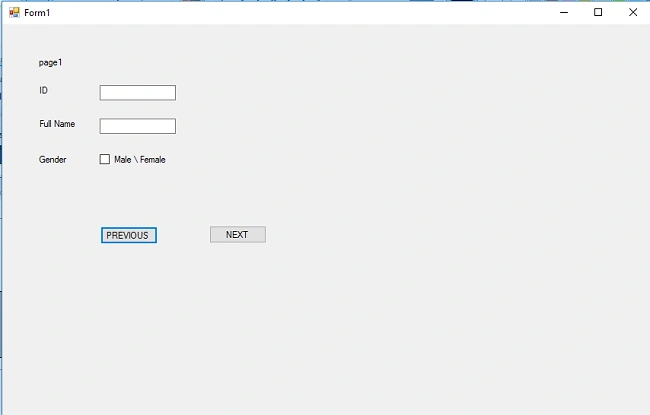
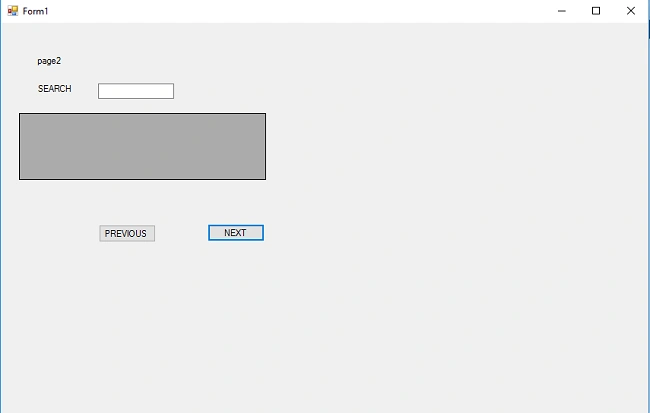
Finally, we have successfully created multiple pages on the Form using Panel Control in a simple Windows Forms application
Javaid AkberPosted May 28, 2018, 3:49 AM
If we dont want to use next and previous button we just have button1 for panel1 and button2 for panel2 and so on. then whats the condition should be.??
Dennis BurdettPosted Dec 20, 2017, 8:15 PM
What he didn't say was that you must make the location value the exact same thing for both panel 1 & 2. You should also set the top panel in the OnLoad() by doing this listPanel[0].BringToFront();