

Create a table in SQL Server as follows:
USE [forumDB1]
GO
/****** Object: Table [dbo].[users] Script Date: 01/23/2013 11:25:49 ******/
SET ANSI_NULLS ON
GO
SET QUOTED_IDENTIFIER ON
GO
SET ANSI_PADDING ON
GO
CREATE TABLE [dbo].[users](
[userID] [int] NOT NULL,
[EmailID] [varchar](50) NOT NULL,
[Password] [varchar](50) NOT NULL,
[FirstName] [varchar](50) NOT NULL,
[LastName] [varchar](50) NULL,
[JoinedDate] [datetime] NOT NULL,
[usrImage] [image] NULL,
PRIMARY KEY CLUSTERED
(
[userID] ASC
)WITH (PAD_INDEX = OFF, STATISTICS_NORECOMPUTE = OFF, IGNORE_DUP_KEY = OFF, ALLOW_ROW_LOCKS = ON, ALLOW_PAGE_LOCKS = ON) ON [PRIMARY],
UNIQUE NONCLUSTERED
(
[EmailID] ASC
)WITH (PAD_INDEX = OFF, STATISTICS_NORECOMPUTE = OFF, IGNORE_DUP_KEY = OFF, ALLOW_ROW_LOCKS = ON, ALLOW_PAGE_LOCKS = ON) ON [PRIMARY]
) ON [PRIMARY] TEXTIMAGE_ON [PRIMARY]
GO
SET ANSI_PADDING OFF
GO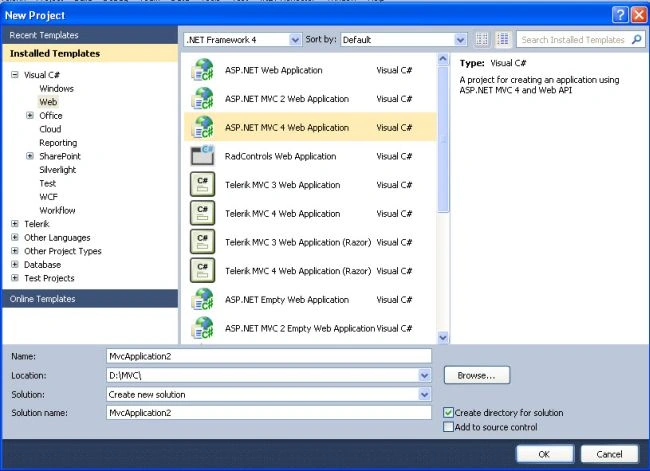
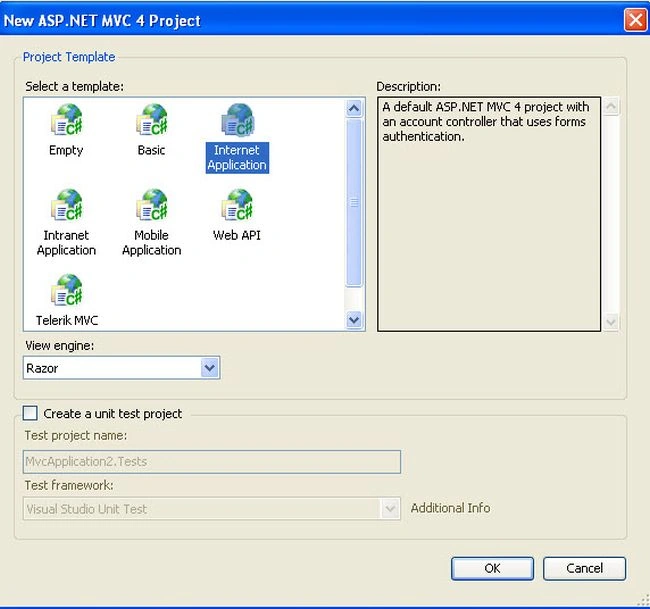
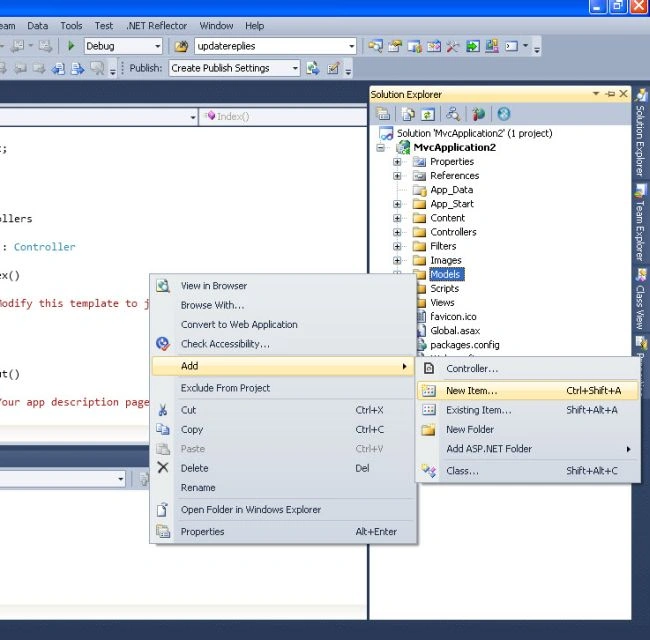
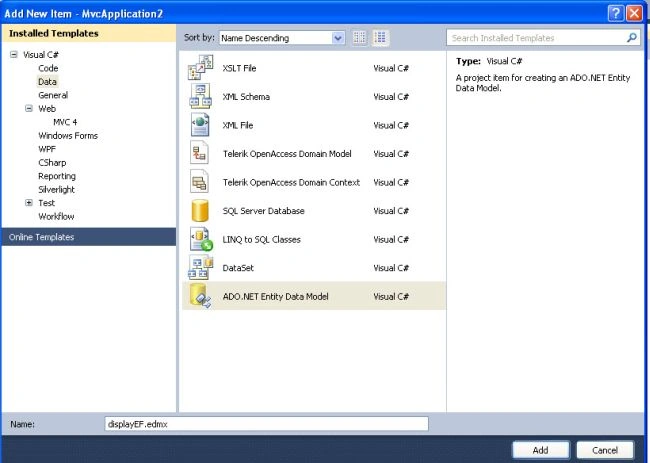
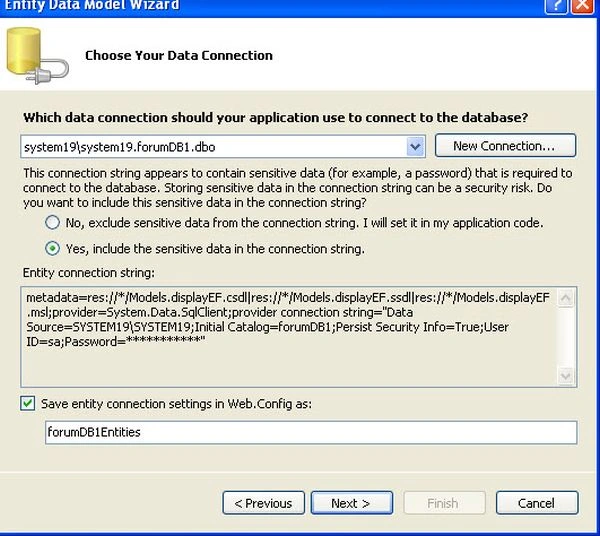
Then select your HomeController and change it to the following:
using System;
using System.Collections.Generic;
using System.Linq;
using System.Web;
using System.Web.Mvc;
using MvcApplication2.Models;
namespace MvcApplication2.Controllers
{
public class HomeController : Controller
{
forumDB1Entities dbentity = new forumDB1Entities();
public ActionResult Index()
{
ViewBag.Message = "Modify this template to jump-start your ASP.NET MVC application.";
return View(dbentity);
}
public ActionResult About()
{
ViewBag.Message = "Your app description page.";
return View();
}
public ActionResult Contact()
{
ViewBag.Message = "Your contact page.";
return View();
}
}
}Also change your view as follows
@model displaydatausingEF.Models.forumDB1Entities
@{
Layout = null;
}
<!DOCTYPE html>
<html>
<head>
<meta name="viewport" content="width=device-width" />
<title>Index</title>
</head>
<body>
<p>
</p>
<table>
<tr>
<th>
Employee ID
</th>
<th>
Email ID
</th>
<th>
Password
</th>
<th>
First Name
</th>
<th>
Last Name
</th>
<th>
Joined Date
</th>
<th>
Picture
</th>
</tr>
@foreach (var item in Model.users)
{
<tr>
<td>
@item.userID
</td>
<td>
@item.EmailID
</td>
<td>
@item.Password
</td>
<td>
@item.FirstName
</td>
<td>
@item.LastName
</td>
<td>
@item.JoinedDate
</td>
<td>
<img src="@Url.Action("GetPhoto", new { photoId = item.userID })" />
</td>
</tr>
}
</table>
</body>
</html>This will initially give output as follows:

Now we will implement the code to show an image. Add this code to your HomeController:
public ActionResult GetPhoto(int usrID)
{
byte[] photo = null;
var v = dbentity.users.Where(p => p.userID == usrID).Select(img => img.usrImage).FirstOrDefault();
photo = v;
return File(photo, "image/jpeg");
}
Now re-run the application.
Happy coding cheers
Join the conversation! Your thoughts help the community grow.