

Introduction
Open Database Connectivity (ODBC) is a widely accepted application programming interface (API) for database access. It is based on the Call-Level Interface (CLI) specifications from X/Open and ISO/IEC for database APIs and uses Structured Query Language (SQL) as its database access language. And before using this we need to install its driver in the following procedure.
In the Following article we will see this how to install MySQL ODBC driver with complete snapshots :
MySQL ODBC driver installation
Step 1: We should install the ODBC driver MyODBC 2.5 that fits with your Microsoft operating system. You will find all the lastest version drivers and the documentation on the Web: MySQL Downloads.
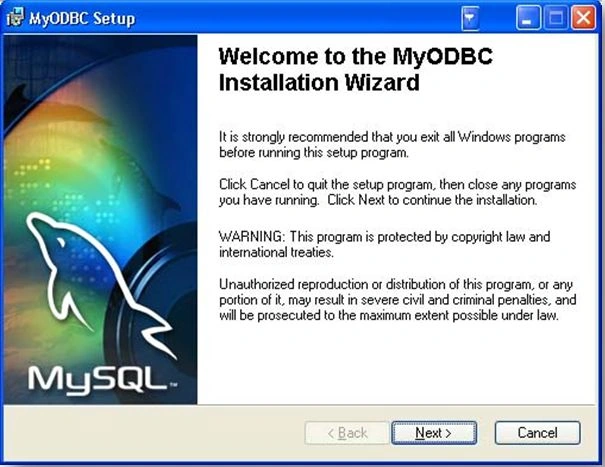
The following example uses the Connector/ODBC 3.51 that we downloaded in an MSI format.
MyODBC-3.51.11-2-win.msi
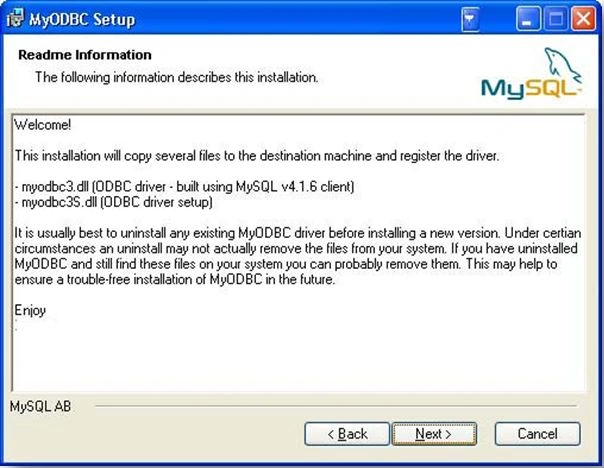
Step 2: The next screen will show you the read me info:
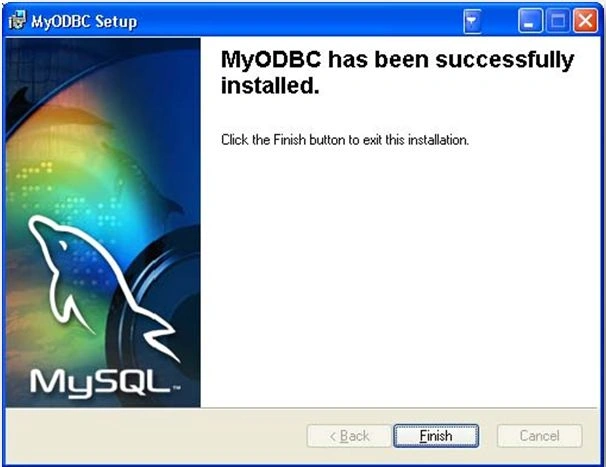
Step 3: The installation proceeds and the files are copied.
Step 4: MySQL ODBC driver configuration
The Driver configuration can be done directly from the Microsoft Windows ODBC Data Source Administrator tool.
To access this ODBC Data Source Administrator tool, open the Control Panel, select Adminstrative Tools, the Data Source (ODBC).
The following screen is displayed:
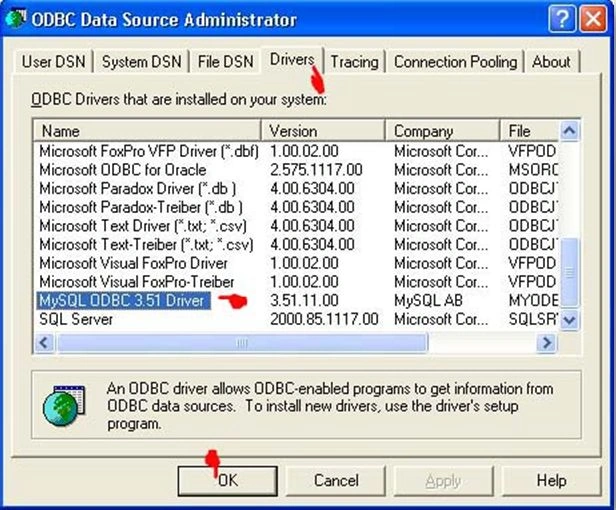
If you have installed the MySQL ODBC 3.51 driver you should see it in the driver tab.
Step 5: DSN Settings
What is a DSN: (short for Data Source Name). Data Source Name provides connectivity to a database through an ODBC driver. The DSN contains database name, directory, database driver, UserID, password and other information. Once you create a DSN for a specific database, you can use the DSN in an application to call information from the database.
There are the following three types of DSNs:
- System DSN: can be used by anyone with access to the machine. DSN info is stored in the registry.
- User DSN: created for a specific user. Also stored in the registry.
- File DSN: DSN info is stored in a text file with a .DSN extension.
We choose to create a System DSN. We select the System DSN tab and then click next on the Add button, a list of drivers is displayed. We choose the MySQL ODBC driver. 
Step 6: MySQL ConnectorODBC settings
The Connector ODBC windows setup is displayed.
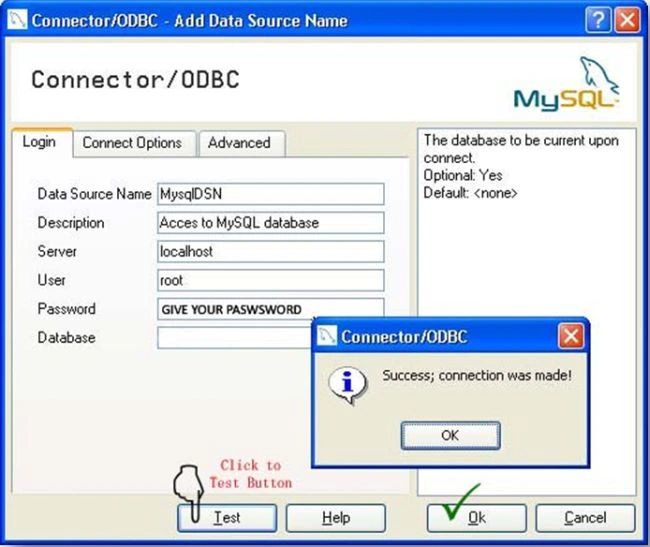
Now the new DSN is available in the DSN list.

Sandeep SharmaPosted May 20, 2014, 11:40 PM
~1) Mysql software is written in C & C . ~2 ) Mysql can take advantage of multiple CPU if any available on Mysql installed server. ~3) Its a multi threaded application.~ 4) All memory leakage has been resolved. ~5) Executes very fast joins using an optimized nested-loop join. ~6) Its a platform independent application ( can run in most of the used platforms. ~7) Mysql is currently take over by Oracle from SunMicrosystem. ~8) Mysql is a OpenSource Database ~9) Its Dual License Software(you freely download the free copy or you may get a commercial copy from Oracle for commercial use) ~10) Can added upto 200000 tables and at about 500,0000000 records and even more than that. ~11) Support for up to 64 indexes per table.Each index may consist of 1 to 16 columns or parts of columns.The maximum index width is 1000 bytes (767 for InnoDB) ~12) Mysql APIs for C, C , Eiffel, Java, Perl, PHP, Python, Ruby, and Tcl are available.
Sam HobbsPosted May 20, 2014, 6:25 PM
ODBC was originally designed and developed by Microsoft; it was not a standard initially.