

Here's an article on Napa tools, an amazing tool to build apps for Office and SharePoint. It builds apps without installation of any software or an environment and can be built directly through the same browser.
We'll see various kinds of apps we can make using this amazing tool in the subsequent parts of this article.
Let's see how to use this app in Office 365 and SharePoint 2013, so let's install it.
We'll see the installation step-by-step and follow it since we will be using it in our various articles.
- Open your site in Office 365.
- Click on the Site settings and click Add an app.
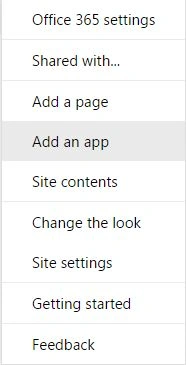
- On the left you will find a SharePoint store, search for Napa Office 365 Development tools. You can also add this tool using your Microsoft account.
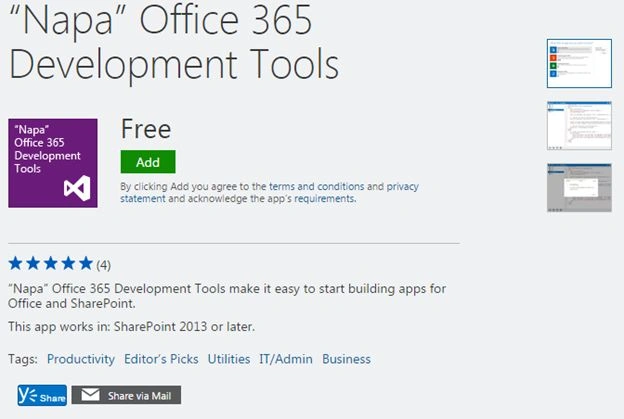
- It's a free end tool. Now click on Add.
- Add "Napa" Office 365 Development Tools from the SharePoint Store.
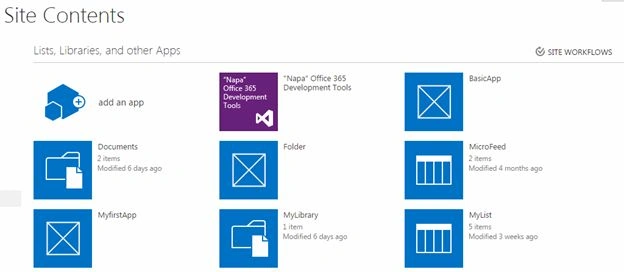
- Once it is installed, you will be able to see the app on your site contents of the site.
- Click on it.
- You will be navigated to the screen below.
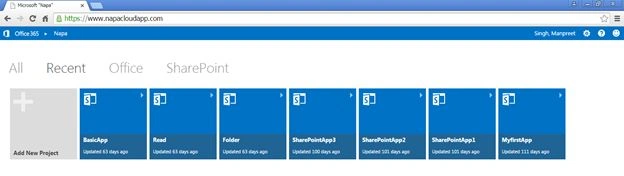
- You can use one of the older apps to work on but for us we'll get a new one, so select Add New Project.
- Once you click on it, you will have various options to start with.
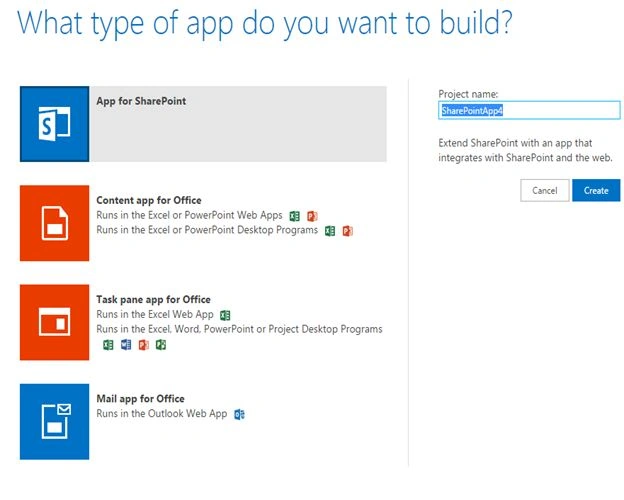
The following are the types of app you can build:
- An app for SharePoint
- Content app for Office
- Task pane app for Office
- Mail app for Office
Don't worry, you don't need to take permissions from admin to deploy these apps that you build or raise change control since the deploying of these apps are as easy as a click.
No Visual Studio, Script editors and so on are required.
So now we have our tool installed, let's see in other articles some more details of how to build them. Until then, keep learning!
Cheers!
venkat nareshPosted Mar 24, 2017, 2:55 PM
Manpreet i tried the same but i dint get the napa from the sharepoint store...
venkat nareshPosted Mar 17, 2017, 5:52 AM
Can we add napa development tools for O365 e3 trail...? if so how...?
Pankaj Kumar ChoudharyPosted Jul 31, 2015, 7:51 PM
Nice Work Sir.......
Santhakumar MunuswamyPosted Jul 31, 2015, 3:00 PM
Thanks for sharing
Abhay ShankerPosted Jul 31, 2015, 11:24 AM
Nice...
RakeshPosted Jul 31, 2015, 11:19 AM
Nice work
Nilesh JadavPosted Jul 31, 2015, 6:26 AM
Nice one sir
Neeraj KumarPosted Jul 31, 2015, 4:00 AM
Nice Article
Sibeesh VenuPosted Jul 31, 2015, 3:38 AM
Nice Share.
Gopi ChandPosted Jul 31, 2015, 3:17 AM
Good article to read