

Before reading this article, kindly read the previous part of this series:
Welcome to the Part 2 of "Napa" Office 365 Development Tools in SharePoint 2013 and Office 365. In this part we will see some details on “Content App for Office”.
This article will help you to learn how to create a Content App using Napa Tools. Apps are everything now in or techie world. Here we need many several apps for doing many things in our daily activity.
Similarly Microsoft also wants its users to understand their requirements and build their own apps in some quick clicks. As I say when we all see some new apps, the first thing of a techie guy that comes in mind is “Even I want to make an app” but people either get carried away or are not able to determine how to start.
Here in this article we will see how to make an app using Napa Tools that we saw the installation in my first article. So, let's keep you excited and show you how to do it.
We'll see them step-by-step.
- Go to your site contents of the site and click on the Napa Office 365 Tool.
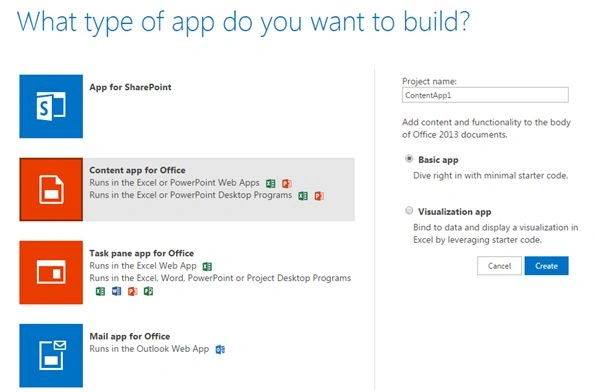
- It will ask you what kind of app you want to build, for us in this article it will be Content App for Office.
- Provide it a name and click on Create.
- It will ask you to either build a Basic App or Visual App.
Basic App
First, let's create a basic app.
- Once you click on Create, what you will see will be as in the screen below.
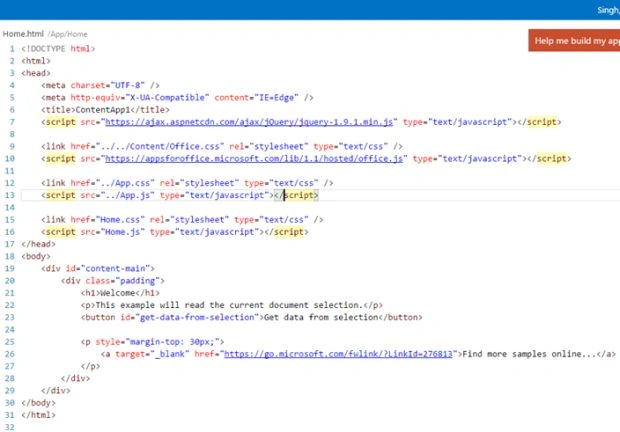
- You will get to the Home.html page of your app displaying the code behind. This app doesn't need an external interface or software. It will use the same browser you are using.
- Here this is like a code editor where you can put your JavaScript, JSON, HTML files and CSS files and publish them directly on your app.
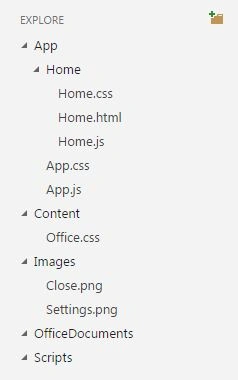
- As we have a pattern to write code on a presentation layer in Visual Studio, in a similar way it can be used in Napa where you can define your CSS folders, image folders, pages, scripts and so on as in the screen above and making a reference when building an app will be very easy.
- So you can define your code as Content, Images, Office documents and Scripts. Here and you can also create new levels depending on your requirements.
Visual App
The only difference between a basic and a visual app is that you can write visualization.js in a Visual App compared to the Basic App.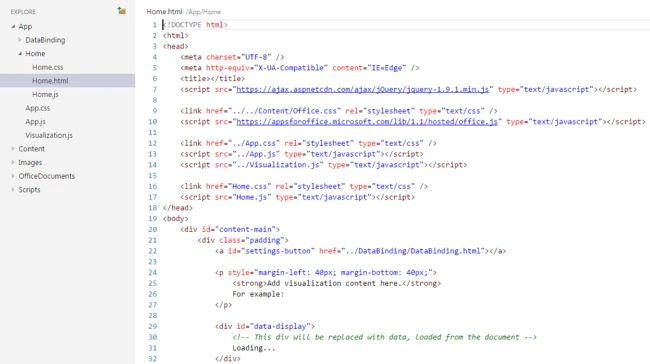
- You will get to the Home.html page of your app displaying the code behind. This app doesn't need an external interface or software, it will use your browser.
- Here this is like a code editor where you can put your JavaScript, JSON, HTML files and CSS files and publish them directly on your app.
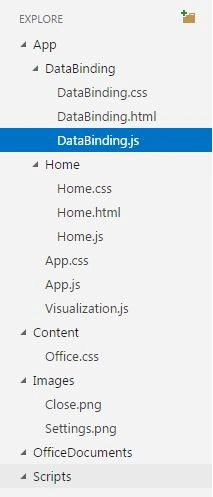
- Similarly here we have a pattern to write code on a presentation layer in Visual Studio, a similar way can be used in Napa where you can define your CSS folders, image folders, pages, scripts and so on as in the screen above and make a reference when building an app will be very easy.
- As compared to the basic app, here you can do Data Binding using the CSS, HTML and JavaScript files.
- So you can define your code as Data Binding, Content, Images, Office documents and Scripts here and you can also create new levels depending on your requirements.
- Then on the left we have the ribbon on the tool that will help us to deploy our app without any PowerShell or any WSP. It will directly deploy it to your site.
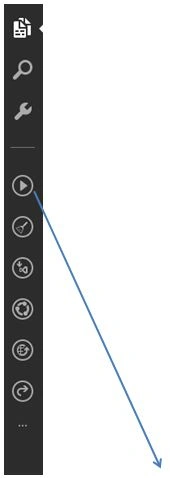
- Let's see all the options on the ribbon.
- Explore: You can explore the code.
- Search: Search for some functions within the code.
- Properties: Properties of the app.
- Run Project: Once you make all the necessary updates to your code, click on the Play button that states “Run Project”. It will deploy your app.
- Retract App: Retract the app.
- Open in Visual Studio: You can open the same code in Visual Studio.
- Share Project: You can share this file among your colleagues.
- Publish: To publish it.
- Quick Open.
The following are the other commands along with the above that is used in Napa Tools differentiated as:
- Global Commands
- Editor Commands
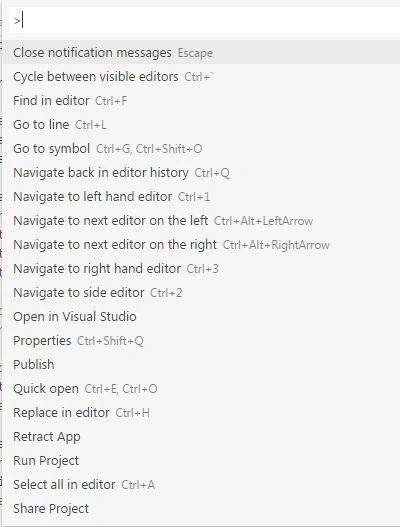
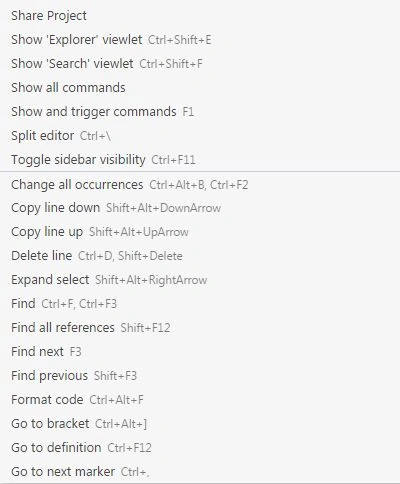
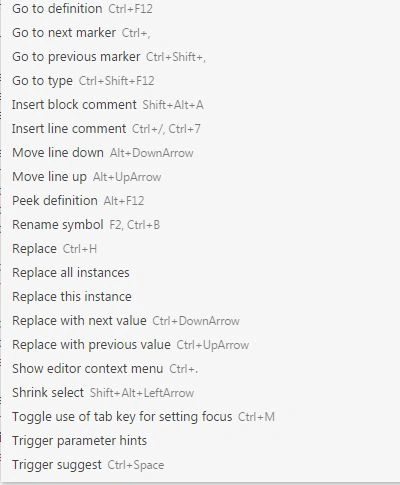
- So to deploy an app, click on Run Project. It will first prepare >> deploy >> launch.
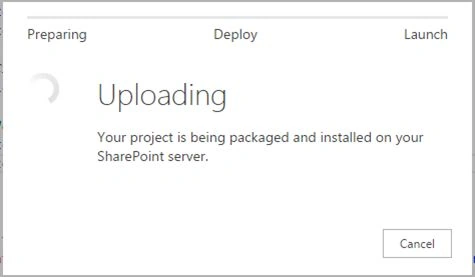
- Once deployed the app will be ready to use.
Here in this article we saw the second kind of an app that can be made using Napa tools, there are more to come. Until then, keep learning.
Cheers!
Neeraj KumarPosted Aug 1, 2015, 12:00 PM
Good One
Gopi ChandPosted Aug 1, 2015, 5:31 AM
Good effort
Nilesh JadavPosted Aug 1, 2015, 12:52 AM
good Article sr
Abhay ShankerPosted Jul 31, 2015, 10:21 PM
Nice...
Pankaj Kumar ChoudharyPosted Jul 31, 2015, 7:52 PM
Nice Article sir............