

Introduction
If you are barely familiar with JSON then please go and have a look at my article:
Introduction to JSON
In that article, you will become familiar with some basics of the JavaScript Object Notation (JSON).
Now I am starting this, how to use native JSON parsing effectively for the best performance and effective results of our development work.
JSON is a collection of name and value pairs based on a JavaScript object's associative array structure. This format is easy for any language to parse.
There are two structures used in Native JSON Parsing:
Description | Native JSON
Structure | Native JSON
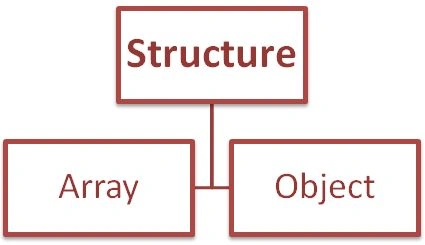
Array
Objects
- var viewSummary = {
- "pageId": "archieveview",
- "url": "jaiswalabhishek.blogspot.in",
- "content": "Structure content",
- "viewTitle": "GoogleSys...",
- "transition": "slide"
- }
In this example, each property contains a name and value. It is the best method to encapsulate both the name and value in “” to avoid reserved name collisions and to ensure proper data formatting.
Example | String Representation
- var viesSummaryStr = "{ "pageId" : "archieveview","url" : "jaiswalabhishek.blogspot.in","content" : "Structure content","viewTitle" : "GoogleSys...","transition" : "slide" }"
Serialization | JSON
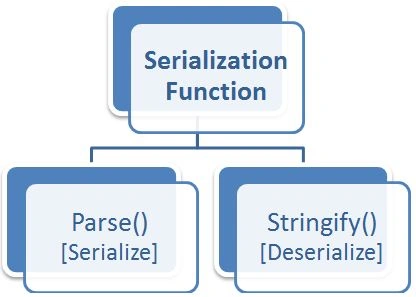
Parse() Function
Stringify() Function
-
Parse() Functionvar str = JSON.parse(viewSummary);
- Stringify() Functionvar str = JSON.stringify(viewSummary);
JSON2 | Native JSON
- function loadScript(id, url, callback) {
- if (!document.getElementById(id)) {
- var script = document.createElement("script");
- script.type = "text/javascript";
- script.id = id;
- if (script.readyState) {
- script.onreadystatechange = function () {
- if (script.readystate === "loaded" || script.readyState === "complete") {
- screen.onreadystatechange = null;
- callback();
- }
- };
- }
- else {
- script.onload = function () {
- callback();
- };
- }
- script.src = url;
- document.body.appendChild(script);
- }
- else {
- callback();
- }
- };
Abhishek JaiswalPosted Mar 27, 2014, 12:00 AM
thank you sire for your valuable suggestion and your right. :) :)
Sam HobbsPosted Mar 26, 2014, 12:30 PM
Have a look at the json.org web site. It is a one-page description of JSON. It also has a link to "ECMA-404 The JSON Data Interchange Standard". You are correct that JSON did not have serialization methods originally, but it still does not. JSON is a standard available for use by any language. The Parse and Stringify functions are JavaScript functions, not available to all languages, correct? They are not part of the JSON standard.