

In the real world not everyone knows the English language and the language of every person changes region to region.
Need of nvarchar
Suppose you have a website that shows the data only in English and you want that everyone can see your data in his/her language but the data of your website that comes from a database and again modified data stored in a database is only in English and you want to change your data depending on the selected region by the user.
I will explain that to you using a query so follow along using the following procedure.
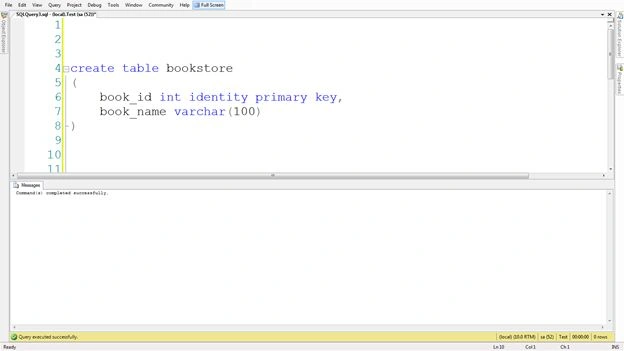
Step 1: I will create a table named "bookstore" that will contain the book id and book name information using "book_id" and "book_name" columns.
create table bookstore
(
book_id int identity primary key,
book_name varchar(100)
)
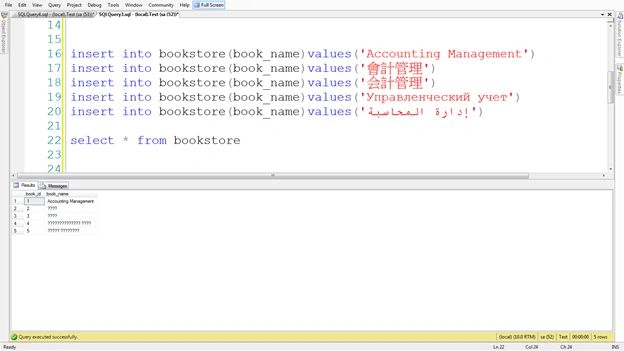
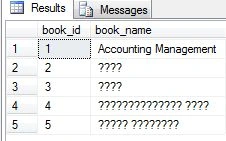
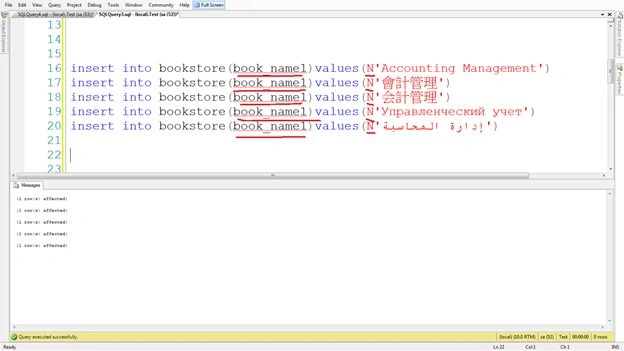
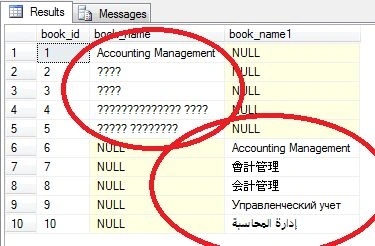
Step 2: Now I will store a string like "Accounting Management" in the "book_name" field using various languages, like English, Chinese, Japanese, Russian and Arabic.
insert into bookstore(book_name)values('Accounting Management')
insert into bookstore(book_name)values('會計管理')
insert into bookstore(book_name)values('会計管理')
insert into bookstore(book_name)values('Управленческий учет')
Karthik MPosted Apr 22, 2014, 5:43 AM
nicely explained. very good Rahul
Arun GuptaPosted Apr 11, 2014, 12:58 AM
Simple way to explain use of nvarchar.