

In my previous article, we saw how we can log information or errors in Event Log using Nlog in NET Core Web API. Here, let us use NLog for information logging while using RabbitMQ.
Let's start the step-by-step process now.
Create a project
- Open Visual Studio and create a new project.
- Select ASP.NET Core Web Application.
- Select API as the template and click the OK button.

Add Nlog.RabbitMQ.Target the NuGet package to your project.

Let's create an interface having each kind of different method to store the logs, like Debug, Warning, Information, Error etc.
namespace CoreNLogRabbitMQ
{
    public interface ILog
    {
        void Information(string message);
        void Warning(string message);
        void Debug(string message);
        void Error(string message);
    }
}
Implement the above interface in the class and also, get CurrentClassLogger through LogManager of Nlog, i.e., logger.
Initialize an instance of LogEventInfo with log level type, a logger name, and a message.
using NLog;
using System;
using System.Collections.Generic;

namespace CoreNLogRabbitMQ
{
    public class LogNLog : ILog
    {
        private static ILogger logger = LogManager.GetCurrentClassLogger();

        public LogNLog()
        {
        }

        public void Debug(string message)
        {
            Logger logger = LogManager.GetLogger("RmqTarget");
            var logEventInfo = new LogEventInfo(LogLevel.Debug, "RmqLogMessage", $"{message}, generated at {DateTime.UtcNow}.");
            logger.Log(logEventInfo);
            //LogManager.Shutdown();
        }

        public void Error(string message)
        {
            logger.Error(message);
        }

        public void Information(string message)
        {
            logger.Info(message);
        }

        public void Warning(string message)
        {
            logger.Warn(message);
        }
    }
}
In the startup.cs, load the configuration for Nlog. For now, give a name like blog. config and give the root path. In the next step, we will add this file and provide the configuration.
Also, we need to add a singleton service of type Ilog with an implementation type as LogNLog.
using Microsoft.AspNetCore.Builder;
using Microsoft.AspNetCore.Hosting;
using Microsoft.AspNetCore.Mvc;
using Microsoft.Extensions.Configuration;
using Microsoft.Extensions.DependencyInjection;
using NLog;
using System;
using System.IO;

namespace CoreNLogRabbitMQ
{
    public class Startup
    {
        public Startup(IConfiguration configuration)
        {
            LogManager.LoadConfiguration(String.Concat(Directory.GetCurrentDirectory(), "/nlog.config"));
            Configuration = configuration;
        }

        public IConfiguration Configuration { get; }

        // This method gets called by the runtime. Use this method to add services to the container.
        public void ConfigureServices(IServiceCollection services)
        {
            services.AddMvc();

            services.AddSingleton<ILog, LogNLog>();
        }

        // This method gets called by the runtime. Use this method to configure the HTTP request pipeline.
        public void Configure(IApplicationBuilder app, IHostingEnvironment env)
        {
            if (env.IsDevelopment())
            {
                app.UseDeveloperExceptionPage();
            }

            app.UseMvc();
        }
    }
}
In nlog.config, we need to configure RabbitMQ. As we are going to use local RabbitMQ, set "localhost" as the Host, "guest" as username and password, and provide the exchange name which will be created in RabbitMQ if it's not there already.
Add the assembly which we have added through the NuGet Package under Extensions. Also, configure the rule where we are mentioning "Trace as minimum level" and write to logstash.
<?xml version="1.0" encoding="utf-8"?>
<nlog xmlns="http://www.nlog-project.org/schemas/NLog.xsd" xmlns:xsi="http://www.w3.org/2001/XMLSchema-instance" autoReload="true" internalLogLevel="Trace" internalLogFile="D:\AKKI_DEV\RND\CoreNLogRabbitMQ\CoreNLogRabbitMQ\LOG\InnerLog.txt">
    <extensions>
        <add assembly="Nlog.RabbitMQ.Target" />
    </extensions>
    <variable name="rmqHost" value="localhost" />
    <variable name="rmqUser" value="guest" />
    <variable name="rmqPassword" value="guest" />
    <variable name="rmqvHost" value="/" />
    <targets async="true">
        <target name="logstash"
                xsi:type="RabbitMQ"
                username="${rmqUser}"
                password="${rmqPassword}"
                hostname="${rmqHost}"
                exchange="rmq.target.demo"
                port="5672"
                vhost="${rmqvHost}"
                useJSON="true">
            <field key="fieldFromConfig" name="Field From Config" layout="${machinename}" />
            <field key="EmployeeName" name="Employee Name" layout="Overriden From Config" />
            <field key="EmployeeID" name="" layout="Overriden From Config" />
        </target>
    </targets>
    <rules>
        <logger name="*" minlevel="Trace" writeTo="logstash" />
    </rules>
</nlog>
When we create a project with Web API, the values controller will be added with default CRUD operations. So, let's use the GET method of that controller and try to add a log in the same. Here, we have called debug kind of log methods from the Controller.
using System;
using System.Collections.Generic;
using System.Linq;
using System.Threading.Tasks;
using Microsoft.AspNetCore.Mvc;

namespace CoreNLogRabbitMQ.Controllers
{
    [Route("api/[controller]")]
    public class ValuesController : Controller
    {
        private ILog logger;

        public ValuesController(ILog logger)
        {
            this.logger = logger;
        }

        // GET api/values
        [HttpGet]
        public IEnumerable<string> Get()
        {
            logger.Debug("Get API called of Values Controller");

            return new string[] { "value1", "value2" };
        }

        // GET api/values/5
        [HttpGet("{id}")]
        public string Get(int id)
        {
            return "value";
        }

        // POST api/values
        [HttpPost]
        public void Post([FromBody]string value)
        {
        }

        // PUT api/values/5
        [HttpPut("{id}")]
        public void Put(int id, [FromBody]string value)
        {
        }

        // DELETE api/values/5
        [HttpDelete("{id}")]
        public void Delete(int id)
        {
        }
    }
}
Before we run our application, RabbitMQ should be configured. So, let's do that.
Install Erlang which is required in order to configure RabbitMQ. You can download and install Erlang from the below link.
https://www.erlang.org/downloads
Install the RabbitMQ Server from the below link.
https://www.rabbitmq.com/download.html
In order to configure the RabbitMQ management portal, go to the following path.
C:\Program Files\RabbitMQ Server\rabbitmq_server-3.7.10\sbin
Execute this command now.
rabbitmq-plugins enable rabbitmq_management

Browse the below URL from the browser and you can check that the RabbitMQ Management portal is configured with the default username and password.
- http://localhost: 15672/
- Username: guest
- Password: guest
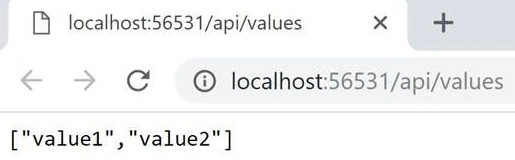
Run the application. The GET method of the values controller is called. We can see the result of the API here.
In the RabbitMQ Management portal, we can see that the new exchange is created and the graph shows that our log message is pushed.

That's it. We have successfully implemented NLog with Rabbit MQ. I hope you will find it useful. You can download the sample application from here.
Join the conversation! Your thoughts help the community grow.