

Microsoft has introduced the Design ribbon for Power BI reports, bringing report design options together in one convenient location.
The new Design ribbon provides access to common report design settings, including themes, page size, page background, and wallpaper. This makes it easier to manage the overall appearance of a report without having to navigate through different areas of Power BI.
The Themes section allows you to quickly apply a built-in theme to your report. You can also use options such as Customize theme, Import theme, and Download theme to further control and reuse your report's styling.
The Design ribbon also includes page settings, making it easier to configure the report canvas. Options such as Page size, Page background, and Wallpaper can now be accessed directly from the ribbon.
Another useful aspect is the availability of different themes for both light and dark report designs. This gives report developers more flexibility when choosing an appearance that suits their report and audience.
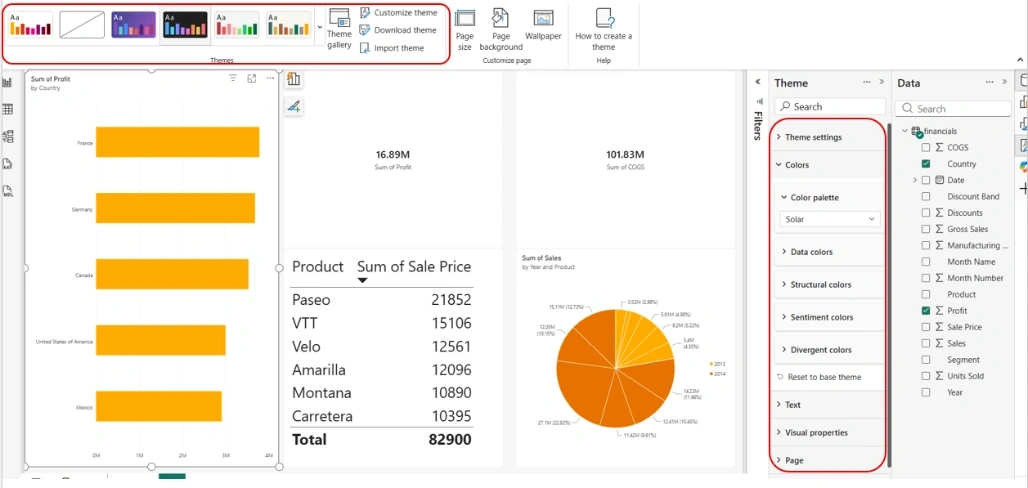
In addition, users can effortlessly switch from the Light (system default) theme to Dark theme as seen below
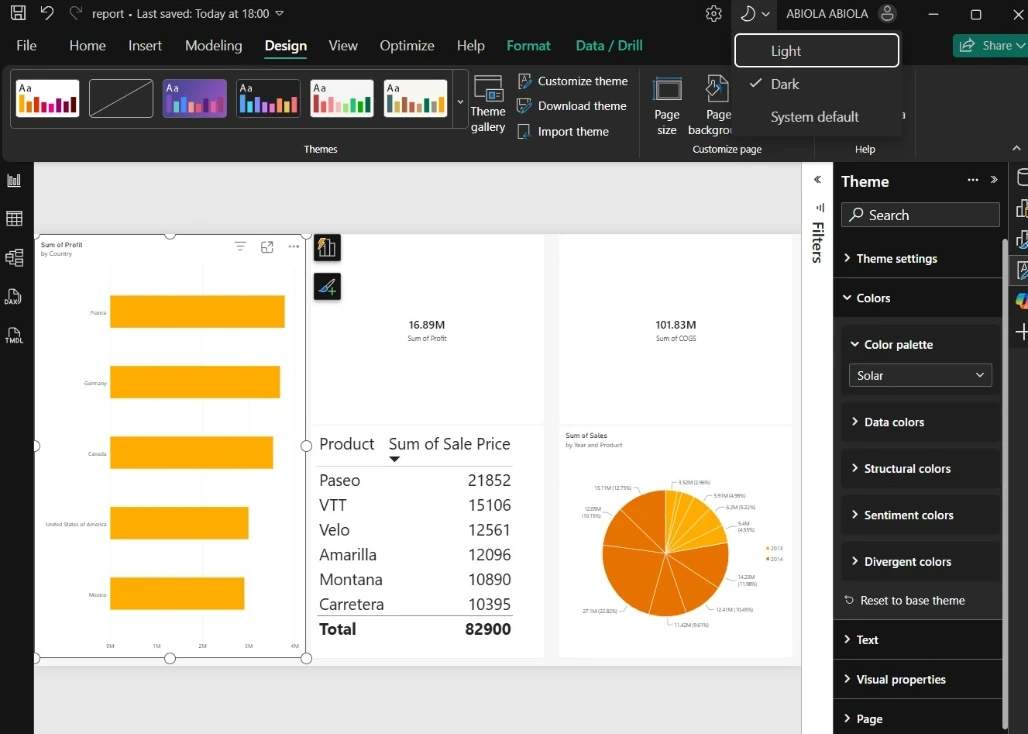
These is useful for users that cherished switching from the light theme to dark theme
Join the conversation! Your thoughts help the community grow.