

- <head runat="server">
- <title></title>
- <script src="angular.min.js"></script>
- </head>
Step 2
- <html ng-app xmlns="http://www.w3.org/1999/xhtml">
Now I will work on the JavaScript section for this application.
Write this code in the head section:
- <script>
- var mod = angular.module('mod', []);
- function x($scope) {
- $scope.autoChangeValue = 1;
- setTimeout(function () {
- $scope.autoChangeValue = 5;
- $scope.$apply();
- }, 1000);
- }
- </script>
Here I create a variable in which angular.module is defined.
After this a function named "x" is created, in the function a variable is used whose value is set to "1" but in the second or in the child function it's value is set to "5". So, two values are defined for the same variable but in two different functions.
Wherever these value will be bound, these values will be change after 1000 ms.
Step 3
Now I will work on the Body section, so write this code in the body:
- <form id="form1" runat="server">
- <p>If you make changes in the Textbox then background will change to Red</p>
- <div ng-controller="x">
- <div id="form">
- <input type="text" ng-model="autoChangeValue"/>
- </div>
- </div>
- </form>
Here I bound the first div to the function "x" using the ng-controller, in this div a TextBox is created bound to the "autoChangeValue".
What "autoChangeValue" will do is, it will firsty show the first value, "1", and after 1000 ms this value will be changed to "5" automatically. But if you try to make changes by yourself then the background will be changed to "red" as specified in the JavaScript section.
Now our application is completed and can be executed.
Output
On running the application you will get an output like this:
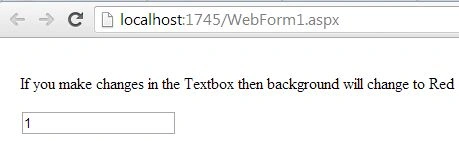
As I said in the beginning of this article, "1" will be shown initially but after 1000 ms it will be changed to "5".
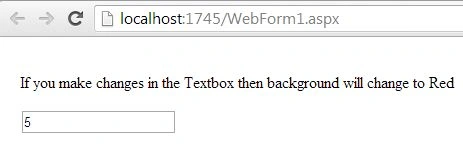
But if you try to make changes in the textboxes manually then the red color will be applied to the background.
The complete code of this application is as follows:
- <html ng-app="mod" xmlns="http://www.w3.org/1999/xhtml">
- <head id="Head1" runat="server">
- <title></title>
- <script src="angular.min.js"></script>
- <%--<script src="http://code.angularjs.org/1.0.3/angular-mocks.js"></script>--%>
- <script>
- var mod = angular.module('mod', []);
- function x($scope) {
- $scope.autoChangeValue = 1;
- setTimeout(function () {
- $scope.autoChangeValue = 5;
- $scope.$apply();
- }, 1000);
- }
- </script>
- <style>
- body { padding: 12px; }
- .ng-dirty { background-color: red; }
- </style>
- </head>
- <body>
- <form id="form1" runat="server">
- <p>If you make changes in the Textbox then background will change to Red</p>
- <div ng-controller="x">
- <div id="form">
- <input type="text" ng-model="autoChangeValue"/>
- </div>
- </div>
- </form>
- </body>
- </html>
Vijay VJPosted Aug 17, 2018, 12:53 AM
Ng-dirty class is not added when we change the input value programatically