

Welcome to the Node.js in Action article series. In this series we are seeing various real-time examples in node.js. In our previous articles we saw how to implement a simple HTTP server in node and to implement a countdown example. You can read them here.
- Node.js in Action : implement simple http server using node.js
- Node.js in Action: Hit counter example in node.js
- Node.js in Action: Understand Modules in Node.js
- Node.js in Action: understand "os" module in node.js
- Node.js in Action: Understand Request Module
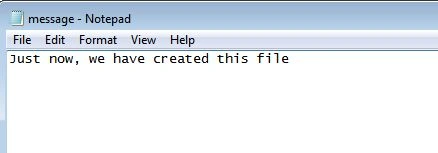
In this example, we will learn to write/create a file using the "fs" module of node.js. As we know the "fs" module is used to manipulate files in the server. To create a file using the "fs" module, we need to call the writeFile() function of this module. The following is the documentation of the writeFile() function.
fs.writeFile(filename, data, [options], callback)
- Filename String
- Data String | Buffer
- Options Object
- Encoding String | Null default = 'utf8'
- Mode Number default = 438 (aka 0666 in Octal)
- Flag String default = 'w'
- Callback Function
The writeFile() function asynchronously writes data to a file, replacing the file if it already exists. Data can be a string or a buffer.
The encoding option is ignored if the data is a buffer. It defaults to "utf8".
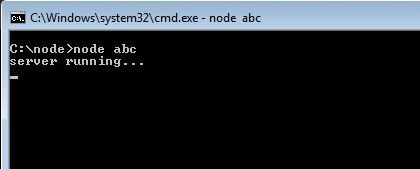
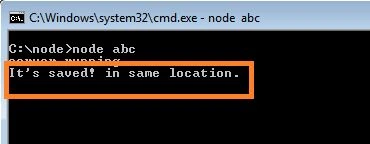
So, let's implement ith in an example. In this example we have omitted the optional third parameter.
var http = require('http');
var fs = require('fs');
var server = http.createServer(function (req, res) {
Chittaranjan SwainPosted Dec 16, 2019, 3:38 AM
Nice article.