

Web Server is an application software, which is used to handle the request generated by the client, using HTTP protocol. In Node.js, HTTP Server is a zero configuration Command Line HTTP Server. In this article, we learn how to configure a Node.js HTTP Server. Let’s take a simple example then move to some complex examples.
Example:
- var http = require('http');
- //Create a Event Listener
- http.createServer(function (request, response) {
- //Write Header for resposne
- response.writeHead(200, { 'Content-Type': 'text/plain' });
- response.end('This is HTTP Server Example\n');
- }).listen(1400, '127.0.0.1');
In the code mentioned above, we use ‘http’ module, which uses require function. We use the “createServer” function of http module, which will create HTTP Server. In callback function, we take two parameters' request and response. Request method defines the request. In response parameter, we write the header information, where we will define the header of the data or information sent in form of response and “end” method indicates that it is end of the data. At last, we use the “listen” method, which defines the port number and IP address for HTTP Server.
Now, run the program and open “localhost:1400” address in your Browser.
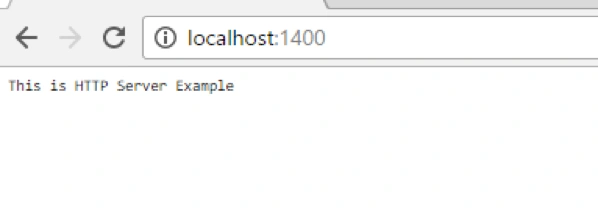
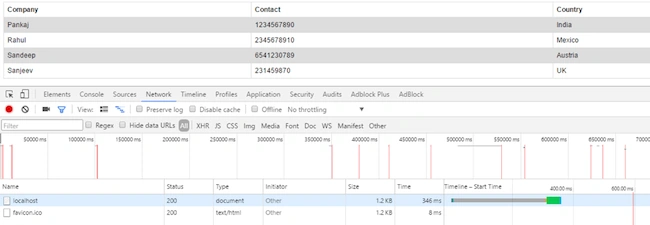
When you inspect the element and go to the Network tab, you will find the information given below.
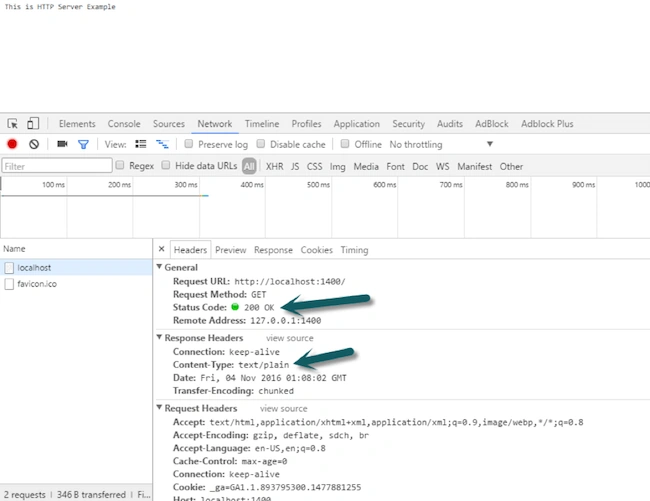
You can see that status code is “200” and Content type is “text/plain”, which we defined in our program. When you open Response tab, it will show the data that it gets in the form of response from the Server.
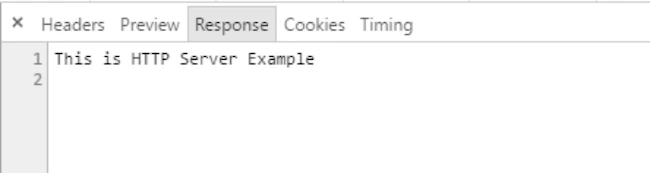
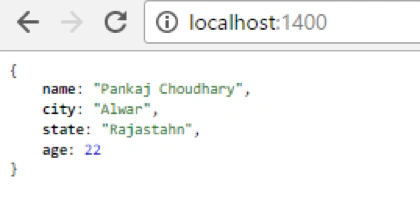
Plain text mentioned above is the text which we defined in response to the created Server.
Send HTML content
In the previous example, we send the plain text. Now, we learn how to send HTML data to the response of request. First, create HTML file named as “index.html” and insert some data into the file.
Content
- <!DOCTYPE html>
- <html>
- <head>
- <style>
- table {
- font-family: arial, sans-serif;
- border-collapse: collapse;
- width: 100%;
- }
- td, th {
- border: 1px solid #dddddd;
- text-align: left;
- padding: 8px;
- }
- tr:nth-child(even) {
- background-color: #dddddd;
- }
- </style>
- </head>
- <body>
- <table>
- <tr>
- <th>Company</th>
- <th>Contact</th>
- <th>Country</th>
- </tr>
- <tr>
- <td>Pankaj</td>
- <td>1234567890</td>
- <td>India</td>
- </tr>
- <tr>
- <td>Rahul</td>
- <td>2345678910</td>
- <td>Mexico</td>
- </tr>
- <tr>
- <td>Sandeep</td>
- <td>6541230789</td>
- <td>Austria</td>
- </tr>
- <tr>
- <td>Sanjeev</td>
- <td>231459870</td>
- <td>UK</td>
- </tr>
- </table>
- </body>
- </html>
- var http = require('http');
- var fs = require('fs');
- //Create a Event Listener
- http.createServer(function (request, response) {
- //Write Header for resposne
- response.writeHead(200, { 'Content-Type': 'text/html' });
- fs.readFile(__dirname+'/index.html', function (err, data) {
- if (err) {
- console.log(err);
- response.writeHead(404, { 'Content-Type': 'text/html' });
- } else {
- response.writeHead(200, { 'Content-Type': 'text/html' });
- response.write(data.toString());
- }
- response.end();
- });
- }).listen(1400, '127.0.0.1');
In this example, we read the data from “index.html” file, using “readFile” method of “fs” module and write down all the data in HTTP response body.
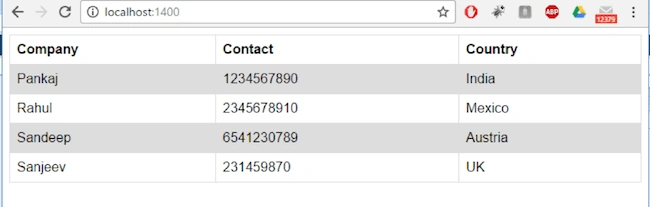
Let’s run the code and check the Browser.
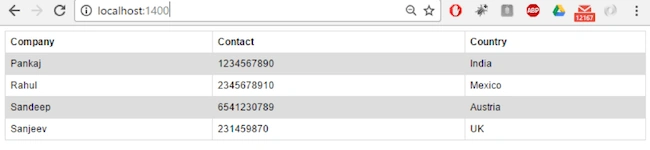
You can see that we get HTML formatted data from the Server, which we specified in our index.html file.
Use File Stream to Improve the Performance
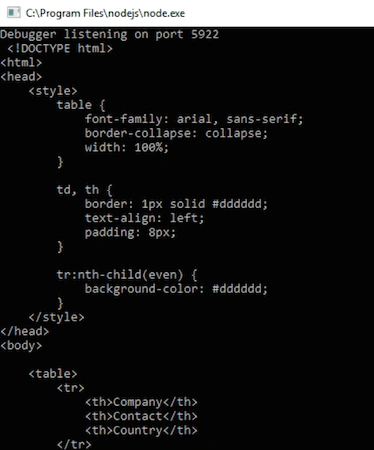
In previous example, we read the data from “index.html” file in synchronous mode, which means when any client generates the request, the Server will try to read and return the whole data in single try, if our data is small and traffic on the Website is not large then this method is OK but in case of large data or huge traffic, this method can generate performance issues. To overcome all these performance issues, we use the “createReadStream” to improve the performance of the our Node.js project. This method allows us to open up a readable stream in a very simple manner and createReadStream method takes the file path to stream. It returns the streamed data to the client.
Example:





Anu VPosted Nov 17, 2016, 1:47 AM
Very nice article. Thanks for sharing..
Vignesh ManiPosted Nov 16, 2016, 3:57 PM
Nice one. Thank you for sharing..