

A Data Source Name (DSN) provides connectivity to a database using an ODBC driver. The DSN contains database name, directory, database driver, User ID, password and other information. Once you create a DSN for a specific database, you can use the DSN in an application to call information from the database.
There are the following three types of DSNs:
- System DSN: Can be used by anyone with access to the machine. The DSN information is stored in the registry.
- User DSN: Created for a specific user. Also stored in the registry.
- File DSN: DSN information is stored in a text file with .DSN extension.
This article explains:
- How to create an ODBC DSN.
- How to add in Server Explorer.
- How to use in ASP.Net web site.
1. How to create ODBC DSN
To create an ODBC DSN go to the Control Panel first then find Administrative Tools. 
Go To ODBC Data Sources.
That will open a dialog. Go to the System DSN Tab and click on the Add button to add a new System DSN.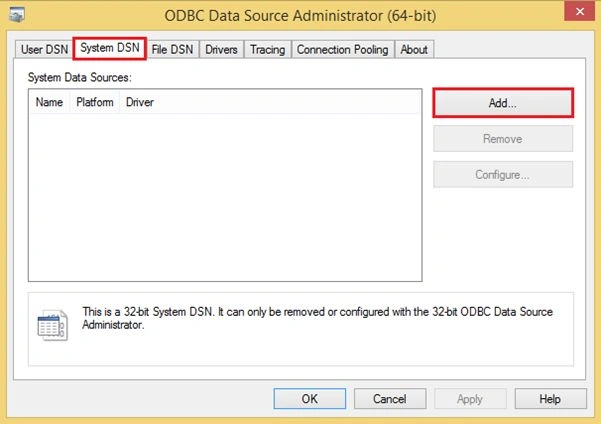
Select Data Source Type and Click to Finish. 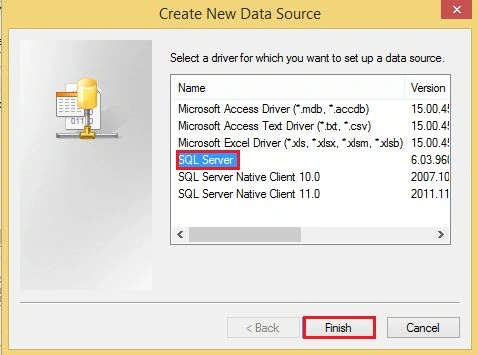
Provide a name for your DSN and Description (if you want) and select the server name or IP Address of your SQL Server System IP Address.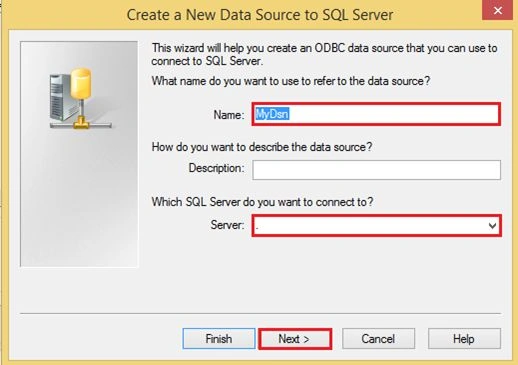
Select Authentication Type as either Windows or SQL Server Authentication in which your server works with the client systems and click Next.
Now check the checkbox to change the default Database: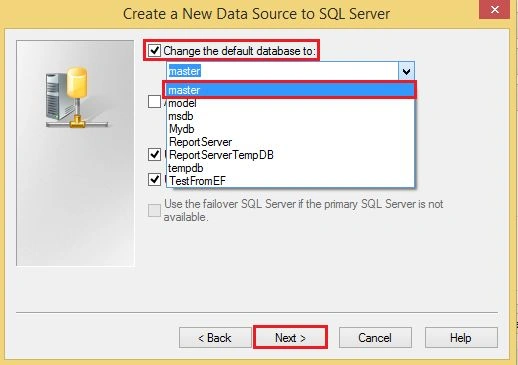
Click Next again.
Now test your ODBC Data Source. 
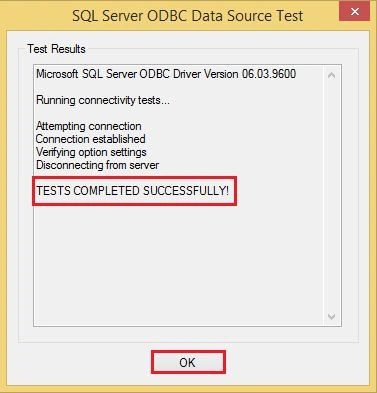
You can see now your DSN name in the DSN name List.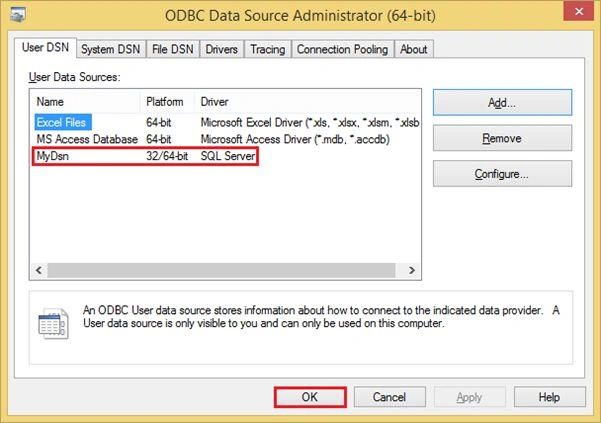
2. How to Add in Server Explorer
In Visual Studio Open Server Explorer.
Right-click on Data Connections and click Add Connection…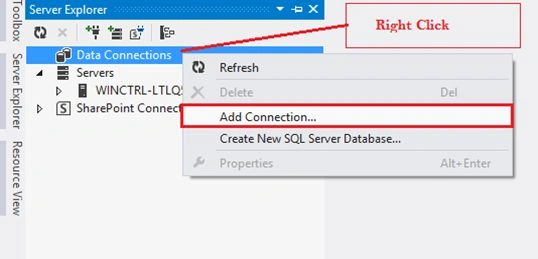
Select The ODBC Data Source from the list to use the DSN and click OK for next.
Select your DSN Name from all the System data source names and click OK.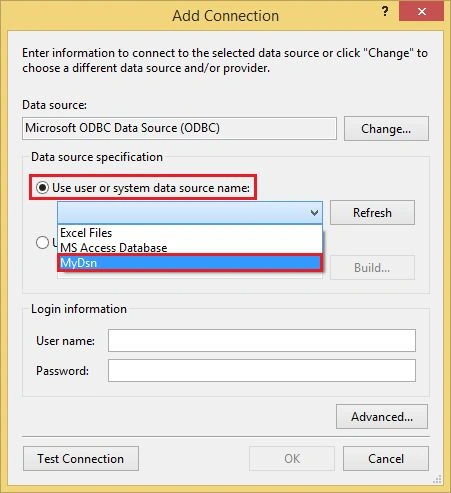
Now you can see all the Tables of your Database.
Table Data: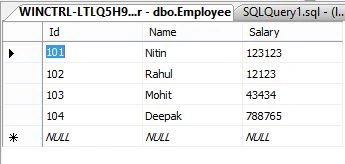
3. How to Use in ASP.NET web site
Now let's see how to use a DSN in ASP.NET Web forms. Go to Visual Studio and create a web site.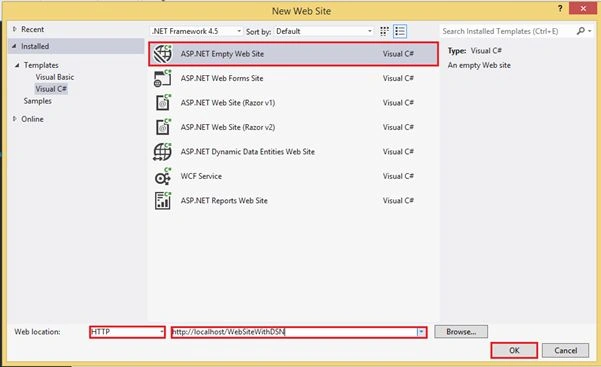
This is an "ASP.NET Empty Web Site" solution.
Now go to web.config and add a ConnectionString Object with the name of DSN Name.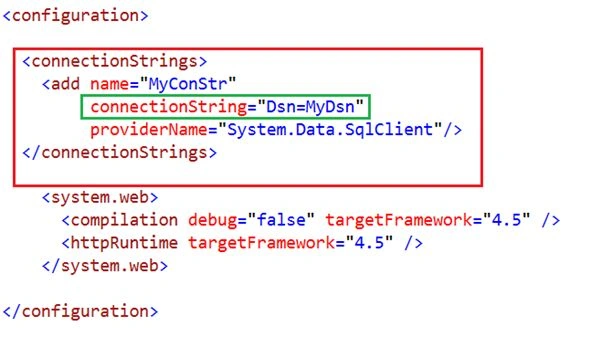
Now add a Web Form to get any table by DSN.
Specify the name of the page.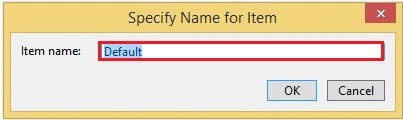
Now add a Grid View Control to the page to show the table to the control.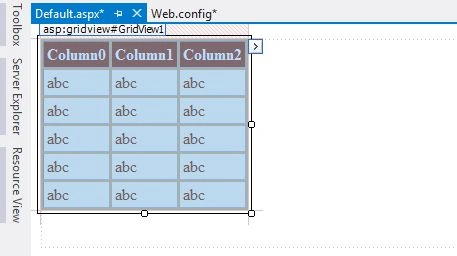
Write the code to execute the command by OdbcDataAdapter Class object and use the ConfigurationManager to get the connection string.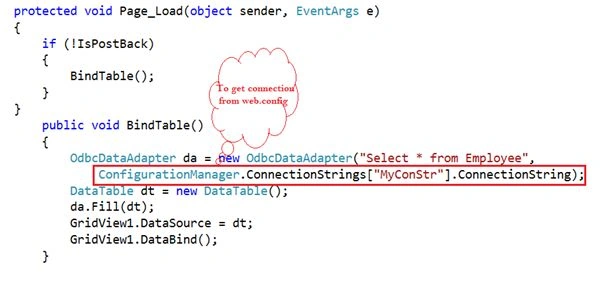
Code
- using System;
- using System.Collections.Generic;
- using System.Linq;
- using System.Web;
- using System.Web.UI;
- using System.Web.UI.WebControls;
- using System.Data.Odbc;
- using System.Configuration;
- using System.Data;
- public partial class _Default : System.Web.UI.Page
- {
- protected void Page_Load(object sender, EventArgs e)
- {
- if (!IsPostBack)
- {
- BindTable();
- }
- }
- public void BindTable()
- {
- OdbcDataAdapter da = new OdbcDataAdapter("Select * from Employee",
- ConfigurationManager.ConnectionStrings["MyConStr"].ConnectionString);
- DataTable dt = new DataTable();
- da.Fill(dt);
- GridView1.DataSource = dt;
- GridView1.DataBind();
- }
- }

Stephen LydaPosted Feb 10, 2022, 7:47 PM
Do you have a Core example as well? Having trouble with the connection string in appsettings.json
imole ayoPosted May 24, 2020, 11:40 AM
Nitin Pandit can someone use ODBC in a LAN multi user windows form application that has SQL server database.
Prashant RewatkarPosted Sep 10, 2019, 4:22 AM
Very nice explanation :)
Arshad AhamedPosted May 12, 2015, 5:40 AM
Nithn cool explanation..Having more doubts in DSN entry..!Would you help..? I need to find the server type of a connection using DSN name...! Is it possible.?
Gaurav Kumar AroraPosted Jan 23, 2015, 8:02 AM
Nitin Pandit - thats great, I would like to see an example how we can incorporate the same with FluentNHIbernate or EntityFramework or any other ORM. This is really interesting man, you're awesome
kuldeep sumanPosted Jan 23, 2015, 7:26 AM
Nice explanation Nitin Sir
Gaurav Kumar AroraPosted Jan 22, 2015, 1:43 PM
Nice explanation Nitin. I am curious to think about the situation, why we use DNS now-a-days. We have plenty of rich technique and robust database connections. Isn't it require configure at client side? Just taking a step-ahead, why we cant use this with ORM ? Just a thought