

Overview
Microsoft technology stack is well known to be supported on the Windows operating system. PowerShell has been a best friend to developers and administrators in Office 365, helping to execute powerful commands and automate the process. However, PowerShell is only supported on Windows platform.
Office 365 CLI helps to manage the Office 365 tenant and SharePoint framework (SPFx) projects on any platform. It can work well on Windows, Linux, or macOS. Office 365 CLI is supported on PowerShell, Cmder, and Bash. Office 365 CLI also supports building automation scripts.
In this article, we will see how to install Office 365 CLI and use it to manage Office 365 and SharePoint Framework projects.
Installing Office 365 CLI
Office 365 CLI is available as NPM packages.
Use the below command to install Office 365 CLI globally.
npm i -g @pnp/office365-cli
To install the beta version of Office 365 CLI, use the below command.
npm i -g @pnp/office365-cli@next
How to use Office 365 CLI
Once the installation is finished, we can start using Office 365 CLI by typing office365 on the command line,
office365
This will start the Office 365 CLI with its own command prompt.

Managing Office 365 Tenant
- To log in to the Office 365 tenant, use the below command.
o365$ spo login https://[tenant]-admin.sharepoint.com
Replace the token [tenant] in the above command with your Office 365 tenant name.
Depending upon which settings you would like to manage, specify tenant admin site (i.e. -admin) or regular SharePoint site. - The command will return a code to authenticate. The unique code is generated each time. Copy the code for future reference.

- Open url (https://microsoft.com/devicelogin) in the browser.
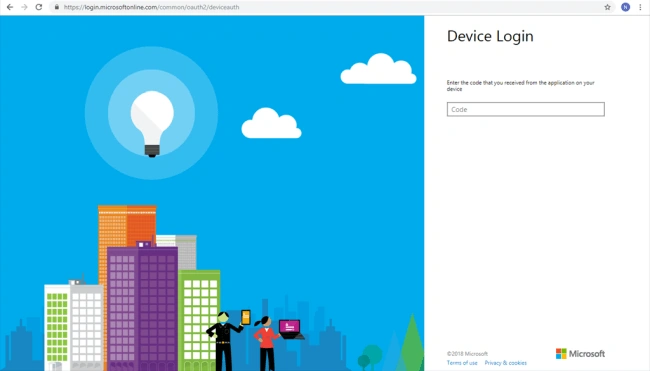
- Type in the authentication code.
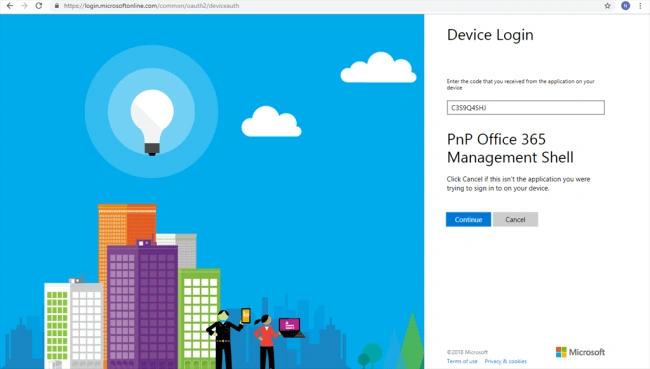
- Click Continue
- Enter Office 365 credentials or select from the list.
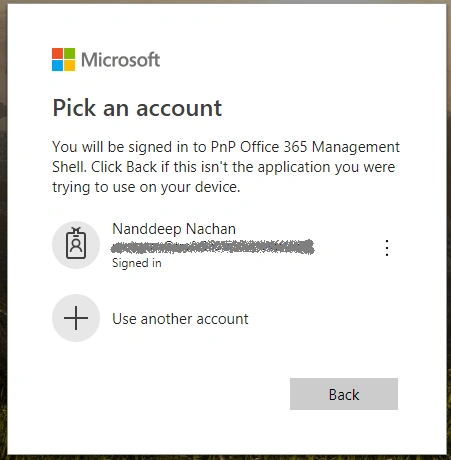
- The app will require permission on the Office 365 tenant.
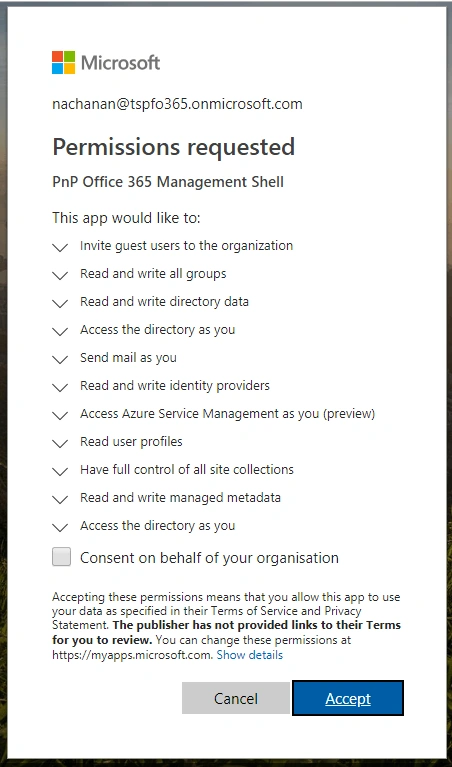
- Click Accept to grant the permissions.
- Once the permission is granted, you will be signed in to PnP Office 365 management shell application from your device.
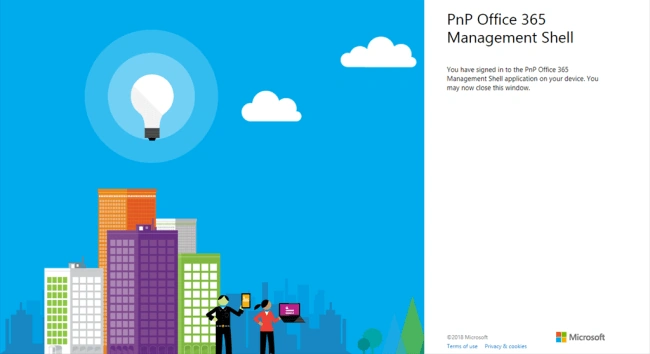
- You may close the browser window.
- Return back to the command prompt
Office 365 CLI Prompt
To get the list of all available commands, type the below command,
o365$ help
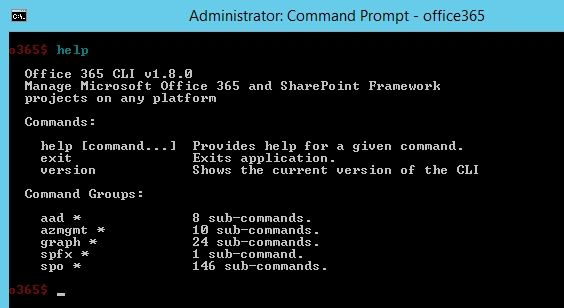
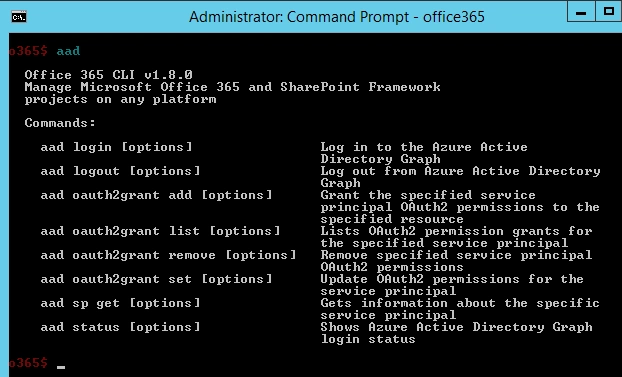
AAD commands
The aad* commands help to work with Azure AD.
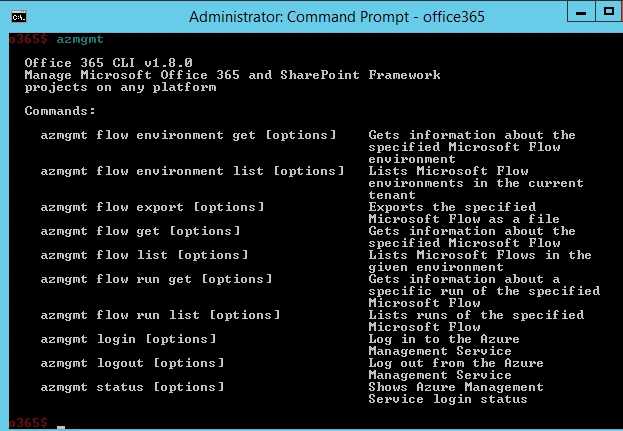
Azmgmt commands
The azmgmt* commands helps to work with Azure Management Service.
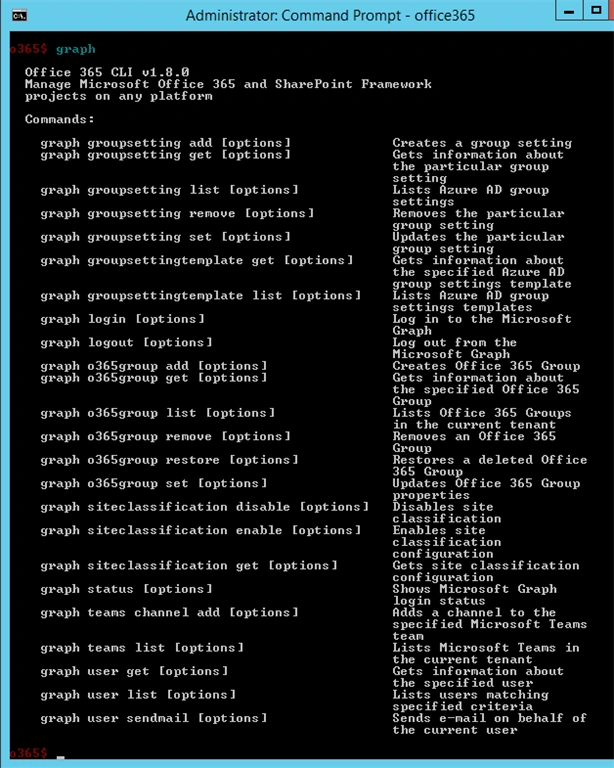
Graph commands
The graph* commands help to work with the Microsoft Graph.
Spfx commands
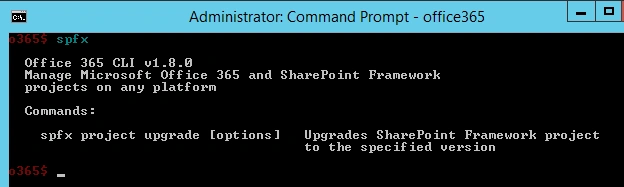
SPFx commands help to manage SharePoint Framework projects.
The only available command at the time of writing this article helps to upgrade the SharePoint Framework projects to the newer versions.
Spo commands
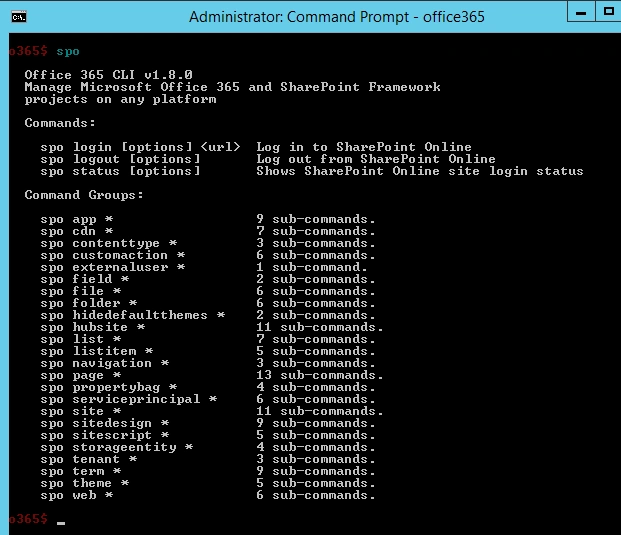
SPO (SharePoint Online) commands help to manage SharePoint Online sites.
To exit the CLI, type the below command,
o365$ exit
Upgrading Office 365 CLI
As Office 365 CLI is available as an NPM package, the bug fixes and newer functionalities are released as a new version of NPM package.
Run the below command to see if your Office 365 CLI needs to upgrade.
npm outdated --global
To update the Office 365 CLI, run the below command,
npm update -g @pnp/office365-cli
Summary
Office 365 CLI helps to manage the Office 365 tenant and SharePoint framework (SPFx) projects on any platform. It can be used effectively to upgrade SPFx projects and build automation scripts.
Jeevanandham MPosted Nov 8, 2018, 12:00 AM
Nice Article...
Md Tahmidul AbedinPosted Nov 6, 2018, 9:32 PM
Nice Article. :)