

- Open Microsoft Word 2013.
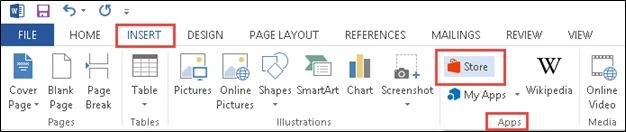
- Click on the Insert tab.
- Click on the Store icon available in the Apps section.
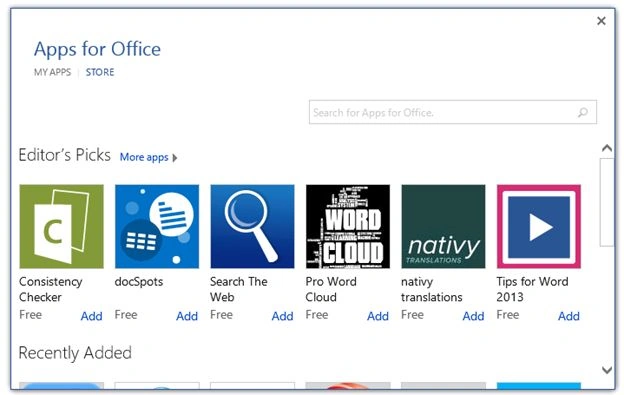
- Select “Search The Web” app and then click on the Add link.
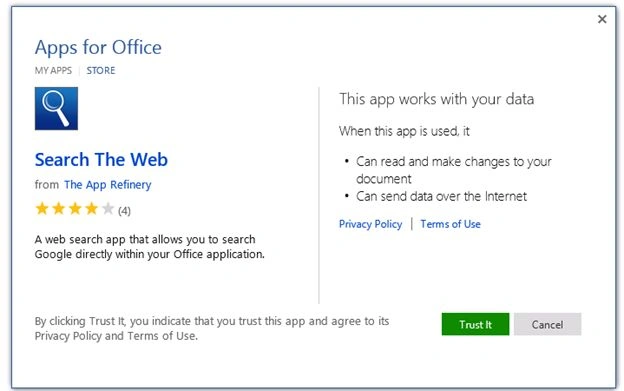
- Click on the Trust It button.
- The app is installed successfully as shown below.

Test the Search The Web app in Word
- Select a word in the document, that word will be automatically searched in the web as shown below.

Summary
Thus in this article you saw how to add an app from the Office store in Word 2013.
Sibeesh VenuPosted Feb 26, 2015, 2:39 AM
Good One.
Prasham SabadraPosted Feb 25, 2015, 11:57 PM
Thanks for sharing!
Rahul Kumar SaxenaPosted Feb 25, 2015, 11:36 PM
Good Work...