
Introduction
While using a Graphical User Interface, sometimes we need to provide certain functionalities for our ease like sliding the images depending on our need., the image is shifted wherever we want to shift using simply the sliders. So in order to provide that, certain functionality is to be created to which we can Rotation-Offset the Slider.
Background
Here I tried using sliders with height and valuechanged properties, also provide the labels "X-Offset" for moving along the X-axis and "Y-offset" for moving along the y-axis while rotating the image about a 360 degree angle.
Solution
We will need to provide slider parameters to specify the Axis, in other words either X-axis or Y-axis and at what angle they apply to.
Procedure
Step 1
First we will make a class "Scene2" that is public partial, in that we will declare two classes with their respective objects as in the following:
using System;
using System.IO;
using System.Net;
using System.Windows;
using System.Windows.Controls;
using System.Windows.Data;
using System.Windows.Media;
using System.Windows.Media.Animation;
using System.Windows.Navigation;
using System.Windows.Shapes;
namespace RotationOffset
{
public partial class Scene2
{
private TransformGroup trGrp;
private RotateTransform trRot;
}
Step 2
public Scene2()
{
this.InitializeComponent();
trRot = new RotateTransform(0);
trGrp = new TransformGroup();
trGrp.Children.Add(trRot);
}
Step 3
We will use "renderTransform", a UIElementproperty and will assign the "trGrp" variable to that. This will contribute to the transformation effect.
private void OnSceneLoaded(object sender,
System.Windows.RoutedEventArgs e)
{
rect.RenderTransform = trGrp;
}
Step 4
We will make the onValueCahnged event protected and under that event, all the values of the variables "slRot", "slRotX" and "slRotY" will be stored to "trRot.Agle", "trRot.CenterX" and "trRot.CenterY" respectively. So that whatever will be the change in values of the angles or change along the x-axis or y-axis will be reflected in the rectangle holding the image.
protected void OnValueChanged(object sender,
System.Windows.RoutedEventArgs e)
{
trRot.Angle = slRot.Value;
trRot.CenterX = slRotX.Value;
trRot.CenterY = slRotY.Value;
}
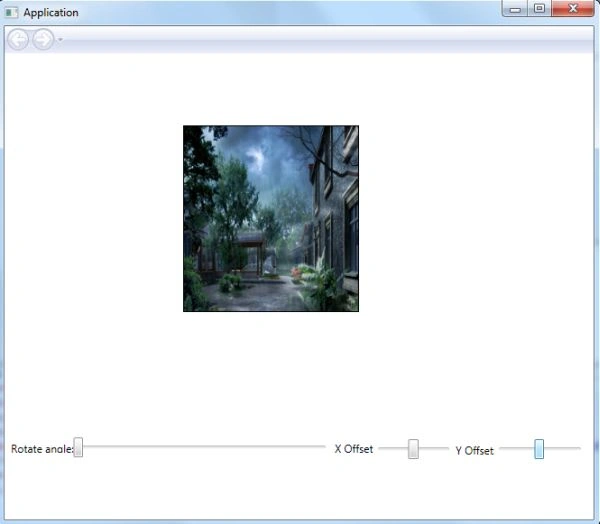
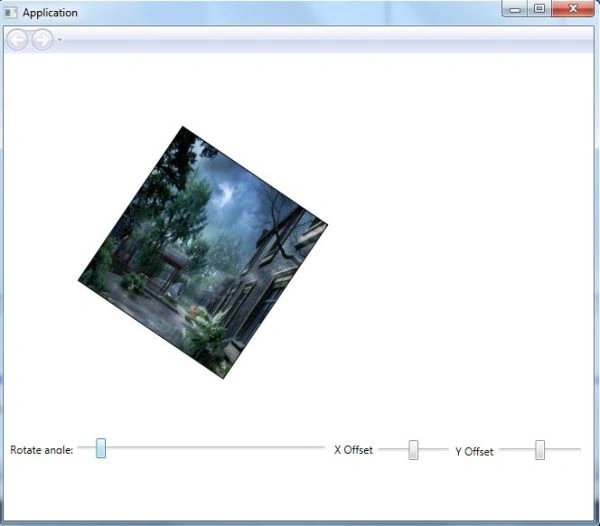
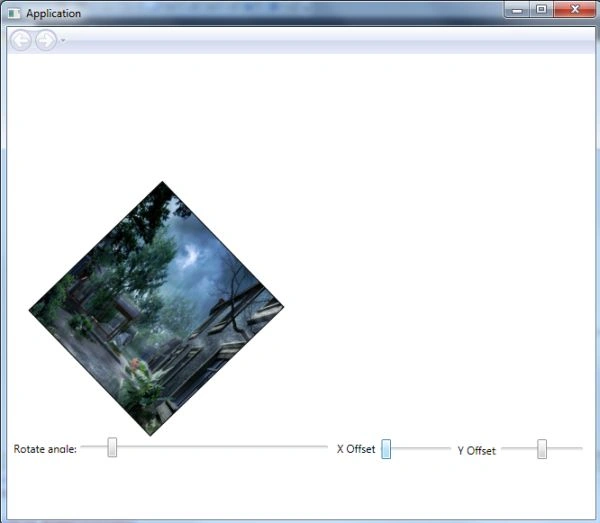
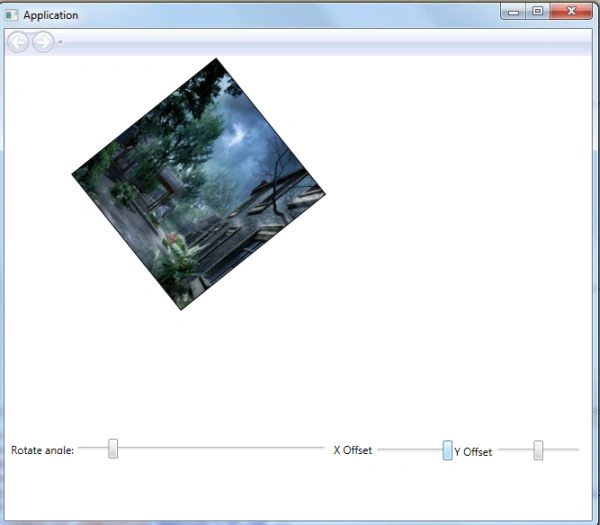
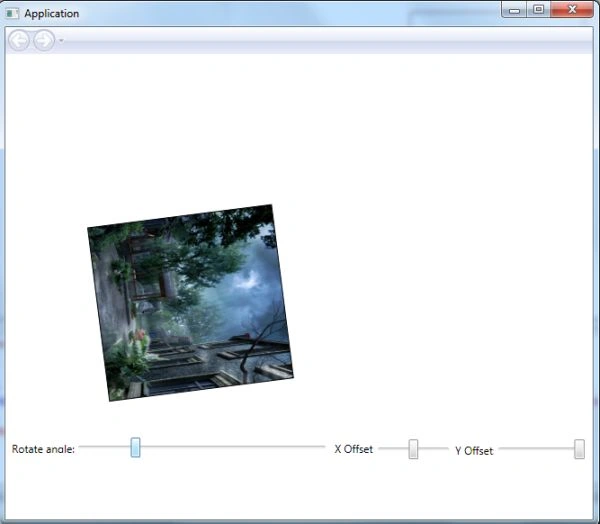
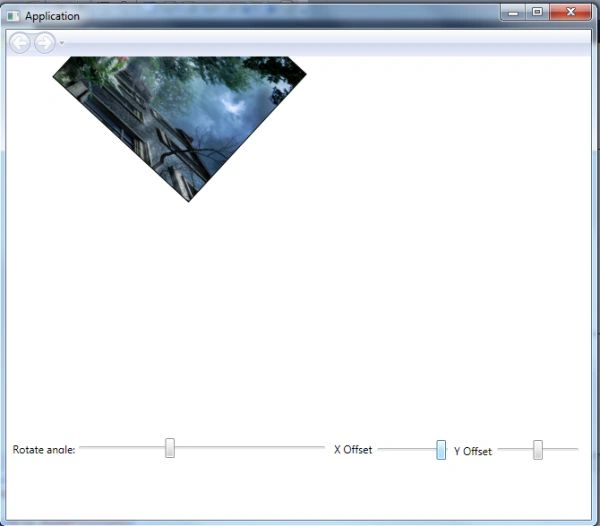
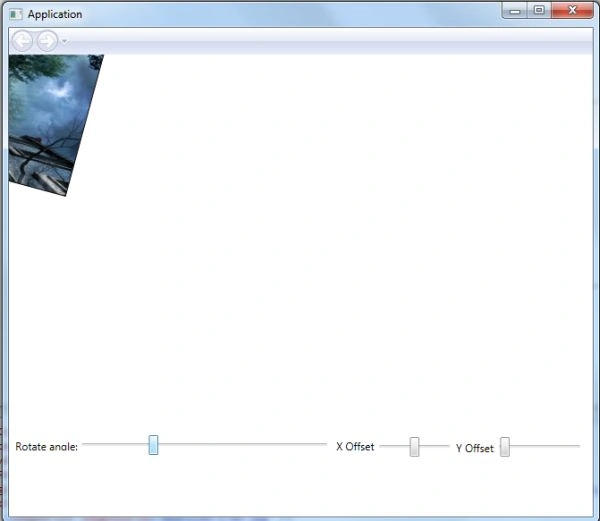
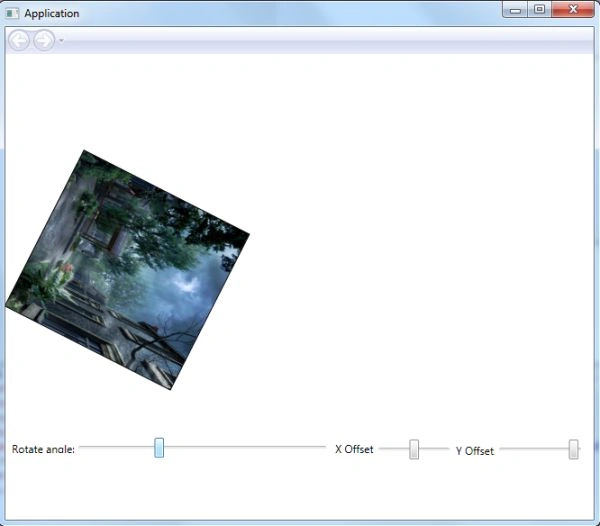
Here is an example of a RotationOffset transformation of the image.
<Grid
xmlns="http://schemas.microsoft.com/winfx/2006/xaml/presentation"
xmlns:x="http://schemas.microsoft.com/winfx/2006/xaml"
xmlns:mc="http://schemas.openxmlformats.org/markup-compatibility/2006"
xmlns:d="http://schemas.microsoft.com/expression/interactivedesigner/2006"
mc:Ignorable="d"
Background="#FFFFFFFF"
x:Name="DocumentRoot"
x:Class="TranformationExplorer.Scene1"
Width="653" Height="517"
Loaded="OnSceneLoaded">
<Grid.Resources>
<Storyboard x:Key="OnLoaded"/>
</Grid.Resources>

Join the conversation! Your thoughts help the community grow.