

Introduction
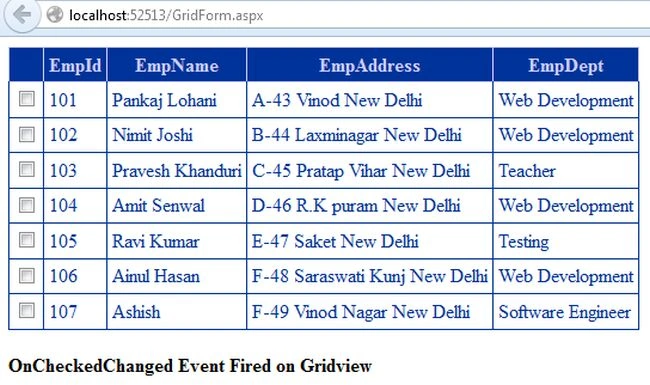
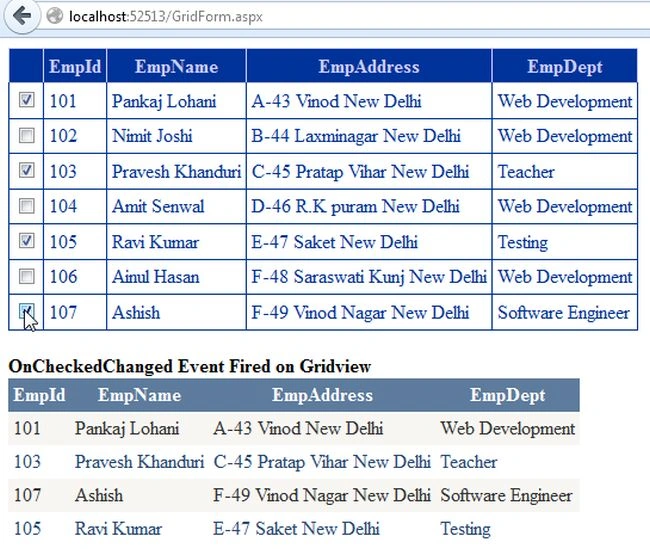
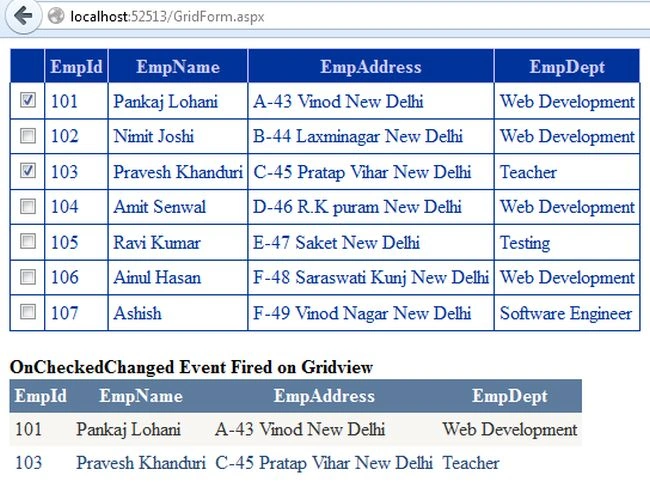
This article explains the "OnCheckedChanged" event of the GridView control. The OnCheckedChanged event occurs when the checked state of the Checkbox control changes.
OnCheckedChanged Event
The OnCheckedChanged event handler of the ASP.Net Checkbox control allows us to handle the click event of a checkbox at the server side that is raised when the user clicks the checkbox control to changes it checked state. The "CheckedChanged" event occurs only if the "AutoPostBack" property of the checkbox control is "true".
- <asp:CheckBox ID="chkSelect" runat="server" AutoPostBack="true" OnCheckedChanged="ChckedChanged" />
The OnCheckedChanged method also allows derived classes to handle the event without attaching a delegate
Now I will show you how to use the OnCheckedChanged Event in a GridView. Use the following procedure to do that.
Create DataBase and Table in SQL Server
- Create Database Employee
- use Employee
- create table EmployeeInformation
- (
- EmpId int,
- Emp_Name varchar(max),
- Emp_Address nvarchar(max),
- Emp_Department varchar(max)
- )
Write the following procedure to insert the values into table columns:
- insert into EmployeeInformation values(101,'Pankaj Lohani','A-43 Vinod New Delhi','Web Development')
- insert into EmployeeInformation values(102,'Nimit Joshi','B-44 Laxminagar New Delhi','Web Development')
- insert into EmployeeInformation values(103,'Pravesh Khanduri','C-45 Pratap Vihar New Delhi','Teacher')
- insert into EmployeeInformation values(104,'Amit Senwal','D-46 R.K puram New Delhi','Web Development')
- insert into EmployeeInformation values(105,'Ravi Kumar','E-47 Saket New Delhi','Testing')
- insert into EmployeeInformation values(106,'Ainul Hasan','F-48 Saraswati Kunj New Delhi','Web Development')
- insert into EmployeeInformation values(107,'Ashish','F-49 Vinod Nagar New Delhi','Software Engineer')
Write the following query to execute the table schema:
- select * from EmployeeInformation
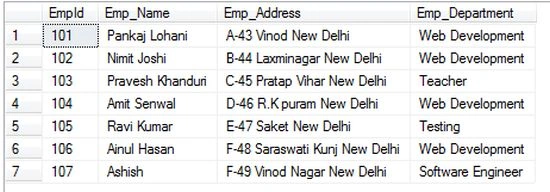
Step 1
Open Visual Studio then select "Create New Website" --> "ASP.NET Web Site".
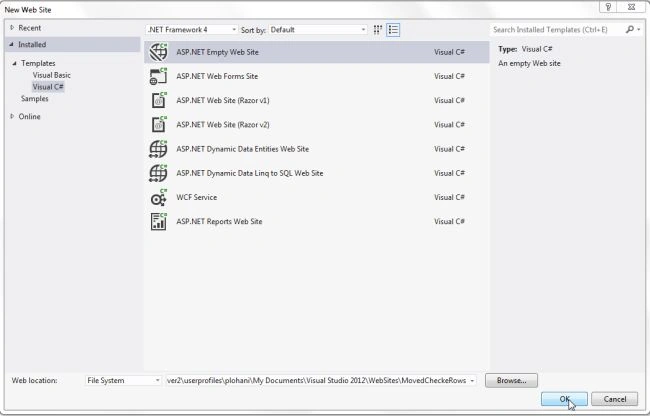
Step 2
Now go to the Solution Explorer to the right side of the application and use the procedure shown in the following figure
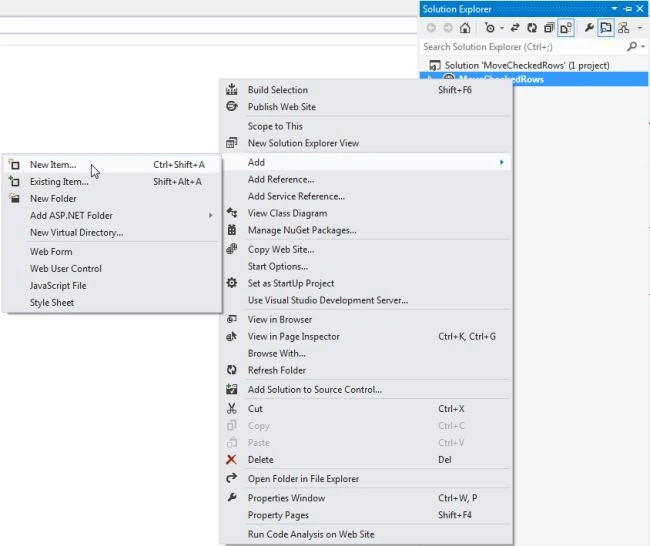
Step 3
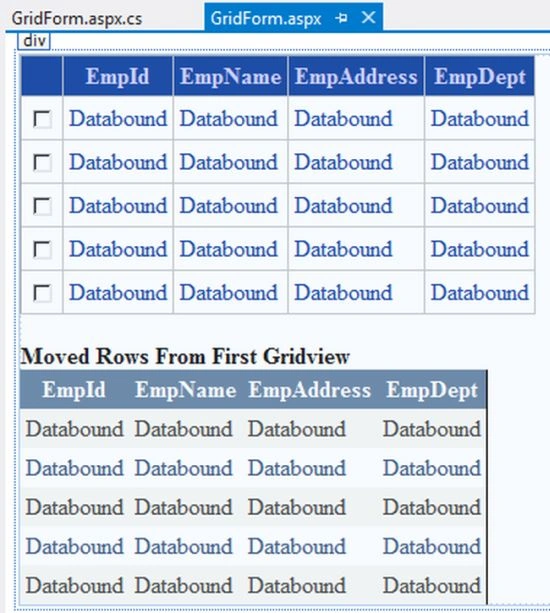
Add a new Web form in the empty web application as shown in the following figure
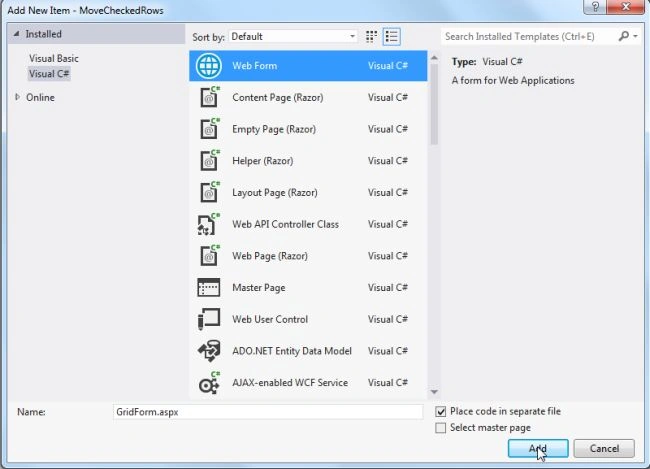
Write the following code in a GridForm.aspx page
Step 4
Michael ClintonPosted Mar 12, 2026, 11:44 PM
Can't see blue on black text.
MdShahbaz khanPosted Oct 4, 2022, 1:59 PM
I want to row highlight when the checkbox check please help me
Bhavleen SinghPosted Jun 26, 2019, 12:26 AM
It's the best example and I do the same in my project but sir I've 2 checkboxes coloumns if one check other one should disable/unchecked too, if i'm doing this on checkedchange event then the page is working very slow because every time user clicks on checkbox the whole gridview loads again, Is there any solutions for this.