

Once the results and state are stable, the next engineering problem is control. You need to decide who owns the reply, where human review pauses the workflow, which external tool surface is trusted, and how to measure whether the agent system is actually getting better. That is where OpenAI’s guides on guardrails, orchestration, observability, and evals become the real production playbook.
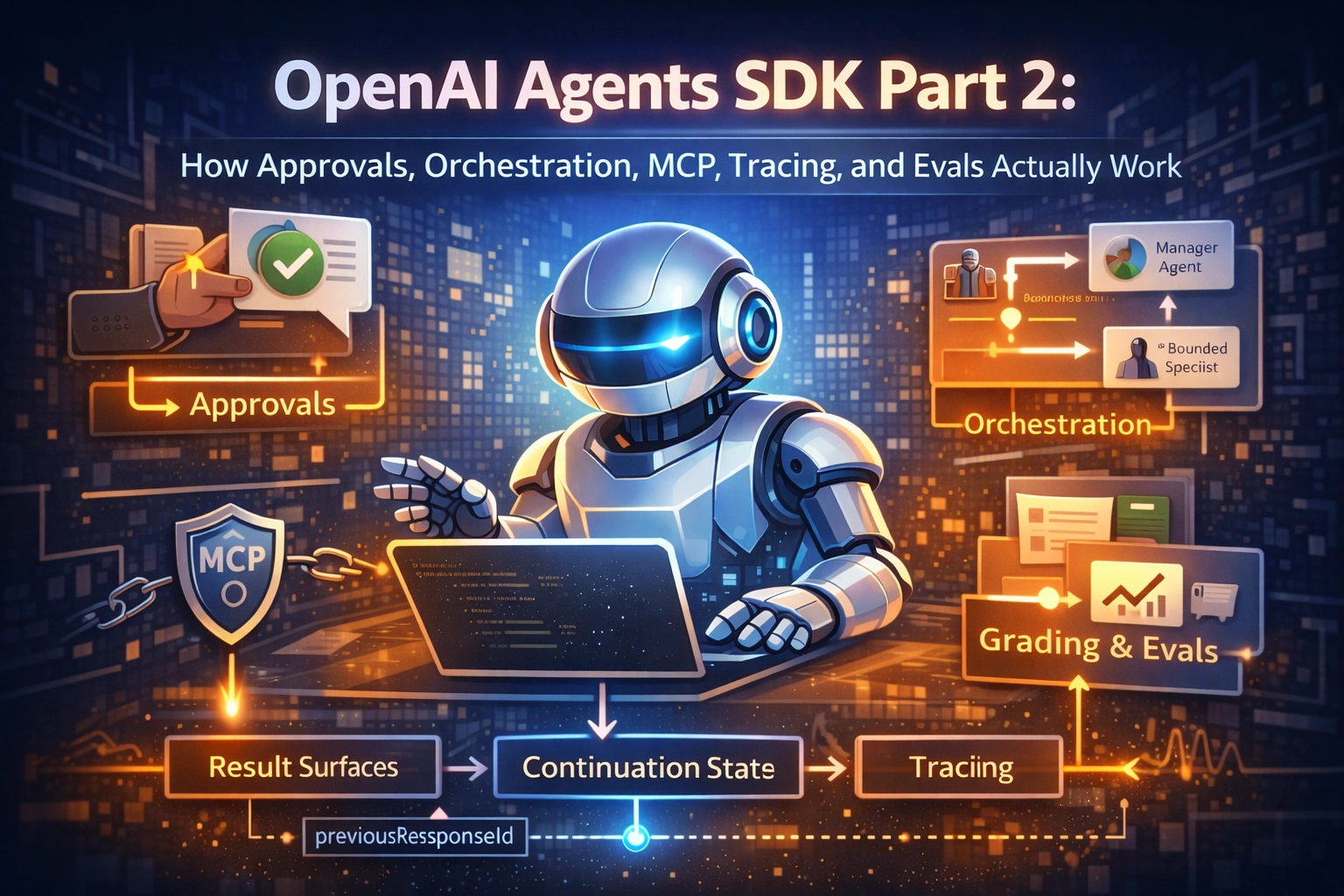
This second article continues the technical series without repeating the basics or the runtime details from Part 1. It focuses on approvals, handoffs versus agents-as-tools, MCP trust boundaries, tracing, and trace-based evaluation.
Abstract / Overview
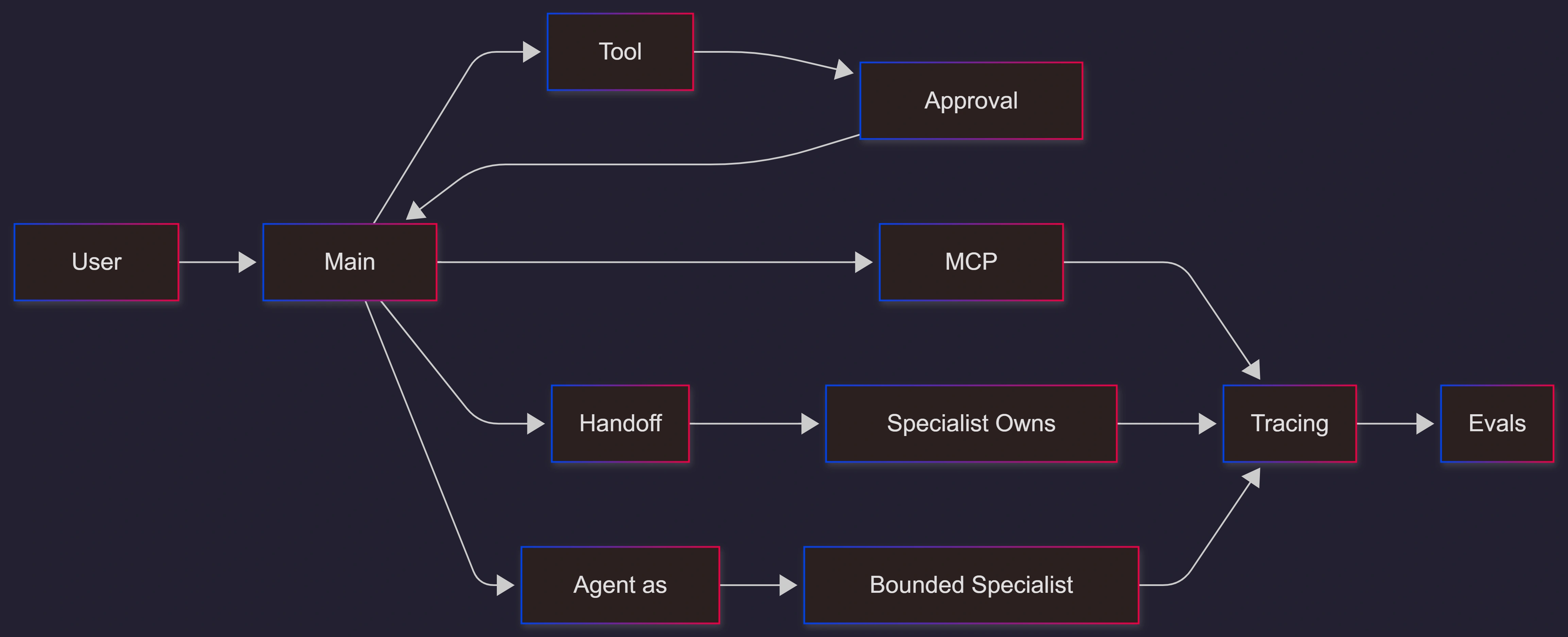
The official docs separate control into a few clear layers. Guardrails validate or block risky work. Human approvals pause a run before sensitive actions. Orchestration decides whether a specialist takes ownership or acts as a bounded helper. MCP integration decides how the agent reaches external capabilities. Tracing records what happened. Evals then score whether the workflow behaved the way you intended.
OpenAI’s eval guide gives the simplest summary of why this matters: trace grading is the fastest way to identify workflow-level issues. That is a key point because many agent failures are not text-quality failures. They are routing, tool-choice, or approval failures.
Conceptual Background
Safety and control are workflow features
The guardrails guide says approvals are the human-in-the-loop path for tool calls. The model can decide that an action is needed, but the run pauses until you approve or reject it. That means review is not a side conversation. It is part of the runtime.
The same guide also explains a practical latency tradeoff. Use blocking execution when the cost or risk of starting the main agent is too high. Use parallel guardrails when lower latency matters more than avoiding speculative work.
Ownership is the main orchestration choice
The orchestration guide draws a clean line. Use handoffs when a specialist should take over the conversation. Use agent.asTool() when the main agent should remain responsible for the final answer and call specialists as helpers. This is a reply-ownership choice, not just a code-style choice.
Control-plane map
Step-by-Step Walkthrough
Add approval before sensitive actions
The guardrails guide shows a direct approval pattern using tools marked with needsApproval. When the tool is selected, the run pauses until your app approves or rejects the interruption.
import { Agent, run, tool } from "@openai/agents";
import { z } from "zod";

const cancelOrder = tool({
  name: "cancel_order",
  description: "Cancel a customer order.",
  parameters: z.object({ orderId: z.number() }),
  needsApproval: true,
  async execute({ orderId }) {
    return `Cancelled order ${orderId}`;
  },
});

const agent = new Agent({
  name: "Support agent",
  instructions: "Handle support requests and ask for approval when needed.",
  tools: [cancelOrder],
});

let result = await run(agent, "Cancel order 123.");

if (result.interruptions?.length) {
  const state = result.state;
  for (const interruption of result.interruptions) {
    state.approve(interruption);
  }
  result = await run(agent, state);
}
The important engineering point is that approval resumes the same run. It is not a new user's turn. That gives you better auditability and a much cleaner workflow state.
Put validation close to the risky action
The official guide makes a subtle but important point about scope. Input guardrails run for the first agent, output guardrails run for the agent that produces the final output, and tool guardrails run on the tools they are attached to. If you need reliable checks around side effects, put validation next to the tool or approval surface, not only in an outer wrapper.
Choose handoff or agent-as-tool based on reply ownership
The orchestration guide says to use agent.asTool() when the main agent should stay responsible for the final answer and call specialists as helpers. That is usually the better fit when the outer workflow needs one stable schema or one stable UI voice.
import { Agent } from "@openai/agents";

const summarizer = new Agent({
  name: "Summarizer",
  instructions: "Generate a concise summary of the supplied text.",
});

const mainAgent = new Agent({
  name: "Research assistant",
  tools: [
    summarizer.asTool({
      toolName: "summarize_text",
      toolDescription: "Generate a concise summary of the supplied text.",
    }),
  ],
});
Use handoffs when the specialist should own the reply. Use agents-as-tools when the specialist should do bounded work and return control. That one decision has a big effect on logs, UI behavior, and next-turn control.
Use the MCP based on the trust boundary
The integrations and observability guide says tracing is built into the SDK, but it also points developers to MCP-backed capabilities as part of runtime integration. For technical teams, the important design question is not “Can I connect MCP?” It is “Who should own the boundary?” Use runtime-managed connections when your application must control connectivity, approvals, filtering, or internal network access.
A local MCP pattern in TypeScript looks like this:
import { Agent, MCPServerStdio, run } from "@openai/agents";

const server = new MCPServerStdio({
  name: "Filesystem MCP Server",
  fullCommand: "npx -y @modelcontextprotocol/server-filesystem ./sample_files",
});

await server.connect();

try {
  const agent = new Agent({
    name: "Filesystem assistant",
    instructions: "Read files with the MCP tools before answering.",
    mcpServers: [server],
  });

  const result = await run(agent, "Read the files and list them.");
  console.log(result.finalOutput);
} finally {
  await server.close();
}
This pattern is especially useful for enterprise tools, internal repositories, and controlled environments where your runtime must own the connection.
Turn tracing on early and keep it on
The observability guide says tracing is built into the Agents SDK and enabled by default in the normal server-side SDK path. The default trace usually shows the overall run, model calls, tool calls, outputs, handoffs, guardrails, and any custom spans you add.
This matters because agent bugs are often workflow bugs. A trace can show a wrong tool call, a missing handoff, a blocked guardrail, or a policy mismatch long before a simple text log would reveal the problem.
Start evals with traces, then move to datasets
The eval guide says to start with traces when you are still debugging behavior. Then move to graders and datasets when you need repeatability. OpenAI also says trace grading is the fastest way to identify workflow-level issues.
The guide gives practical evaluation questions:
Did the agent pick the right tool?
Did a handoff happen when it should have?
Did the workflow violate an instruction or safety policy?
Did a routing or prompt change improve the workflow?
That is why evals for agents should grade the workflow graph, not only the final wording.
Use Cases / Scenarios
Support systems with refunds, edits, or cancellations
Approval-backed tools are a strong fit for any workflow with side effects. The agent can decide that an action is needed, but the system still pauses until a person or policy approves it.
Manager-style research workflows
A research assistant who must own the final answer can call bounded specialists as tools for summarization, classification, or extraction. This keeps the outer reply stable and avoids unnecessary ownership transfer.
Enterprise assistants with internal connectors
Local or runtime-managed MCP fits internal files, private services, and regulated environments because the application controls the connection boundary.
Teams building quality gates
Trace-first evaluation is a good match for teams moving from prototypes to release checks. Traces show what happened. Graders then turn that into repeatable quality signals.
Fixes
Fix: stop treating approval as a new chat turn
Approval resumes the same paused run. It should not create a new user turn unless your product intentionally changes the workflow.
Fix: stop using handoffs when the parent must own the final schema
Use agent.asTool() when the main agent should stay responsible for the reply.
Fix: stop hiding risky validation in outer prompts
Put checks near the risky tool or approval path. The guardrails guide is clear that different guardrail types run at different scopes.
Fix: stop debugging blind
Tracing is built in and enabled by default in the standard server-side path. Use it before the workflow becomes hard to reason about.
Fix: stop grading only the final wording
Agent quality depends on tool choice, handoff behavior, and policy compliance. Use trace grading and workflow-level evals.
FAQs
1. What is the main point of this part?
This part covers the control plane of the SDK: approvals, specialist ownership, MCP boundaries, tracing, and evals.
2. When should I use approvals?
Use approvals for sensitive tool calls and side effects such as cancellations, edits, or other actions that should pause for human review.
3. When should I use handoffs instead of agents-as-tools?
Use handoffs when the specialist should take over the reply. Use agents-as-tools when the main agent should stay in control and call specialists as helpers.
4. Why is tracing so important for agents?
Because many failures happen inside the workflow, not only in the final text. Traces expose model calls, tools, handoffs, and guardrails in one record.
5. What should I evaluate first?
Start with traces and trace grading while behavior is still being debugged. Then move to datasets and repeated eval runs when the workflow is stable enough to score at scale.
References
OpenAI API Docs, Guardrails, and human review. (OpenAI Developers)
OpenAI API Docs, Orchestration, and handoffs. (OpenAI Developers)
OpenAI API Docs, Integrations, and Observability. (OpenAI Developers)
OpenAI API Docs, Evaluate agent workflows. (OpenAI Developers)
Conclusion
After state and result handling are stable, the next maturity step is control. Production agent systems need explicit approval points, a clear ownership model for specialist work, trusted external boundaries, and enough observability to explain what happened in every run.
A strong next move is to wire tracing into every workflow, add approval to every sensitive action, and evaluate the workflow itself instead of only the final text. That is the difference between an agent that sounds smart and an agent system that can be trusted.
Join the conversation! Your thoughts help the community grow.