

As we learned in the earlier article, we need to do the option pattern and validations on the application side. Here is the link to both articles.
- Part 1. https://www.c-sharpcorner.com/article/options-pattern-in-net-core-with-examples/
- Part 2. https://www.c-sharpcorner.com/article/options-pattern-validation-in-net-core-with-examples/
Introduction
If you wish to bind many choices to a type by a string name, but your configurations have the same features and you don't want to create distinct types for each configuration, you can use named options.
Assume you have the following JSON configuration.
{
  "VehicleDetails": {
    "Car": {
      "Name": "Honda City",
      "Company":  "Honda"
    },
    "Two-Wheeler": {
      "Name": "Jupiter",
      "Company":  "TVS"
    }
  }
}
In the above example, I have used the vehicle details, and both types have the same property, so we need to create the below class.
public class VehicleDetails
    {
        public const string Car = " VehicleDetails:Car";
        public const string TwoWheeler = " VehicleDetails:Two-Wheeler";


        public string Name { get;set; }

        public string Company { get; set; }
    }
We need to register them in the Program.cs file.
builder.Services
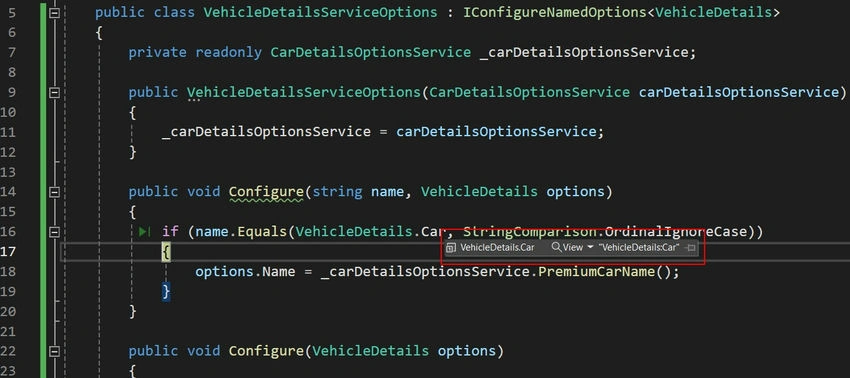
    .AddOptions<VehicleDetails>(VehicleDetails.Car)
    .Bind(builder.Configuration.GetSection(VehicleDetails.Car));

builder.Services
    .AddOptions<VehicleDetails>(VehicleDetails.TwoWheeler)
    .Bind(builder.Configuration.GetSection(VehicleDetails.TwoWheeler));
Let’s try to fetch vehicle configurations in the API.
We can now use the options access interface to call the method Get(option-name) to obtain the appropriate option.
[Route("api/[controller]")]
[ApiController]
public class VehicleController : ControllerBase
{
    private readonly VehicleDetails _carVehicleDetails;
    private readonly VehicleDetails _twoWheelerVehicleDetails;

    public VehicleController(IOptionsSnapshot<VehicleDetails> vehicleDetails            )
    {
        _carVehicleDetails = vehicleDetails.Get(VehicleDetails.Car);
        _twoWheelerVehicleDetails = vehicleDetails.Get(VehicleDetails.TwoWheeler);
    }

    [HttpGet]
    public IActionResult Get()
    {
        var carName = _carVehicleDetails.Name;
        var twoWheelerName = _twoWheelerVehicleDetails.Name;

        return Ok(new {carName, twoWheelerName });
    }
}
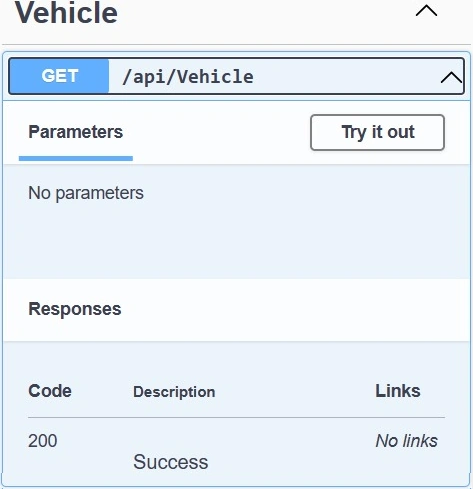
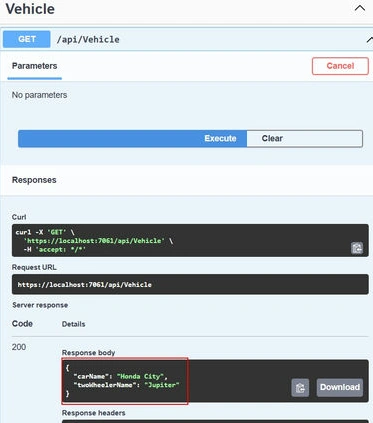
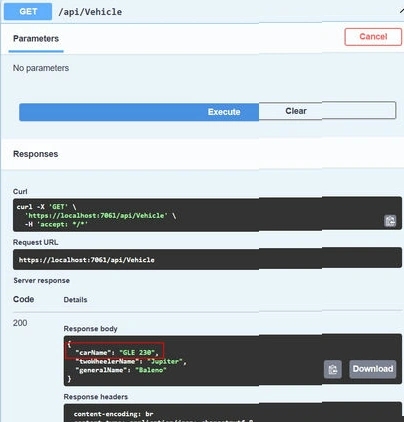
Once this type of code is done, we need to run the application and validate whether the vehicle details come as expected or not.
Named options vs the default options instance
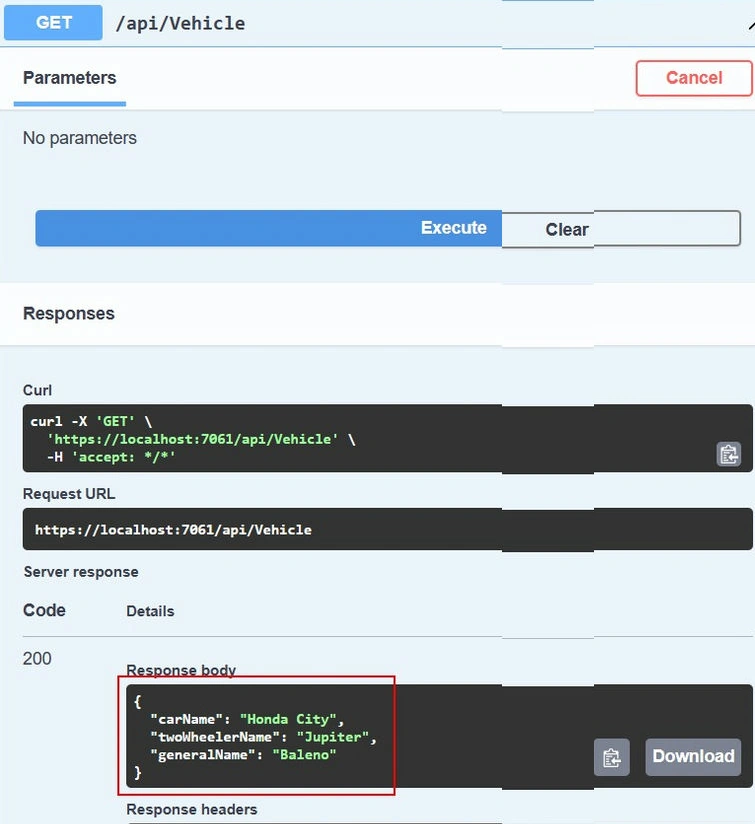
Within the same program, you can utilize both named options and default options without any issues. If Configure() is used without a name, the default choices are used, such as.
Here is the updated JSON configuration.
"VehicleDetails": {
  "General": {
    "Name": "Baleno",
    "Company": "Suzuki"
  }
  "Car": {
    "Name": "Honda City",
    "Company": "Honda"
  },
  "Two-Wheeler": {
    "Name": "Jupiter",
    "Company": "TVS"
  }
}
// Configure the named options
builder.Services
    .AddOptions<VehicleDetails>(VehicleDetails.Car)
    .Bind(builder.Configuration.GetSection(VehicleDetails.Car));

builder.Services
    .AddOptions<VehicleDetails>(VehicleDetails.TwoWheeler)
    .Bind(builder.Configuration.GetSection(VehicleDetails.TwoWheeler));


// Configure the default "unnamed" options
builder.Services.Configure<VehicleDetails>(builder.Configuration.GetSection(VehicleDetails.General));
Prasad RaveendranPosted Mar 31, 2024, 7:46 PM
Nice article. keep adding
Prasad RaveendranPosted Mar 31, 2024, 7:42 PM
//Model public class VehicleDetailsOptions { public const string OptionsName ="VehicleDetails"; public VehicleOptions General { get; set; } public VehicleOptions Car { get; set; } public VehicleOptions TwoWheeler { get; set; } } public class VehicleOptions { public string Name { get; set; } public string Company { get; set; } } //appsettings "VehicleDetails": { "General": { "Name": "Baleno", "Company": "Suzuki" } "Car": { "Name": "Honda City", "Company": "Honda" }, "TwoWheeler": { "Name": "Jupiter", "Company": "TVS" } } //program.cs builder.Services.Configure<VehicleDetailsOptions>(VehicleDetailsOptions.OptionsName); //usage // Configure endpoints app.MapGet("/", async (HttpContext context, IOptions<VehicleDetailsOptions> optionsAccessor) => { var options = optionsAccessor.Value; // Serialize options to JSON var jsonOptions = JsonSerializer.Serialize(options); // Write JSON response context.Response.ContentType = "application/json"; await context.Response.WriteAsync(jsonOptions); });