

Introduction
In this article, we are going to learn the use of interpolation. Generally, we display the static component from the inline HTML or from templateUrl. What if we want some of the things to change dynamically? Let us suppose we need to show the current username, and type of user -- then we will have to use interpolation. These dynamic values will come from any source through API or services.
Prerequisites
- HTML, CSS, and JS
- Basics of Typescript.
Let us create a sample TestApp. For this you have to install the following tools for the development environment:
- Node
- Npm (comes when you install node)
- Angular CLI
- Text Editor
For creating a new application run the below command on your location.
> ng new TestApp
Once your command is completed you will have TestApp folder created inside your sample folder.
Now, you will have your project folder called 'TestApp'.
Note
See my previous article “Getting started with Angular CLI.” If you want the installation and introduction from the basics, start with the execution of the sample application.
Let us create a simple component.
Open the integrated terminal and run the below command.
> ng g c test
- g for generate
- c for component
The test is a component name.
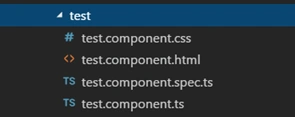
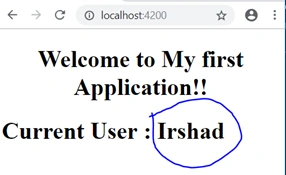
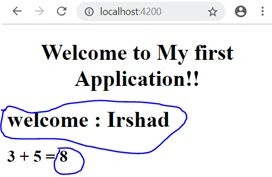
Let us create a new property inside the class and let's call it a userName. Assign some value. Now, how do we get the newly added property value in HTML template? The source is double curly braces {{}} and inside the double curly braces, we specify the property. This method of specifying the property inside the double curly braces to represent the values is known as an interpolation in Angular. Interpolation simply means to evaluate the value inside the double curly braces string and display that value to the HTML page.
Open test.component.ts

Join the conversation! Your thoughts help the community grow.