Microsoft Office 365 provides various types of cloud-hosted application services which enable collaboration, security, mobility, and analytics for your organization. Microsoft Office 365 is a fully cloud-hosted Software as a Service (SaaS) methodology in cloud computing which provides a complete package for your organization needs like MS Suites along with Exchange, Skype for business, SharePoint, and Yammer.
Types of Office 365 Subscription
- Office 365 Business
- Office 365 Business Premium
- Office 365 Essential
For Enterprise
Roles available in Office 365
Global Administrator
The global administrator can access and manage all administrative features.
Billing Administrator
Users in this role can purchase licenses, services, payments and finally can monitor the Office 365 service health.
Dynamic 365 Administrator
Dynamics 365 is not part of Office 365 services, but it can be used to provide access to administrators, and this role involves subscription, licensed and user accounts.
Exchange Administrator
This role allows the user to create and manage the user's mailbox with the Office 365 and this user will have access to the Exchange admin center to perform all activities and can generate the reports produced by Office 365.
License Administrator
This role can add or remove users from Office 365 and can assign the license to the users.
Skype for Business Administrator
This role allows the user to configure and maintain Skype for business for their organization.
Power BI Service Administrator
This role allows the user to integrate the PowerBI applications with their cloud environment as well as on-premises environment to create metrics.
SharePoint Administrator
This role allows users to create and manage the SharePoint sites and will allow users to create Office 365 groups.
Teams Administrator
It’s a combination of Skype for Business and SharePoint roles, which allows a user to create a SharePoint site for storage purposes and it will enable the user to manage the calls and messaging.
User Management Administrator
This role is able to create or delete the users from the office 365 environment and can reset the password for all users.
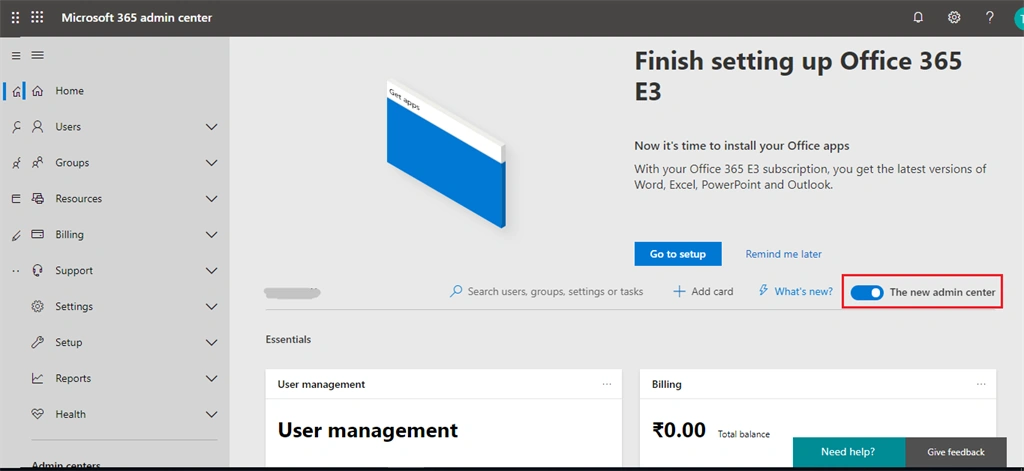
If you have an Office 365 subscription and you have an admin privilege then you can log in to your admin center using the following URL: https://admin.microsoft.com/AdminPortal/Home#/homepage and you can see the admin center page like below image and currently we have two types of admin centers, one is classic and another one is modern.
Classic Admin Center
Modern Admin Center
You can see all the features and settings of Office 365 on the left navigation of the admin center. The first one is settings and the remaining ones are the features of Office 365.
So, let's see the left navigation of the admin center.
User Management
Create and manage users in your organization and you can assign a valid license and also can set permissions. Under users you can see contact, guest users and deleted users, those options are used to create mail contact of any external users and also you can restore the deleted users.
Groups
Create and manage groups in your organization such as Office 365 groups, distribution lists, and Shared Mailboxes.
Resources
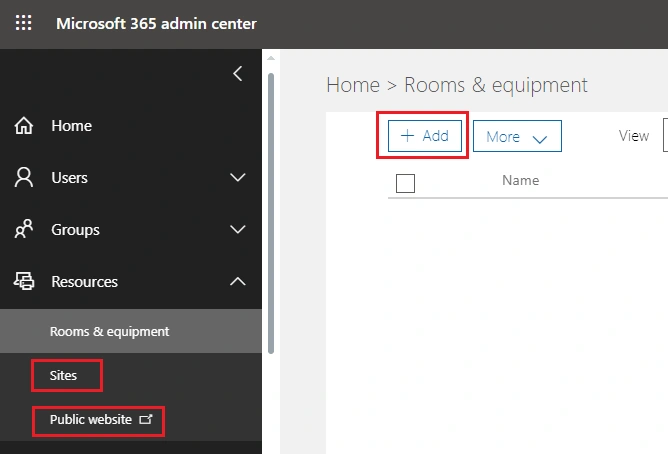
Create and manage resources like a conference room or equipment ID for conference purposes and you can see the list of sites created in SharePoint under sites. Currently, Office 365 is not offering a public website so, this option will be disabled very soon.
Billing
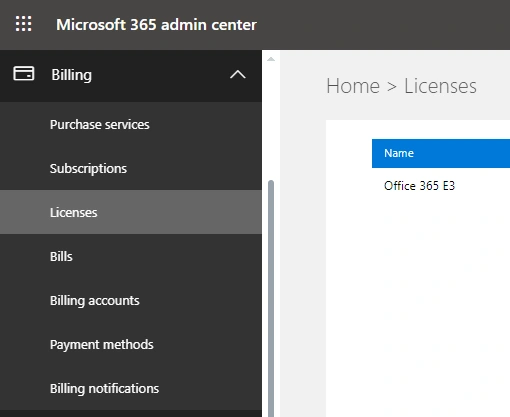
View, Purchase or cancel the subscription for your organization, view the monthly billing statements, and view the number of licenses assigned and also you can update the payment methods.
Support
Create and review your Office 365 technical service request information.
Settings
Manage global setting of Office 365 for an application like authentications, email, sites calendar and also you can edit the organizational profile and set the password policy for your organization.
Setup
Review the current subscription and add multiple domain names like joint venture or partner domain names and also, you can get the technical article for data migration from on-premises to cloud environment.
Reports
Review the report on how your organization is using Ofiice365 with a detailed report
Health
Review your Office 365 service health like incident or advisory, if any service interruption happened then service health will notify you and the Message center will help you if any service outage happens on the Microsoft data center.
Now, let's talk about the features of Office 365.
Office 365 offers enormous services to the customer to reduce their IT cost and it allows users to create and configure all the required applications in one place like Mailing service, unified communication service like calling and Instant Messaging (IM), personal storage and SharePoint sites.
So each service can be handled by the industry's experts and we can assign the respective roles to them to administer their applications in Office 365. Each and every feature has a separate admin center to create and manage the applications.







Join the conversation! Your thoughts help the community grow.