

In previous articles we have seen an Office 365 overview and trial setup of office 365. (Please have look into part 01- office 365 Overview, before start with this.)
In this section we will look at office 365 structure and add new user. Present dashboard overcome with left navigation bar, office admin center and the right navigation bar.
Left navigation bar
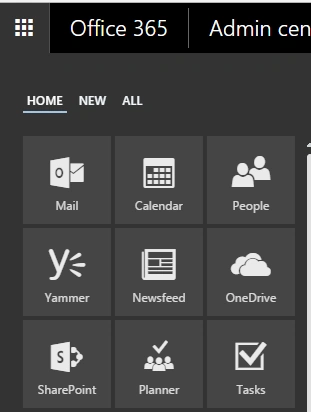
- You can reach most Office 365 apps by clicking App launcher in the left corner of Office 365 navigation bar.
- Click on a tile to go to the particular app. Apps and admin panel will display and accessible only on users access level permissions.
- The image given below shows various running apps like Mail, Calendar, People, SharePoint, Planner and many more.
Office 365 Admin Center
When you click Admin tile in the App launcher, it will redirect to Office 365Admin center, where you can manage Office 365 tenant.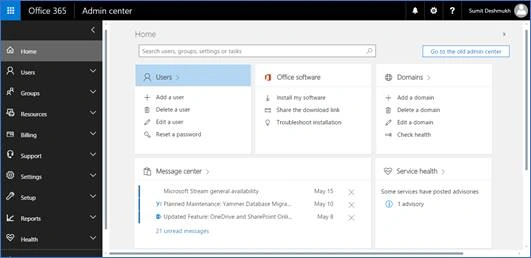
Right Navigation bar
- Let's see on the right side of the navigation bar in Office 365 page, where there are some icons, which exhibits own activity.

- Here, you can find an alert notification icon for receiving alerts for your Office 365 tenant and subscription from Microsoft.
- In Office 365 setting, you can manage your site settings like themes, start page, language and time zone, app settings. Meanwhile you can also change your login password.
- Question mark icon indicates help from Office 365 as tell us what you want to do. Also, you can find Community, legal and privacy links resides in it.
- Lastly by clicking my account name, you will get all information about your account and sign out activity. Also, you can add more information about yourself and your account.
Add user
- To create a new user, you need to be an Office 365 administrator.
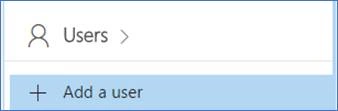
- Let’s add user into your Office 365 tenant. On Admin center page, under Active users, click plus (+) button to Add a user. Click it and account wizard will be displayed.
- Fill out all the details and click Create.
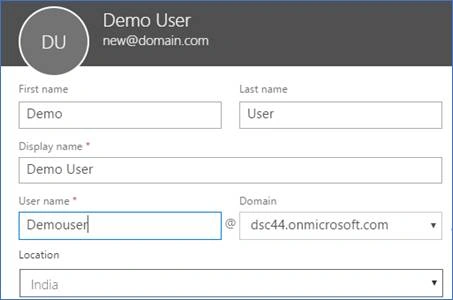
- The user account has been successfully created with a username and password generation.
- User will get login details by an E-mail to the users specific E-mail address.
- Lastly, you can edit or delete the account by active user’s dashboard.
In this way, you will be in the complete phase of Office 365 building blocks. Now, you can set up Office 365 account. Perform the app launcher. Also, set up new user into Office 365 tenant. Great.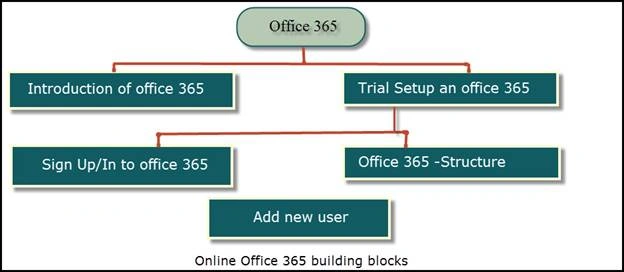
Happy reading. Any suggestion or feedback is always welcome. Thank you.
Join the conversation! Your thoughts help the community grow.