

In this walkthrough, you will learn about Microsoft Razor using different project templates and generate the same output with answers to the following questions.
- What is Razor?
- How many types of Microsoft Razor?
- Which project template should be used for different types of Razor?
- Asp.Net Core MVC
- What are Models?
- What are Controllers?
- What is View?
- Walkthrough
- Asp.Net Core Razor Pages
- What are Razor Pages?
- Walkthrough
- Blazor WebAssembly Standalone app
- What is Razor Component?
- Walkthrough
- Common Output from three different project templates.
- Difference between Razor View vs Razor Pages vs Razor Component
What is Razor?
Razor is developed by Microsoft and used in the .NET (.Net Framework / .Net Core / .Net Standard) Web Platform called Asp.Net. Razor was introduced in 2010 as View Engine and released as part of ASP.NET MVC 3 in January 2011. Razor is a robust and powerful view engine that can be used with C# and VB.NET.
Microsoft Razor has the following types.
- Razor View or Razor View Engine
- Razor Pages
- Razor Components
- Razor View or Razor View Engine:
Razor View is used to generate the VIEW. Using C# view file generated with extension CSHTML. CSHTML = HTML + C# code. Razor view is lightweight compared to web forms (ASPX) pages.
You can create Razor View – CSHTML, VBHTML by selecting a web development project called “ASP.NET Core Web Application / Asp.Net Web Application (.Net Framework)”.
Razor View Walk Through.
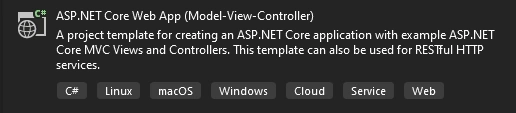

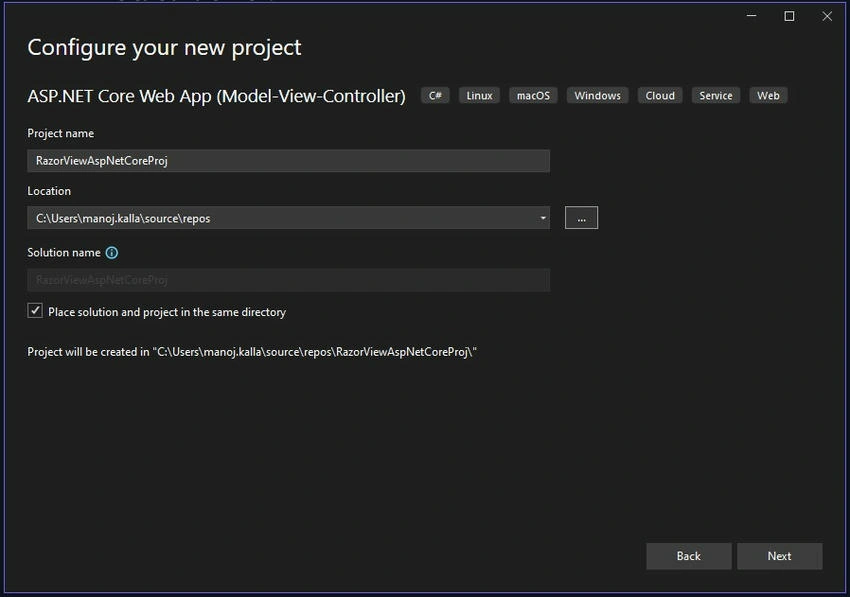
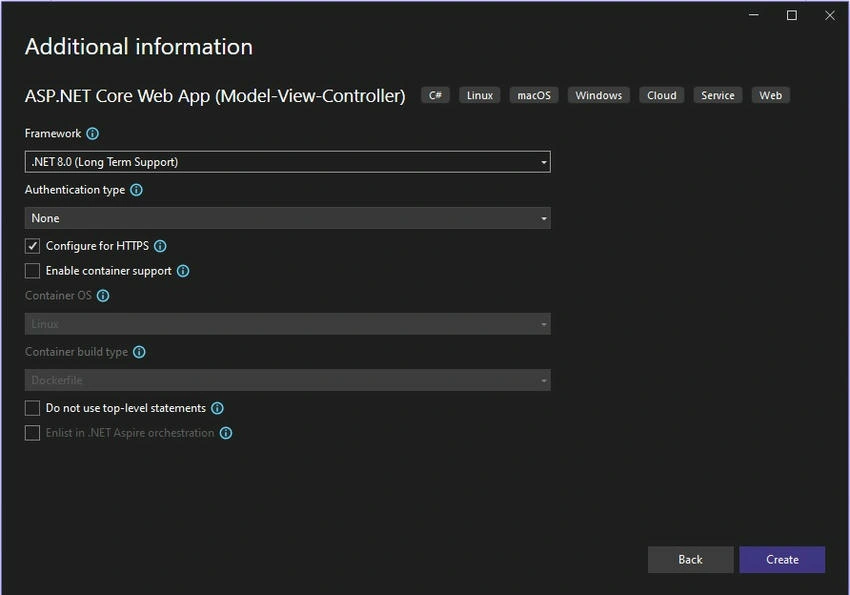
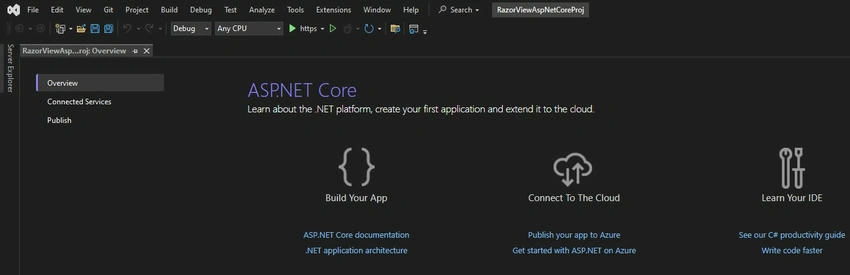
Default View in Visual Studio 2022.
Solution Explorer View (Project Structure)
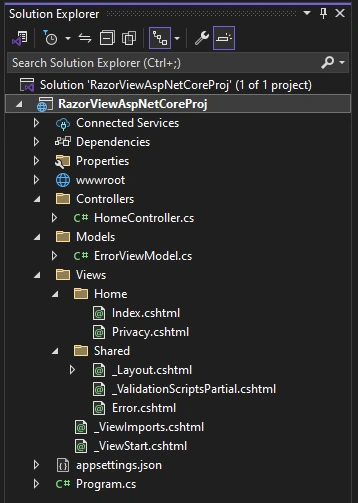
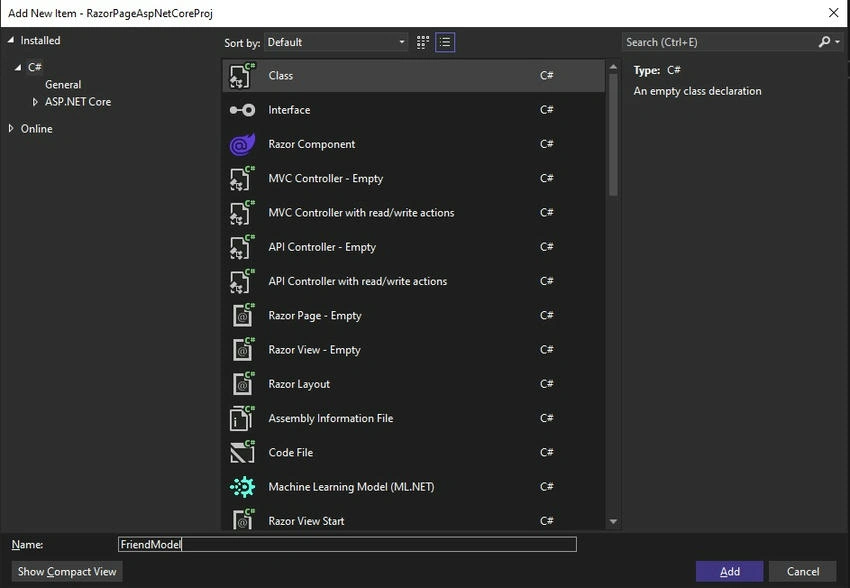
Now select the MODELS folder and right-click on it, and select ADD CLASS.
What is a Model?
Model is nothing but class file which is used for following purposes.
- ⦁ Data Representation.
- ⦁ Data Validation using Data Annotation.
- ⦁ Data Transfer Object (DTO) interacts with the database for CRUD – Create, Retrieve, Update Delete.
There are two types of models – MODEL and VIEW MODEL.
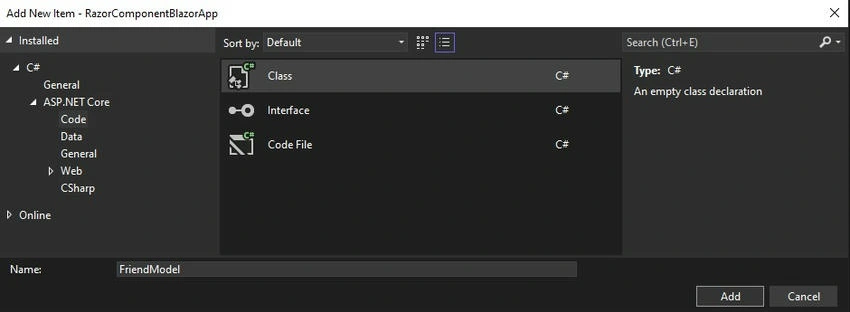
The best practice is always to suffix MODEL or VIEWMODEL after the name example, FriendModel.
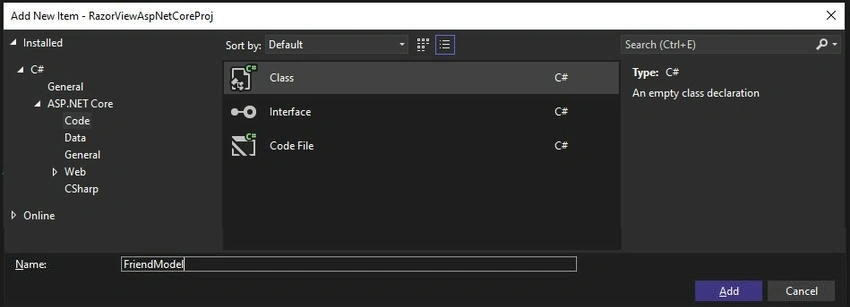
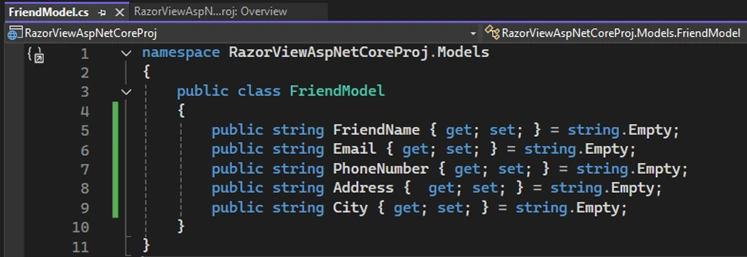
Code of FriendModel.cs file
namespace RazorViewAspNetCoreProj.Models
{
    public class FriendModel
    {
        public string FriendName { get; set; } = string.Empty;
        public string Email { get; set; } = string.Empty;
        public string PhoneNumber { get; set; } = string.Empty;
        public string Address { get; set; } = string.Empty;
        public string City { get; set; } = string.Empty;
    }
}
Now select the CONTROLLERS folder and right right-click on it, and select ADD CONTROLLER.
What are Controllers?
The controller is responsible for accepting HTTP requests and handling User Input Data.
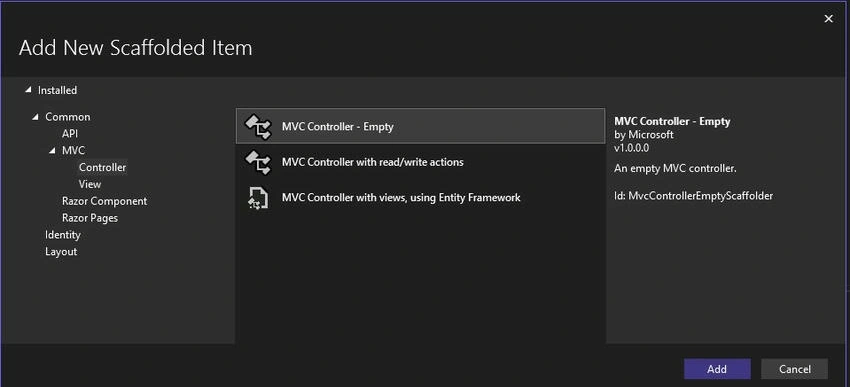
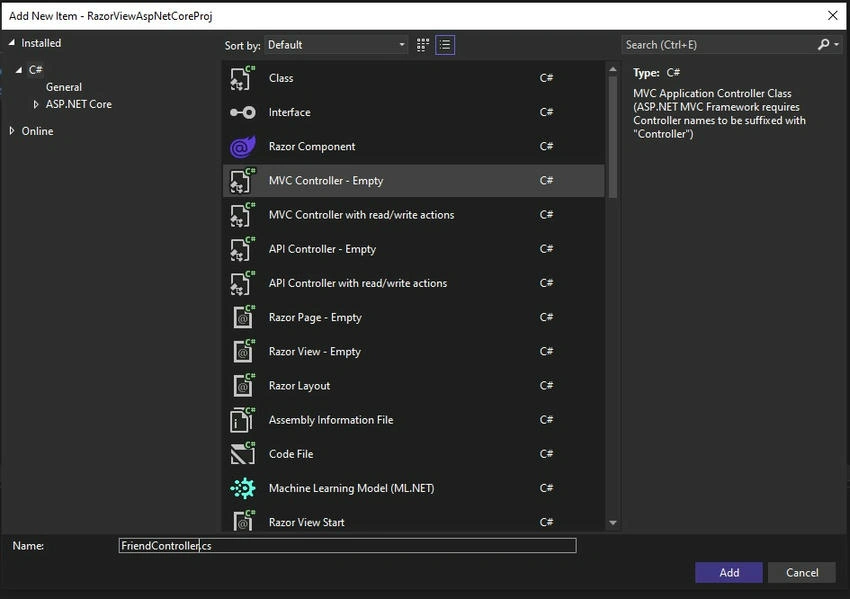
FriendController’s Index ActionMethod
using Microsoft.AspNetCore.Mvc;
using RazorViewAspNetCoreProj.Models;

namespace RazorViewAspNetCoreProj.Controllers
{
    public class FriendController : Controller
    {
        public IActionResult Index()
        {
            List<FriendModel> frndObj = new List<FriendModel>
            {
                new FriendModel
                {
                    FriendName = "Manoj Babulal Kalla",
                    Email = "[email protected]",
                    PhoneNumber = "1234567890",
                    Address = "11 Bhaiyo Nadi, Balaji Sweet ke Pass, Phalodi.",
                    City = "Jodhpur"
                },
                new FriendModel
                {
                    FriendName = "Ashish Manoj Kalla",
                    Email = "[email protected]",
                    PhoneNumber = "1234567891",
                    Address = "Goushala Chowk, Water Box Ke Samne, Phalodi.",
                    City = "Jodhpur"
                },
                new FriendModel
                {
                    FriendName = "Suhana Manoj Kalla",
                    Email = "[email protected]",
                    PhoneNumber = "1234567892",
                    Address = "Hanuman Chowk, Madhuji ki Beri, Phalodi.",
                    City = "Jodhpur"
                },
                new FriendModel
                {
                    FriendName = "Gudda Bhau Kalla",
                    Email = "[email protected]",
                    PhoneNumber = "1234567893",
                    Address = "Adarsh Nagar, Near NK Cinema, Phalodi.",
                    City = "Jodhpur"
                }
            };

            // Send model to view.
            return View(frndObj);
        }
    }
}
To create view right right-click on INDEX action-method
What is View?
View is responsible for rendering the user interface (UI).
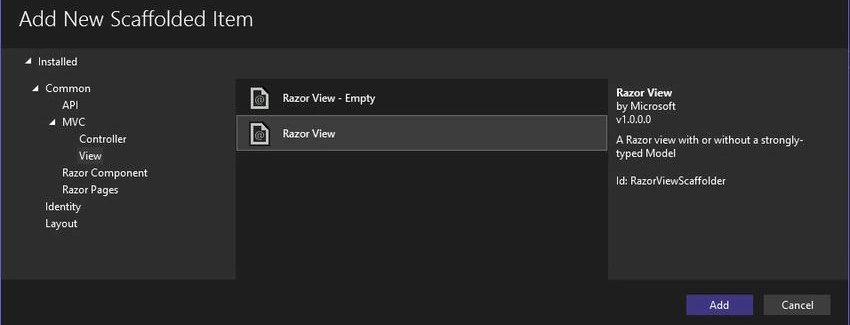
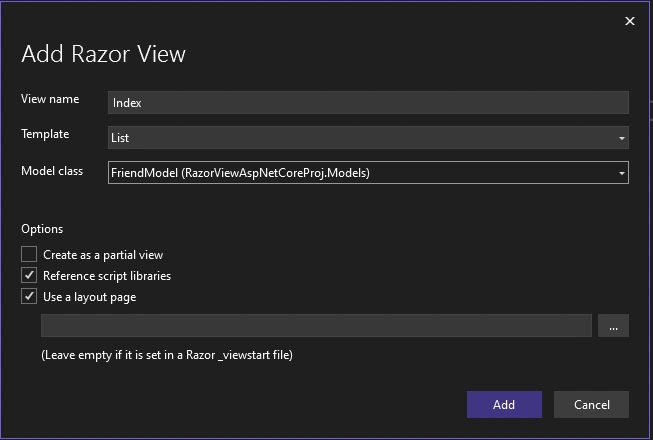
FriendIndex.cshtml
@model IEnumerable<RazorViewAspNetCoreProj.Models.FriendModel>

@{
    ViewData["Title"] = "Index";
}

<h1>Index</h1>

<p>
    <a asp-action="Create">Create New</a>
</p>

<table class="table">
    <thead>
        <tr>
            <th>@Html.DisplayNameFor(model => model.FriendName)</th>
            <th>@Html.DisplayNameFor(model => model.Email)</th>
            <th>@Html.DisplayNameFor(model => model.PhoneNumber)</th>
            <th>@Html.DisplayNameFor(model => model.Address)</th>
            <th>@Html.DisplayNameFor(model => model.City)</th>
            <th></th>
        </tr>
    </thead>
    <tbody>
        @foreach (var item in Model)
        {
            <tr>
                <td>@Html.DisplayFor(modelItem => item.FriendName)</td>
                <td>@Html.DisplayFor(modelItem => item.Email)</td>
                <td>@Html.DisplayFor(modelItem => item.PhoneNumber)</td>
                <td>@Html.DisplayFor(modelItem => item.Address)</td>
                <td>@Html.DisplayFor(modelItem => item.City)</td>
                <td>
                    @Html.ActionLink("Edit", "Edit", new { /* id=item.PrimaryKey */ }) |
                    @Html.ActionLink("Details", "Details", new { /* id=item.PrimaryKey */ }) |
                    @Html.ActionLink("Delete", "Delete", new { /* id=item.PrimaryKey */ })
                </td>
            </tr>
        }
    </tbody>
</table>
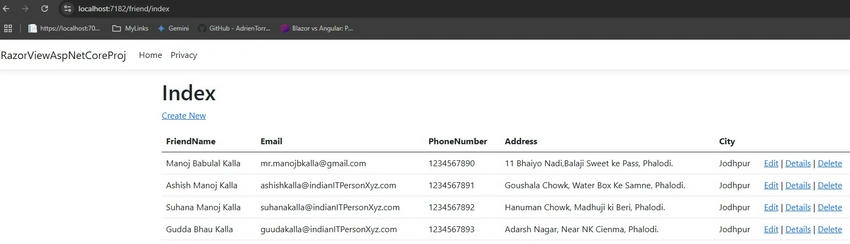
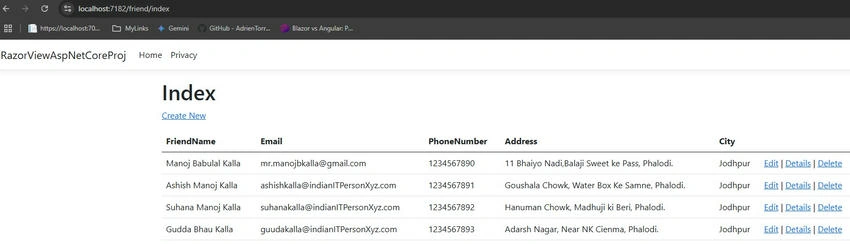
Now press F5 To Run the project.
In Bthe rowser URL, type http://localhost:7182/friend/index
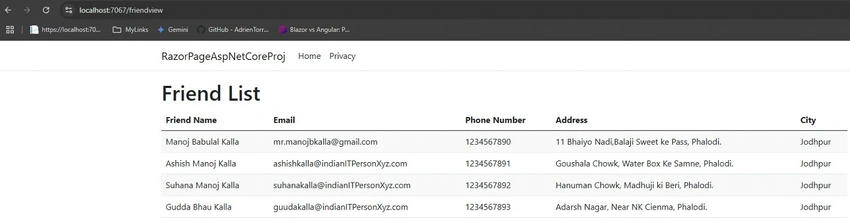
VIEW OUTPUT Screen.
Razor Pages
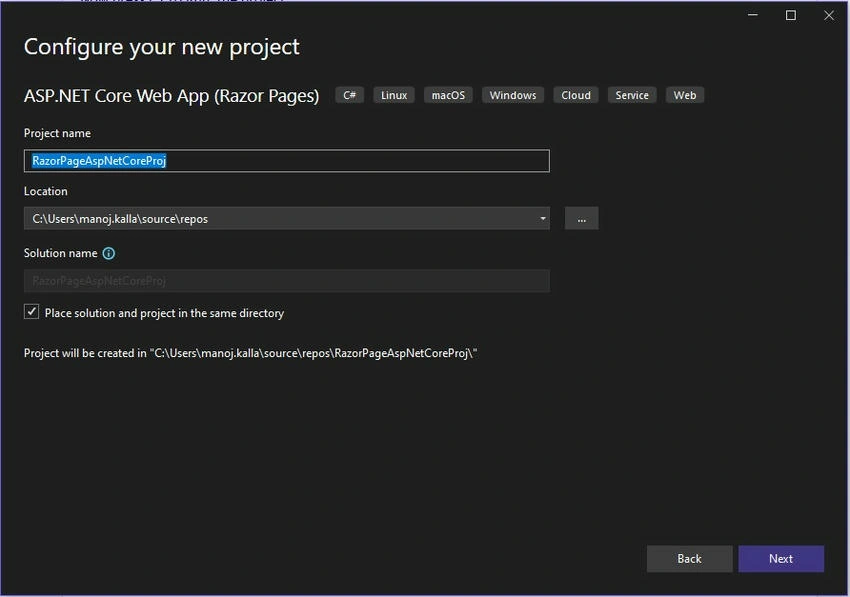
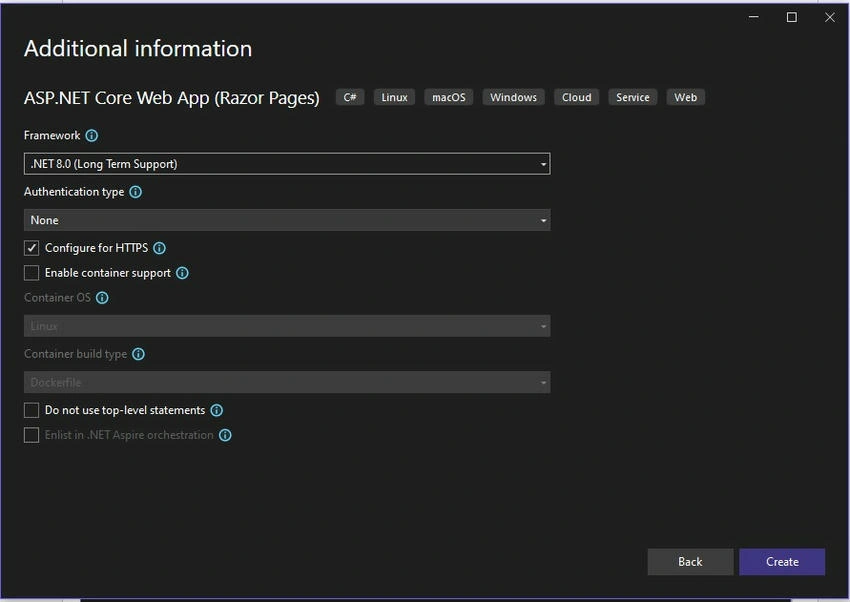
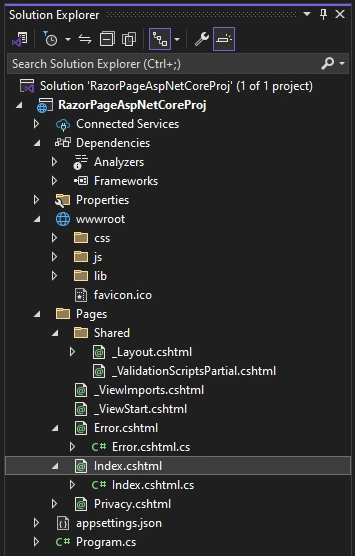
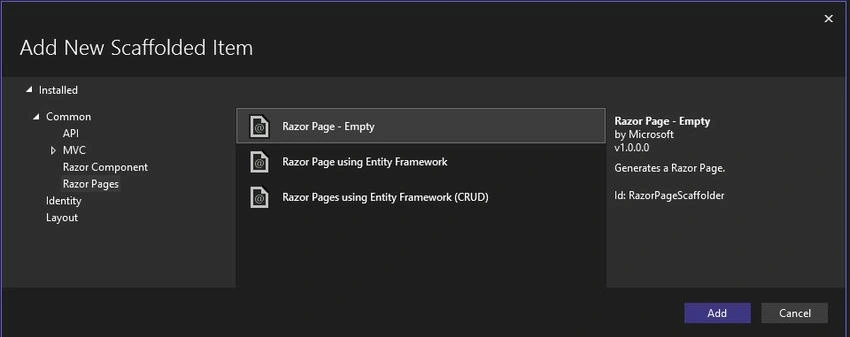
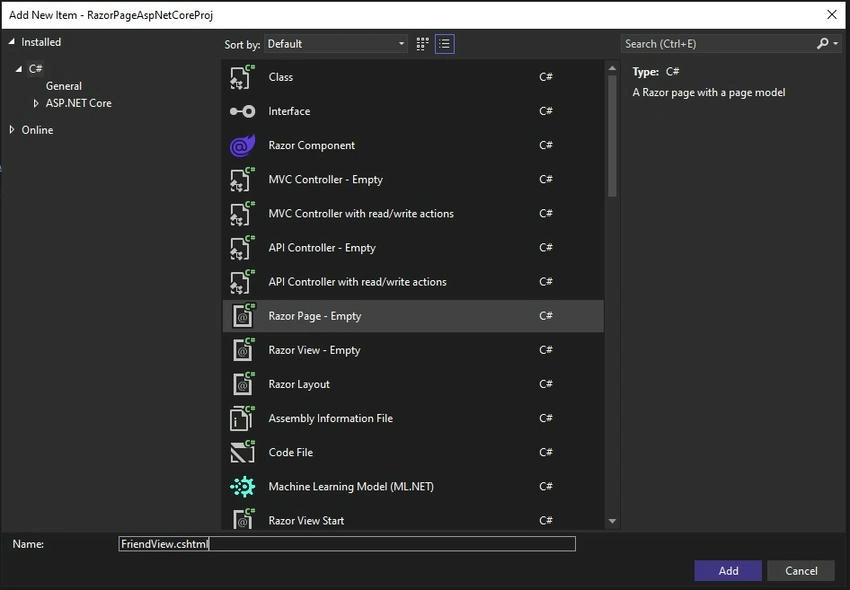
Razor page having two files Index.cshtml and Index.cshtl.cs. This look similarity of the ASPX web form and Asp.Net Core MVC.

Join the conversation! Your thoughts help the community grow.