

Introduction
Scalable Vector Graphics (SVG) is a standard from World Wide Web Consortium (W3C). SVG is a graphics format in which images or shapes are specified in XML and then rendered by an SVG viewer. It describes the ways so that images or vector graphics can be drawn for use on the web. It is used to draw two-dimensional vector graphics.
SVG
As already said, it is a recommended standard from the W3C that describes how to create vector graphics using a markup language because since it can interpret XML, it can also interpret SVG and helps to check the structures of a SVG document or read it to bring out useful information. Since it is built on XML it also makes it simpler to produce SVG programmatically.
Since it is a “Vector Graphics”, the shapes to be displayed are stored as vectors or vector-like structures or we can say as numbers not as pixels.
Since it is “Scalable”, the viewer can scale the SVG image up and down in size without losing its quality because graphics are defined as numbers instead of pixels. Scaling the image means just multiplying or dividing numbers to define the SVG shapes.
The following are points to remember about SVG:
- SVG stands for Scalable Vector Graphics.
- SVG is a standard from W3C.
- SVG defines vector-based graphics in XML format.
- SVG is intended to display graphics or images over the web.
- SVG supports interactivity and animation.
- SVG images never lose quality, whether it is zoomed out or zoomed in because it is vector-based graphics.
- SVG also integrates well with other W3C standards like DOM and XSLT.
SVG Uses
As it is a vector graphics format, it is most commonly used for the following:
- X, Y coordinate system, in other words two-dimensional graphics.
- Pie charts, column charts and other charts.
- Architecture and design diagrams.
- Logos and scalable icons for web.
SVG Viewer
SVG is best viewed in Firefox and Opera web browsers, but Internet Explorer needs an SVG viewer plugin installation for viewing SVG.
SVG Advantages
- SVG can be created and edited with any editor like Notepad, Notepad++, but it is more often convenient to use a drawing program like Inkscape to create SVG images.
- As it is XML based, SVG images can be searched, indexed, scripted and compressed.
- SVG images are highly scalable and it never loses its quality.
- SVG images can be printed with high quality at any resolution.
- SVG images are zoomable.
- SVG is an open standard.
- SVG files are pure XML.
- SVG can also integrate with other W3C standards.
SVG disadvantages
- Size can be big even for smaller images.
- Is not supported in all browsers.
- Size of text format is larger than binary formatted raster images.
SVG Example
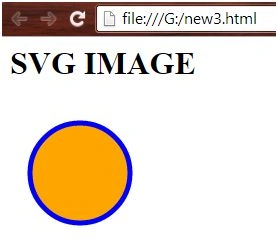
- <svg width="200" height="200">
- <circle cx="70" cy="70" r="50" stroke="blue" stroke-width="5" fill="orange" />
- </svg>
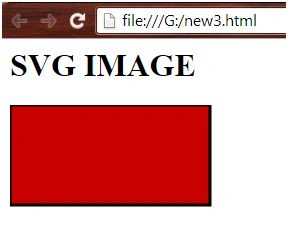
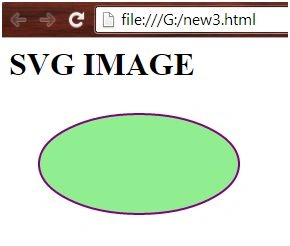
Yashwanth MuthineniPosted Aug 22, 2015, 7:04 AM
Nice Share.
Gopi ChandPosted Aug 19, 2015, 6:07 AM
Thanks to all once again for appreciating my effort :)
Sibeesh VenuPosted Jul 12, 2015, 8:17 AM
Nice share
Santhakumar MunuswamyPosted Jul 12, 2015, 12:01 AM
Nice Article! Thanks for sharing
Pankaj Kumar ChoudharyPosted Jul 11, 2015, 7:11 PM
Nice One Sir.......
Mahesh ChandPosted Jul 11, 2015, 2:51 PM
This is what have been introduced in Microsoft Edge?
Gopi ChandPosted Jul 11, 2015, 1:21 PM
Thank you @Rakesh chavda
RakeshPosted Jul 11, 2015, 12:56 PM
Good one sir