
Another very good feature that has been added into Visual Studio is the Visual Studio Page Inspector for web applications. This feature allows us to inspect the HTML markup of the page within Visual Studio, like we use the tools in the web browser. So let's explain it.
Create a new web project and select the Default.aspx page. Right-click on the page and select the option.
This opens the page in a view like we have in our browser.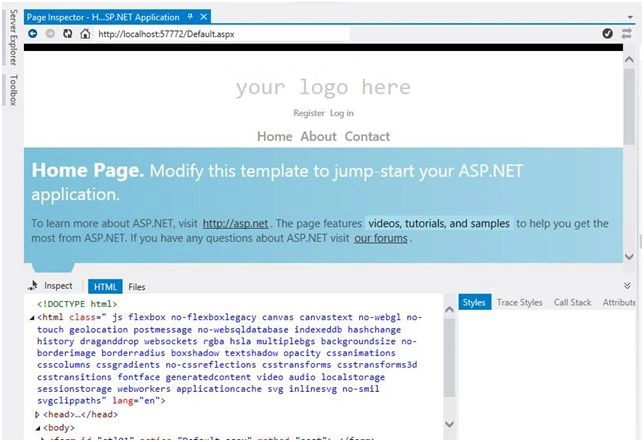
Select the HTML tab and hover over any element from the markup and the corresponding element is highlighted in the Page Inspector window. The corresponding style/CSS is also highlighted on the right side.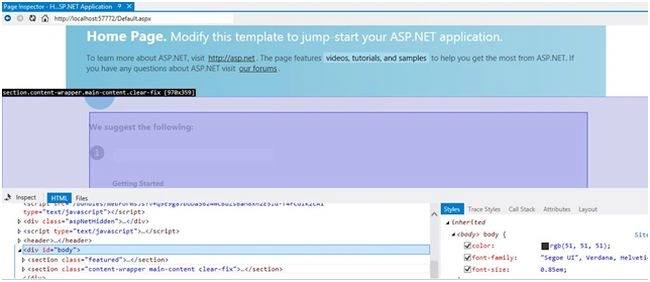
Select the Inspect tab. Now hover over any content in the page and its corresponding HTML in the page is displayed. This could even be the master page.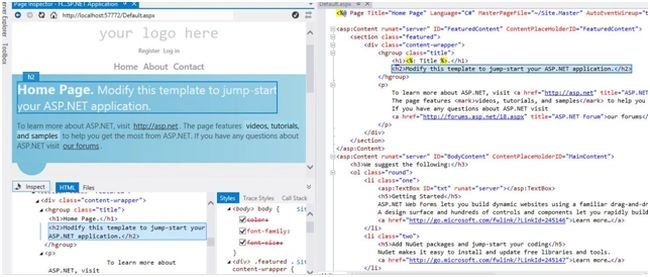
Helpful, isn't it? And all that without running the application. Happy coding!

Page Inspector in Visual Studio
Join the conversation! Your thoughts help the community grow.
Sign in to leave a comment
It is the same account you read, post and publish with — and you will come straight back to this page.
Asfend YarPosted Mar 5, 2016, 6:53 AM
nice work
Vipul MalhotraPosted Jul 27, 2015, 8:50 AM
Nice article
Govind KhandelwalPosted Jul 27, 2015, 6:56 AM
Good One
SharadPosted Jul 27, 2015, 6:24 AM
good one
Gowtham RajamanickamPosted Jul 27, 2015, 5:18 AM
good one
Sanjay SabariyaPosted Jul 27, 2015, 1:56 AM
thanx.... it's very helpful
Sibeesh VenuPosted Jul 27, 2015, 12:43 AM
Nice Share. Thanks
Neeraj KumarPosted Jul 26, 2015, 4:55 PM
Thanks for Sharing...
Pankaj Kumar ChoudharyPosted Jul 26, 2015, 6:19 AM
Nice Information Sir...........
Gopi ChandPosted Jul 26, 2015, 2:28 AM
Well done
Santhakumar MunuswamyPosted Jul 26, 2015, 2:07 AM
Thanks for nice article
RakeshPosted Jul 26, 2015, 12:28 AM
Good one sir
Rajeesh MenothPosted Jul 25, 2015, 11:53 PM
Nice One