

In this article I'm talking about navigation of pages. You will learn how to create a new Windows Phone page and pass data to other pages. Ok let's start.
Step 1 : Open your Visual Studio 2012 then select blank solution page then write your project name.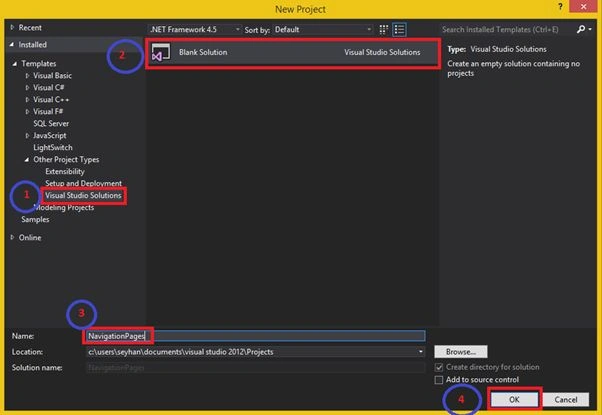
Step 2: Look at the your Solution Explorer page then right-click then select "Add" -> "New project".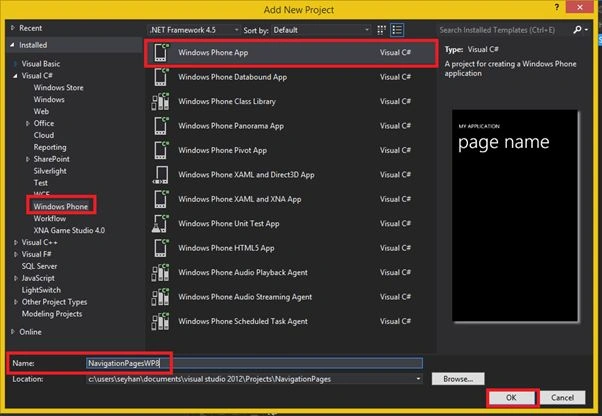
Step 3: Choose your operating system level.
Step 4: Now add a second page. "NavigationPagesWP8" -> "Add" -> "New Item".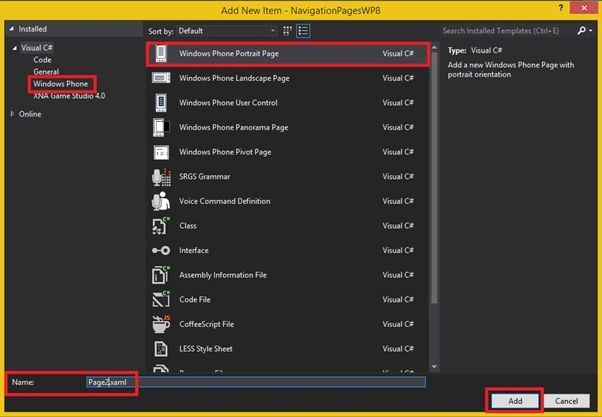
And then click the "Add" button.
Step 5: Here is the my Solution Explorer page. I created two pages, that's all. Now I need some button controls.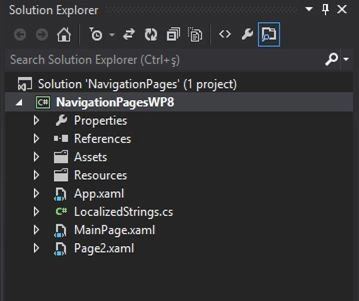
Step 6: In the first page designer: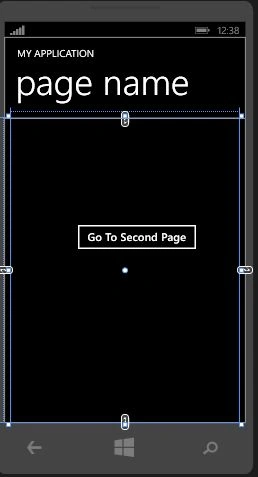
XAML code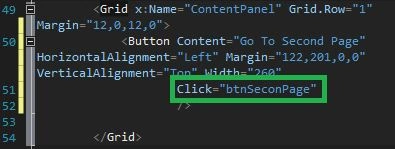
Now I need a new event handler. Right-click then select "Navigate to Event Handler".
C# code block
Step 7: Open the Page2.xaml file then do the same for the Page2.xaml file.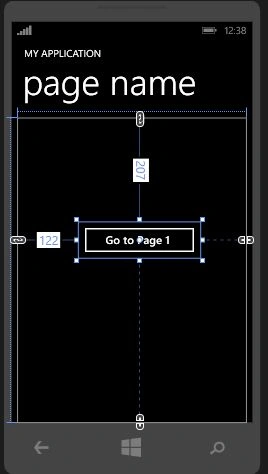
XAML code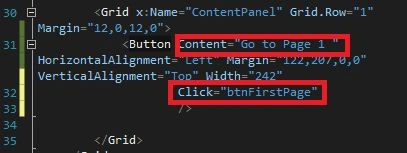
Now I need a new event handler. Right-click then select "Navigate to Event Handler".
C# code blocks
Join the conversation! Your thoughts help the community grow.