

Today I describe the ASP.Net page structure. Which page structure you need to use and what are the differences between them. There are two ways structuring your code in an ASP.Net page. These two ways are:
- Code-Inline Model
- Code-Behind Model
First Option is to use Code-Inline Model
Let us start with the Code-Inline mode. Most ASP.Net 2.0/3.0 developers are familiar with this model. In this model you need to write your code in a single .aspx page. When the developers were working with .Net Framework 1.0/1.1 they move out of their way and start building their ASP.Net pages in Inline-Code model. In Visual Studio you can simply select your page type to build ASP.Net page in Inline Code. For this you need to uncheck the "Place code in separate file" checkbox.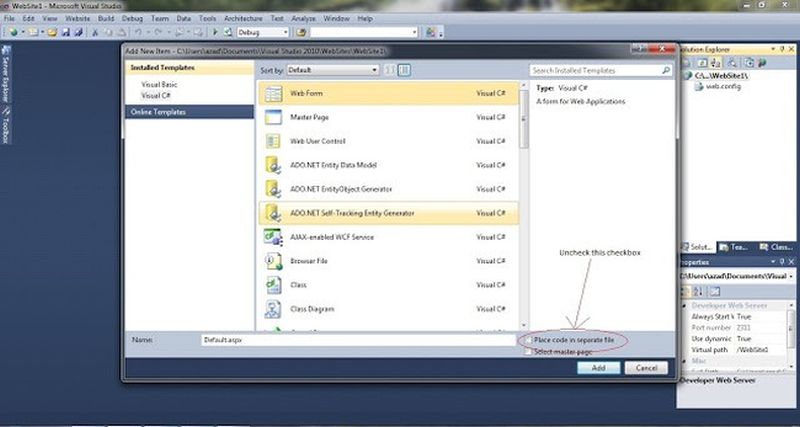
- Web form
- Ajax web form
- Master pages
- Ajax master pages
- Web user controls
- Web services
So now for a little practical information.
Add a TextBox and a button to your page. Now double-click on the button. Now write the following code in the button click:
- protected void Button1_Click(object sender, EventArgs e)
- {
- Response.Write("Hii my self "+TextBox1.Text+" I love .net and i am crazy for it");
- }
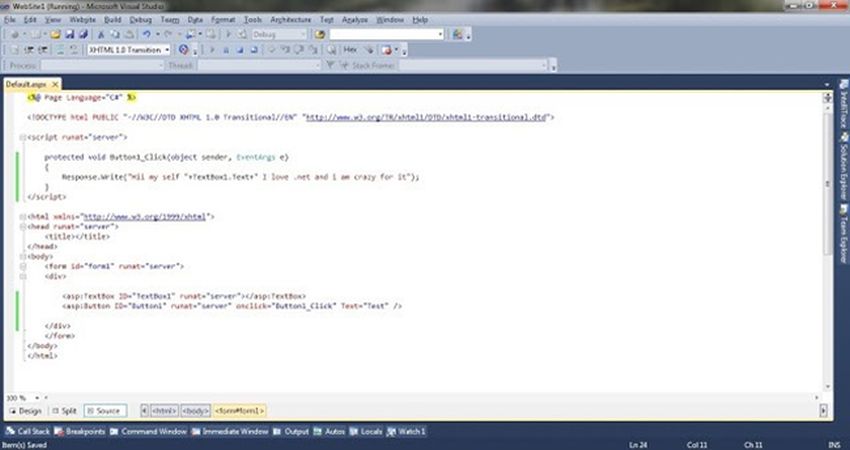 Run your page and check the results.
The Second Option you can use is a Code-Behind Model
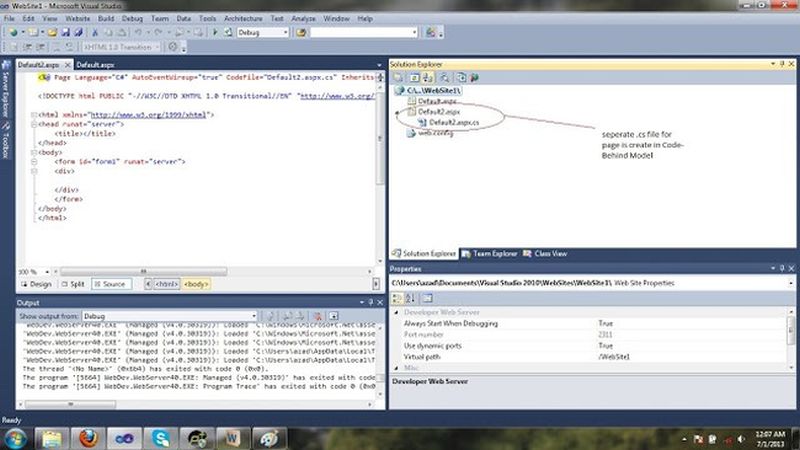

I just want to add something extra. Notice in your aspx file, there are some attributes in the page directive, as in the following:

Last words
So the summary is this, that there are two types of page structures available in ASP.Net. One is code behind with a separate file for the code and another is the Inline-Model for working in a single file. The final decision of what to use is for you to make. I hope you learn something from here. Provide your valuable comments after reading this article. Your comments are important for me. It is really important for me to know what you think about this article. I hope you like my article. Your support is important to me.
sathya prakashPosted Dec 11, 2019, 8:08 AM
Really superb explanation