

In this Article i am trying to explain how we can achieve paging in MVC applications.
Step 1: First of all we will create a new MVC project.

Step 2: Now we'll create a table.
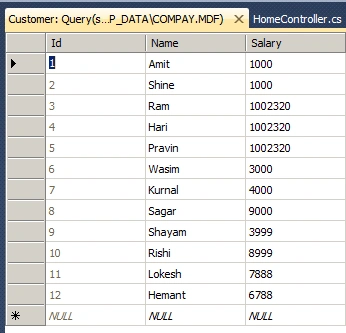
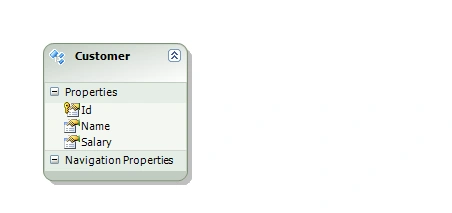
Step 3: Now we'll add Entity Framework in the Current Project.
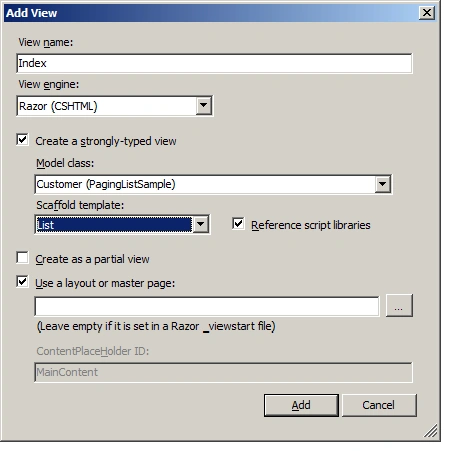
Step 4 Now we will add new View for Customer.
Step 5: We have added view for Customer now we will create Controller .
public class CustomerController : Controller
{
public ActionResult Index()
{
var context = new CompayEntities();
var listCustomer = context.Customers.ToList();
return View(listCustomer);
}
}
Step 6: Now we run our application and see the output.
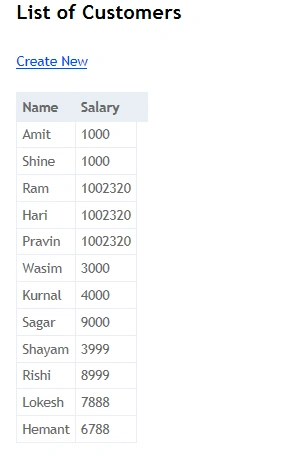
In the above image paging is not show because by default MVC is not giving us this feature.
Step 7: Now we go Nuget.org and find "PagedList". we'll get below result.

Now we will add the above library in our project.
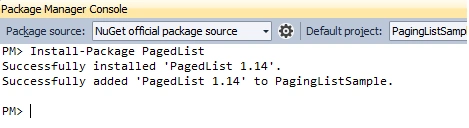
Step 8: Now will wirte for pagination.
Add PagedList inside the Customer Controller.
public ActionResult Index(int? page)
{
var context = new CompayEntities();
var listCustomer = context.Customers.ToList();
int pageSize = 3;
int pageNumber = (page ?? 1);
return View(listCustomer.ToPagedList(pageNumber, pageSize));
}
Now we need to change in the View Page
@model PagedList.IPagedList<PagingListSample.Customer>
Now we'll add pagination template.
<div>
Page @(Model.PageCount < Model.PageNumber ? 0 : Model.PageNumber)
of @Model.PageCount
@if (Model.HasPreviousPage)
{
@Html.ActionLink("<<", "Index", new { page = 1, sortOrder = ViewBag.CurrentSort, currentFilter=ViewBag.CurrentFilter })
@Html.Raw(" ");
@Html.ActionLink("< Prev", "Index", new { page = Model.PageNumber - 1, sortOrder = ViewBag.CurrentSort, currentFilter=ViewBag.CurrentFilter })
}
else
{
@:<<
@Html.Raw(" ");
@:< Prev
}
@if (Model.HasNextPage)
{
@Html.ActionLink("Next >", "Index", new { page = Model.PageNumber + 1, sortOrder = ViewBag.CurrentSort, currentFilter=ViewBag.CurrentFilter })
@Html.Raw(" ");
@Html.ActionLink(">>", "Index", new { page = Model.PageCount, sortOrder = ViewBag.CurrentSort, currentFilter=ViewBag.CurrentFilter })
}
else
{
@:Next >
@Html.Raw(" ")
@:>>
}
</div>
Step 9: We see the output.
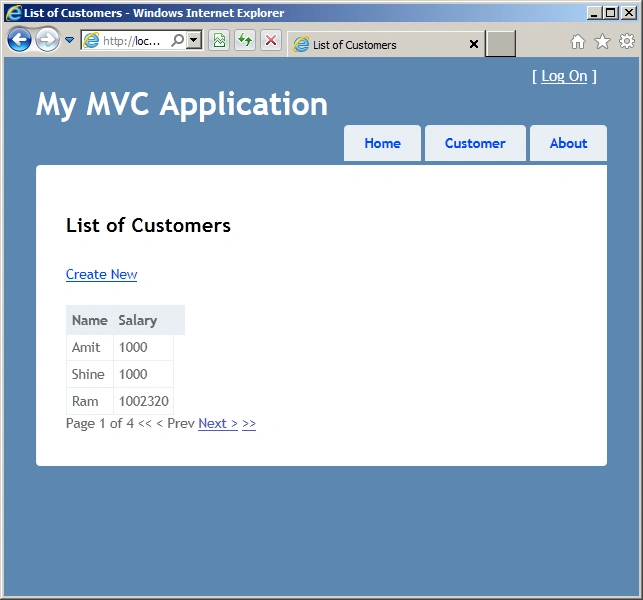
I am also attaching Sample code in this article, Hope it will help to you all.
Happy Coding...
Kieran BorsdenPosted Sep 30, 2015, 8:30 AM
@(If(Model.PageCount < Model.PageNumber, 0, Model.PageNumber))
Shella BrizzyPosted Aug 9, 2012, 5:04 AM
Hello, im also working on the tutorial as well. Would you by any chance know how to convert this string of code to vbhtml: Page @(Model.PageCount < Model.PageNumber ? 0 : Model.PageNumber) of @Model.PageCount I am creating the application in Visual Basic you see... not very fluent in C# :-)
Pravin PawarPosted Aug 8, 2012, 6:53 AM
Nice article Amit... can we implement custom pager in MVC?