

Introduction
This article describes how to pass multiple parameters in a query string or URL Here pass the parameter in the URL.
- First, create a Web API Application.
- Start Visual Studio 2012.
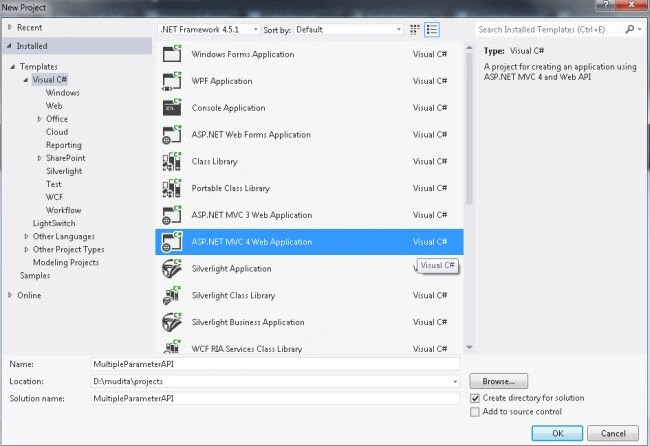
- From the start window select "New Project".
- From the new project window select "Installed" -> "Visual C#" -> "Web".
- Select "ASP.NET MVC4 Web Application" and click on the "OK" button.
- From the "MVC4 Project" window select "Web API".
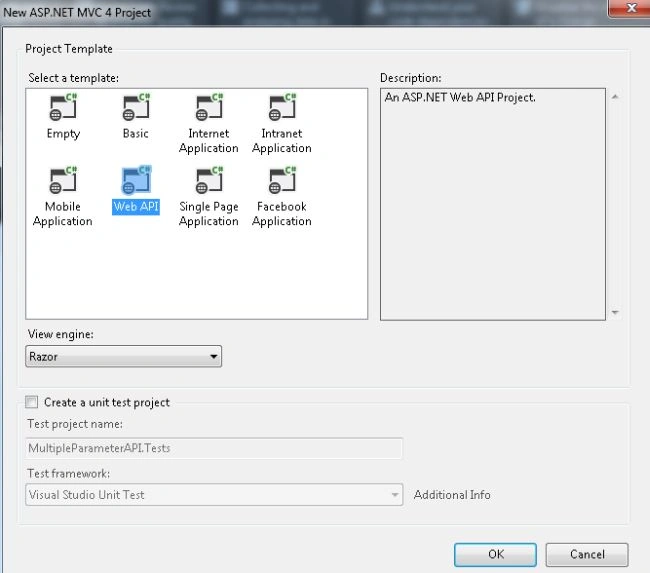
- Click on the "OK" button.
- In the view add some code.
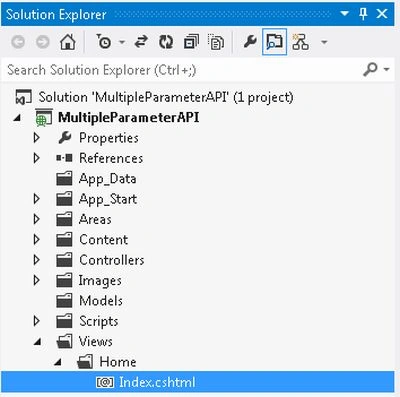
- In the "Solution Explorer".
- Expand the "Views" folder.
- Select "Home" -> "Index.cshtml".
- Add the following code
In the code above there is a hyperlink, in it, we pass the two parameters "data1" and "data2". In this URL is defined as "home" which is the controller name and "MultipleParameter" which is the Action Name that is defined in the HomeController.@{ ViewBag.Title = "Index"; } <h3>Passing multiple parameters in URL</h3> @using (Html.BeginForm("index", "Home")) { <a href="/home/MultipleParameter/?data1=678&data2=c-sharpcorner">Click here for passing the parameter</a> }
- Now return to the "HomeController" Controller and create a new Action Method.
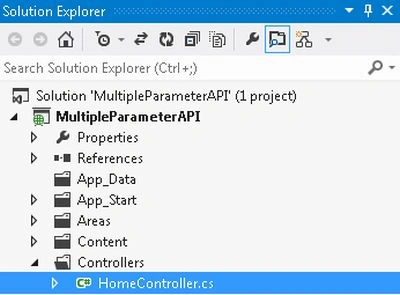
- In the "Solution Explorer".
- Expand the "Controller" folder.
- Select "HomeController".
- Add the following code to create the Action Method.
In this action method, we defined two parameters for displaying the value of the parameter. The value of the parameter is assigned to the "ViewData".public ActionResult MultipleParameter(int data1, string data2) { ViewData["Data1"] = data1; ViewData["Data2"] = data2; return View(); } - The entire code of the "HomeController" looks like.
using System;
using System.Collections.Generic;
using System.Linq;
using System.Web;
using System.Web.Mvc;

namespace MultipleParameterAPI.Controllers
{
    public class HomeController : Controller
    {
        public ActionResult Index()
        {
            return View();
        }

        public ActionResult MultipleParameter(int data1, string data2)
        {
            ViewData["Data1"] = data1;
            ViewData["Data2"] = data2;
            return View();
        }
    }
}
- Now create a View as in the following.
- In the "HomeController".
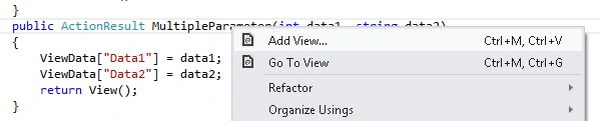
- Right-click on the "MultipleParameter" Action method.
- Select "AddView".
- Click on the "Add" button.
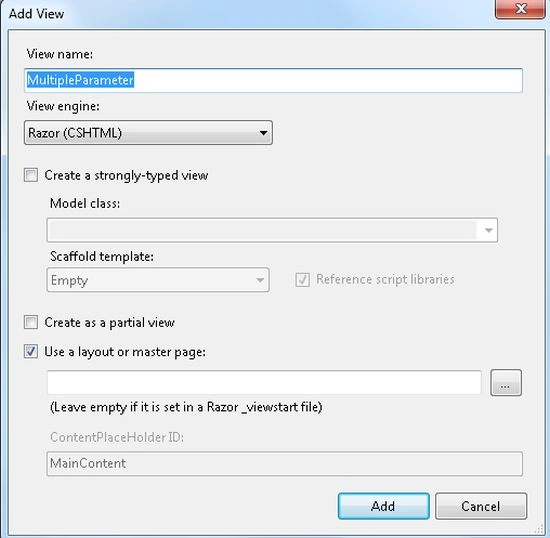
- Add the following code in this view.
@{
    ViewBag.Title = "MultipleParameter";
}

<h2>MultipleParameter</h2>

<h3><u>Values of multiple parameter is received</u></h3>

<br />

<h3>Data1: @ViewData["Data1"]</h3>

<br />

<h3>Data2: @ViewData["Data2"]</h3>
- Now execute the application.
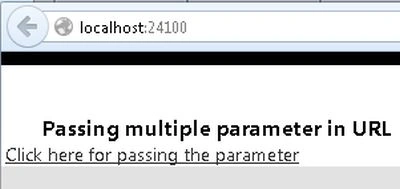
- Click on the link. To see the parameter value insert a breakpoint on the MultipleParameter action method.


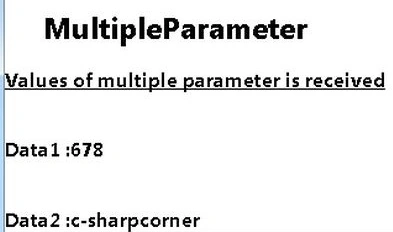
- The output will be,
Akash OmrePosted Sep 11, 2019, 2:08 PM
Yes Title is not matching with its content
Pergin SheniPosted Mar 16, 2019, 12:44 AM
This code is used to pass parameters to an ordinary controller. Not for web API. Tittle is not matching to your content.
satyaki mishraPosted Nov 25, 2014, 6:31 AM
What are you trying to do. Your code and article name does not match. You are not passing to webAPI.