

Introduction
In my previous article I explaiined Controllers in AngularJS.
In this article I will show you how to pass an argument in the Controller of AngularJS.
Let's create an application that will help you understand how arguments are passed in the Controller of AngularJS.
Step 1
First of all you need to add AngularJS to your application, for this you need to download it's external .js file that can be downloaded from the AngularJS official website, or you can download the Zip file provided at the top of this article or you can click on this link: AngularJS.
Now add this external file in the Head section of your application as in the following:
<head>
<script src="angular.min.js"></script>
</head>
Step 2
Now I will work on the ViewModel or Script part of this application.
<script>
function carcontrol($scope) {
$scope.notgood = 'Not so Good';
$scope.cartest = 'Awesome';
$scope.test1 = function (cartest) {
$scope.cartest = cartest;
}
};
</script>
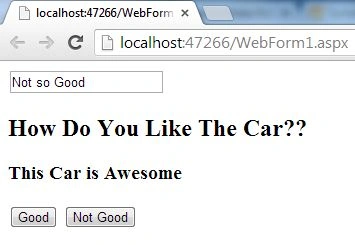
Here carcontrol is the controller of this application, in this Controller the initial state of $scope is defined as "Awesome" defined in cartest.
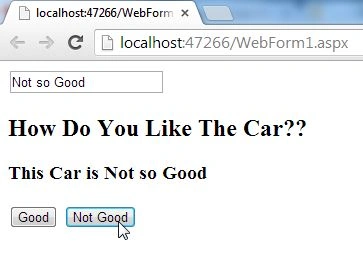
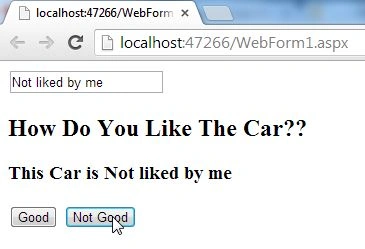
"Not so Good" can also be termed as an initial state but it is used as the initial state in the TextBox that you will see later in this article.
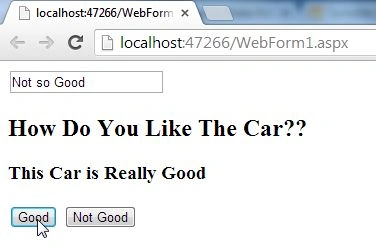
Then a function is created named test1, this is taking cartest as it's argument.
Now the work on ViewModel is completed, now we just need to work on the View part.
Step 3
Now I will work on the View part or the design part of this application, I'll add two buttons and a few Labels that will help us to show the Demonstration in an easy way.
<body>
<div ng-controller="carcontrol">
<input ng-model="notgood" />
<h2>How Do You Like The Car??</h2>
<h3>This Car is {{cartest}}</h3>
<button ng-click="test1('Really Good')">Good</button>
<button ng-click="test1(notgood)">Not Good</button>
</div>
</body>
raju saratkarPosted Sep 29, 2015, 3:07 AM
<script> var app = angular.module('myApp', []); app.controller('carcontrol', function($scope) { $scope.notgood = 'Not so Good'; $scope.cartest = 'Awesome'; $scope.test1 = function (cartest) { $scope.cartest = cartest; } }); </script>
p kumarPosted Sep 16, 2015, 6:13 AM
Hi, I am not getting the result as excepted.. I see output as This Car is {{cartest}} ... even after clicking the button..