

This article explains how to pass multiple Models from View to Controller, in MVC, using AJAX.
Background
In MVC application, we use multiple Models based on the requirement of our application. We can pass as many Models from Controller to View as we want. At the same time, we can pass many Model values from View to Model. This article explains how to pass multiple model values from View to Controller, using jQuery with the help of AJAX.
Steps for passing multiple Models -
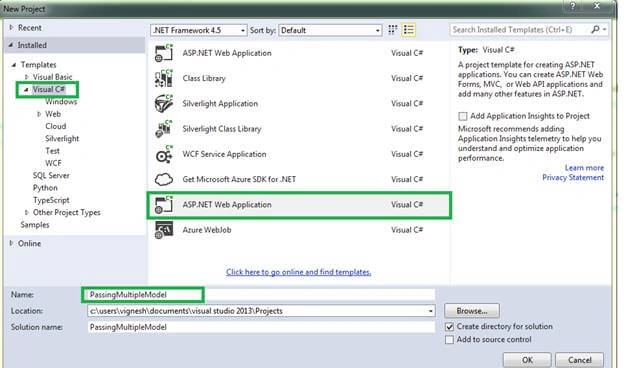
Step 1 - Open Microsoft Visual Studio, open new project, and give project a name.
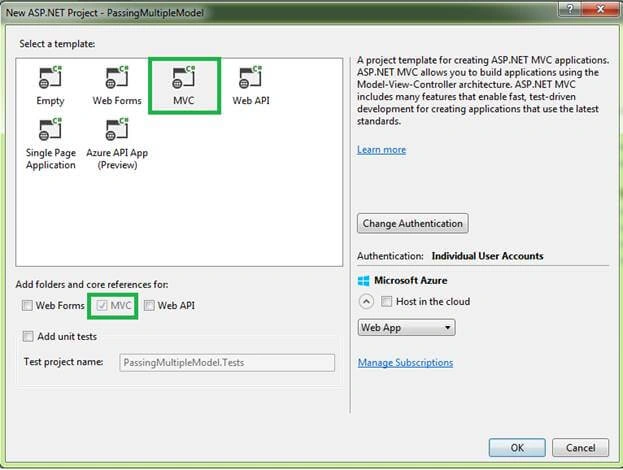
Step 2 - Select MVC project template and click OK.
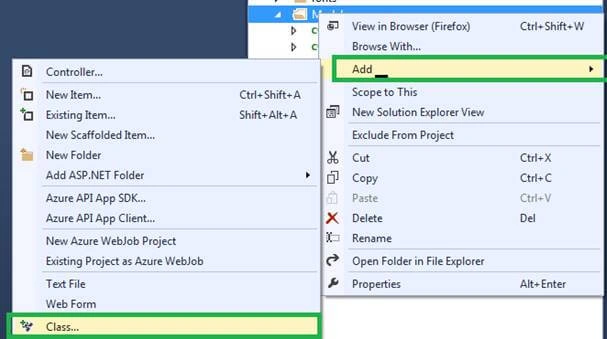
Step 3 - Add a class file in Models folder. Add the classes and properties we need for our application, as shown below.
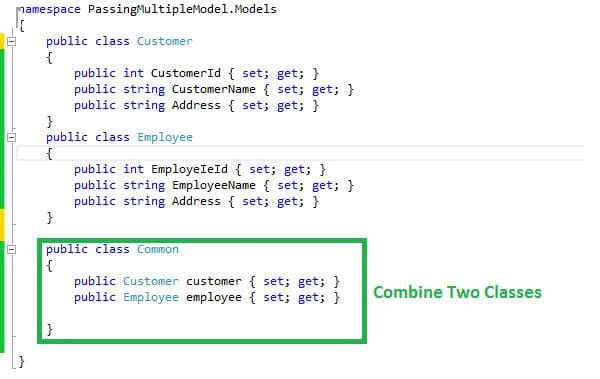
Step 4 - After adding class, add class properties, using the below code.
- using System;
- using System.Collections.Generic;
- using System.Linq;
- using System.Web;
- namespace PassingMultipleModel.Models {
- public class Customer {
- public int CustomerId {
- set;
- get;
- }
- public string CustomerName {
- set;
- get;
- }
- public string Address {
- set;
- get;
- }
- }
- public class Employee {
- public int EmployeIeId {
- set;
- get;
- }
- public string EmployeeName {
- set;
- get;
- }
- public string Address {
- set;
- get;
- }
- }
- public class Common {
- public Customer customer {
- set;
- get;
- }
- public Employee employee {
- set;
- get;
- }
- }
- }
Step 6 - Add Controller, then add action methods in Controller. Add View for corresponding action methods and add the below code.
- @model PassingMultipleModel.Models.Common
- @ {
- ViewBag.Title = "Index";
- } <h2> Customer </h2>
- <table>
- <tr> <td> Customer Id </td><td>@Html.TextBoxFor(m=>m.customer.CustomerId)</td> </tr>
- <tr> <td> Customer Name </td><td>@Html.TextBoxFor(m => m.customer.CustomerName)</td> </tr>
- <tr> <td> Address < /td><td>@Html.TextBoxFor(m => m.customer.Address)</td> </tr>
- </table>
- <h2> Employee </h2>
- <table>
- <tr> <td> Employee Id < /td><td>@Html.TextBoxFor(m => m.employee.EmployeIeId)</td> </tr>
- <tr> <td> Employee Name </td><td>@Html.TextBoxFor(m => m.employee.EmployeeName)</td > </tr>
- <tr> <td> Address </td><td>@Html.TextBoxFor(m => m.employee.Address)</td> </tr>
- </table >
- <button type = "button" id = "btnSubmit">Submit</button>
Step 7 - Add JsonResult method in Controller. We are passing the values from View to this JsonResult method, using AJAX.
- using PassingMultipleModel.Models;
- using System;
- using System.Collections.Generic;
- using System.Linq;
- using System.Web;
- using System.Web.Mvc;
- namespace PassingMultipleModel.Controllers {
- public class DemoController: Controller {
- // GET: Demo
- public ActionResult Index() {
- return View();
- }
- public JsonResult Process(Common model) {
- return Json(JsonRequestBehavior.AllowGet);
- }
- }
- }
var EmpId = $('#@Html.IdFor(m=>m.employee.EmployeeId)').val();
Step 9 - Add the below jQuery code in button click event, for passing multiple Models using AJAX, from View to Controller.
- <script>
- $("#btnClick").click(function() {
- var customer = {
- CustomerId: $('#@Html.IdFor(m=>m.customer.CustomerId)').val(),
- CustomerName: $('#@Html.IdFor(m=>m.customer.CustomerName)').val(),
- Address: $('#@Html.IdFor(m=>m.customer.Address)').val()
- }
- var employee = {
- EmployeIeId: $('#@Html.IdFor(m=>m.employee.EmployeeId)').val(),
- EmployeeName: $('#@Html.IdFor(m=>m.employee.EmployeeName)').val(),
- Address: $('#@Html.IdFor(m=>m.employee.Address)').val()
- }
- var model = {
- "customer": customer,
- "employee": employee
- }
- alert(model)
- $.ajax({
- type: "post",
- url: "/Demo/Process",
- data: model,
- datatype: "json",
- cache: false,
- success: function(data) {
- alert("You Multiple Data Passed Successfully");
- },
- error: function(xhr) {
- alert('No Valid Data');
- }
- });
- });
- </script>
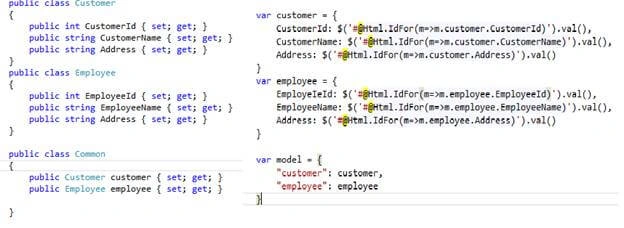
We create JSON object like the below one. Class object name and JSON variable name should be equal. Similarly, class properties and JSON properties should be equal.
We have created the customer class with the following code. Similarly, we created object for Customer class in another one class like Common.
- public class Customer {
- public int CustomerId {
- set;
- get;
- }
- public string CustomerName {
- set;
- get;
- }
- public string Address {
- set;
- get;
- }
- } {
- public int EmployeeId {
- set;
- get;
- }
- public string EmployeeName {
- set;
- get;
- }
- public string Address {
- set;
- get;
- }
- }
- public class Common {
- public Customer customer {
- set;
- get;
- }
- public Employee employee {
- set;
- get;
- }
- }
In jQuery, we can fetch and store the data in variable as JSON format, the values stored in class properties.
- var customer = {
- CustomerId: $('#@Html.IdFor(m=>m.customer.CustomerId)').val(),
- CustomerName: $('#@Html.IdFor(m=>m.customer.CustomerName)').val(),
- Address: $('#@Html.IdFor(m=>m.customer.Address)').val()
- }
- var employee = {
- EmployeIeId: $('#@Html.IdFor(m=>m.employee.EmployeeId)').val(),
- EmployeeName: $('#@Html.IdFor(m=>m.employee.EmployeeName)').val(),
- Address: $('#@Html.IdFor(m=>m.employee.Address)').val()
- }
- We can store multiple set of Json data store in single variable as like below code in JQuery.
- var model = {
- "customer": customer,
- "employee": employee
- }
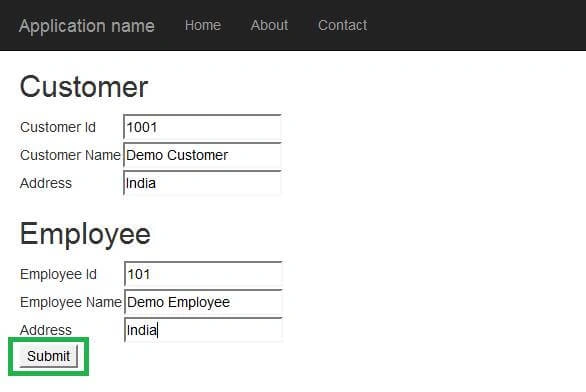
Step 10 - Now, build and run the solution. After running it, we can see the main page. Here, enter the value and click Submit button.
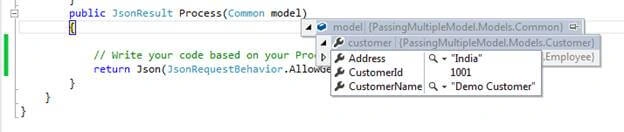
Step 11 - Now, put break point and you can see the values that were entered in View, in Controller.

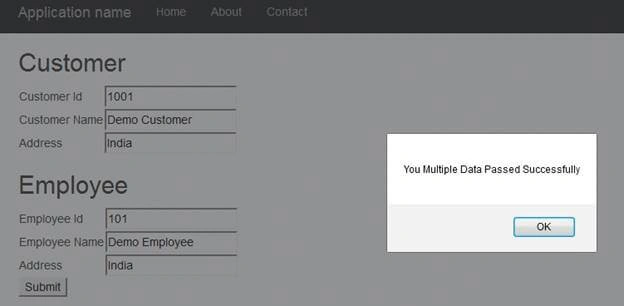
After successful processing, the success message appears.
Conclusion - I hope this article helps many developers and students to know how to pass multiple Models passing from View to Controller, using AJAX. If you have any query, please ask me.
Amit MakhijaPosted Nov 23, 2018, 3:34 AM
When the data is in javascript arrays format & want to pass data in multiple models (get from one common model) from view to controller using ajax..how it is possible.?
Zaheer BegPosted Apr 29, 2017, 2:57 AM
Thanks Vignesh ! Keep Uploading with more Complicated and Large example which will be more useful in large project...
Srinivasan K KPosted Nov 23, 2016, 1:53 AM
Vignesh Mani I hope we can refer that common model name as viewmodel .. Right?
Manav PandyaPosted Sep 29, 2016, 9:51 AM
Great sir ...
Vignesh ManiPosted Sep 28, 2016, 4:29 PM
Thank you to all
Santosh KumarPosted Sep 28, 2016, 7:07 AM
Good
Anu VPosted Sep 28, 2016, 12:12 AM
Nice..
Debendra DashPosted Sep 27, 2016, 10:50 PM
Nice Explanation.....