

ASP.Net Silverlight control allows passing startup parameters through InitParamaters property. You can specify the parameters as commas separated key-value pair string as follows in aspx page
<asp:Silverlight ID="Xaml1" runat="server" InitParameters="key1=value1,key2=value2" Source="~/ClientBin/InitParamSilverlight.xap" MinimumVersion="2.0.31005.0" Width="100%" Height="100%" />
OR
Declare the initParams param on the Silverlight plug-in and pass in a comma-delimited set of key-value pair tokens as follows in html
<object data="data:application/x-silverlight-2," type="application/x-silverlight-2" width="100%" height="100%">
<param name="source" value="ClientBin/InitParamSilverlight.xap"/>
<param name="onerror" value="onSilverlightError" />
<param name="background" value="white" />
<param name="minRuntimeVersion" value="2.0.31005.0" />
<param name="autoUpgrade" value="true" />
<param name="initParams" value="key1=value1,key2=value2" />
<a href="http://go.microsoft.com/fwlink/?LinkID=124807" style="text-decoration: none;">
<img src="http://go.microsoft.com/fwlink/?LinkId=108181" alt="Get Microsoft Silverlight" style="border-style: none"/>
</a>
</object>
Extract Parameters
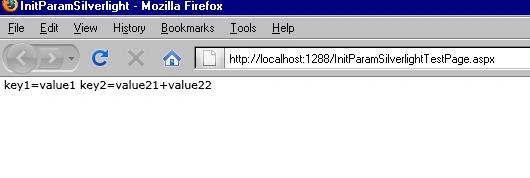
Extract the initialization parameters using StartupEventArgs.InitParams property in the Application's Startup event handler.
private void Application_Startup(object sender, StartupEventArgs e)
{
if (e.InitParams != null)
{
Join the conversation! Your thoughts help the community grow.