

1 Illustrated tutorial
This is planned to be an illustrated tutorial on PE file format. Many tutorials I saw are overwhelmed with details, going over all the possibilities and branches for PE file format [9], with the end result that they become hard to follow. We plan to provide an overview tutorial focused on the big picture with a number of illustrations, and the reader will later find more details elsewhere if he is interested in the topic.
1.1 Tools used – Hex Editor ImHex
I am using Hex Editor ImHex (freeware), which enables me to color sections of files ([1]).
1.2 Tools used – PE Viewer "PE-bear"
PE-bear (freeware) is a useful tool for visually analyzing PE files. Based on the documentation, it does not cover all variants and flavors of PE files, but it is a great viewer/parser/analyzer for simpler ones. I think it is always easier to study topics using visual tools. ([2])
2 Executable file formats
Before we explore PE format, let us mention that PE format belongs to a family of "executable file formats" which are nicely listed at [3], around 40 of them, for different Operating Systems. Let us mention several of the most popular ones:
- MZ – For DOS and Windows, extension .exe
- COFF - For UNIX/Linux-like systems, no extension
- ELF - For UNIX/Linux-like systems, no extension or extension .elf
- Mach-O – For macOS and iOS, no extension
- PE - For Windows, extensions .exe, .dll, .sys, etc.
- PE32+ - For 64-bit Windows, extension .exe
Please see [4] for more details on PE and PE32+ formats.
3 History of PE file format
PE stands for ‘Portable Executable" and the format is invented in the 1980s. The dominant format then was MZ MS-DOS format, which has a special marker at the beginning of the file to identify itself, letters "MZ", which are the initials of Mark Zbikowski, one of the MS-DOS developers. PE format was about to target the Windows platform, and they preserved backward compatibility with MZ format (.exe files) and enabled PE format (.exe files) if accidentally run on MS-DOS to report "This program cannot be run in DOS mode", which was an important issue for Microsoft at the time. Therefore, you will still see that the PE format contains an MS-DOS style header, meaning it starts with the magic letters "MZ" and a DOS-Stub that prints that message. That part is unnecessary today but has become part of the standard.
PE format originates from Unix COFF format.
Today, the PE format is extended to host .NET code.
4 Technical details
4.1 Problems PE was designed to solve
- Designed to support different programs on different hardware
- The idea was to separate the program from the processor
- Address the move to 64-bit processors
4.2 Loading PE file into memory
- The physical layout of how bytes of PE file are arranged on the disk is not how they are loaded into memory
- PE file contains several sections, and to avoid wasting space, they are aligned one after the other on the disk
- PE file contains several sections containing data and programs, and each section is loaded into a separate segment of memory
- Reason for that, among others that each section needs to be aligned to a page boundary
- Then, each section can be assigned different memory protection, typically program sections would get execute/read-only protection, and data sections would get no-execute/read-write protection.
- For that reason, most addresses/offsets in the file are specified using Relative Virtual Address (RVA). This specifies the offset from the start of each section.
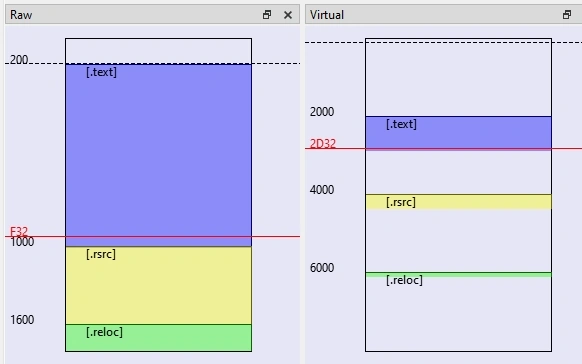
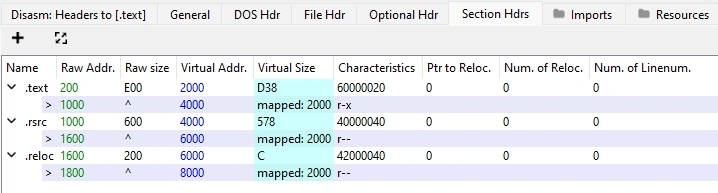
Here is a picture that illustrates how different section look aligned in "raw alignment" on the disk and how they are being loaded into memory (‘virtual alignment") into different virtual addresses resulting in a new address schema.
4.3 Converting from "Raw Address" to "Virtual Address" and back
- Tasks that will frequently appear are conversions from "Raw Address" (how bytes are aligned in the file) to "Virtual Address" (how bytes are aligned in the memory) and back, using Relative Virtual Address (RVA).
- For example, in the above picture, you can see that the .text section starts at 0x200 (raw) and ends at 0xF32 (raw). That means the file end has an offset of 0xF32(raw)-0x200(raw)=0xD32 from the beginning of the section. When that section .text is mapped to memory address 0x2000(virtual), then the end of the section has address 0x2000+0xD32=0x2D32(RVA). We say that address of the end of section is 0x2D32(RVA).
5 Example program
We will, for our demo, use a simple C#11/.NET-7, "Hello World" program, where we created a resource file for the string "Hello World!". As you will see, .NET assemblies are packaged into PE file format. We complied it as C#11/.NET7.
6 PE format definition
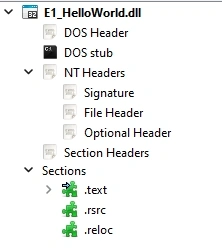
The precise definition of the PE format can be found in [5]. For this tutorial, and to follow the outline of the PE-bear tool, we will define it here as:
A typical PE file consists of the following parts,
- DOS Header (aka "MZ Header")
- DOS Stub
- NT Header (aka "PE File Header")
Which consists of the following:- PE signature
- File Header (aka "COFF Header", "Image File Header")
- Optional Header (aka "Image Optional Header")
Which itself consists of the following:- General part
- Data Dictionary
- Sections Headers (aka "Section Table")
- Multiple sections (aka "Sections")
- Section 1
- Section 2
- …
- Section n
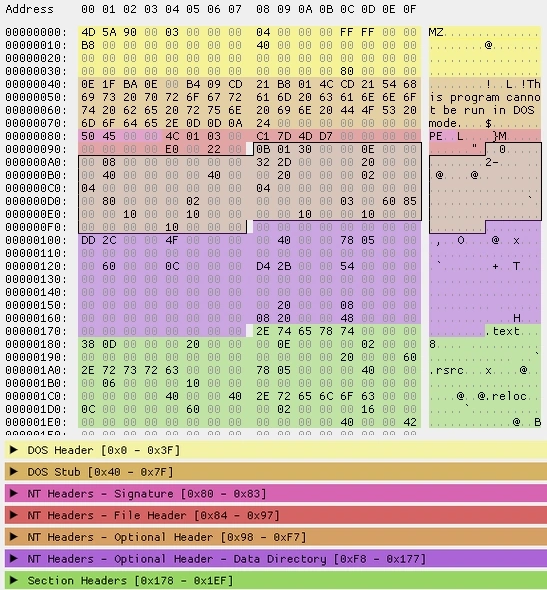
Here is a look at the headers in Hex editor, focus on headers,
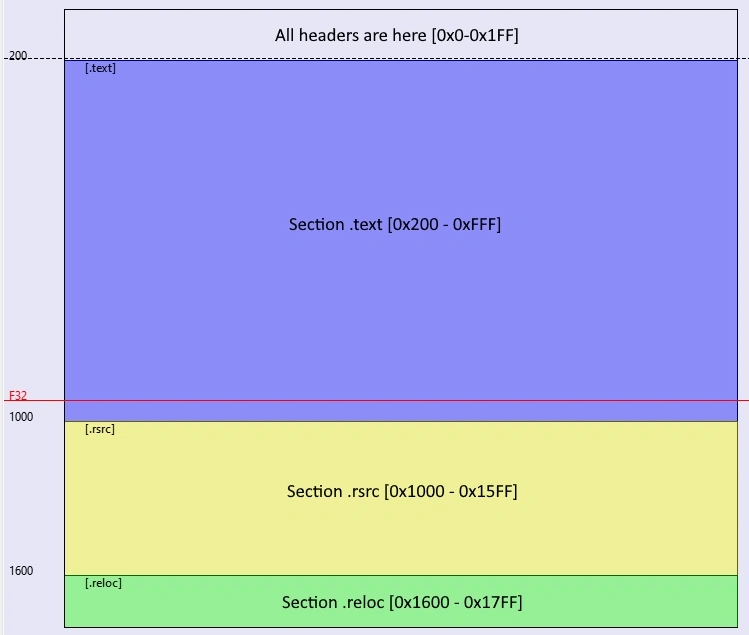
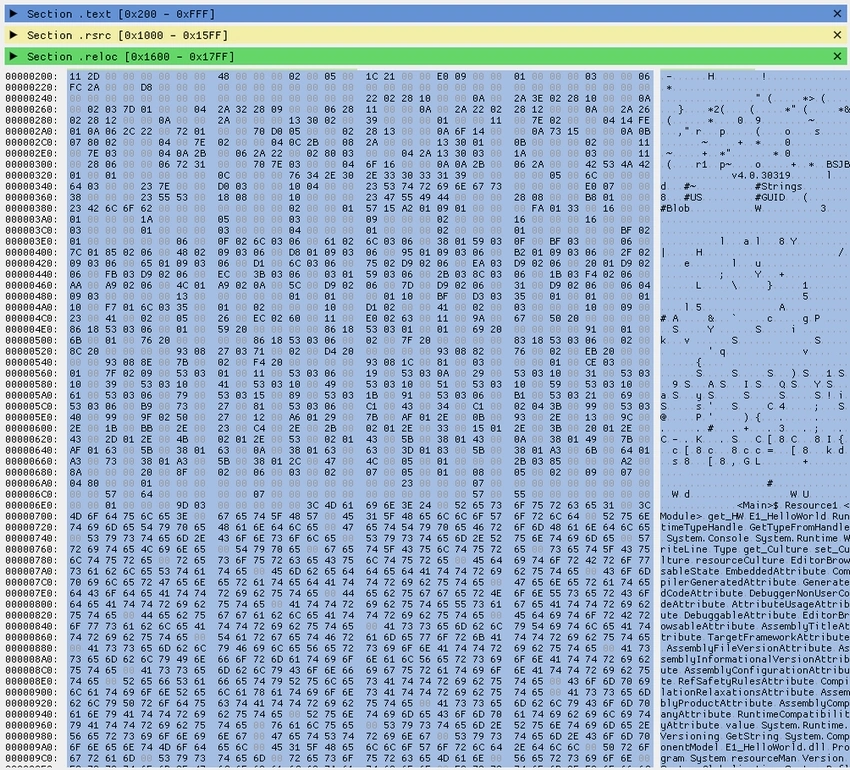
Here is a look at the whole file just to get an idea of how headers are a small part (in quantity) of the file.
Here is how the PE-bear tool outlines it in its interface,
7 DOS Header (aka "MZ Header")
Here is DOS Header in the Hex editor:
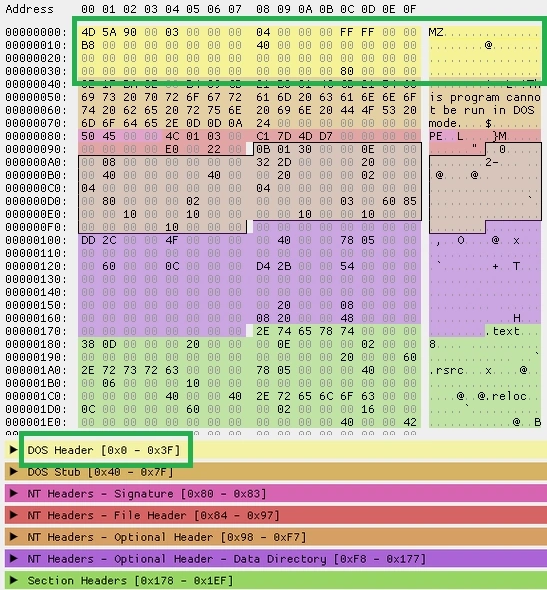
Here is an analysis of the DOS Header by tool PE-bear:
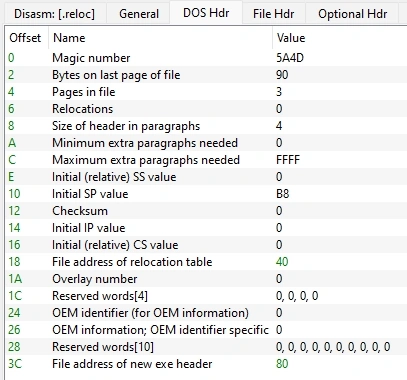
Interpretation
- Note that the header starts with "Magic number" 0x5A4D" which stands for "MZ" (which are initials of Mark Zbikowski, one of the MS-DOS developers), which acts as a file format identifier
- Note at offset 0x3C, there is address of new exe header, which is 0x80, pointing to "NT headers"
8 DOS Stub
Here is DOS Stub in the Hex editor,
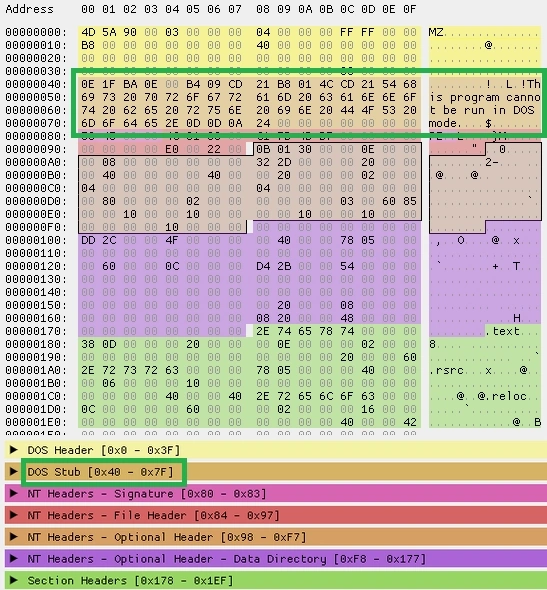
Interpretation
This is a small piece of code that is DOS compatible that prints an error message saying, "This program cannot be run in DOS mode", in case the program is run under DOS
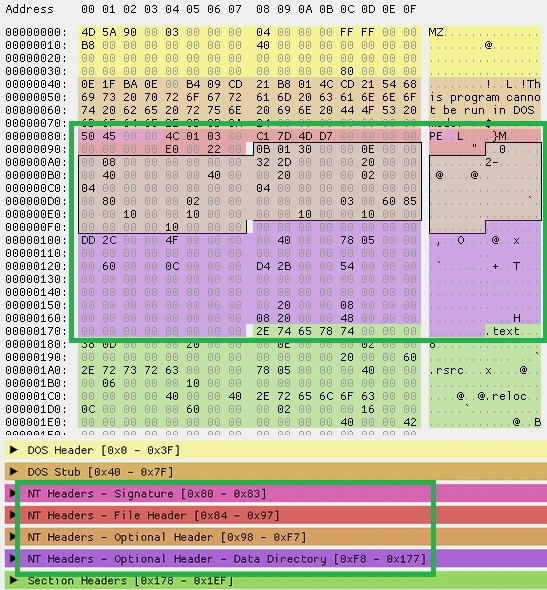
9 NT Headers (aka "PE File Header")
Here are NT Headers in Hex editor,
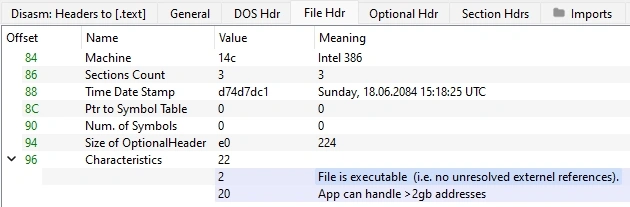
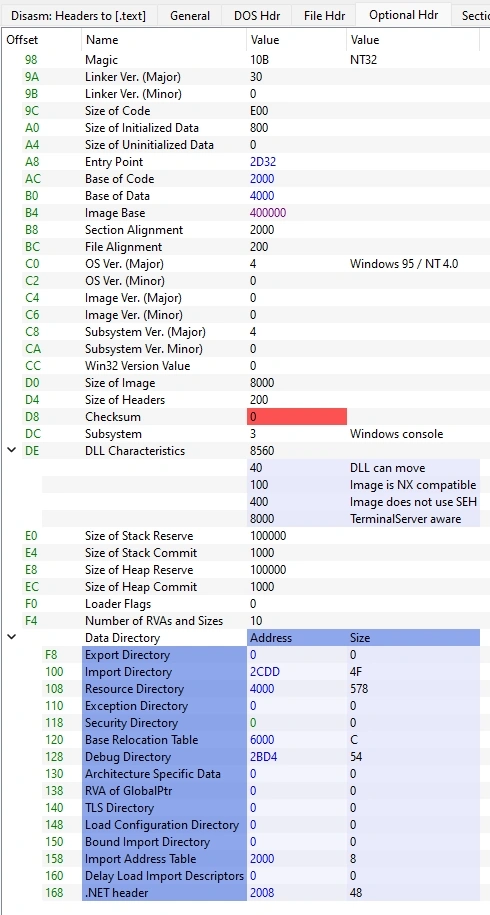


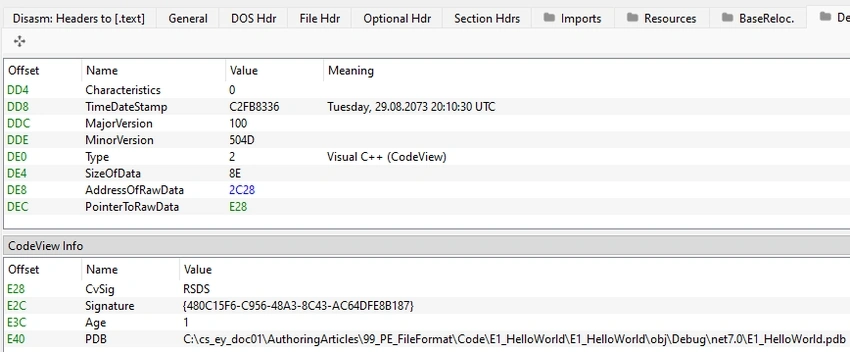
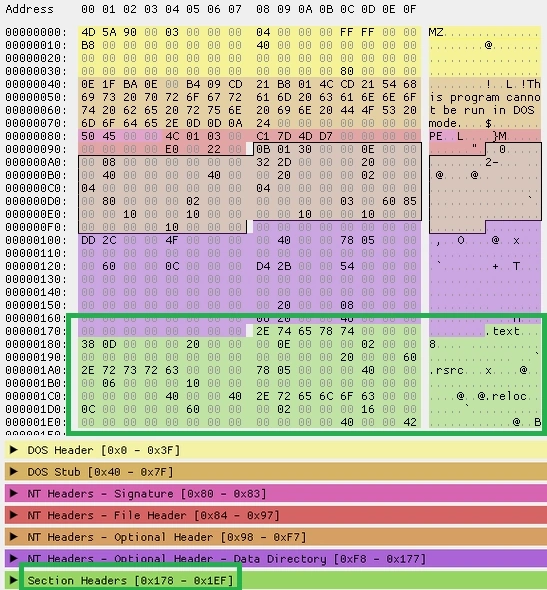
Join the conversation! Your thoughts help the community grow.