

Introduction
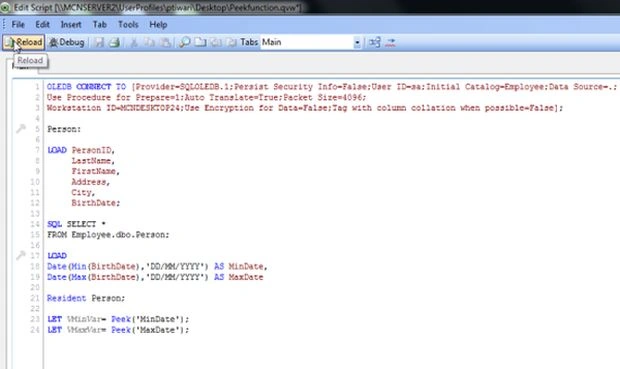
The Peek() function works as a scripting function. The Peek() function returns the field value from a specific field in a table. By using the Peek() function you can specify the row number and table name that you want to extract in the script.
Use the following procedure to create a sample showing how to use a Peek() function in a QlikView application.
Step 1: Open the QlikView application
It is the first step, in this step you need to open the QlikView application then go to "File" -> "New" then this window will be opened.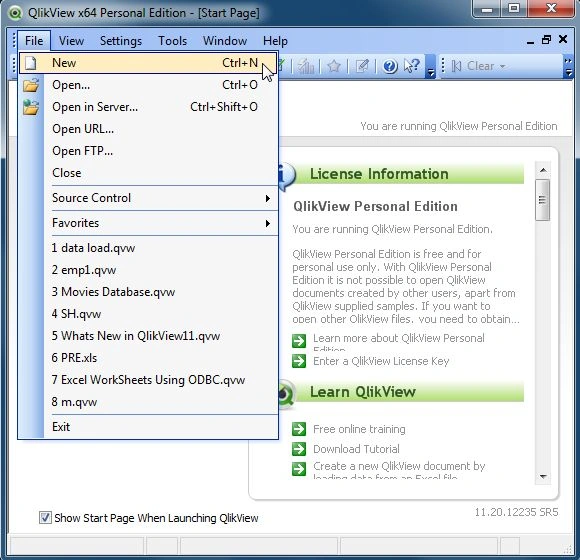
Step 2: Open Edit Script
The second step is to open the edit script window from:
"File" -> "Edit Script".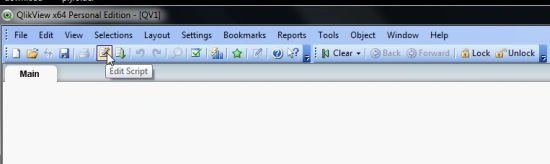
- Then this window will be opened.
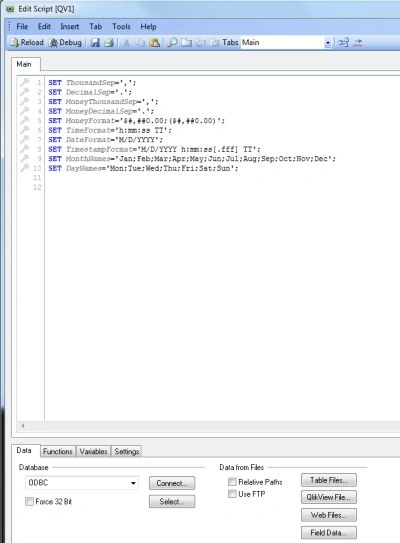
Step 3: Select Database
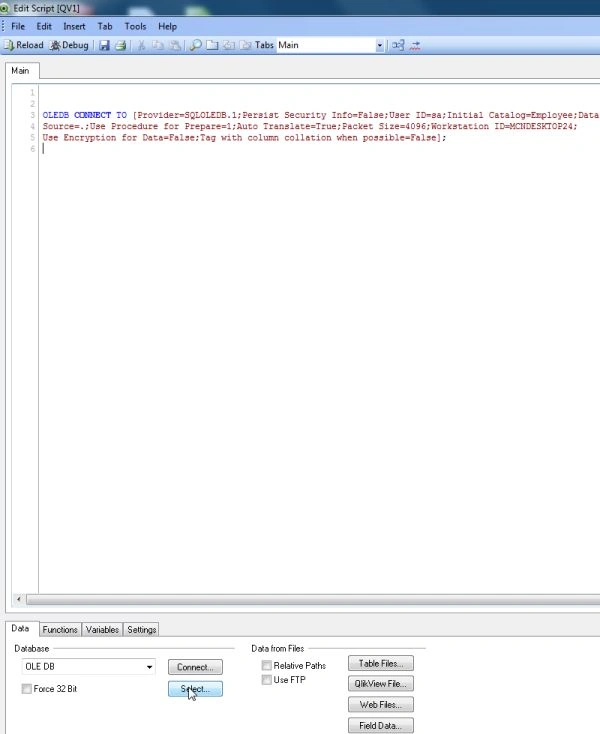
The third step is select the database from the data tab and click on the Connect Button.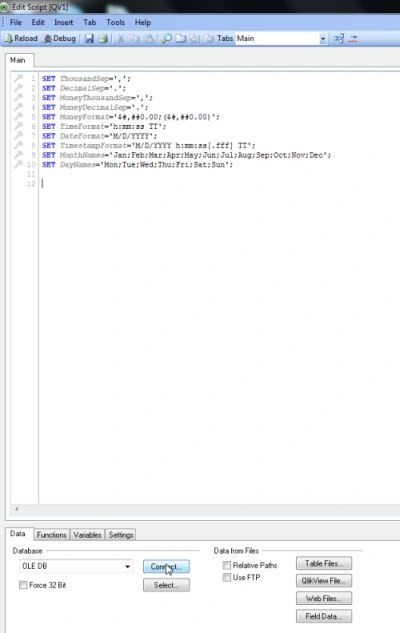
Step 4: Data link property window
In this window we select the SQL Server and click on the Next Button.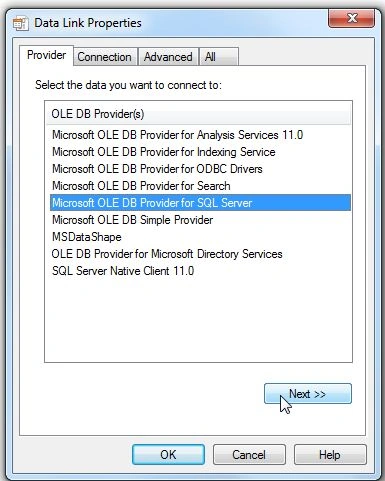
Step 5: Connection tab
In the connection tab, you entered the server name and user name and password and selected the database from your server and click on Test Connection.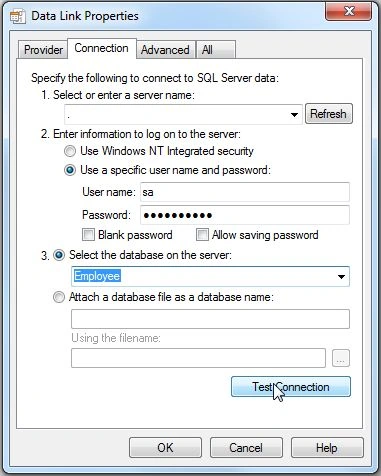
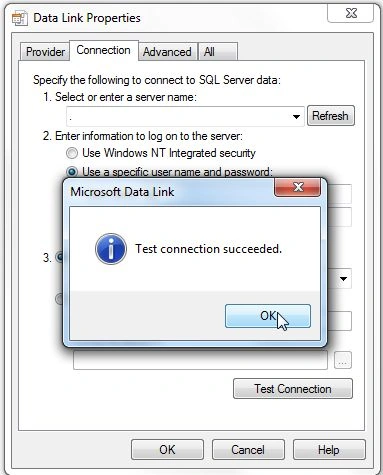
- Then you find that the test connection succeeded and click on the OK button.
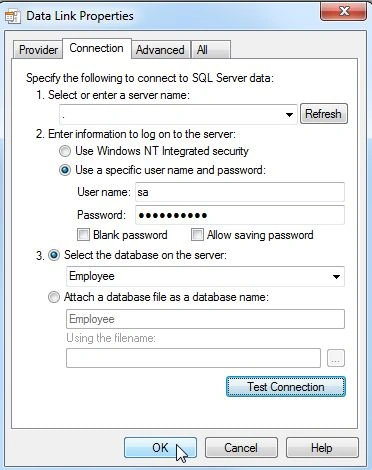
- Then click on the OK button.
Step 6: SQL Server login
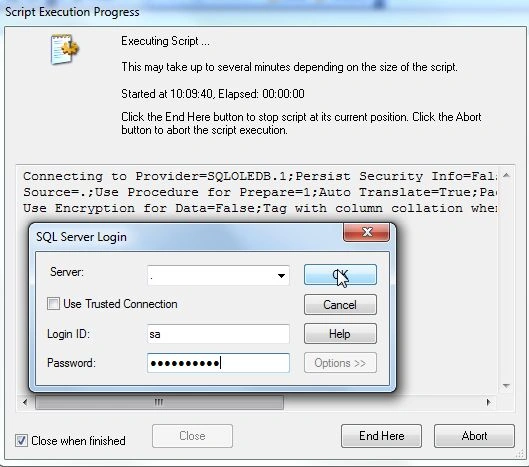
Then they require a SQL Server login so enter a valid login id and password and click on the OK button.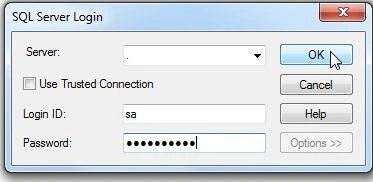
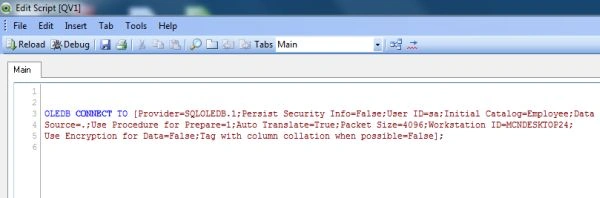
- Then this window will be opened.
Former memberPosted Feb 29, 2016, 9:13 AM
Can you explain with another example?
Mukundan KPosted Jun 18, 2015, 7:24 AM
Good Explanation
Prerana TiwariPosted May 5, 2014, 10:52 PM
thanku..........
Gopi ChandPosted May 5, 2014, 12:40 PM
Nice article and well explained through step by step process..