
In this article I will show you
how to extract data from SQL Server using LINQ.
From MSDN:
LINQ is a set of extensions to the .NET Framework that encompass
language-integrated query, set, and transform operations. It extends C# and
Visual Basic with native language syntax for queries and provides class
libraries to take advantage of these capabilities.
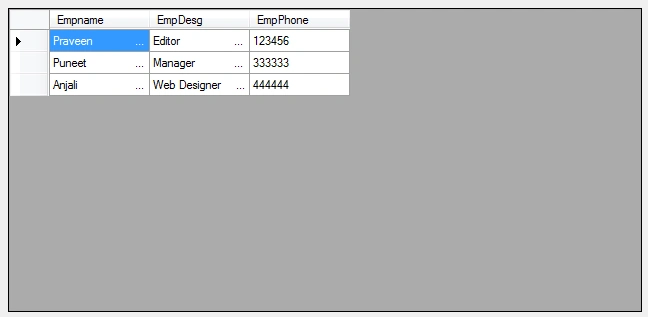
The sample database I am using for this article has the following table
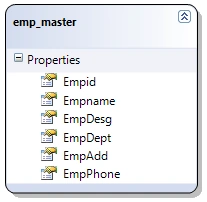
Open Visual Studio and create a windows application. Here I have named the
application LINQaaplinVB.
For any database application, the first step is to create connection with the
database. Open "Server Explorer" from the View menu and create a connection.
The steps for creating the connection is shown below:
1. Right click "Data Connections" and select "Add Connection".
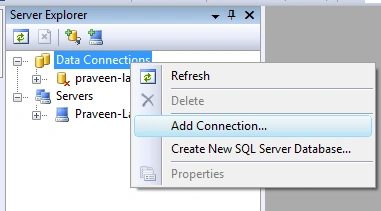
2. In connection wizard supply the exact values as you supplied during SQL
Server installation process. Select the database you want to use for the
application.
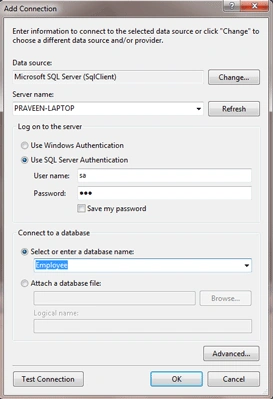
You can also test the connection from this wizard. If everthing is OK, move to
the next step.
Now we are done with the connection and let's move to our application.
Add "LINQ to SQL Classes" template by right clicking the project and then select
"Add New Item". Name your template. The name of my template is Employee.dbml.
Now you are provided with Object Relational Designer (O/R Desinger) for this
template file.
Next step is to add the database tables to the designer. For this expand the
connection you created earlier and select the tables from the list of tables.
Drag the table "Employee" to the designer. In my case, I am using just a single
table for demonstation. You can add more tables to the O/R designer. One thing
to note that the designer automatically takes the relations between the tables.
Don't forget to save the project.
One thing to note here that, when we added tables to the O/R designer we are
provided with DataContext object for our project. The name of the object will be
same as your tamplate file you created earlier.
Now we can use the DataContext object and try to extact records from our
database table.
In my application, I added a listbox for showing the names of the employees.
Now in the form_load we will see how to get records from the table to the
listbox
Private Sub Form1_Load(ByVal sender As System.Object, ByVal e As System.EventArgs) Handles MyBase.Load
Dim db As New EmployeeDataContext
Dim employee = From emp In db.emp_masters _
Select emp.Empname
ListBox1.DataSource = employee
Gayathri RajuPosted Jan 6, 2015, 7:53 AM
This code executed successfully but the data doesnt build..whats the reason..pls share