

Introduction
SQL stands for Structured Query Language, and it is used to manipulate the data from databases. Every database contains many tables, when the tables are made by ROWS & COLUMNS. The columns are represented as “Fields” and Rows are represented as “Records”.
By reading this article, you will learn about CRUD operations in the Azure SQL database.
Prerequisites for creating SQL Server
-
Azure cloud account
-
Edge or other browsers
-
Stable Internet Connection
-
Minimum knowledge of the database
-
Azure SQL server & database
If you have not created SQL server and database in Azure, refer to my previous articles:
-
Creating A SQL Server in Azure Cloud
-
Creating A SQL Database in Azure Cloud
Step 1
Login to Azure portal.
Step 2
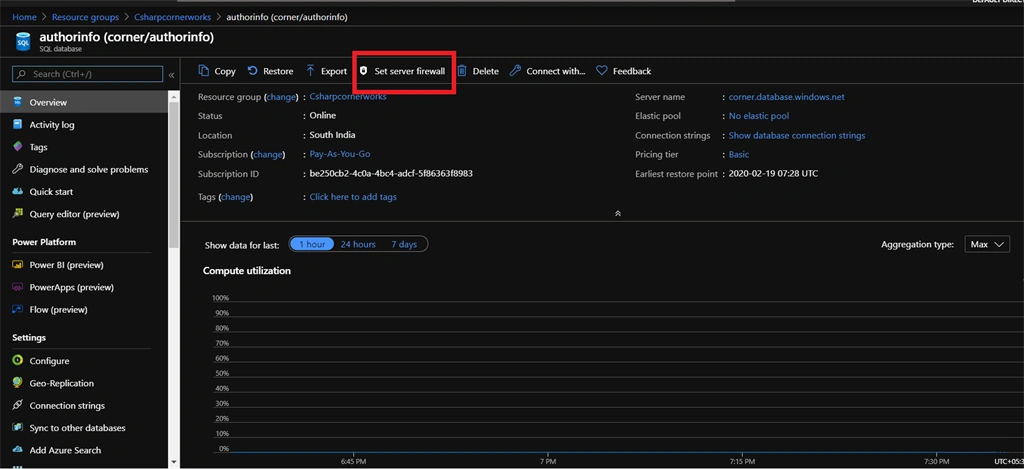
Go to the database dashboard and then click the “Set Server Firewall” from the top of the dashboard.
Step 3
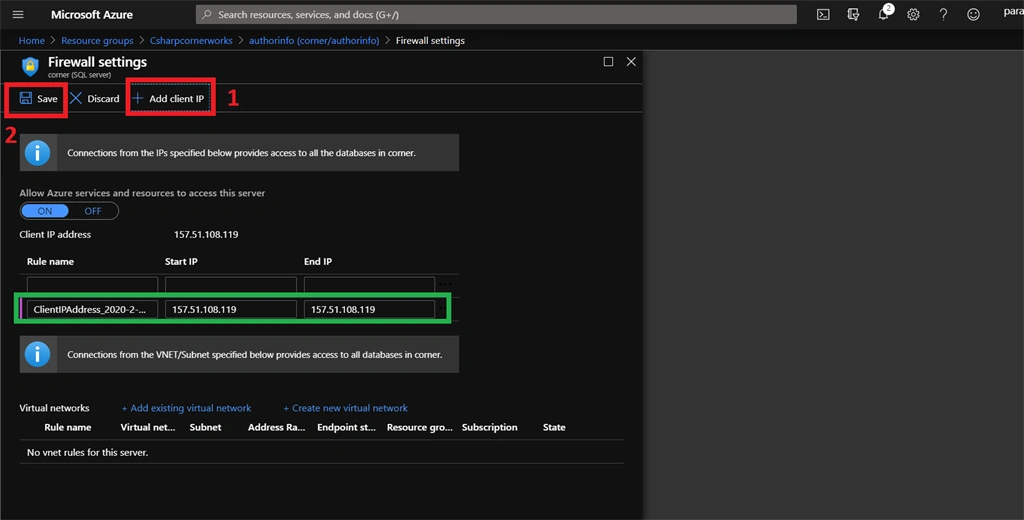
Next, in our firewall settings page, Click the “Add Client IP” option. After our client IP Address is added then click the “Save” option.
Step 4
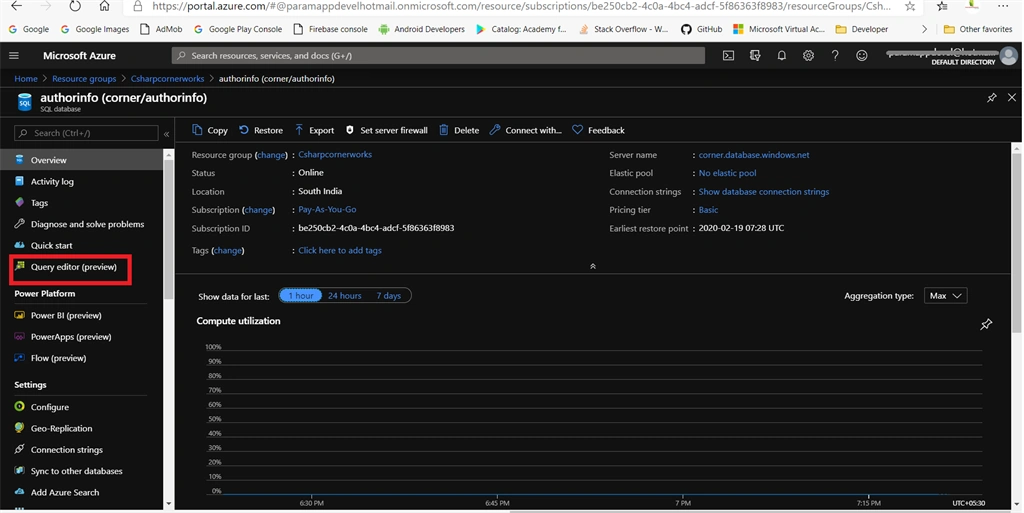
After coming to the database dashboard, click the “Query editor (preview)” from the left pane.
Step 5
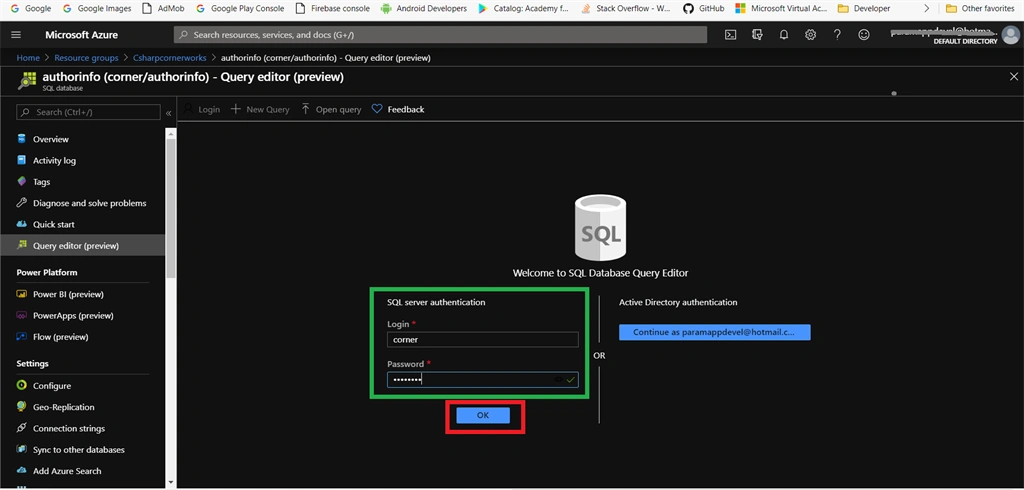
Query editor asks our database credentials to login. Enter your credentials and then click the “Ok” button.
Step 6
After logging in, you are in the query editor. We are performing CRUD operations in the database.
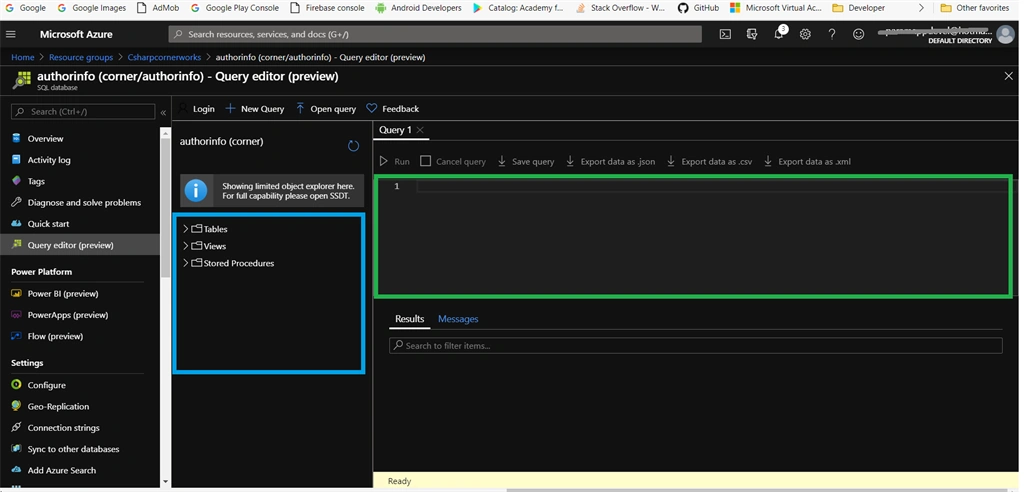
We can do step by step operations in the database:
-
Creating a table in the database
-
Inserting values into a table
-
Retrieving data from a table
-
Updating values in table records
-
Deleting values from table records
Creating a table in database
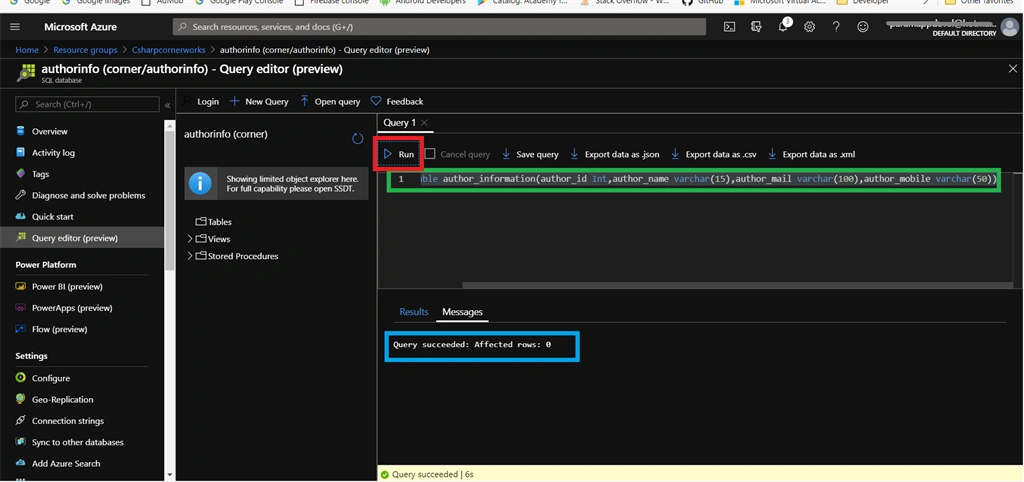
Write the below query in QUERY editor and then click the “Run” button at the top of the query editor. At the bottom of the query editor “Query succeeded” message is displayed.
We are creating a table by following the schema structure using the below query.
| Column Name | Data type |
| author_id | Int |
| author_name | varchar |
| author_mail | varchar |
| author_mobile | varchar |
- Create table author_information(author_id Int,author_name varchar(15),author_mail varchar(100),author_mobile varchar(50))
Inserting values into table
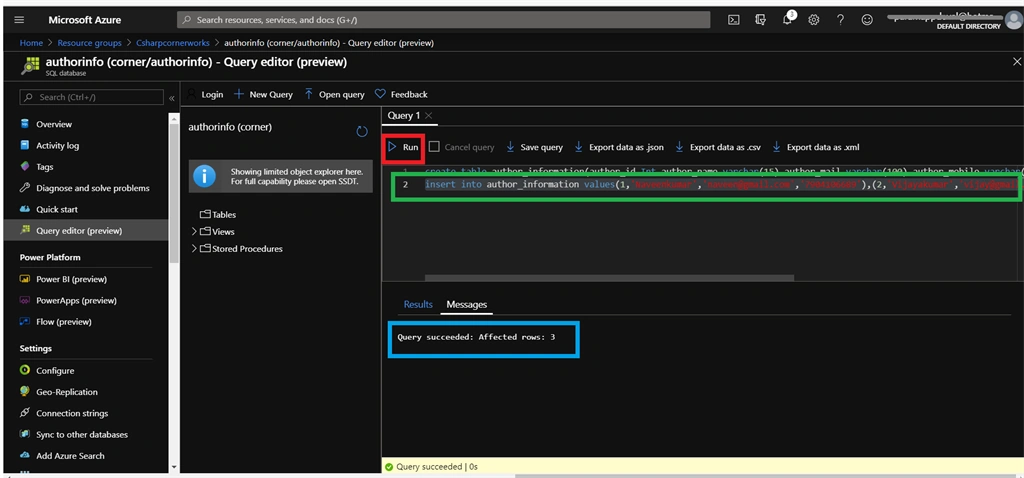
Write the below insert queries in the query editor and then click the “Run” button. At the bottom of the query editor “Query succeeded” message is displayed.
- insert into author_information values(1,'Naveenkumar','[email protected]','7904106689'),(2,'Vijayakumar','[email protected]','7904106333'),(3,'Shalini','[email protected]','8904106459')
Retrieving data from table
Write the below queries to retrieve data from the SQL database. After you write a query then click the “Run” button to execute. At the bottom side our retrieved data can be displayed.
- select * from author_information
Updating Values in Table Records
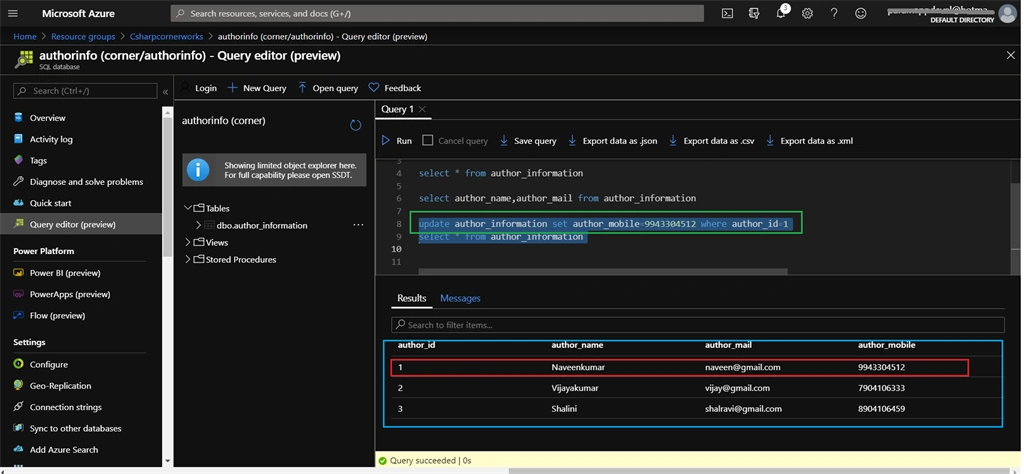
Write the below queries to update data to SQL database. After you write a query, then click the “Run” button to execute. At the bottom side our retrieved data can be displayed.
- update author_information set author_mobile=9943304512 where author_id=1
- select * from author_information
Delete Values from Table Records
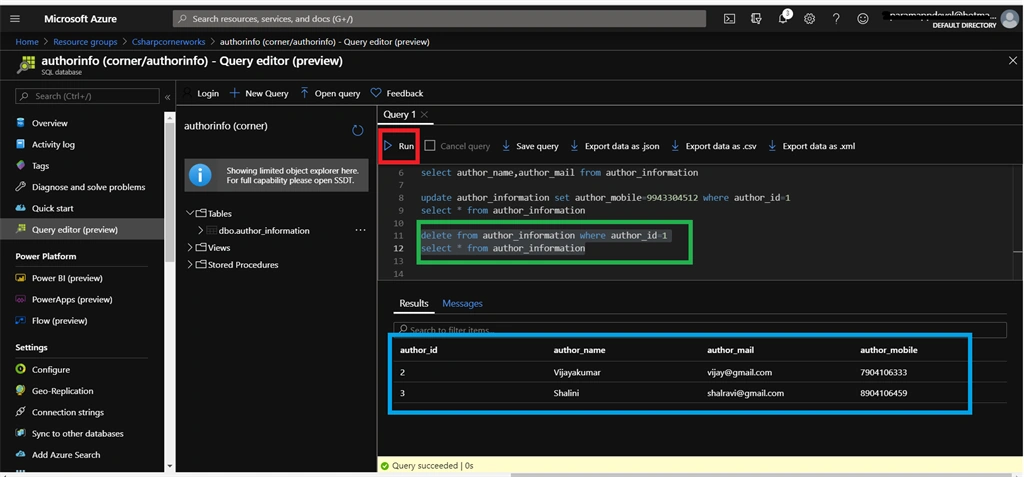
Write the below queries to delete data from the SQL database. After you write a query, then click the “Run” button to execute. At the bottom side our retrieved data can be displayed.
- delete from author_information where author_id =1
- select * from author_information
Summary
Finally we successfully performed the CRUD operations in the SQL database.
Join the conversation! Your thoughts help the community grow.