

Introduction
Flip to Visual Studio.
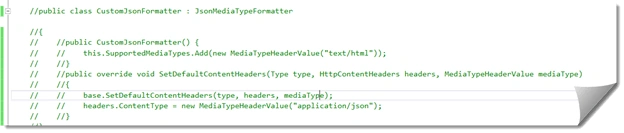
First, comment the CustomFormatter class which we had used in our previous article ASP.NET Web API MediaTypeFormatter. So, we will comment that class.
Now, in EmployeesController, we will add a POST Method. Here, POST method allows us to add a new employee in our employeeData Table.
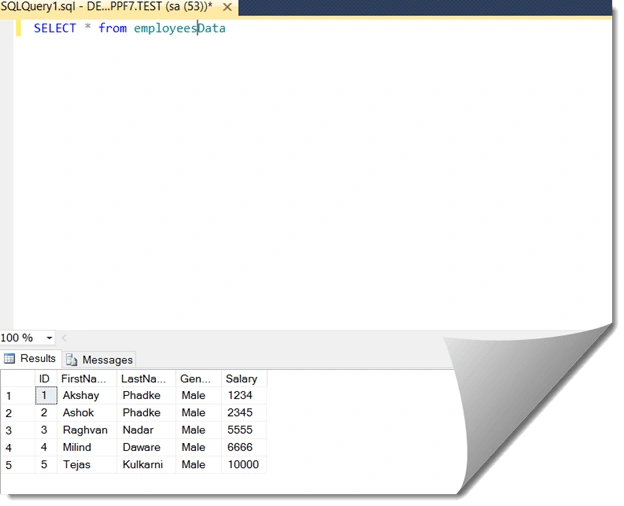
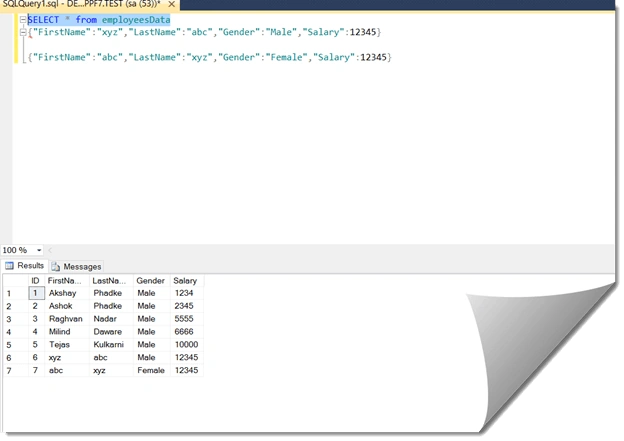
At the moment in the employeesData Table, we have five rows. Now, let’s flip to Visual Studio and let’s implement a method for POST

As in the POST parameter, we have added employeesData and instance as employee; now where is this employee going to come from? Now, when a client makes a request a request has a request header, URI and request body. The data here for the employee object is going to come from request body and we tell that web API by declaring this employeeData in parameter with an attribute. We will specify an attribute, from Body attribute,which basically means this attribute will be telling the data for that employee which we had specified in the parameter so our code with attribute is,
Now, in EmployeesController, we will add a POST Method. Here, POST method allows us to add a new employee in our employeeData Table.
At the moment in the employeesData Table, we have five rows. Now, let’s flip to Visual Studio and let’s implement a method for POST
As in the POST parameter, we have added employeesData and instance as employee; now where is this employee going to come from? Now, when a client makes a request a request has a request header, URI and request body. The data here for the employee object is going to come from request body and we tell that web API by declaring this employeeData in parameter with an attribute. We will specify an attribute, from Body attribute,which basically means this attribute will be telling the data for that employee which we had specified in the parameter so our code with attribute is,
- public void post ([FromBody]employeesData employee)
- {
- }
- public void post ([FromBody]employeesData employee)
- {
- using (TESTEntities entities = new TESTEntities())
- {
- entities.employeesDatas.Add(employee);
- entities.SaveChanges();
- }
- }
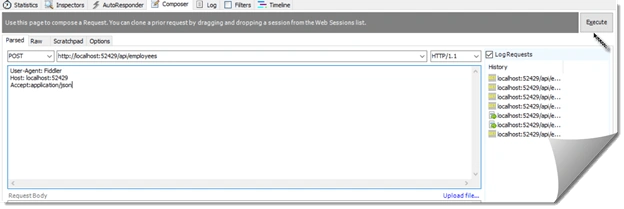
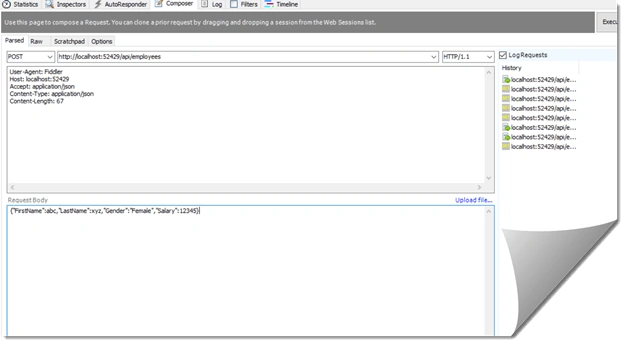
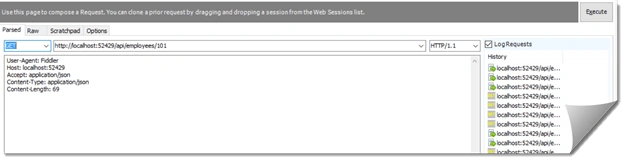
Kindly change the HTTP verb to POST and check the URL. Remember the POST method we had specified -- that request is going to come from request body by declaring it from Body attribute so within the request body in the fiddler we have to include the data for the employee object.
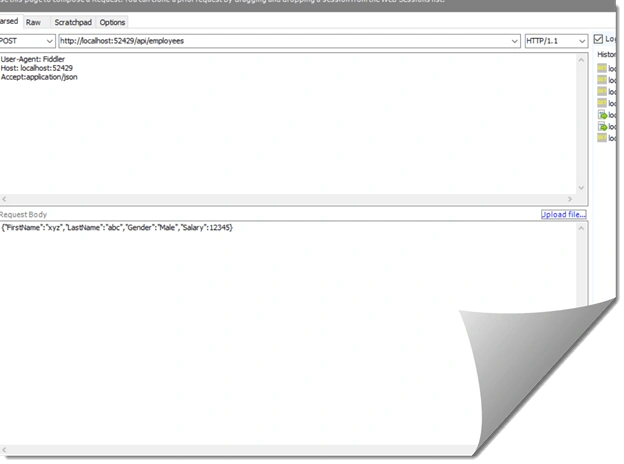
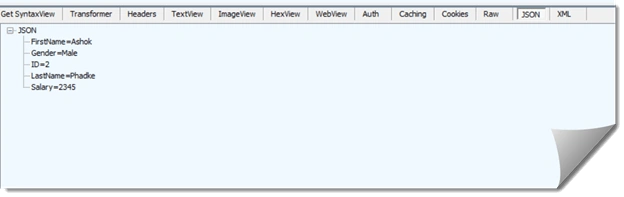
I had copied some dummy data in the request body as you can see from the above screenshot. So this is JSON formatted data so we need to tell Web API we will be sending JSON formatted data to tell that we include content-type header as,
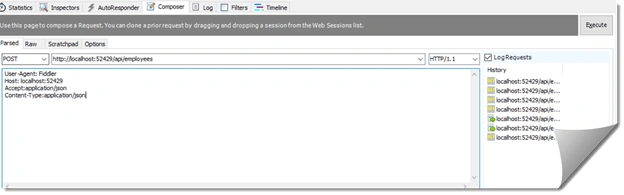
Now, execute that request. When you will execute that request go to SQL and check whether data has been inserted or not.
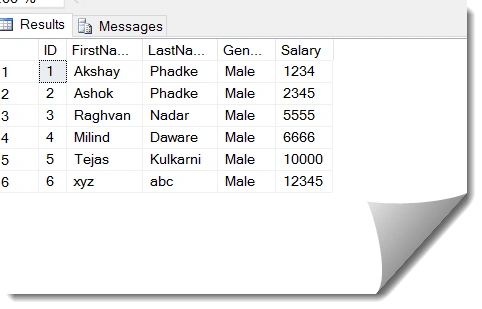
As you can see from the above output the data has been inserted successfully. This works fine but when you inspect the records we had got,

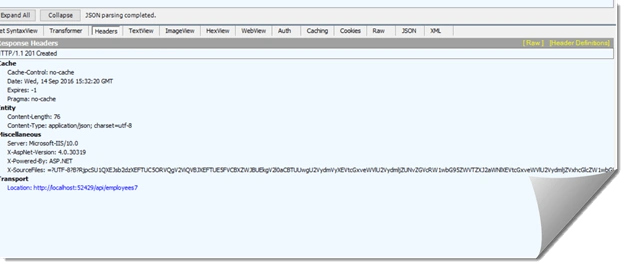
We got 204 No content; that’s because the return type of the POST method is Void. By default Web API is going to return Status Code 204 No content.
According to the standards of REST when we add a new item we should be actually returning status code 201 item created and along with status code 204. We should also be returning the location which is the URI of the newly created item. So let’s see how to achieve this,
Instead of Void we will write HttpResponseMessage,
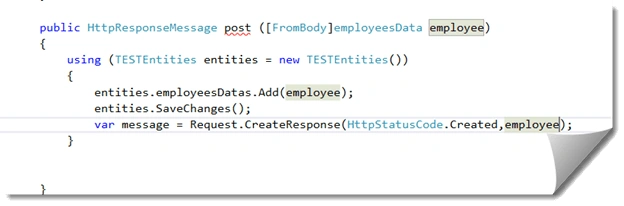
As you can see from the above code we had used HttpResponseMessage instead of void and we had taken a variable which is message and in that whatever response is coming attached to a property called as created response and in that we are passing those HTTP status codes in that parameter.
Now we want to include status 201 which is the location of the newly created URI -- to do that we will use message object,
- public HttpResponseMessage post ([FromBody]employeesData employee)
- {
- try
- {
- using (TESTEntities entities = new TESTEntities())
- {
- entities.employeesDatas.Add(employee);
- entities.SaveChanges();
- var message = Request.CreateResponse(HttpStatusCode.Created, employee);
- message.Headers.Location = new Uri(Request.RequestUri + employee.ID.ToString());
- return message;
- }
- }
- catch (Exception ex)
- {
- return Request.CreateErrorResponse(HttpStatusCode.BadRequest,ex);
- }
- }

Mohan JPosted Jun 14, 2019, 7:57 AM
Fantastic nice explanation
Aisha RaoPosted Nov 11, 2017, 11:01 AM
If i want to post data into two different tables having different attributes by using one controller then what will be the code?
SubashPosted Oct 23, 2016, 9:31 PM
Nice sir
Upendra Pratap ShahiPosted Sep 26, 2016, 1:56 PM
Nice explain ...
Asfend YarPosted Sep 26, 2016, 7:47 AM
Page designs are really awesome .
Akshay PhadkePosted Sep 26, 2016, 7:29 AM
Bikesh SrivastavaHumayun Kabir Mamun Thankyou
Bhushan GawalePosted Sep 26, 2016, 7:17 AM
Nice article! Assume having [FromBody] before complex data type is not a mandate and above snippets would work even without writing it, right?
Bikesh SrivastavaPosted Sep 26, 2016, 1:56 AM
Good .
Humayun Kabir MamunPosted Sep 26, 2016, 12:31 AM
Nice...