

Introduction
Power Automate offers multiple ways to automate tasks, but we often struggle to choose between Cloud Flows and Desktop Flows.
At first glance, both seem to "automate work," but they are designed for very different purposes.
This blog aims to simplify that confusion and helps understand when to use what, without diving into complex technical steps.
Understanding Cloud Flows
Cloud Flows operate entirely in the cloud and are built to connect modern services together.
They work silently in the background and react to events such as emails, form submissions, or scheduled times.
Cloud Flows are best understood as a form of process automation, where systems communicate without human involvement.
Key Characteristics
Runs without a physical machine
Works with Microsoft 365 and online services (navigate to https://make.powerautomate.com/)
Event-driven and scalable
Ideal for business process automation
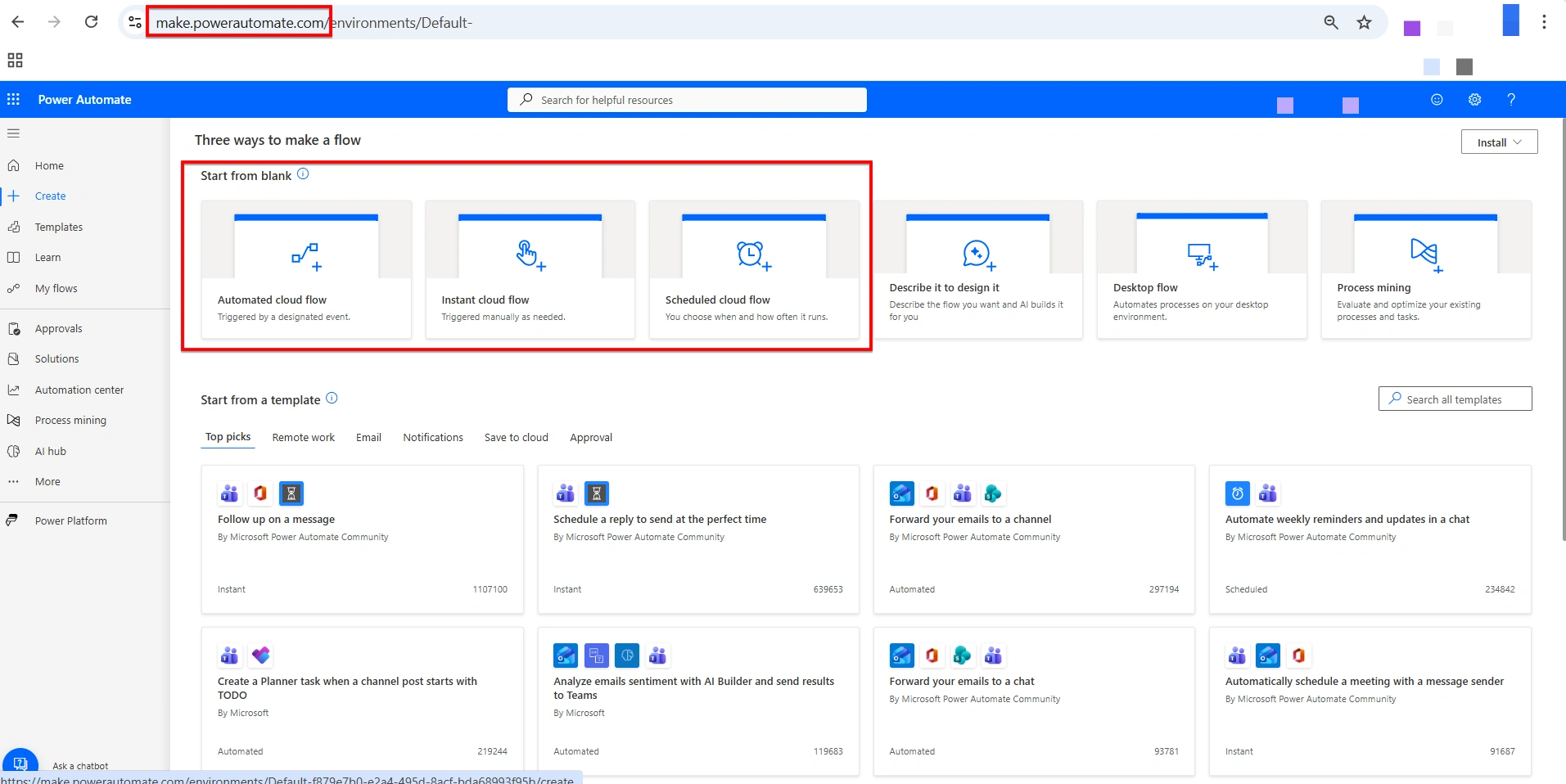
Understanding Desktop Flows
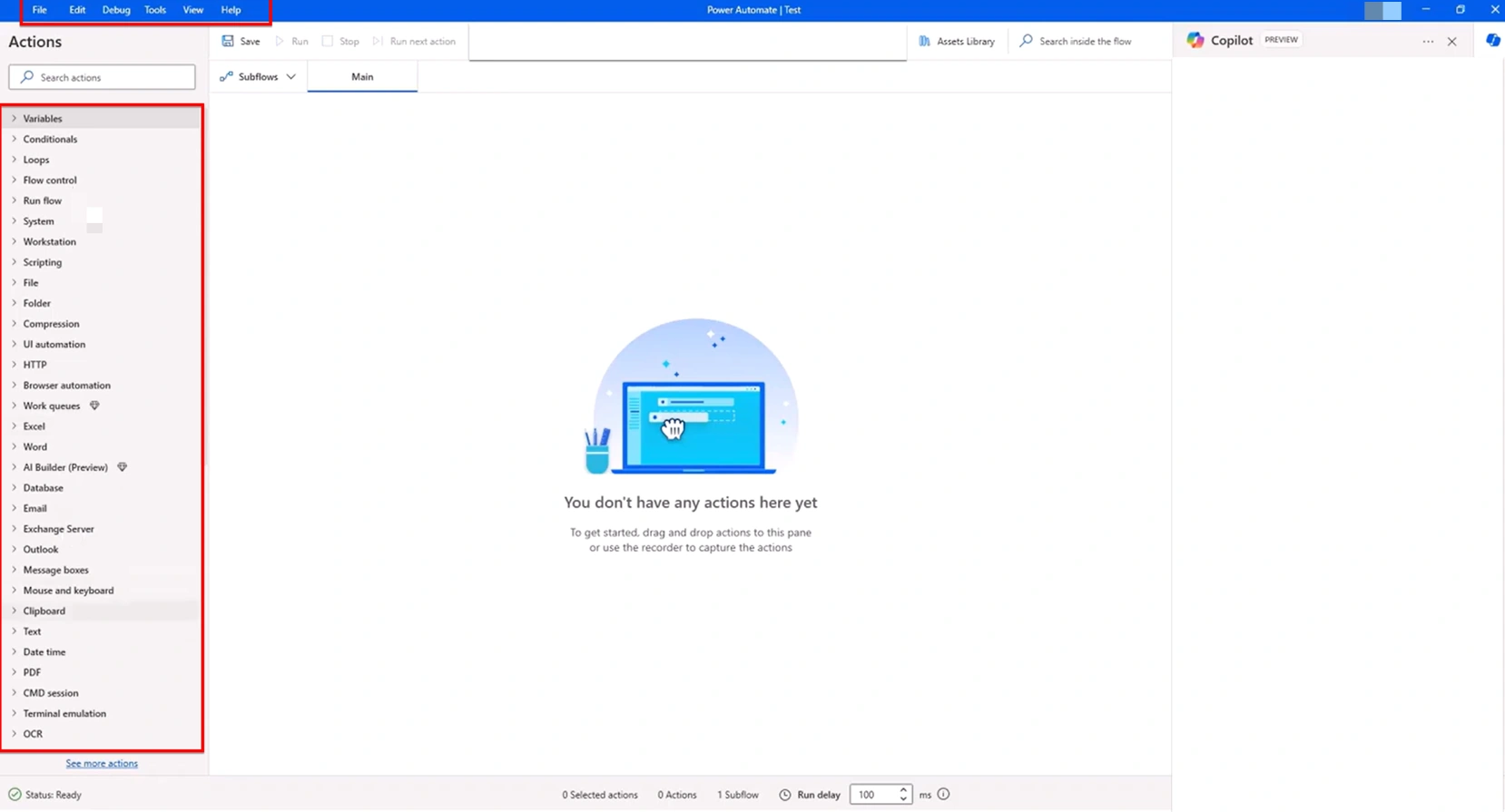
Desktop Flows focus on automating actions performed on a user's computer.
They replicate human behavior such as clicking buttons, opening applications, and entering data.
Desktop Flows are commonly used when systems do not provide APIs or modern connectors.
Key Characteristics
Requires a Windows machine
Automates UI-based tasks
Suitable for legacy or desktop applications
Works through recorded or configured actions.
Difference Between
| Cloud Flows | Desktop Flows |
|---|---|
| Runs in Cloud (Power Automate Online) | Runs on a local Computer (Power Automate Desktop) |
| Automate tasks across cloud apps and services | Automate tasks in desktop or legacy app (*RPA) |
| Event based (email received, file uploaded, record created) | Manual, scheduled, or part of a larger process |
| Works with M365 apps, connectors, and third-party cloud services | Automates clicks, keystrokes and data entry in desktop software |
| Accessible anywhere via browser | Runs locally on Windows Machine |
How to Decide Between Them
The decision is not about which is better, but which is appropriate.
Choose Cloud Flows when:
Data lives in online systems
Automation can be event-driven
Stability and scalability matter
Examples on use case :
1. Send Team Notification on new email
2. Save SharePoint files automatically
3. Setup Reminder/Approval Workflow.
Choose Desktop Flows when
Manual repetitive tasks exist
Legacy systems are involved
No APIs or connectors are available
Examples on use case
Extract data from legacy systems.
Copy/Paste between Desktop different applications
Automate repetitive Excel data entry.
Conclusion
In many real-world solutions, Cloud and Desktop Flows are not competitors but they complement each other as they solve different automation problems. Using each where it fits best results in cleaner, more maintainable automations. Understanding this distinction helps design better solutions and avoid unnecessary complexity.
Join the conversation! Your thoughts help the community grow.