1. New Doctype
In HTML5 "<!DOCTYPE html>" means "this page is written in HTML5". Unlike earlier versions of HTML, in HTML5 the doctype declaration is case-insensitive. In other words <!doctype html> works as well as <!DOCTYPE html>.
2. Figure Element
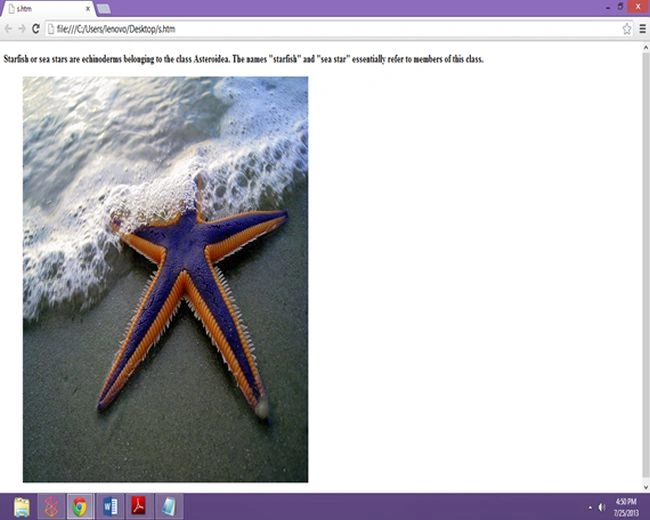
It is often necessary to include images, graphs and compound objects that contain text and images and so on in our Web documents, all of which usually are called figures. HTML 3 attempted to introduce the fig element to represent such constructs; HTML5 reintroduces the idea with the element named figure acting as a semantic element.
Code Used
- <!DOCTYPE html>
- <html>
- <body>
- <p>
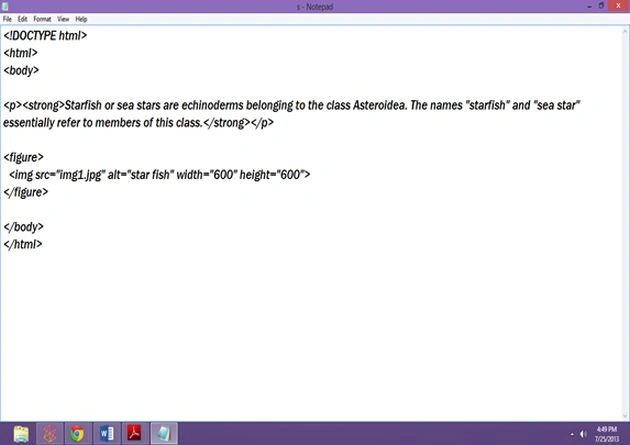
- <strong>Starfish or sea stars are echinoderms belonging to the class Asteroidea. The
- names "starfish" and "sea star" essentially refer to members of this class.</strong></p>
- <figure>
- <img src="img1.jpg" alt="star fish" width="600" height="600">
- </figure>
- </body>
- </html>
3. <small> Redefined
The <small> element creates subheadings closely related to the logo. It's a useful presentational element; however, that would now be an incorrect usage. The small element has been redefined, more appropriately, to refer to small print. Imagine a copyright statement in the footer of your site; according to the new HTML5 definition of this element; the <small> would be the correct wrapper for this information.
The small element now refers to "small print".
4. No More Types for Scripts and Links
A <script> tag allows scripting language code to be either directly embedded within the document as in the following:
- <script type="text/javascript">
- alert("Hi from JavaScript!");
- </script>
or, linked to from a Web page: as in the following:
- <script type="text/javascript" href="ajaxtcr.js">
- </script>
A <link> tag specifies a special relationship between the current document and another document. Most commonly, it is used to specify a style sheet used by the document.
- <link rel="stylesheet" media="screen" href="global.css" type="text/css" >
However, the <link> tag has a number of other interesting possible uses, such as to set up navigation relationships and to hint to browsers about pre-cacheable content.
5. To Quote or Not to Quote
That is the question. Remember, HTML5 is not XHTML. You don't need to wrap your attributes in quotation marks if you don't want to you. You don't need to close your elements. With that said, there's nothing wrong with doing so, if it makes you feel more comfortable.
<p class=myClass id=someId> Start
6. Spellcheck Attribute
HTML5 defines a spellcheck attribute globally for elements. Interestingly, some browsers, such as Firefox, have supported spell checking of form fields and elements in content editing mode using the contenteditable attribute for some time. HTML5 makes this attribute standard. Enabling the spell checking of an element content is a matter of setting the spellcheck attribute to true:
- <p spellcheck="true">Spellcheck on: There is a tyyypooo here.
- Did the browser spot it?</p>
7. Placeholders and Autofocus Attribute
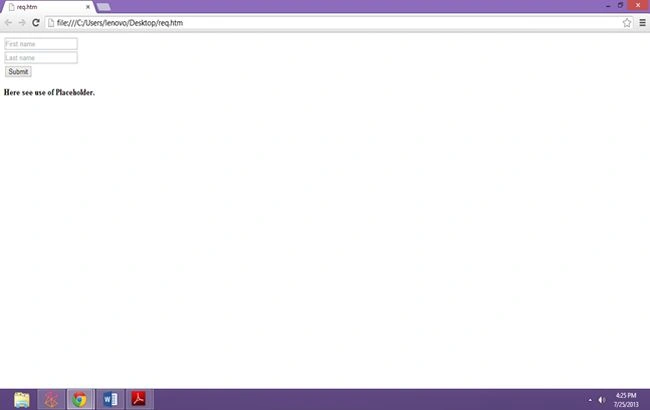
This HTML5 attribute specifies a short bit of text to help the user determine what type of information to fill in for a form of control. Likely, the text will be placed in the field and cleared upon focus.
Web page authors use the value attribute to populate some text in a form field:
- <input type="text" name="firstname" id="firstname" value="Thomas">
Quite often, people put placeholder or advisory text here, like so:
- <input type="text" name="middlename" id="middlename" value="Enter your middle name here">
However, using the value attribute in this manner is somewhat inappropriate, because the purpose of the attribute is not to supply instructions for the field's use but rather to supply a potential value for the user to submit to the server. HTML5 introduces the placeholder attribute to be used as in the following:
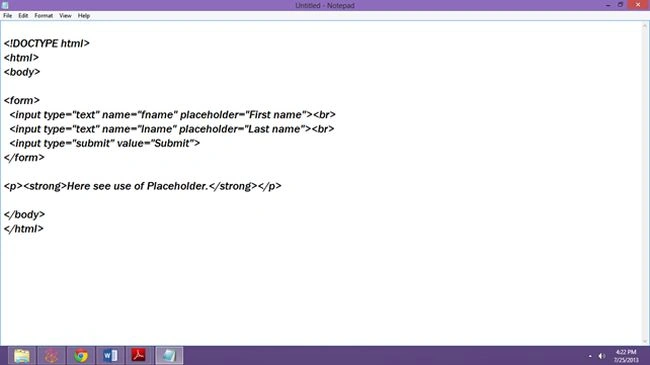
- <input type="text" name="firstname" id="firstname" placeholder="Enter your name here">
HTML5 also introduces the autofocus attribute, which when placed on a field should cause a supporting browser to immediately focus this field once the page is loaded:
- <label>Search:<input type="search" name="query" id="searchBox" autofocus></label>
Also under HTML5, it should be possible to advise the browser to display the autocomplete suggestions provided for fields if similar field names have been used in the past:
- <input type="text" name="firstname" id="firstname" placeholder="Enter your name here" autocomplete>.
Code Example
- <!DOCTYPE html>
- <html>
- <body>
- <form>
- <input type="text" name="fname" placeholder="First name"><br>
- <input type="text" name="lname" placeholder="Last name"><br>
- <input type="submit" value="Submit">
- </form>
- <p>
- <strong>Here see use of Placeholder.</strong></p>
- </body>
- </html>
Check output
8. Web Storage in HTML 5
Before HTML 5 the only way to store information was either by adding it to the Document Object Model (DOM) or by using cookies. But both have some drawbacks.
Storing data in HTML is easy to do but it requires JavaScript, and it can only store data as long as the application and browser are open. As soon as the user's session ends, the data is lost. One more thing is that data stored in HTML is visible to everyone.
Cookies are limited to around 4KB of data, which is not a lot of space to store information. Plus, cookies are sent with every HTTP request and that can slow down your application. HTML5 local storage provides you with more space that is associated with the user agent and is only transferred to and from the server when the application asks for it.
Now first we understand, what is Web Storage?? The answer is Web Storage is a separate API that was originally part of the HTML5 Specification, but now is a separate document in the aegis of HTML5. It is sometimes called Local Storage or DOM Storage depending upon the browser manufacturer. Web Storage allows users to store data in key/value pairs on the user's local machine. This data persists even if the user leaves the application or closes the browser.
Note: Web Storage is different from cookies.
There are two types of Web Storage as in the following:
- Session Storage.
- Local Storage.
Local Storage is name/value pairs stored on the local disk. Every site has a separate storage area. The data stored in this area persists even if the user leaves the site or closes the web browser. The data is only available to the domain that added it, and that data is only sent when a client on that domain requests it.
When you store data in Web Storage, it will be stored as a string. This means that if you have structured data (such as database information) or integers and floating-point, you need to convert them to strings so that they can be stored in Web Storage. Use parseInt( ) and parseFloat( ) methods to convert yours integers and floats back when you retrieve the data. Local storage is best for storing non-sensitive data that takes up a lot of space.
Session storage is name/value pairs that are stored on the local disk for the length of the page session. Session storage will deliver stored data to user agents on the same domain and in the same window as to when the data was stored. After that window closes the stored data is removed. If a new window is opened to the same site, a new instance of session storage is created. Session storage is most useful for temporary data that should be saved and restored if the browser session is accidentally refreshed. But you do not store sensitive data in session storage like local storage. You should check to ensure that the browser supports Web Storage using a function as in the following:
- function supportsWebStorage( )
- {
- Try
- {
- Return 'localStorage' in window && window['localStorage'] !== null;
- }
- catch (e)
- {
- Return false;
- }
- }
When using Web Storage, the first thing you do is define a storage object. This tells the user agent whether you're using local storage or session storage.
These objects are:
- Window.localStorage.
- Window.sessionStorage.
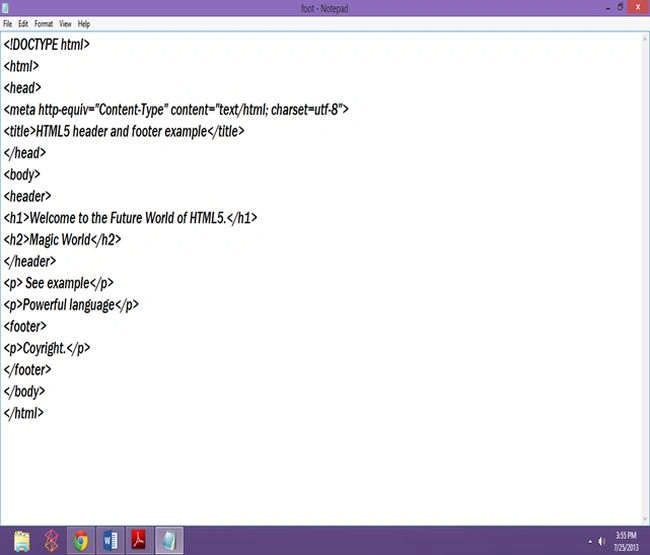
9. The Semantic Header and Footer
Previously we used:
<div id= "header">
…………
</div>
<div id= "footer">
…………
</div>
Divs, by nature, have no semantic structure, even after an id is applied. Now, with HTML5, we have access to the <header> and <footer> elements. The mark-up above can now be replaced with:
<header>
…….
</header>
<footer>
……...
</footer>
In detail,
HTML5 documents may contain a header element, that is used to set the header section of a document and thus often contains the standard h1 to h6 heading elements:
- <header>
- <h1>Welcome to the Future World of HTML5.</h1>
- <h2>Magical World</h2>
- </header>
Similarly, a footer element is provided for document authors to define the footer content of a document, that often contains navigation, legal, and contact information:
- <footer>
- <p>Copyright</p>
- </footer>
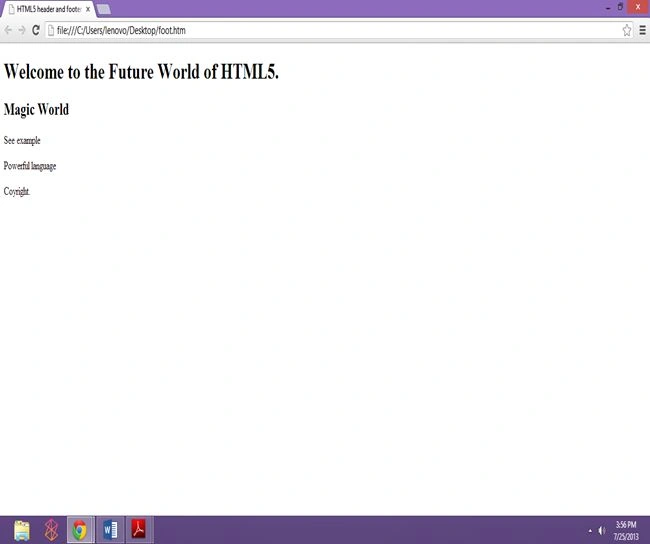
Code Example
- <!DOCTYPE html>
- <html>
- <head>
- <meta http-equiv="Content-Type" content="text/html; charset=utf-8">
- <title>HTML5 header and footer example</title>
- </head>
- <body>
- <header>
- <h1>Welcome to the Future World of HTML5.</h1>
- <h2>Magic World</h2>
- </header>
- <p>
- See example</p>
- <p>
- Powerful language</p>
- <footer>
- <p>Coyright.</p>
- </footer>
- </body>
- </html>
10. Required Attribute
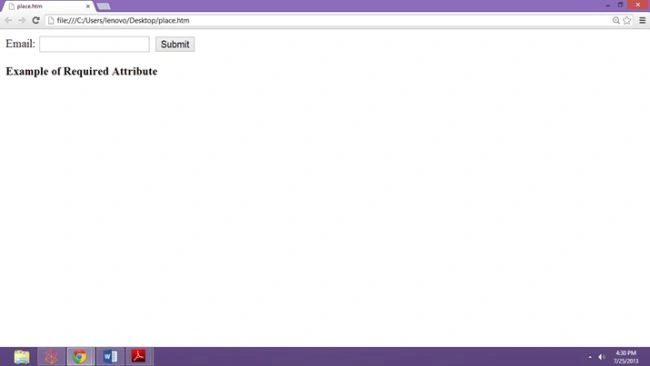
By adding it to a form field, the browser requires the user to enter data into that field before submitting the form. This replaces the basic form validation currently implemented with JavaScript, making things a little more usable and saving us a little more development time. Required is a Boolean attribute.
- <input type="text" name="firstname" id="firstname" required>
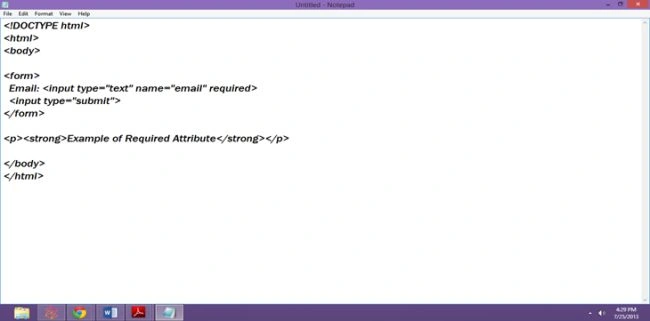
Code Example
- <!DOCTYPE html>
- <html>
- <body>
- <form>
- Email:
- <input type="text" name="email" required>
- <input type="submit">
- </form>
- <p>
- <strong>Example of Required Attribute</strong></p>
- </body>
- </html>
Check Output
11. Video Support
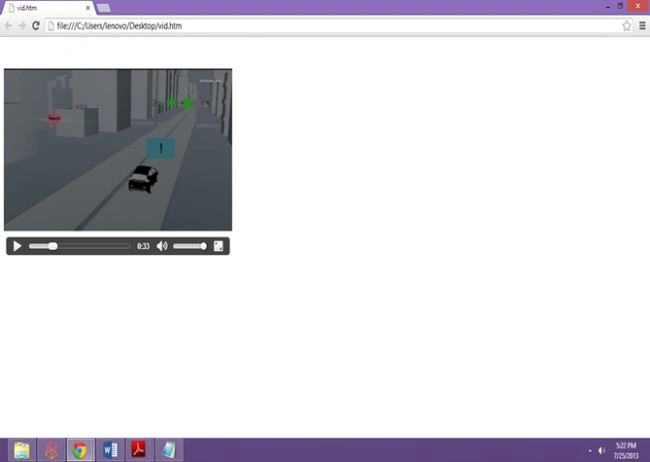
To insert Video, use a <video> tag and set its src attribute to a local or remote URL containing a playable movie. You should also display playblack controls by including the controls attribute, as well as set the dimensions of the movie to its natural size.
- <video src="2012.mp4"
- width="480" height="360" controls>
- <strong>HTML5 video element</strong>
- </video>
Code Example
- <!DOCTYPE html>
- <html>
- <body>
- <video width="480" height="360" controls>
- <source src="2012.mp4" type="video/mp4">
- <source src="2012.ogg" type="video/ogg">
- Your browser does not support the video tag.
- </video>
- </body>
- </html>
Check this
12. Audio Support
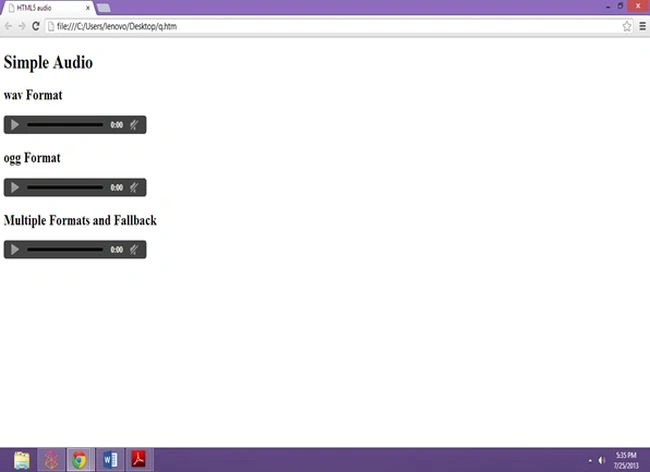
HTML5's audio element is quite similar to the video element. The element should support common sound formats such as WAV files:
- <audio src="coffee music.wav"></audio>
You also have autobuffer and autoplay attributes for the audio element.
- <audio controls autobuffer autoplay>
- <source src="Coffee music.ogg" type="audio/ogg">
- <source src="Coffee music.wav" type="audio/wav">
- </audio>
Code Example
- <!DOCTYPE html>
- <html>
- <head>
- <meta http-equiv="Content-Type" content="text/html; charset=utf-8">
- <title>HTML5 audio</title>
- </head>
- <body>
- <h1>
- Simple Audio</h1>
- <h2>
- wav Format</h2>
- <audio src="coffee music.wav" controls></audio>
- <h2>
- ogg Format</h2>
- <audio src="coffee music.ogg" controls></audio>
- <h2>
- Multiple Formats and Fallback</h2>
- <audio controls autobuffer autoplay>
- <source src="coffee music.ogg" type="audio/ogg">
- <source src="coffee music.wav" type="audio/wav">
- </audio>
- </body>
- </html>
Check
13. Header Group <hgroup>
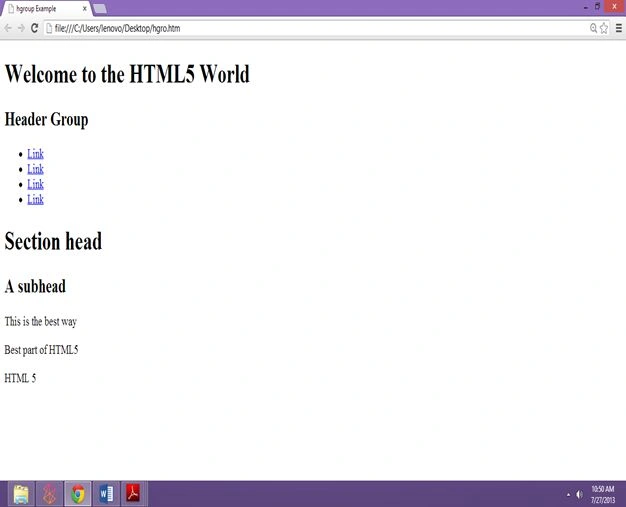
In some cases, a page, article, or section may require more than one heading, such as where you have a title and a subtitle. This HTML5 element represents a grouping of heading elements (h1-h6).
Code Example
- <!DOCTYPE html>
- <html>
- <head>
- <meta http-equiv="Content-Type" content="text/html; charset=utf-8">
- <title>hgroup Example</title>
- </head>
- <body>
- <header>
- <hgroup>
- <h1>Welcome to the HTML5 World</h1>
- <h2>Header Group</h2>
- </hgroup>
- <nav>
- <ul>
- <li><a href="#">Link</a></li>
- <li><a href="#">Link</a></li>
- <li><a href="#">Link</a></li>
- <li><a href="#">Link</a></li>
- </ul>
- </nav>
- </header>
- <hgroup>
- <h1>Section head</h1>
- <h2>A subhead</h2>
- </hgroup>
- <p>
- This is the best way</p>
- <p>
- Best part of HTML5</p>
- <footer><p>HTML 5</p></footer>
- </body>
- </html>
Check


Ramakrishna PathuriPosted Aug 30, 2013, 3:05 AM
I think One main concept was missed i.e it supports Web Responsive Design using Of media queries.
Gakenh01Posted Aug 1, 2013, 2:51 PM
Nice rundown on HTML 5
Tripti TiwariPosted Aug 1, 2013, 12:32 PM
Thank You Sir!!
Dinesh BeniwalPosted Aug 1, 2013, 11:16 AM
appreciate your hard work Tripti.